It is currently Tue Jun 09, 2026 1:57 am


All times are UTC - 5 hours [ DST ]


Post new topic Reply to topic  [ 8 posts ] 
Author Message
 Post subject: Make a Rainbow
PostPosted: Wed Jun 10, 2009 12:04 pm  (#1) 
Offline
Retired Staff
User avatar

Joined: May 22, 2008
Posts: 6946
Location: Somewhere in GIMP
This tutorial is fast and easy to do.

Make a large canvas. Your rainbow will end up about 56% of the width. I started with a canvas of 750 x 750px. The resulting rainbow circle was 414px x 414px.

Fill the background layer with white. The background layer can be deleted later but it helps you to see the colors.

Make a new transparent layer.

Using the Rectangle Select Tool, make a rectangle about halfway down on the canvas that fills the width of the canvas and as high as you want your rainbow thick. For this rainbow I made the height of the selection 75px.

Fill the selection with the rainbow gradient by holding down the Ctrl key and dragging from top to bottom of the selection.

Unselect.

Attachment:
rbwselect.jpg
rbwselect.jpg [ 69.43 KiB | Viewed 13224 times ]


Filters > Distorts > Polar Coordinates.

Settings:

Circle depth in percent: 100

Offset angle: 180

Preview and To Polar = checked.
Map backwards and Map from top = unchecked.

You will see a circle in the preview window.

Attachment:
polarcoord.jpg
polarcoord.jpg [ 72.61 KiB | Viewed 13223 times ]

Click OK.

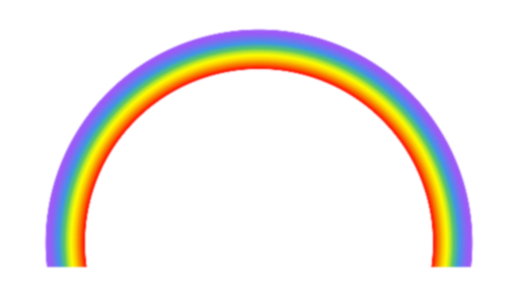
You will have a rainbow circle on your canvas.

Use the Rectangle Select Tool and select the bottom half of the circle. A little more than half looks a little better. Delete. You have a rainbow arc.

Using the Crop Tool, roughly crop around your rainbow, leave some canvas around it so you have room to work around your rainbow. After you have selected the area around the rainbow, click in the center of the selection. You may have click twice. It will crop to the size of your selection.

Ctrl + E will remove excess canvas around your image.

Filters > Blur > Gaussian Blur. Blur your rainbow just a little - a setting of 1 or 2. I used 2 on this rainbow.

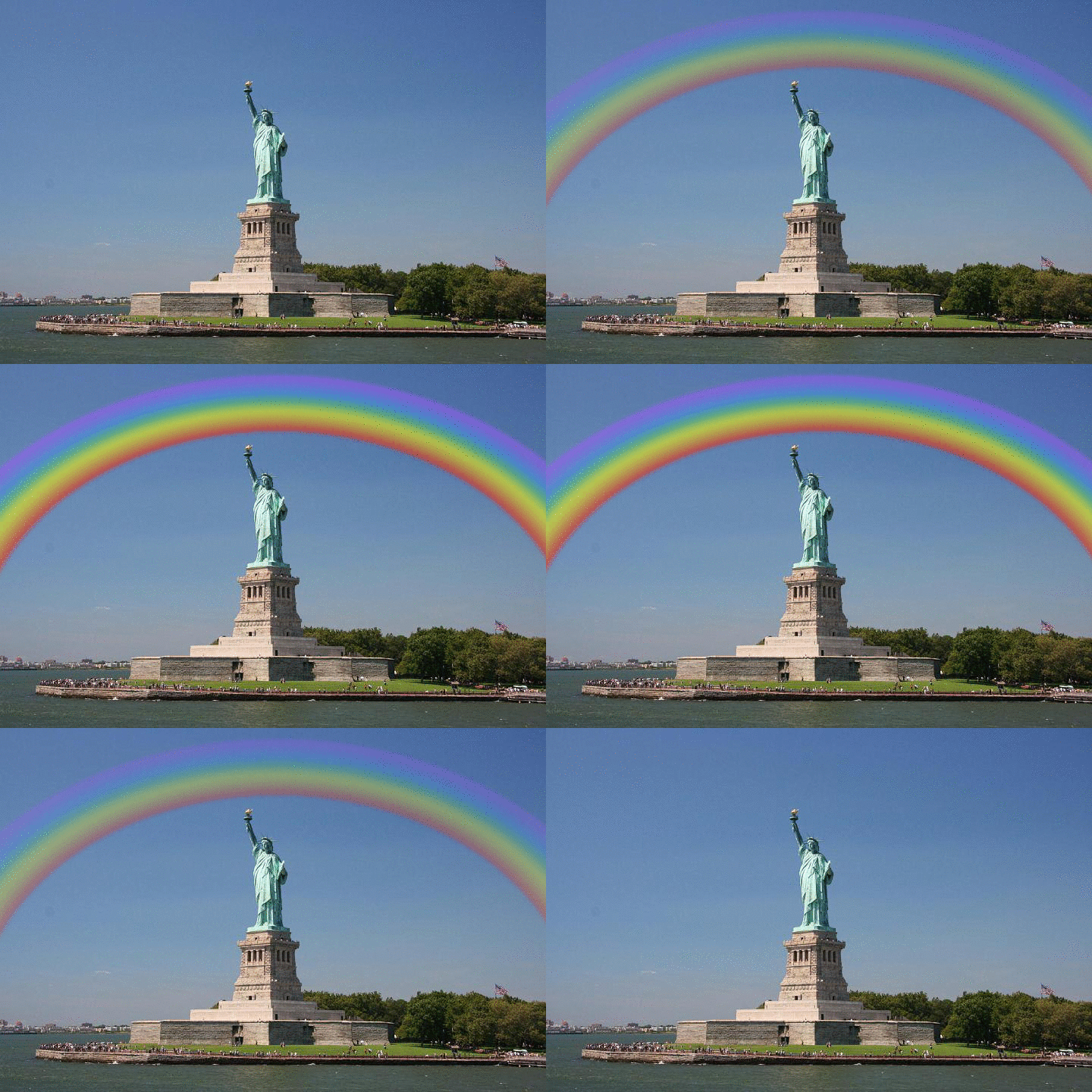
Decorate your rainbow with what you want.
Attachment:
rainbow.png
rainbow.png [ 50.87 KiB | Viewed 13236 times ]


Download the pdf file of this tutorial (MakeARainbow.pdf).
Download my rainbow gradient (Rainbow.ggr).


Attachments:
MakeARainbow.pdf [123.72 KiB]
Downloaded 641 times
Rainbow.ggr [674 Bytes]
Downloaded 722 times

_________________
Image
World War IV will be fought with sticks and stones. - Albert Einstein
Share on Facebook Share on Twitter Share on Orkut Share on Digg Share on MySpace Share on Delicious Share on Technorati
Top
 Post subject: Re: Make a Rainbow
PostPosted: Thu Sep 09, 2010 8:43 pm  (#2) 
Offline
GimpChat Member
User avatar

Joined: Jul 04, 2010
Posts: 2253
Location: Retired Moderator Slowly Returning to the Living.
Nice simple tutorial! I love that you included the gradient and a PDF file!

_________________
Artists aren't crazy! We're eccentric! ~G.M. Ross

Image

My Sigs = My Photos
Check out my work at http://www.flickr.com/photos/photomastergreg.


Top
 Post subject: Re: Make a Rainbow
PostPosted: Thu Sep 09, 2010 8:47 pm  (#3) 
Offline
Retired Staff
User avatar

Joined: May 22, 2008
Posts: 6946
Location: Somewhere in GIMP
I had forgotten all about this tut. Made it over a year ago before Gimp Chat got updated to its present state.

_________________
Image
World War IV will be fought with sticks and stones. - Albert Einstein


Top
 Post subject: Re: Make a Rainbow
PostPosted: Thu Sep 09, 2010 8:56 pm  (#4) 
Offline
GimpChat Member
User avatar

Joined: Jul 04, 2010
Posts: 2253
Location: Retired Moderator Slowly Returning to the Living.
I love going back and re-discovering posts.

_________________
Artists aren't crazy! We're eccentric! ~G.M. Ross

Image

My Sigs = My Photos
Check out my work at http://www.flickr.com/photos/photomastergreg.


Top
 Post subject: Re: Make a Rainbow
PostPosted: Thu Sep 09, 2010 9:28 pm  (#5) 
Offline
GimpChat Member
User avatar

Joined: Apr 08, 2010
Posts: 5420
Location: Northwest Ohio
I also love quick and easy!
Image


Top
 Post subject: Re: Make a Rainbow
PostPosted: Thu Sep 09, 2010 9:38 pm  (#6) 
Offline
Global Moderator
User avatar

Joined: May 16, 2010
Posts: 16021
Simple is where its at ;)
Nice tutorial O!

Oh and thanks for the nice gradient.

_________________
Image


Top
 Post subject: Re: Make a Rainbow
PostPosted: Mon Aug 25, 2014 9:25 am  (#7) 
Offline
GimpChat Member
User avatar

Joined: Apr 26, 2014
Posts: 3786
Location: belgium
Image

oregonian,
thanks for sharing the Rainbow
I have the rainbow made in gimp then used in another forum and Also in gimpchat


gimper66


Top
 Post subject: Re: Make a Rainbow
PostPosted: Mon Aug 25, 2014 12:54 pm  (#8) 
Offline
Retired Staff
User avatar

Joined: May 22, 2008
Posts: 6946
Location: Somewhere in GIMP
Very, very nice gimper66. Thank you for doing my tutorial and making it a lovely animation. :bigthup

_________________
Image
World War IV will be fought with sticks and stones. - Albert Einstein


Top
Post new topic Reply to topic  [ 8 posts ] 

All times are UTC - 5 hours [ DST ]


* Login  


Powered by phpBB3 © phpBB Group