It is currently Wed May 22, 2013 11:27 pm


Latest GIMP Scripts & Plug-ins

All times are UTC - 5 hours [ DST ]


Post new topic Reply to topic  [ 35 posts ]  Go to page 1, 2, 3, 4  Next
Author Message
 Post subject: More text art
PostPosted: Sat Nov 05, 2011 7:10 pm  (#1) 
Offline
Global Moderator
User avatar

Joined: May 16, 2010
Posts: 9011
Location: "Looking for my eraser" =P
Image

_________________
Image
Gimp Rocks Blog
Simply Gimp Tutorials
"Once your in the cloud, you're in the net"
____________
OK, . . . . so what's the speed of dark?


Share on Facebook Share on Twitter Share on Orkut Share on Digg Share on MySpace Share on Delicious Share on Technorati
Top
 Profile  
 

 Post subject: Re: More text art
PostPosted: Sat Nov 05, 2011 7:41 pm  (#2) 
Offline
GimpChat Member
User avatar

Joined: Jul 08, 2011
Posts: 286
Nice work Rod.Like it :).

_________________
Image

My Flickr
http://anaplus.deviantart.com/


Top
 Profile  
 
 Post subject: Re: More text art
PostPosted: Sat Nov 05, 2011 8:19 pm  (#3) 
Offline
Global Moderator
User avatar

Joined: May 16, 2010
Posts: 9011
Location: "Looking for my eraser" =P
Pretty big!
Thanks Ana. :)

_________________
Image
Gimp Rocks Blog
Simply Gimp Tutorials
"Once your in the cloud, you're in the net"
____________
OK, . . . . so what's the speed of dark?


Top
 Profile  
 
 Post subject: Re: More text art
PostPosted: Sun Nov 06, 2011 9:20 am  (#4) 
Offline
GimpChat Member
User avatar

Joined: Aug 24, 2011
Posts: 1776
Location: Dallas, TX
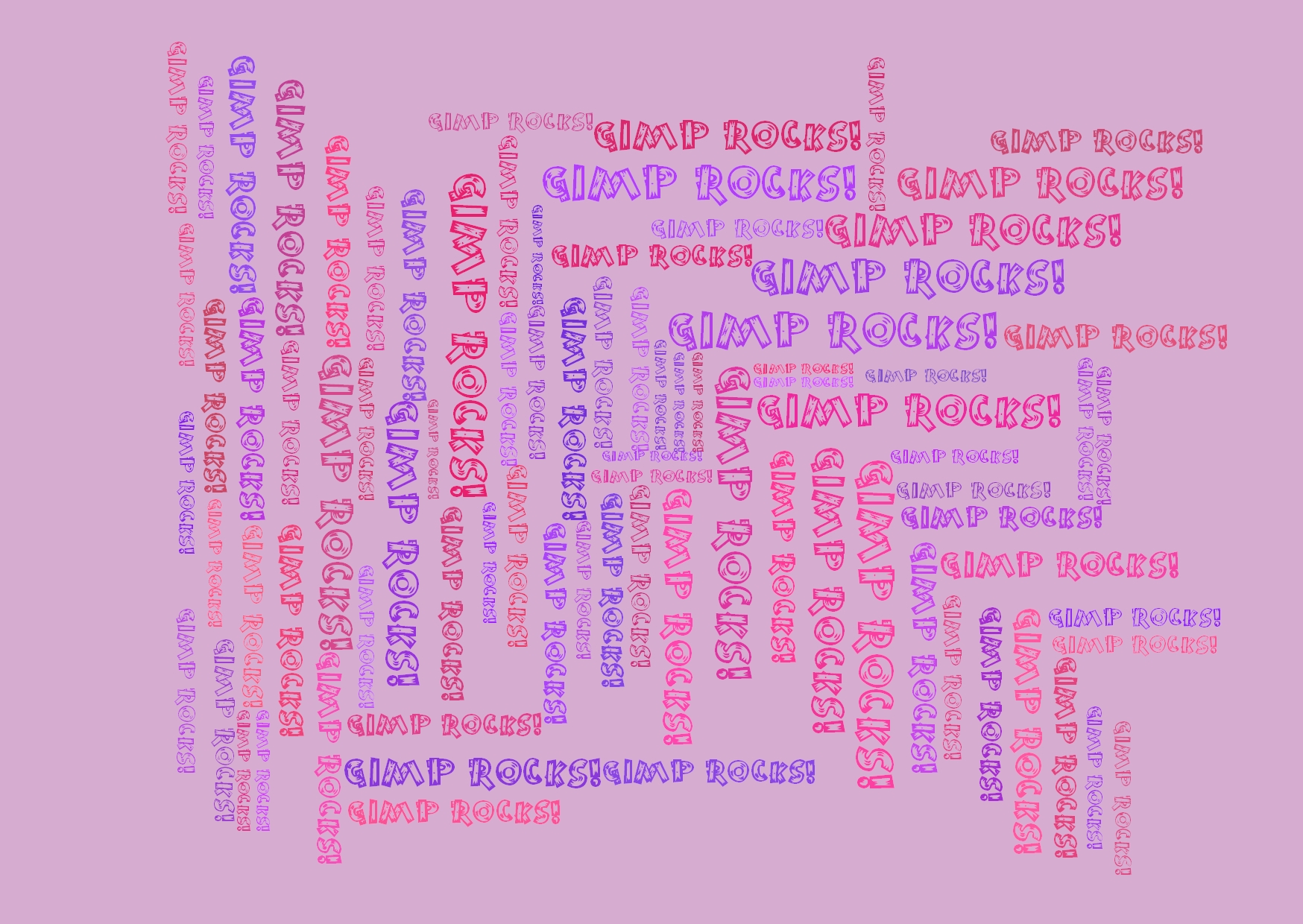
Looks pretty cool Rod. When you started this post it piqued my interest in finding a script for creating topography like the ones below but it turned out to be something entirely different. Does anyone know how to do this type of array with say 10 to 20 words? It's the randomness I'm looking for, with both size and positioning options.


Attachments:
typography_1.jpg
typography_1.jpg [ 187.29 KiB | Viewed 499 times ]
shutterstock_50837560.jpg
shutterstock_50837560.jpg [ 585.44 KiB | Viewed 505 times ]

_________________
Image
Top
 Profile  
 
 Post subject: Re: More text art
PostPosted: Sun Nov 06, 2011 9:53 am  (#5) 
Online
GimpChat Member
User avatar

Joined: Apr 08, 2010
Posts: 2946
Location: Northwest Ohio
What I would love to have it a script to generate that kind of topography AND use that output in Rod's script.


Top
 Profile  
 
 Post subject: Re: More text art
PostPosted: Sun Nov 06, 2011 11:16 am  (#6) 
Offline
GimpChat Member
User avatar

Joined: Sep 24, 2010
Posts: 5008
Lot's of ways to do this. Look at this thread (read all the entries; several online sites were mentioned) at RetouchPRO Drac (may not see all the pictures, but the link to the various programs are workable. Also, Rod, I believe, mentioned Textaizer recently; well these guys also create a program called Wordaizer that does these word clouds. :)

_________________
Lyle

Psalm 109:8

Image


Top
 Profile  
 
 Post subject: Re: More text art
PostPosted: Sun Nov 06, 2011 12:17 pm  (#7) 
Offline
Global Moderator
User avatar

Joined: May 16, 2010
Posts: 9011
Location: "Looking for my eraser" =P
There is also a python script by bytes and pixels that does word art in random size and patterns, but you would have to move them to the different degrees you want.
http://registry.gimp.org/node/24974 - looks like their site may be down due to MySQL problems though.

_________________
Image
Gimp Rocks Blog
Simply Gimp Tutorials
"Once your in the cloud, you're in the net"
____________
OK, . . . . so what's the speed of dark?


Top
 Profile  
 

 Post subject: Re: More text art
PostPosted: Sun Nov 06, 2011 12:21 pm  (#8) 
Offline
Global Moderator
User avatar

Joined: May 16, 2010
Posts: 9011
Location: "Looking for my eraser" =P
I attached the wordart zip file.
This is python so you need python support to run it.By the way i could never get this to run in Gimp-2.7 versions so if you can PLEASE tell me how! :)
Thanks.

Another small note of advice - DO NOT use all your fonts at once or you will be waiting a very, very long time for your image.Actually you will probably crash Gimp altogether.

Attachment:
b&p_word_art_01_v1.0.zip [10.2 KiB]
Downloaded 26 times

_________________
Image
Gimp Rocks Blog
Simply Gimp Tutorials
"Once your in the cloud, you're in the net"
____________
OK, . . . . so what's the speed of dark?


Top
 Profile  
 
 Post subject: Re: More text art
PostPosted: Sun Nov 06, 2011 6:46 pm  (#9) 
Offline
GimpChat Member
User avatar

Joined: Aug 24, 2011
Posts: 1776
Location: Dallas, TX
Thanks guys, I'll check out the sites and give the python script a try and let you know if It works form my purposes. Even if it doesn't, always nice to have new toys to play with. Manly toys of course.

_________________
Image


Top
 Profile  
 
 Post subject: Re: More text art
PostPosted: Sun Nov 06, 2011 11:04 pm  (#10) 
Offline
GimpChat Member
User avatar

Joined: Aug 24, 2011
Posts: 1776
Location: Dallas, TX
Yo Rod. I installed the word art plug-in and need to know where it shows up. I looked in the plug-in browser under help and it returned a "no matches" result.

_________________
Image


Top
 Profile  
 
Display posts from previous:  Sort by  
Post new topic Reply to topic  [ 35 posts ]  Go to page 1, 2, 3, 4  Next

All times are UTC - 5 hours [ DST ]


Who is online

Users browsing this forum: 2-ton, cecilia and 2 guests


You cannot post new topics in this forum
You cannot reply to topics in this forum
You cannot edit your posts in this forum
You cannot delete your posts in this forum
You cannot post attachments in this forum

Search for:
Jump to:  

* Login   * Subscribe to RSS Feed


Powered by phpBB © 2000, 2002, 2005, 2007 phpBB Group