It is currently Tue Jun 09, 2026 2:21 am


All times are UTC - 5 hours [ DST ]


Post new topic Reply to topic  [ 76 posts ]  Go to page Previous  1, 2, 3, 4  Next
Author Message
 Post subject: Re: New-Theme --- Blue-Licorice-Dynamic-Metallica - windows
PostPosted: Mon Apr 08, 2013 3:02 pm  (#41) 
Offline
Global Moderator
User avatar

Joined: May 16, 2010
Posts: 16021
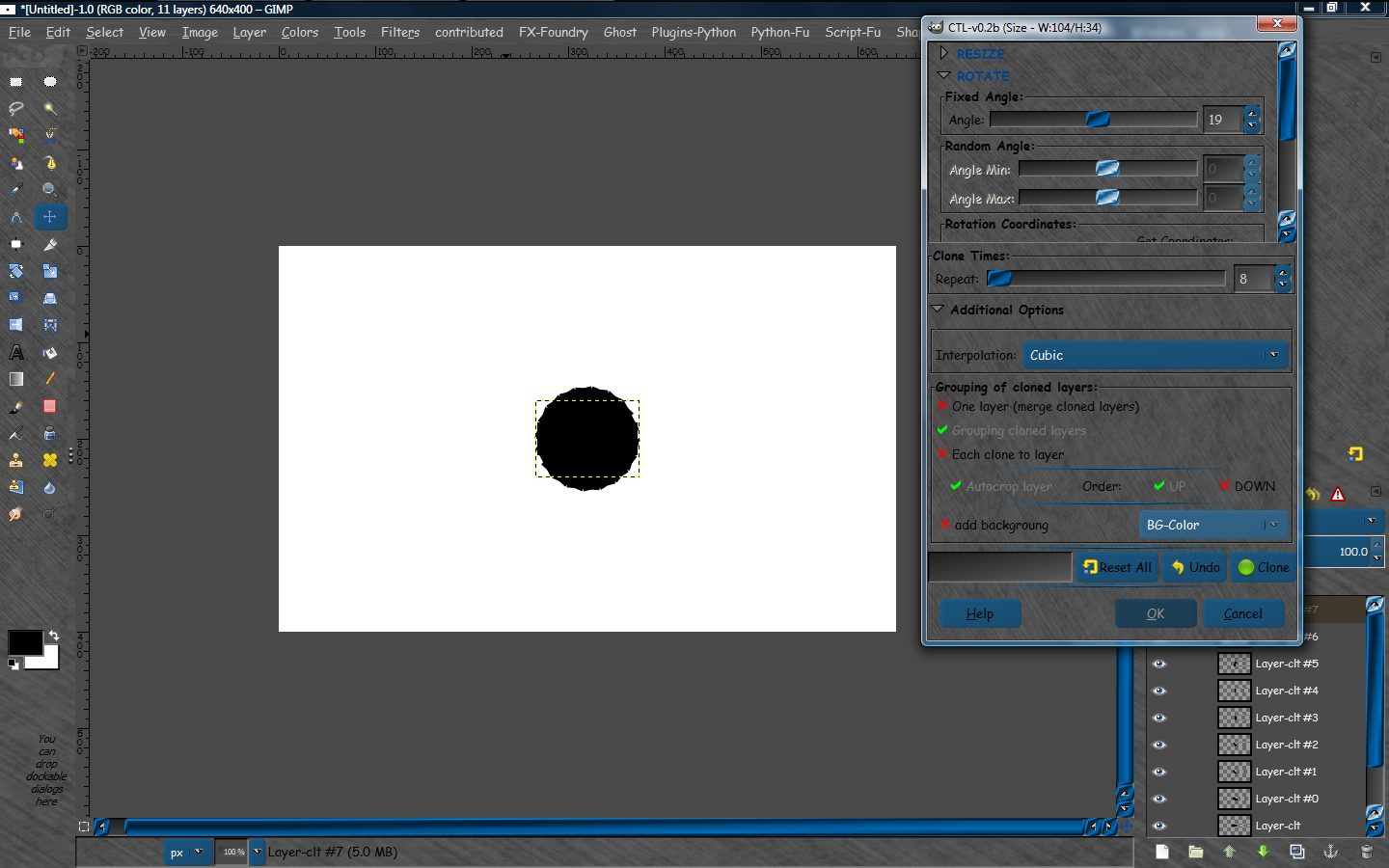
Hey i just tested this old blue theme on Gimp-2.8.4 and it still works nicely.
This is the dynamic version with darker colored buttons.Still uses the seamless metallic bg. :)
Image

_________________
Image


Top
 Post subject: Re: New-Theme --- Blue-Licorice-Dynamic-Metallica - windows
PostPosted: Sat Feb 27, 2016 10:32 am  (#42) 
Offline
Global Moderator
User avatar

Joined: May 16, 2010
Posts: 16021
Still works in GIMP-2.8.16. I tested in GIMP-2.9 and the theme will not work. Aurora Engine error. I probably need to compile a 64 bit version of the dll i am thinking. I will wait for GIMP-2.10 and see what happens.

_________________
Image


Top
 Post subject: Re: New-Theme --- Blue-Licorice-Dynamic-Metallica - windows
PostPosted: Sat Feb 27, 2016 10:46 am  (#43) 
Offline
GimpChat Member
User avatar

Joined: Apr 07, 2010
Posts: 14182
I heard gimp- 2.10 is coming out in 2018 :teeth

_________________
Image


Top
 Post subject: Re: New-Theme --- Blue-Licorice-Dynamic-Metallica - windows
PostPosted: Sun Feb 28, 2016 8:05 am  (#44) 
Offline
Global Moderator
User avatar

Joined: May 16, 2010
Posts: 16021
molly wrote:
I heard gimp- 2.10 is coming out in 2018 :teeth

2018! ?? holy crap thats a long way off. :) :lol

_________________
Image


Top
 Post subject: Re: New-Theme --- Blue-Licorice-Dynamic-Metallica - windows
PostPosted: Sun Feb 28, 2016 8:15 am  (#45) 
Offline
GimpChat Member
User avatar

Joined: Apr 07, 2010
Posts: 14182
Kidding Rod, if you think this way, then you won't be disappointed if it is sooner.
This works for me... :teeth

_________________
Image


Top
 Post subject: Re: New-Theme --- Blue-Licorice-Dynamic-Metallica - windows
PostPosted: Sun Feb 28, 2016 8:23 am  (#46) 
Offline
Global Moderator
User avatar

Joined: May 16, 2010
Posts: 16021
molly wrote:
Kidding Rod, if you think this way, then you won't be disappointed if it is sooner.
This works for me... :teeth

Ahh ok ... good one. :bigthup

_________________
Image


Top
 Post subject: Re: New-Theme --- Blue-Licorice-Dynamic-Metallica - windows
PostPosted: Thu Sep 01, 2016 5:14 pm  (#47) 
Offline
GimpChat Member

Joined: Jul 17, 2016
Posts: 293
Location: Arlington, TX
How do you know which bits you can modify and what to save them as? Is there documentation on this? I really want to tweak the look of my GUI but I'm stuck because I simply do not know where to find the information needed to tweak things. It's almost like you have to be Illuminati to be allowed to alter GTK bits or something.

_________________
Just a short while ago I was a complete idiot when it comes to GIMP. Today, after many hours of practice, reading, and watching tutorials, I am proud to say I am an incomplete idiot.

Image


Top
 Post subject: Re: New-Theme --- Blue-Licorice-Dynamic-Metallica - windows
PostPosted: Thu Sep 01, 2016 5:57 pm  (#48) 
Offline
Global Moderator
User avatar

Joined: May 16, 2010
Posts: 16021
Sasquatch wrote:
How do you know which bits you can modify and what to save them as? Is there documentation on this? I really want to tweak the look of my GUI but I'm stuck because I simply do not know where to find the information needed to tweak things. It's almost like you have to be Illuminati to be allowed to alter GTK bits or something.

Inside the blue licorice theme folder is a gtkrc file. Open the gtkrc file in notepad. You can change anything in there you want. There are also images you can change just keep their names the same. I used seamless images for the metal look. Start your experiments there. Hope that helps.

_________________
Image


Top
 Post subject: Re: New-Theme --- Blue-Licorice-Dynamic-Metallica - windows
PostPosted: Tue Oct 04, 2016 3:32 pm  (#49) 
Offline
GimpChat Member
User avatar

Joined: Mar 16, 2015
Posts: 613
Location: On Earth,specifically Queensland,Australia
I got tired of my dark theme and decided to try Blue Licorice. It's very nice. Thanks Rod.

_________________
Image


Top
 Post subject: Re: New-Theme --- Blue-Licorice-Dynamic-Metallica - windows
PostPosted: Wed Oct 05, 2016 6:11 am  (#50) 
Offline
Global Moderator
User avatar

Joined: May 16, 2010
Posts: 16021
Kimba wrote:
I got tired of my dark theme and decided to try Blue Licorice. It's very nice. Thanks Rod.

Happy to hear you use and like it. :)

_________________
Image


Top
 Post subject: Re: New-Theme --- Blue-Licorice-Dynamic-Metallica - windows
PostPosted: Wed Oct 05, 2016 11:41 am  (#51) 
Offline
GimpChat Member
User avatar

Joined: Apr 09, 2016
Posts: 580
Location: Sheffield UK
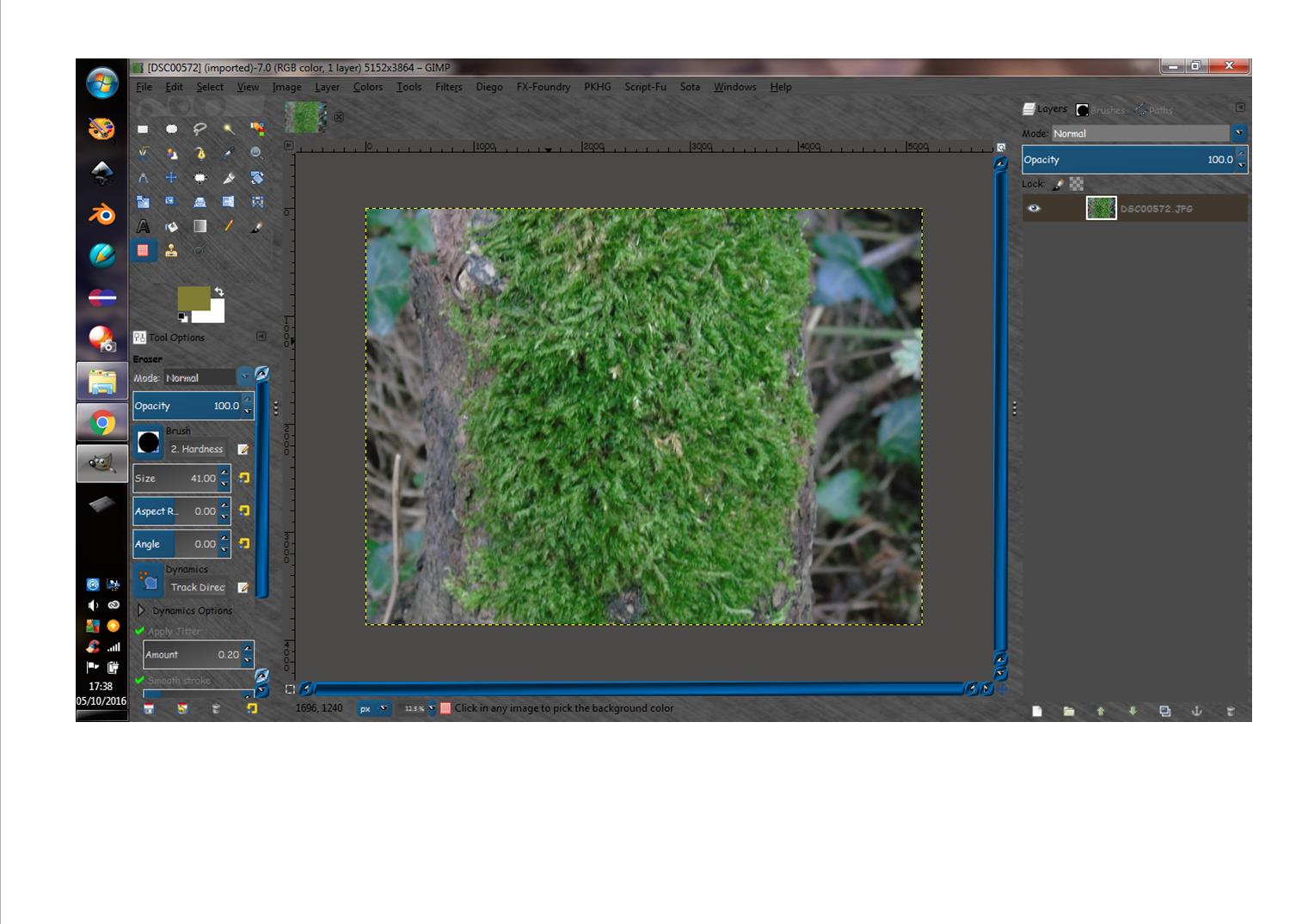
Thanx Rod - groovy. I'm on Wn7 GIMP 2.8
Image

_________________
Image


Top
 Post subject: Re: New-Theme --- Blue-Licorice-Dynamic-Metallica - windows
PostPosted: Wed Oct 05, 2016 12:57 pm  (#52) 
Offline
Global Moderator
User avatar

Joined: May 16, 2010
Posts: 16021
RJKD wrote:
Thanx Rod - groovy. I'm on Wn7 GIMP 2.8
[ Image ]

Happy to see you like it. :bigthup

_________________
Image


Top
 Post subject: Re: New-Theme --- Blue-Licorice-Dynamic-Metallica - windows
PostPosted: Sat Apr 08, 2017 12:31 pm  (#53) 
Offline
Global Moderator
User avatar

Joined: May 16, 2010
Posts: 16021
Theme is still working in GIMP-2.8.20 =)

_________________
Image


Top
 Post subject: Re: New-Theme --- Blue-Licorice-Dynamic-Metallica - windows
PostPosted: Sun Apr 09, 2017 1:08 pm  (#54) 
Offline
Global Moderator
User avatar

Joined: Apr 01, 2012
Posts: 8362
Location: On the other side of your screen
It's the one I use at the moment. I like the blue in it :)

_________________
Image
Free Fun Photo Editing & resources
Poems from the Lord
Gimp Newby
Gimp version 3.2.0 and GMIC-Qt 3.7.5 OS :- Windows 10 Home 64


Top
 Post subject: Re: New-Theme --- Blue-Licorice-Dynamic-Metallica - windows
PostPosted: Mon Apr 10, 2017 7:36 am  (#55) 
Offline
Global Moderator
User avatar

Joined: May 16, 2010
Posts: 16021
sallyanne wrote:
It's the one I use at the moment. I like the blue in it :)

Me too! =)

_________________
Image


Top
 Post subject: Re: New-Theme --- Blue-Licorice-Dynamic-Metallica - windows
PostPosted: Mon Apr 10, 2017 6:16 pm  (#56) 
Offline
GimpChat Member

Joined: May 12, 2015
Posts: 4693
Rod, where do I download your latest version of this theme? It looks very nice.


Top
 Post subject: Re: New-Theme --- Blue-Licorice-Dynamic-Metallica - windows
PostPosted: Mon Apr 10, 2017 8:35 pm  (#57) 
Offline
Administrator
User avatar

Joined: Aug 10, 2012
Posts: 14014
Location: Native to NYC living in Arizona, Gimp 2.8 - 3.0, Win 11 PC.
Pat625 wrote:
Rod, where do I download your latest version of this theme? It looks very nice.

Go to the first post of this thread...

viewtopic.php?f=12&t=4784#p59427

_________________
Image
"A wise man learns more from a foolish question than a fool can learn from a wise answer"
Image


Top
 Post subject: Re: New-Theme --- Blue-Licorice-Dynamic-Metallica - windows
PostPosted: Tue Apr 11, 2017 11:35 am  (#58) 
Offline
GimpChat Member
User avatar

Joined: Jan 20, 2013
Posts: 14831
Location: roma, italy
Rod, since a few days I'm using your theme, which I like.
There is only one thing sofar which seems to me amendable: in the dropdown menus of Gimp the selectable option are less evident that the un-selectable ones (which look like being in bold characters).
Could it be possible to reverse (or make the un-selectable entries of different colour like red)?

_________________
"Where am I ?"


Top
 Post subject: Re: New-Theme --- Blue-Licorice-Dynamic-Metallica - windows
PostPosted: Tue Apr 11, 2017 11:50 am  (#59) 
Offline
Global Moderator
User avatar

Joined: May 16, 2010
Posts: 16021
dinasset wrote:
Rod, since a few days I'm using your theme, which I like.
There is only one thing sofar which seems to me amendable: in the dropdown menus of Gimp the selectable option are less evident that the un-selectable ones (which look like being in bold characters).
Could it be possible to reverse (or make the un-selectable entries of different colour like red)?

You mean you want the on-hover text color to turn red and the non hover text color to stay white?

Open the gtkrc file in the blue licorice theme folder look for line 16.
gtk_color_scheme = "fg_color:#D4D4D4\nbg_color:#333333\nbase_color:#474747\ntext_color:#D4D4D4\nselected_bg_color:#0081DE\nselected_fg_color:#ffffff"


Change #ffffff to #ff0000

Restart GIMP

_________________
Image


Top
 Post subject: Re: New-Theme --- Blue-Licorice-Dynamic-Metallica - windows
PostPosted: Tue Apr 11, 2017 12:14 pm  (#60) 
Offline
Global Moderator
User avatar

Joined: May 16, 2010
Posts: 16021
Oh wait i know what you mean now. You want text that you cant click on to be a different color correct?
The only way to do that is to keep that text the same color and change the
fg_color:#D4D4D4
to a dif color. BUT it will also change the image menu text to that color as well. So don't make it to annoying to look at. =)

OR do what i stated above and change #ffffff to red and you will have red hover text also.

Up to you. :hehe

_________________
Image


Top
Post new topic Reply to topic  [ 76 posts ]  Go to page Previous  1, 2, 3, 4  Next

All times are UTC - 5 hours [ DST ]


* Login  


Powered by phpBB3 © phpBB Group