It is currently Sat Oct 10, 2026 5:50 pm


All times are UTC - 5 hours [ DST ]


Post new topic Reply to topic  [ 39 posts ]  Go to page 1, 2  Next
Author Message
 Post subject: Re: Ice Parrot
PostPosted: Sat Oct 20, 2012 9:37 am  (#11) 
Offline
GimpChat Member
User avatar

Joined: Apr 07, 2010
Posts: 14182
Esper wrote:
where is the Selective Color Filter/Tool ?


This may help Esper...http://graphicssoft.about.com/od/gimptu ... t-tool.htm

:colsel select by color tool also, under colors, you will see the color balance dialogue.


_________________
Image


Top
 Post subject: Re: Ice Parrot
PostPosted: Sat Oct 20, 2012 9:45 am  (#12) 
Offline
GimpChat Member
User avatar

Joined: Jul 17, 2012
Posts: 2769
molly wrote:
http://graphicssoft.about.com/od/gimptutorials/a/color-select-tool.htm

:colsel select by color tool also, under colors, you will see the color balance dialogue.

ah! thanks molly, you're the best !


Top
 Post subject: Re: Ice Parrot
PostPosted: Sun Feb 01, 2015 9:50 pm  (#13) 
Offline
GimpChat Member
User avatar

Joined: Jul 04, 2010
Posts: 2253
Location: Retired Moderator Slowly Returning to the Living.
I have to try this! The end results are beautiful!!

_________________
Artists aren't crazy! We're eccentric! ~G.M. Ross

Image

My Sigs = My Photos
Check out my work at http://www.flickr.com/photos/photomastergreg.


Top
 Post subject: Re: Ice Parrot
PostPosted: Sun Feb 01, 2015 10:23 pm  (#14) 
Offline
Retired Staff
User avatar

Joined: May 22, 2008
Posts: 6946
Location: Somewhere in GIMP
PhotoMaster wrote:
I have to try this! The end results are beautiful!!
PhotoMaster!!! It's soooooooooooo great to see you back! :hugme

:jumpclap :jumpclap :jumpclap :clap :clap :clap :yes :yes :yes

_________________
Image
World War IV will be fought with sticks and stones. - Albert Einstein


Top
 Post subject: Re: Ice Parrot
PostPosted: Mon Feb 02, 2015 12:47 am  (#15) 
Offline
GimpChat Member
User avatar

Joined: Sep 24, 2010
Posts: 12850
I agree with you O. Nice to see a lot of familiar names come back to post here. Now don't be a stranger you all. :)

_________________
Lyle

Psalm 109:8

Image


Top
 Post subject: Re: Ice Parrot
PostPosted: Thu Apr 07, 2016 4:28 pm  (#16) 
Offline
GimpChat Member
User avatar

Joined: Dec 10, 2013
Posts: 1004
A combination of oldmangrumpy's Glass Tutorial and alc59's Ice Parrot Tutorial.

Image

_________________
Image
Macbook Air - MacOS Sierra 10.12
McGimp 2.8.14
G'mic 1.6.5


Top
 Post subject: Re: Ice Parrot
PostPosted: Thu Apr 07, 2016 4:43 pm  (#17) 
Offline
GimpChat Member
User avatar

Joined: Apr 07, 2010
Posts: 14182
Beautiful job dalia

_________________
Image


Top
 Post subject: Re: Ice Parrot
PostPosted: Thu Apr 07, 2016 5:11 pm  (#18) 
Offline
GimpChat Member
User avatar

Joined: Dec 10, 2013
Posts: 1004
Thank you molly! Have been revisiting some of the older great tutorials.

_________________
Image
Macbook Air - MacOS Sierra 10.12
McGimp 2.8.14
G'mic 1.6.5


Top
 Post subject: Re: Ice Parrot
PostPosted: Thu Apr 07, 2016 7:04 pm  (#19) 
Offline
GimpChat Member

Joined: May 12, 2015
Posts: 4693
Dalia, that is very beautiful! Looks like took some time and effort! Very artistic. I too, like to revisit some of the older filters and tutorials. Find some real gems sometimes.


Top
 Post subject: Re: Ice Parrot
PostPosted: Thu Apr 07, 2016 7:14 pm  (#20) 
Offline
GimpChat Member
User avatar

Joined: Sep 24, 2010
Posts: 12850
Well done, Dalia. :)

_________________
Lyle

Psalm 109:8

Image


Top
 Post subject: Re: Ice Parrot
PostPosted: Thu Apr 07, 2016 8:24 pm  (#21) 
Offline
GimpChat Member
User avatar

Joined: Dec 10, 2013
Posts: 1004
Thank you for the nice comments Pat and lylejk. It really wasn't hard at all. I really like OMG's glass tutorial and alc59's tutorial allows for some of the original subject to show through. I'm calling it the frosted effect

:geek

_________________
Image
Macbook Air - MacOS Sierra 10.12
McGimp 2.8.14
G'mic 1.6.5


Top
 Post subject: Re: Ice Parrot
PostPosted: Fri Apr 08, 2016 12:55 am  (#22) 
Offline
GimpChat Member
User avatar

Joined: Mar 01, 2014
Posts: 14208
Location: Spain, Aragón
Dalia, you got a very nice result. I have to try this tut too. I've just seen it thanks to you. :coolthup :)

_________________
Image

Gimp 2.10.36 (samj) portable _ OS Windows 10 Home_ 64bits
Don’t be afraid to start over. It’s a new chance to rebuild what you want.


Top
 Post subject: Re: Ice Parrot
PostPosted: Fri Apr 08, 2016 2:00 am  (#23) 
Offline
Global Moderator
User avatar

Joined: Oct 02, 2014
Posts: 5064
Location: Sydney Australia
Dalia - beautiful result so I thought I would check this tut out, so I downloased it, but now I am feeling somewhat 'sheepish' :oops:

Despite all the references in this thread, I cannot find a 'Selective Color' filter/tool anywhere and it seems to be the key to doing this tut.

Anybody want to help the old guy ouit ...?

_________________
Image

Respect should be offered freely but hard earned


Top
 Post subject: Re: Ice Parrot
PostPosted: Fri Apr 08, 2016 2:11 am  (#24) 
Offline
Administrator
User avatar

Joined: Aug 10, 2012
Posts: 14237
Location: Native to NYC living in Arizona, Gimp 2.8 - 3.0, Win 11 PC.
oldmangrumpy wrote:
Despite all the references in this thread,
I cannot find a
'Selective Color'
filter/tool anywhere and it seems to be the key to doing this tut.

Anybody want to help the old guy ouit ...?

Have a look here,
viewtopic.php?f=23&t=5573&start=10#p69869
Maybe this will answer your question.

_________________
Image
"A wise man learns more from a foolish question than a fool can learn from a wise answer"
Image


Top
 Post subject: Re: Ice Parrot
PostPosted: Fri Apr 08, 2016 2:20 am  (#25) 
Offline
Global Moderator
User avatar

Joined: Oct 02, 2014
Posts: 5064
Location: Sydney Australia
Wallace - thanks but I have already been there and the link goes to a Select By Color tutorial... cannot see a 'Selective Color' tool there.

_________________
Image

Respect should be offered freely but hard earned


Top
 Post subject: Re: Ice Parrot
PostPosted: Fri Apr 08, 2016 2:42 am  (#26) 
Offline
Administrator
User avatar

Joined: Aug 10, 2012
Posts: 14237
Location: Native to NYC living in Arizona, Gimp 2.8 - 3.0, Win 11 PC.
oldmangrumpy wrote:
Wallace - thanks but I have already been there and the link goes to a Select By Color tutorial... cannot see a 'Selective Color' tool there.

I see what you're saying.
However,
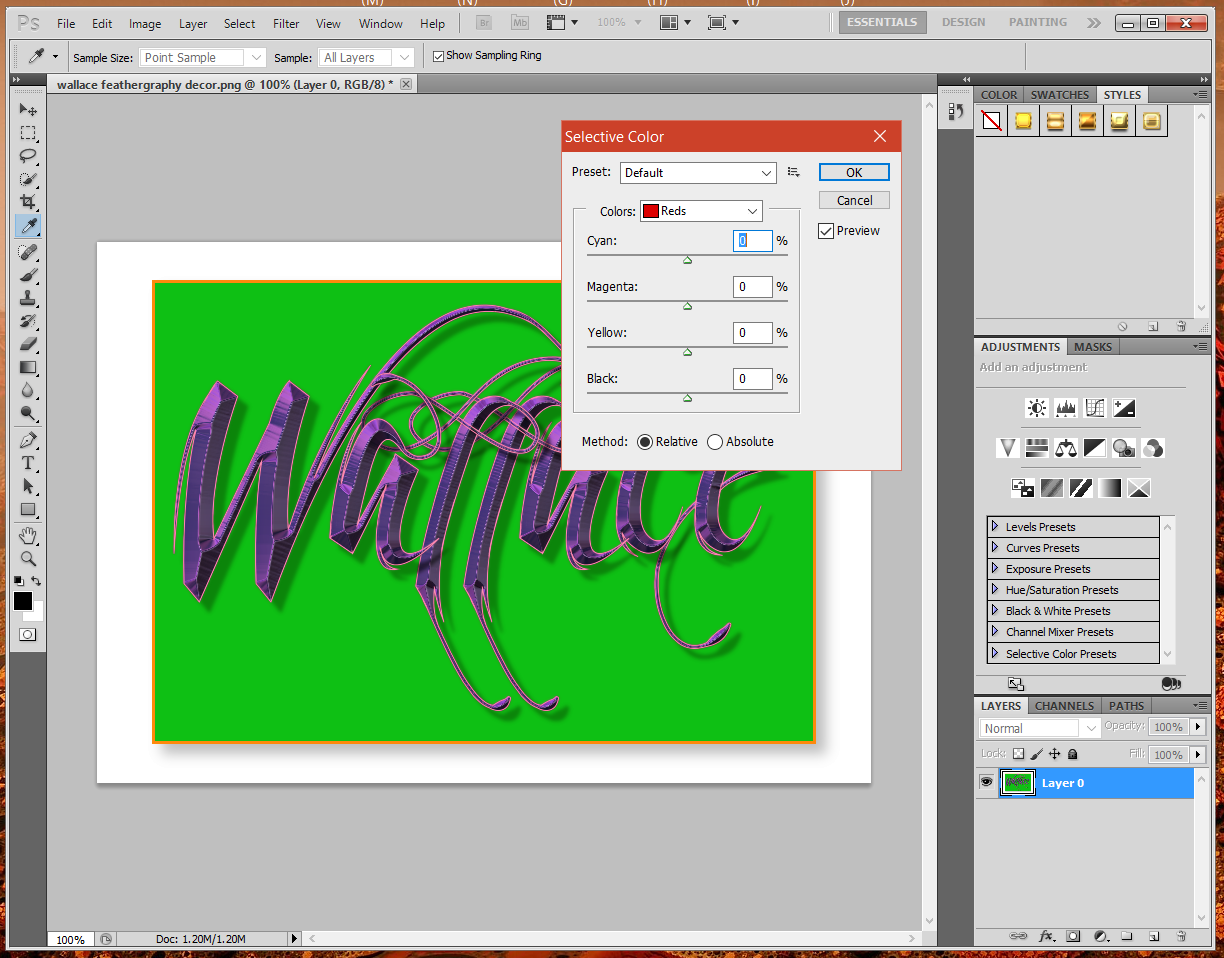
Gimp doesn't have this tool.
This is a Photoshop tool.
Image
I think you would need to use the Select by Color Tool and then use Hue and Saturation.
I also might be wrong about this.

_________________
Image
"A wise man learns more from a foolish question than a fool can learn from a wise answer"
Image


Top
 Post subject: Re: Ice Parrot
PostPosted: Fri Apr 08, 2016 11:29 am  (#27) 
Offline
GimpChat Member
User avatar

Joined: Dec 10, 2013
Posts: 1004
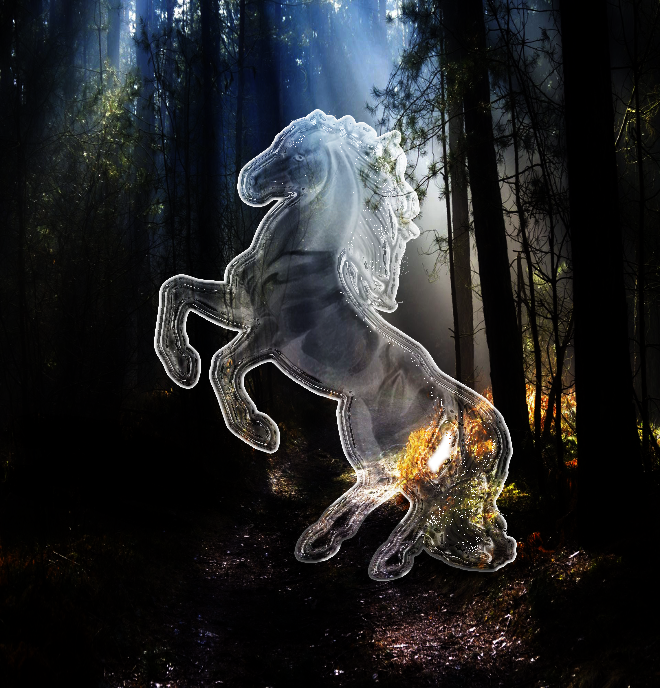
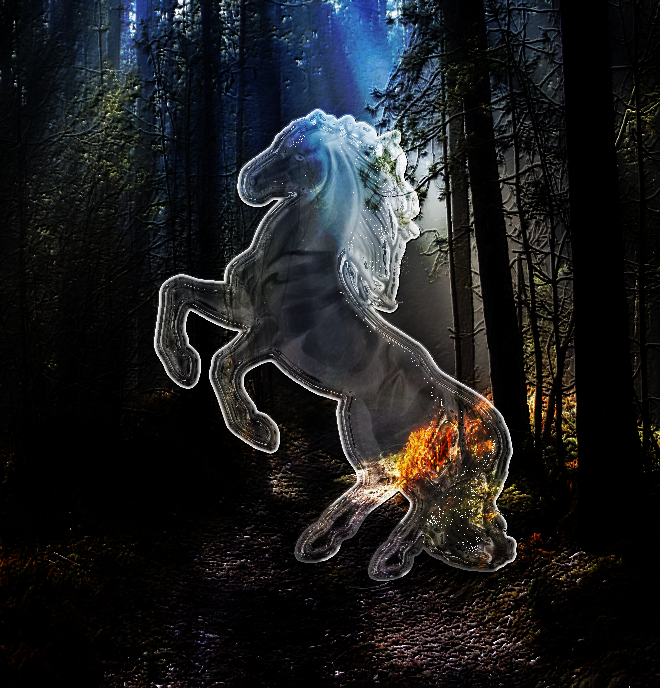
OMG, I was perplexed too and Wallace, you're right, I did the "selection by color" (something I learned from OMG with the Glass tutorial) and then was stumped with the "Selective Color" values. Finally I just looked at the images and tried to emulate the results - I used "brightness and contrast" and curves. Then it was just playing with opacity, blend modes.

Last night I played with another filter on the original. I used FX Foundry, Photo, Effects, Make Wonderful. The first is the original and the second is the FX Foundry; change is subtle but I liked it.

Image Image

_________________
Image
Macbook Air - MacOS Sierra 10.12
McGimp 2.8.14
G'mic 1.6.5


Top
 Post subject: Re: Ice Parrot
PostPosted: Fri Apr 08, 2016 11:35 am  (#28) 
Offline
GimpChat Member
User avatar

Joined: Mar 01, 2014
Posts: 14208
Location: Spain, Aragón
Dalia, you got a very close result at final target. I did my try too but it's impossible without the right tool. You have to guess where it is the ice object. :hehe


Attachments:
IMG_0689-ice_eagle.JPG
IMG_0689-ice_eagle.JPG [ 701.96 KiB | Viewed 2936 times ]

_________________
Image

Gimp 2.10.36 (samj) portable _ OS Windows 10 Home_ 64bits
Don’t be afraid to start over. It’s a new chance to rebuild what you want.
Top
 Post subject: Re: Ice Parrot
PostPosted: Fri Apr 08, 2016 11:53 am  (#29) 
Offline
GimpChat Member
User avatar

Joined: Dec 10, 2013
Posts: 1004
I see it - I like it Issabella. I bet if you duplicate the eagle layer and fudge with the blend modes, darken your background a bit, your eagle will subtely come to life! Remember, I used a combination of OMG's tutorial (outline, highlights, burn blend mode on one layer) and alc59's.

_________________
Image
Macbook Air - MacOS Sierra 10.12
McGimp 2.8.14
G'mic 1.6.5


Top
 Post subject: Re: Ice Parrot
PostPosted: Sat Apr 09, 2016 12:03 am  (#30) 
Offline
Global Moderator
User avatar

Joined: Oct 02, 2014
Posts: 5064
Location: Sydney Australia
Dalia - thank you for your help; I tried to do a similar GIMP job on a kookaburra ... and failed miserably. I may try again another day.

_________________
Image

Respect should be offered freely but hard earned


Top
Post new topic Reply to topic  [ 39 posts ]  Go to page 1, 2  Next

All times are UTC - 5 hours [ DST ]


cron

* Login  


Powered by phpBB3 © phpBB Group