It is currently Tue Jun 09, 2026 3:36 pm


All times are UTC - 5 hours [ DST ]


Post new topic Reply to topic  [ 22 posts ]  Go to page 1, 2  Next
Author Message
 Post subject: Re: Snapshots Using Fedora
PostPosted: Thu May 17, 2012 11:11 am  (#11) 
Offline
GimpChat Member
User avatar

Joined: Nov 09, 2011
Posts: 726
Maybe that's the problem. Try to use a gtk based screen capture app, like Shutter

Edit:
Sorry, I was wrong. KSnapshot only allows me to to take the menus if I choose a delay time.

_________________
Image
Be patient, English is not my language.


Last edited by YAFU on Thu May 17, 2012 11:23 am, edited 2 times in total.

Top
 Post subject: Re: Snapshots Using Fedora
PostPosted: Thu May 17, 2012 11:12 am  (#12) 
Offline
GimpChat Member

Joined: Mar 04, 2011
Posts: 2602
@ Molly

I suspect you are not using ksnapshot, at least you should not be as I would think you are using a standard fedora with gnome.

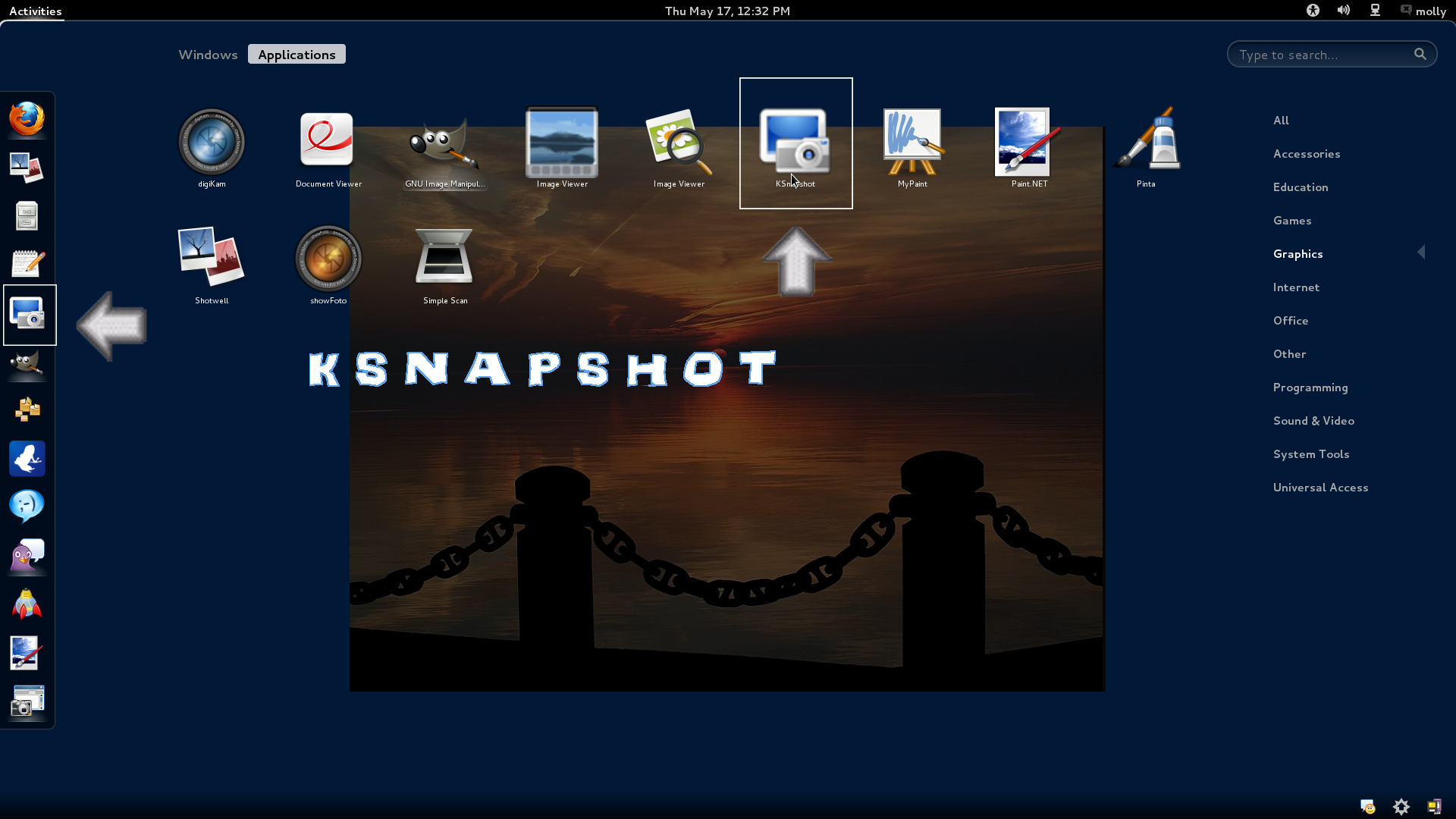
This is an old Tosh M1 laptop that I use to try out distros. A composite of the screenshot tool dialog taken with.. the screenshot tool. Linux is great.

Image

working fine here.


Top
 Post subject: Re: Snapshots Using Fedora
PostPosted: Thu May 17, 2012 11:22 am  (#13) 
Offline
GimpChat Member
User avatar

Joined: Apr 07, 2010
Posts: 14182
I do have ksnapshot, I have been using it since I got Fedora. It works fine, except for drop downs, but I just have to get used to how many seconds to set it for that. I installed it with yum install just after I got Fedora
.
Image

_________________
Image


Top
 Post subject: Re: Snapshots Using Fedora
PostPosted: Thu May 17, 2012 11:28 am  (#14) 
Offline
GimpChat Member

Joined: Mar 04, 2011
Posts: 2602
well don't, use the native gnome screenshot. KDE apps and Gnome apps are interchangeable to a certain degree but better to use what is there already.


Top
 Post subject: Re: Snapshots Using Fedora
PostPosted: Thu May 17, 2012 11:54 am  (#15) 
Offline
GimpChat Member
User avatar

Joined: Apr 07, 2010
Posts: 14182
I will look into it. thanks

_________________
Image


Top
 Post subject: Re: Snapshots Using Fedora
PostPosted: Thu May 17, 2012 12:31 pm  (#16) 
Offline
GimpChat Member
User avatar

Joined: Oct 29, 2010
Posts: 711
Location: Netherlands
Like YAFU I use KDE.
In KDE I found out the "printscreen" button will start ksnapshot.
Unless you have a menu open.Probably due to "interrupt masking".
So I tried your solution and set a 5 second delay.
That works as you can see in the attached file.


Attachments:
5secondsdelay.png
5secondsdelay.png [ 468.02 KiB | Viewed 1369 times ]

_________________
Gentoo Linux always up-to-date.
Kernel-3.17.4 Python-2.7.8/3.3.5
Gimp-2.8.14

I use Linux only.
And Virtualbox with Win 7
Top
 Post subject: Re: Snapshots Using Fedora
PostPosted: Thu May 17, 2012 1:34 pm  (#17) 
Offline
GimpChat Member
User avatar

Joined: Apr 07, 2010
Posts: 14182
:oops: Thanks Gerard, I like the ksnapshot, just had a prob with hesitation, I probably need a good reboot, I never turn off my pc so should do it now. :oops:

_________________
Image


Top
 Post subject: Re: Snapshots Using Fedora
PostPosted: Thu May 17, 2012 2:12 pm  (#18) 
Offline
GimpChat Member
User avatar

Joined: Oct 29, 2010
Posts: 711
Location: Netherlands
After you have hit the "take a new snapshot" button this window will disappear.
After the delay has run out there will be something in the panel that you should click (maybe twice).
In the screenshot I added it's on the right in the panel,partially obscured by the dropdown.
It's the title of the gimp window.
Gerard.

_________________
Gentoo Linux always up-to-date.
Kernel-3.17.4 Python-2.7.8/3.3.5
Gimp-2.8.14

I use Linux only.
And Virtualbox with Win 7


Top
 Post subject: Re: Snapshots Using Fedora
PostPosted: Thu May 17, 2012 4:36 pm  (#19) 
Offline
GimpChat Member
User avatar

Joined: Apr 07, 2010
Posts: 14182
thanks Gerard, I think I got it okay now.

_________________
Image


Top
 Post subject: Re: Snapshots Using Fedora [SOLVED]
PostPosted: Fri May 18, 2012 5:27 am  (#20) 
Offline
GimpChat Member
User avatar

Joined: Oct 29, 2010
Posts: 711
Location: Netherlands
You're quite welcome molly.
A Linux system with a GUI like Gnome or KDE should be capable of running all apps .
Fedora,Suse are among the best binary distro's so when you install an app it will make sure all dependencies are met.
Gnome uses GTK and KDE uses Qt graphical libraries to draw windows etc.
GTK stands for Gimp Tool Kit,what Qt stands for I don't know.

I've used Gnome for a short while with RedHat years ago but liked KDE better.
I bet most installs will have a mixture of GTK and Qt based apps.
Take for instance CD/DVD burning,in Linux there's one that is better than any other:k3b.
It's KDE based.

Re the screenshot problem: It took me a while to figure it out.
Your idea of using delay is the only way to make it work.
Trouble was to figure out what to click after the delay.
Gerard.

_________________
Gentoo Linux always up-to-date.
Kernel-3.17.4 Python-2.7.8/3.3.5
Gimp-2.8.14

I use Linux only.
And Virtualbox with Win 7


Top
 Post subject: Re: Snapshots Using Fedora [SOLVED]
PostPosted: Fri May 18, 2012 6:02 am  (#21) 
Offline
GimpChat Member

Joined: Mar 04, 2011
Posts: 2602
@ gerard82

The point I was trying to make is first look at what is provided. Same as you, I prefer KDE, started with Mepis 3.7 some years ago. There was a time when Gnome was lighter on resources but I think there is not much in it these days, and yes GTK or Qt should work. I use the GTK gui for avidemux for example, just prefer the interface.

That screenshot I provided was in Fedora 16, just the regular gnome desktop and in accessories I found the supplied screenshot which works just the same as Ksnapshot.

I do know from experience that installing some very small KDE apps in gnome can incur a large overhead when all the KDE dependencies are pulled in. example the clipboard glipper is very average, klipper is better but pulls in MB's of dependencies. Just best to be aware of what you install.

BTW. If you want to splash out just a little cash, Nero linux beats k3b hands down.


Top
 Post subject: Re: Snapshots Using Fedora [SOLVED]
PostPosted: Fri May 18, 2012 6:36 am  (#22) 
Offline
GimpChat Member
User avatar

Joined: Oct 29, 2010
Posts: 711
Location: Netherlands
Hi rich2005,
Using Gentoo for 8 years you become well aware of dependencies and what the consequences are.
Since everything is compiled for your hardware time to install is more of a drawback.
With most computers nowadays disk space is not a problem so a Gig more or less is no problem.
My / partition has 24 Gig of programs and files.I could whittle it down a couple of Gigs but am too lazy.
I've never used Nero so have no idea what it can do better than k3b.
Gerard.

_________________
Gentoo Linux always up-to-date.
Kernel-3.17.4 Python-2.7.8/3.3.5
Gimp-2.8.14

I use Linux only.
And Virtualbox with Win 7


Top
Post new topic Reply to topic  [ 22 posts ]  Go to page 1, 2  Next

All times are UTC - 5 hours [ DST ]


* Login  


Powered by phpBB3 © phpBB Group