It is currently Thu Jul 30, 2026 5:54 pm


All times are UTC - 5 hours [ DST ]


Post new topic Reply to topic  [ 17 posts ] 
Author Message
 Post subject: Update GMIC in Gimp 2.10.38-1
PostPosted: Sun May 04, 2025 5:24 am  (#1) 
Offline
GimpChat Member

Joined: Apr 09, 2018
Posts: 1888
Location: France
GIMP Version: 2.8.14
Operating System: Windows
GIMP Experience: Basic Level


:wvy
I wanted to go from GMIC 3.5.3 to GMIC 3.5.4 in Gimp 2.10.38-1, I did not succeed and I wanted to reinstall the Gimp 2.10.38-1 but when I open it I have the indication of 4 Dell missing:
ibgimp-3.0-0.dll
libgimpbase-3.0-0.dll
libgimpcolor-3.0-0.dll
libgimpconfig-3.0-0.dll
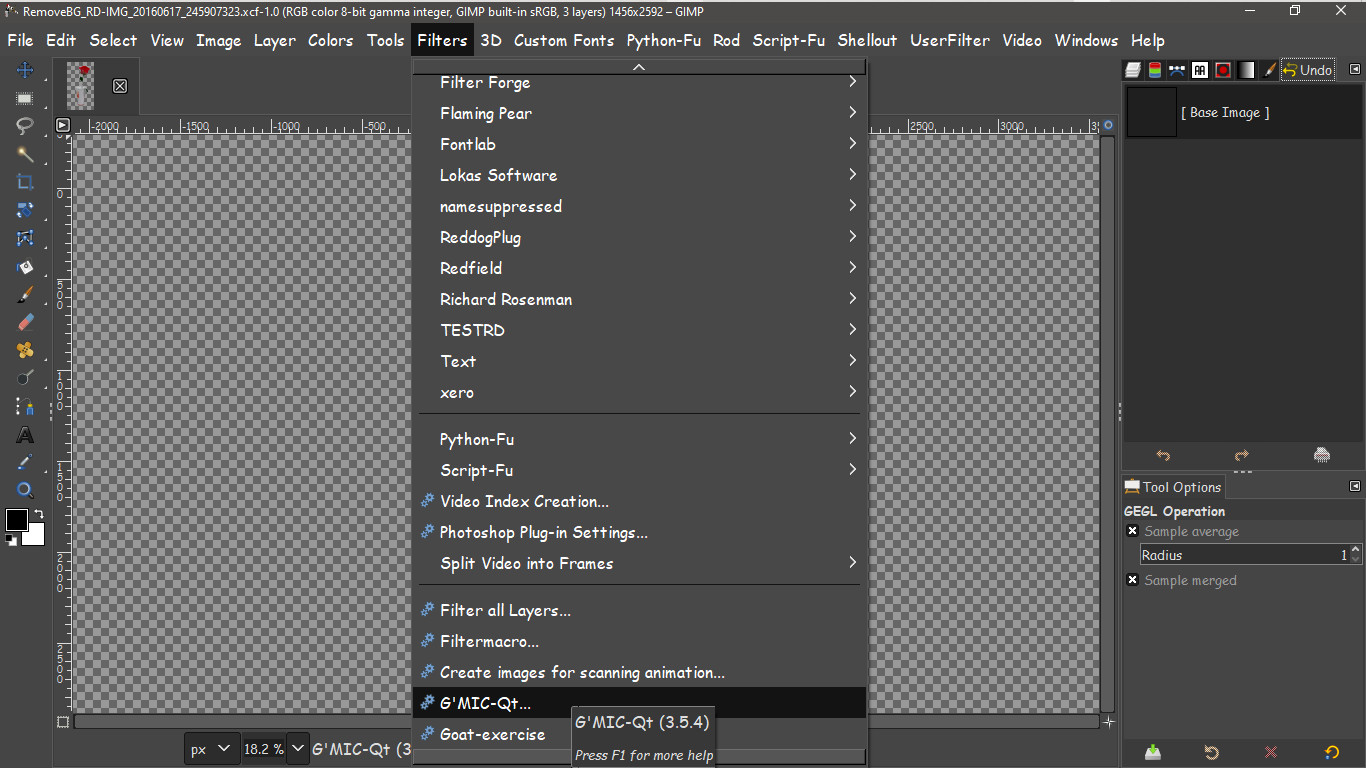
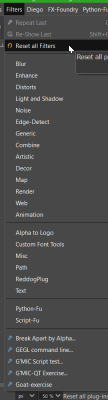
Gimp is opening but GMIC does not appear in the filters.

_________________
Les parfums, les couleurs et les sons se répondent.Baudelaire (Les fleurs du mal)
2.10.36/(Samj) Gimp 2.10.38 OS Windows 10 Home 64 bits


Share on Facebook Share on Twitter Share on Orkut Share on Digg Share on MySpace Share on Delicious Share on Technorati
Top
 Post subject: Re: Update GMIC in Gimp 2.10.38-1
PostPosted: Mon May 05, 2025 2:13 am  (#2) 
Offline
Global Moderator
User avatar

Joined: May 16, 2010
Posts: 16139
In my honest opinion using the newest Windows GMIC_QT ZIP FILE is the best way to go. It removes a lot of DLL missing headaches. LOL
https://gmic.eu/files/windows/
Just remove or delete the gmic_gimp-qt folder from the plugins folder and then use the unzipped gmic_gimp-qt folder instead.

Image

Image

_________________
Image


Top
 Post subject: Re: Update GMIC in Gimp 2.10.38-1
PostPosted: Mon May 05, 2025 3:46 am  (#3) 
Offline
GimpChat Member

Joined: Mar 04, 2011
Posts: 2610
Using the zip is probably the cause of the problem ;) level_0 has probably realised by now.

The clue is in the name. That is the Gimp 3 plugin installed in a Gimp 2.10

Attachment:
error.jpg
error.jpg [ 50.38 KiB | Viewed 7165 times ]


At least using the installer, that is not possible. The installer does run but makes and installs to a AppData\Roaming\GIMP\3.0\plug-ins\gmic_gimp_qt folder - all on its own - even if Gimp 3 is not installed.


Top
 Post subject: Re: Update GMIC in Gimp 2.10.38-1
PostPosted: Mon May 05, 2025 4:30 am  (#4) 
Offline
Global Moderator
User avatar

Joined: May 16, 2010
Posts: 16139
rich2005 wrote:
Using the zip is probably the cause of the problem ;) level_0 has probably realised by now.

The clue is in the name. That is the Gimp 3 plugin installed in a Gimp 2.10

Attachment:
error.jpg


At least using the installer, that is not possible. The installer does run but makes and installs to a AppData\Roaming\GIMP\3.0\plug-ins\gmic_gimp_qt folder - all on its own - even if Gimp 3 is not installed.

:rofl Good point Rich. :)

Installing GMIC Qt for Gimp-3.0 into Gimp 2.10 most likely will not work. However my solution still will.
Just replace the gmic-qt folder with the correct one. :bigthup

What is nice about the installers is they place the folders in the correct program versions. I have actually tried installing again after getting the DLL error and have had it worked correctly.
But i would much rather just replace the existing gmic-qt folder with the newest zipped version. Just make sure you have the correct version in this case. hehehe :hehe

_________________
Image


Top
 Post subject: Re: Update GMIC in Gimp 2.10.38-1
PostPosted: Mon May 05, 2025 10:47 am  (#5) 
Offline
GimpChat Member

Joined: Apr 09, 2018
Posts: 1888
Location: France
rich2005 :wvy Rod :wvy
This morning I had the "gmic_gimp_qt" from the 3.5.4 zip and not the 4 dlls, moreover they do not appear in the 31 elements of the "gmic_gimp_qt" folder and to see more clearly after all my unsuccessful attempts, I restored a Windows image containing the gimp 2.10.38-1 and gmic 3.5.3. Yesterday I used Everything to search for the four missing DLLs: libgimp-3.0-0.dll / libgimpbase-3.0-0.dll / libgimpcolor-3.0-0.dll / libgimpconfig-3.0-0.dll and it didn't show anything. This morning it found them in D:\Gimp_3.0.2_Portable_clang\bin.

So before adding the gmic_gimp_qt from the zip file (gmic_3.5.4_gimp3.0_win64.zip), I'd like to know where to paste the four DLLs I retrieved into the portable version of Samj?

_________________
Les parfums, les couleurs et les sons se répondent.Baudelaire (Les fleurs du mal)
2.10.36/(Samj) Gimp 2.10.38 OS Windows 10 Home 64 bits


Top
 Post subject: Re: Update GMIC in Gimp 2.10.38-1
PostPosted: Mon May 05, 2025 11:08 am  (#6) 
Offline
GimpChat Member
User avatar

Joined: Jan 13, 2011
Posts: 2646
Location: Poland
Why do You want to install Gimp3 files in Gimp2 despite Rich and Rod's explanations? :hoh
Don't do that, just download gmic_3.5.4_gimp2.10_win64.zip ;)

_________________
Image


Top
 Post subject: Re: Update GMIC in Gimp 2.10.38-1
PostPosted: Mon May 05, 2025 11:40 am  (#7) 
Offline
GimpChat Member

Joined: Apr 09, 2018
Posts: 1888
Location: France
MareroQ wrote:
Why do You want to install Gimp3 files in Gimp2 despite Rich and Rod's explanations? :hoh
Don't do that, just download gmic_3.5.4_gimp2.10_win64.zip ;)

MareroQ :wvy
That's what I've been doing since yesterday, and every time I open Gimp 2.10.38, I get missing DLLs, and Gmic isn't listed in the filters! :yell :rasp :yell :rasp :yell :rasp
Image
Image
Image
Image

_________________
Les parfums, les couleurs et les sons se répondent.Baudelaire (Les fleurs du mal)
2.10.36/(Samj) Gimp 2.10.38 OS Windows 10 Home 64 bits


Top
 Post subject: Re: Update GMIC in Gimp 2.10.38-1
PostPosted: Mon May 05, 2025 12:04 pm  (#8) 
Offline
GimpChat Member
User avatar

Joined: Jan 13, 2011
Posts: 2646
Location: Poland
:hehe

Image

If you are interested in how I know this - it is based on the time the files were created. :roll:

_________________
Image


Top
 Post subject: Re: Update GMIC in Gimp 2.10.38-1
PostPosted: Mon May 05, 2025 3:36 pm  (#9) 
Offline
GimpChat Member

Joined: Apr 09, 2018
Posts: 1888
Location: France
Thank you MareroQ :hugme
The problem is solved. :jumpclap

An excuse for my stupidity because I'm ashamed: I fell last Monday and broke my glasses. While waiting for new ones, I'm using a pair that isn't suitable for near vision.

_________________
Les parfums, les couleurs et les sons se répondent.Baudelaire (Les fleurs du mal)
2.10.36/(Samj) Gimp 2.10.38 OS Windows 10 Home 64 bits


Top
 Post subject: Re: Update GMIC in Gimp 2.10.38-1
PostPosted: Mon May 05, 2025 10:44 pm  (#10) 
Offline
GimpChat Member
User avatar

Joined: Jan 13, 2011
Posts: 2646
Location: Poland
:bigthup

Sometimes it is difficult to bring an artistic soul down from the clouds to the ground, and as we know, for them too, a “picture” means more than many words. :paint
C'est la vie. :coolguy

_________________
Image


Top
 Post subject: Re: Update GMIC in Gimp 2.10.38-1
PostPosted: Tue May 06, 2025 5:17 am  (#11) 
Offline
Global Moderator
User avatar

Joined: May 16, 2010
Posts: 16139
:rofl lol Just glad to hear you got it working. GMIC files will usually name either 2.10 or 3.0 in the zip file you download. But i can see where it could get buggy with not so good eyesight. :bigthup

_________________
Image


Top
 Post subject: Re: Update GMIC in Gimp 2.10.38-1
PostPosted: Tue May 06, 2025 1:52 pm  (#12) 
Offline
GimpChat Member

Joined: Apr 09, 2018
Posts: 1888
Location: France
Thank you both for your understanding! :) ;)
I won't be posting a selfie showing how I tinkered with this pair of glasses so I can see up close! ;)

_________________
Les parfums, les couleurs et les sons se répondent.Baudelaire (Les fleurs du mal)
2.10.36/(Samj) Gimp 2.10.38 OS Windows 10 Home 64 bits


Top
 Post subject: Re: Update GMIC in Gimp 2.10.38-1
PostPosted: Sun May 11, 2025 9:54 pm  (#13) 
Offline
GimpChat Member
User avatar

Joined: Sep 24, 2010
Posts: 12819
Rod wrote:
In my honest opinion using the newest Windows GMIC_QT ZIP FILE is the best way to go. It removes a lot of DLL missing headaches. LOL
https://gmic.eu/files/windows/
Just remove or delete the gmic_gimp-qt folder from the plugins folder and then use the unzipped gmic_gimp-qt folder instead.

[ Image ]

[ Image ]


I agree with Rob; despise installers so the Zip method is the one I've used for well over a decade now. As a side note, I am still using 2.10x GIMP as well. Just haven't bought into installing/trying GIMP3x yet. lol

:)

_________________
Lyle

Psalm 109:8

Image


Top
 Post subject: Re: Update GMIC in Gimp 2.10.38-1
PostPosted: Mon May 12, 2025 11:05 am  (#14) 
Offline
GimpChat Member

Joined: Apr 09, 2018
Posts: 1888
Location: France
lylejk :wvy

_________________
Les parfums, les couleurs et les sons se répondent.Baudelaire (Les fleurs du mal)
2.10.36/(Samj) Gimp 2.10.38 OS Windows 10 Home 64 bits


Top
 Post subject: Re: Update GMIC in Gimp 2.10.38-1
PostPosted: Mon May 12, 2025 9:59 pm  (#15) 
Offline
GimpChat Member
User avatar

Joined: Sep 24, 2010
Posts: 12819
level_0 wrote:
lylejk :wvy


And a joyful hello right back. Yes; haven't been posting much (if at all) here, but have been lurking (work, et. al. as well as little motivation). Have been playing with some of Pixls's RAW files, though, but sparingly. :)

_________________
Lyle

Psalm 109:8

Image


Top
 Post subject: Re: Update GMIC in Gimp 2.10.38-1
PostPosted: Tue May 13, 2025 2:36 am  (#16) 
Offline
Global Moderator
User avatar

Joined: May 16, 2010
Posts: 16139
Great to see you again lyle!

_________________
Image


Top
 Post subject: Re: Update GMIC in Gimp 2.10.38-1
PostPosted: Tue May 13, 2025 7:37 am  (#17) 
Offline
GimpChat Member
User avatar

Joined: Sep 24, 2010
Posts: 12819
Rod wrote:
Great to see you again lyle!


Glad to see the old gang still here and posting, Rod. Maybe one day I can actually retire and then have more time to play. lol

:)

_________________
Lyle

Psalm 109:8

Image


Top
Post new topic Reply to topic  [ 17 posts ] 

All times are UTC - 5 hours [ DST ]


cron

* Login  


Powered by phpBB3 © phpBB Group