It is currently Tue May 21, 2013 5:05 pm


Latest GIMP Scripts & Plug-ins

All times are UTC - 5 hours [ DST ]


Post new topic Reply to topic  [ 44 posts ]  Go to page 1, 2, 3, 4, 5  Next
Author Message
 Post subject: GMIC new filter " Black Crayon Graffiti"
PostPosted: Thu Dec 08, 2011 2:32 pm  (#1) 
Offline
GimpChat Member

Joined: Apr 12, 2010
Posts: 4957
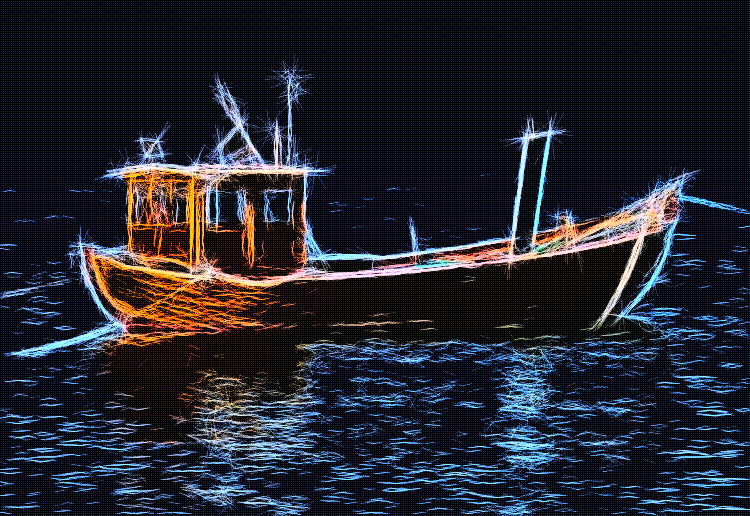
I just upload a new filter ,you should find in the Artistic submenu "Black Brayons Graffiti"
Emulate quite well a peculiar technique of graffiti ...well i already give details on the original technique and explained the manual steps here viewtopic.php?f=11&t=3238

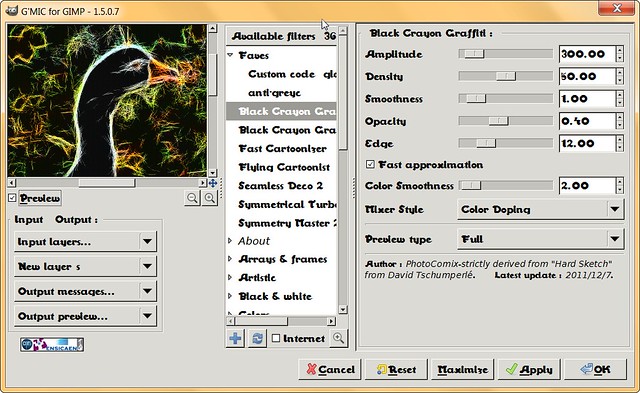
Here the controls

Image
GMIC- Black Crayon Graffiti by PhotoComiX, on Flickr

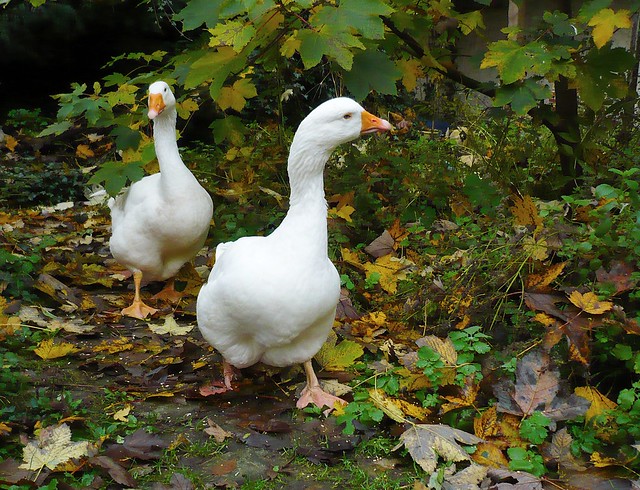
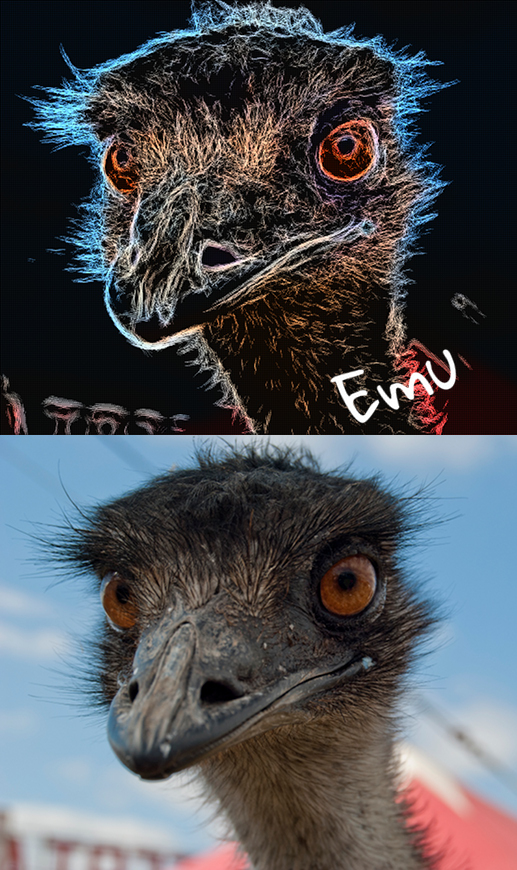
here a ...After/before

Image
testing ducks by PhotoComiX, on Flickr

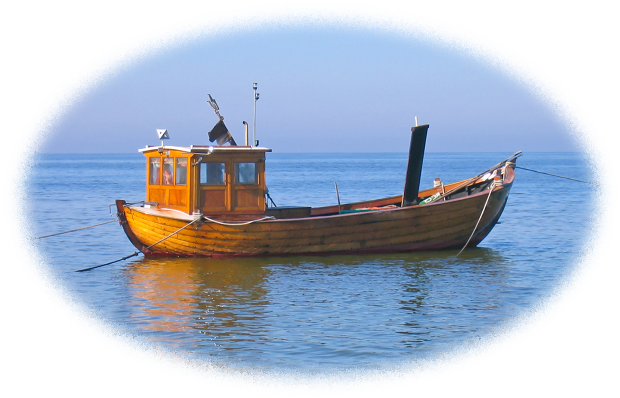
BEFORE

Image
HFF my dearest ones like never before by zenera, on Flickr

about the mixing option Color Doping the default is a combination of Lightness and Grain Merge, Value is the same that in gimp . Lightness is similar to value but based on another mode to detect luminosity

_________________
My 3D Gallery on Deviantart http://photocomix2.deviantart.com/
Main gallery http://www.flickriver.com/photos/photocomix-mandala/
Mandala and simmetry http://www.flickriver.com/photos/photocomix_mandala/

Image

Mrs Wilbress


Share on Facebook Share on Twitter Share on Orkut Share on Digg Share on MySpace Share on Delicious Share on Technorati
Top
 Profile  
 

 Post subject: Re: GMIC new filter " Black Crayon Graffiti"
PostPosted: Thu Dec 08, 2011 3:30 pm  (#2) 
Offline
Global Moderator
User avatar

Joined: May 16, 2010
Posts: 8997
Location: "Looking for my eraser" =P
Nice PC! :)
Thanks.

_________________
Image
Gimp Rocks Blog
Simply Gimp Tutorials
"Once your in the cloud, you're in the net"
____________
OK, . . . . so what's the speed of dark?


Top
 Profile  
 
 Post subject: Re: GMIC new filter " Black Crayon Graffiti"
PostPosted: Thu Dec 08, 2011 3:37 pm  (#3) 
Offline
Global Moderator
User avatar

Joined: May 16, 2010
Posts: 8997
Location: "Looking for my eraser" =P
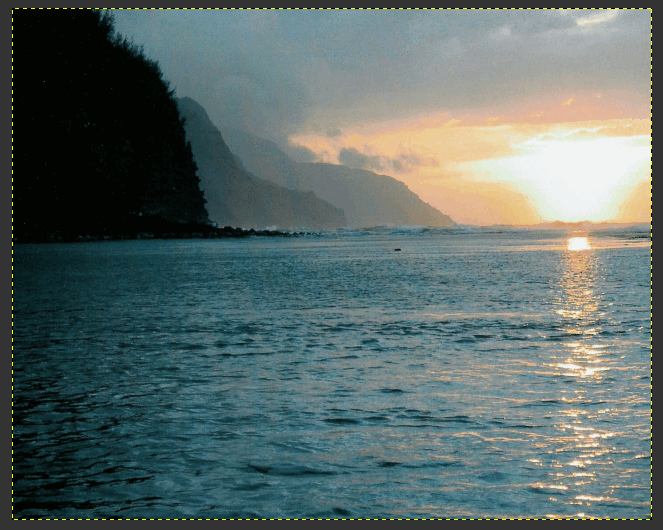
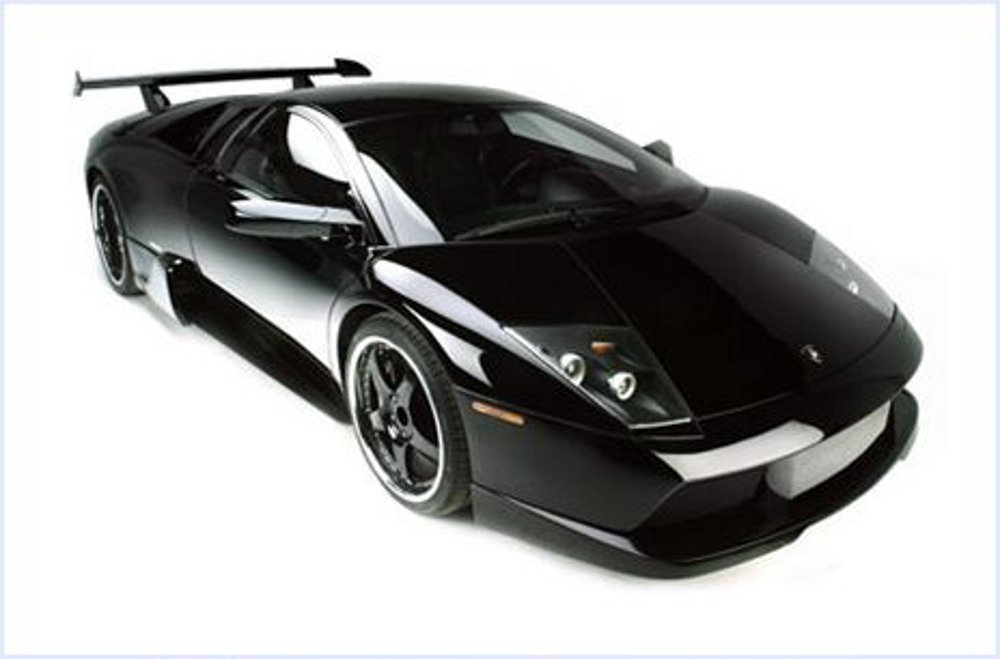
Original

Image

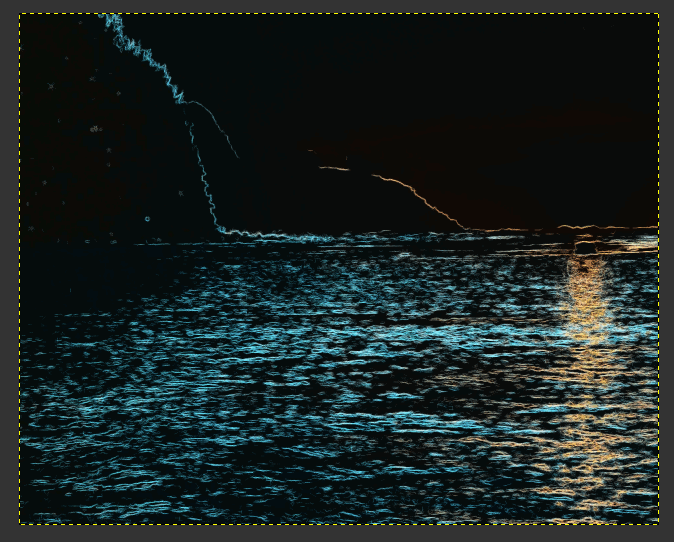
Crayon

Image

_________________
Image
Gimp Rocks Blog
Simply Gimp Tutorials
"Once your in the cloud, you're in the net"
____________
OK, . . . . so what's the speed of dark?


Top
 Profile  
 
 Post subject: Re: GMIC new filter " Black Crayon Graffiti"
PostPosted: Thu Dec 08, 2011 3:50 pm  (#4) 
Offline
Administrator
User avatar

Joined: May 22, 2008
Posts: 5489
Location: Somewhere in GIMP
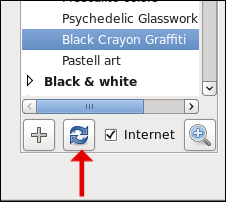
Not showing up for me and I've refreshed G'MIC countless times.
Image

_________________
Image
Law of Gravity - Any tool, nut, bolt, screw, when dropped, will roll to the least accessible place.
Image


Top
 Profile  
 
 Post subject: Re: GMIC new filter " Black Crayon Graffiti"
PostPosted: Thu Dec 08, 2011 4:29 pm  (#5) 
Offline
GimpChat Member

Joined: Apr 12, 2010
Posts: 4957
O maybe you should update gmic :
Not that the filter require a new version but the filter update doesn't work anymore for older version because a slightly change in the file name

If you don't want update now you may paste this in your .gmic or gmic file (newer version of Gmic require file without the dot )
################################################################

#@gimp Black Crayon Graffiti : gimp_crayongraffiti2, gimp_crayongraffiti2_preview(0)
#@gimp : Amplitude = float(300,0,4000)
#@gimp : Density = float(50,0,100)
#@gimp : Smoothness = float(1,0,10)
#@gimp : Opacity = float(0.4,0,1)
#@gimp : Edge = float(12,0,50)
#@gimp : Fast approximation = bool(1)
#@gimp : Color Smoothness =float(2,1,30)
#@gimp : Mixer Style = choice(2,"Lightness","Value","Color Doping")
#@gimp : sep = separator(), Preview type = choice("Full","Forward horizontal","Forward vertical","Backward horizontal","Backward vertical")
#@gimp : sep = separator(), note = note("<small>Author : <i>PhotoComix-strictly derived from "Hard Sketch" from David Tschumperl&#233;</i>. Latest update : <i>2011/12/7</i>.</small>")

gimp_crayongraffiti2 :
--blur $3 -hardsketchbw[-1] $1,$2,$4,$5,$6 -to_rgb
-negative[-1] -blur_xy[-2] $7,$7 -reverse
-if {$8==0} -compose_lightness
-elif {$8==1} -compose_value
-elif {$8==2} -gimp_compose_colordoping 1,1 -endif

gimp_crayongraffiti2_preview :
-gimp_split_preview "-gimp_crayongraffiti2 ${1--2}",$-1

#############################################

_________________
My 3D Gallery on Deviantart http://photocomix2.deviantart.com/
Main gallery http://www.flickriver.com/photos/photocomix-mandala/
Mandala and simmetry http://www.flickriver.com/photos/photocomix_mandala/

Image

Mrs Wilbress


Top
 Profile  
 
 Post subject: Re: GMIC new filter " Black Crayon Graffiti"
PostPosted: Thu Dec 08, 2011 7:10 pm  (#6) 
Offline
Gimp Scripts Editor
User avatar

Joined: Feb 18, 2011
Posts: 1556
Location: Australia
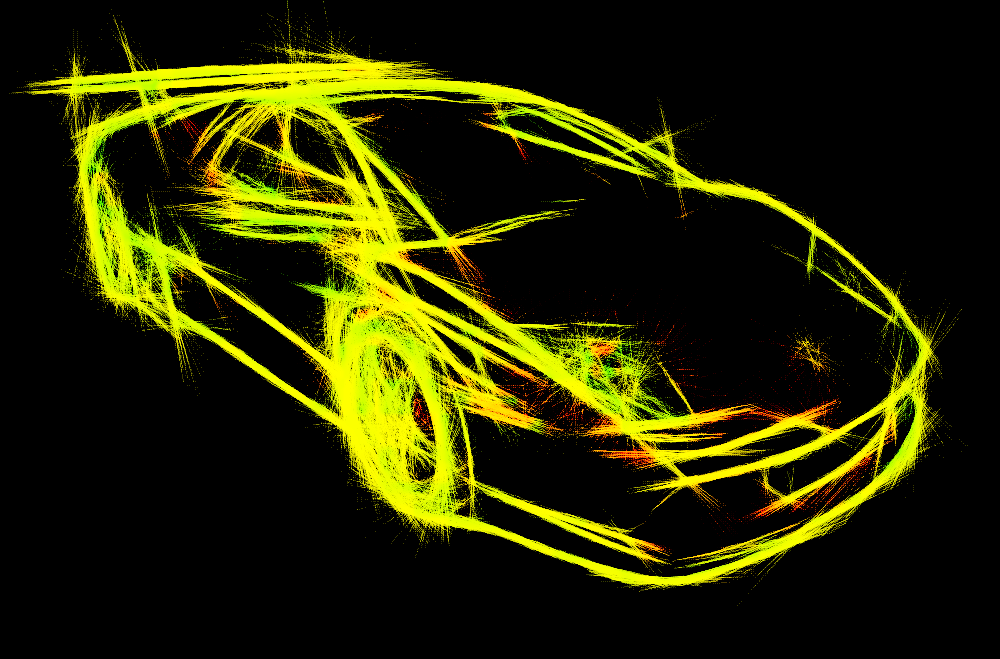
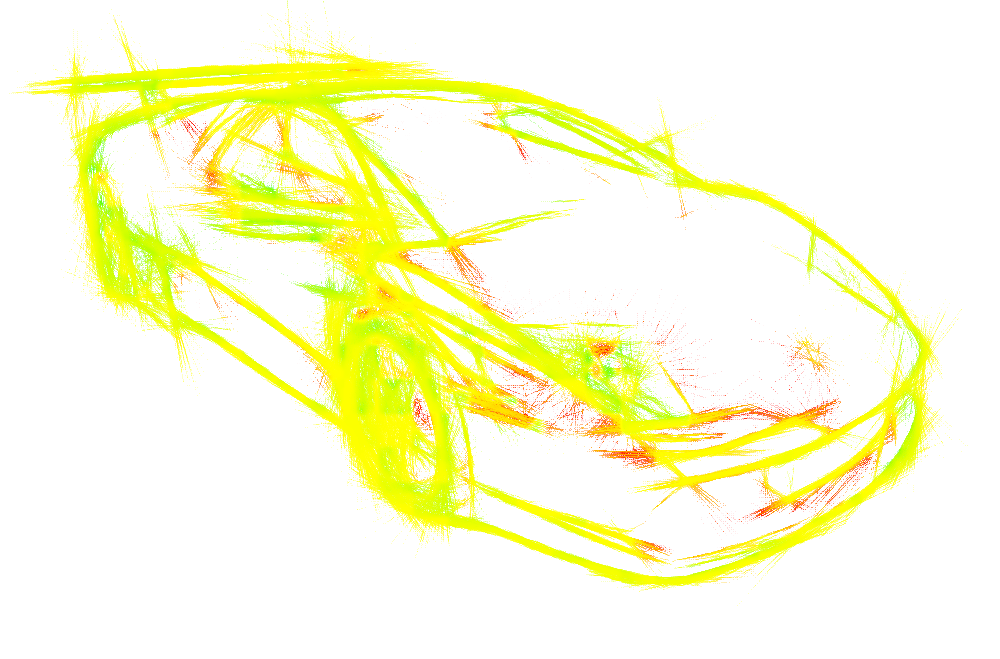
I thought I would post these

Image

Image

Image

Nice filter for that electrified look

_________________
Image


Top
 Profile  
 
 Post subject: Re: GMIC new filter " Black Crayon Graffiti"
PostPosted: Thu Dec 08, 2011 7:56 pm  (#7) 
Offline
GimpChat Member
User avatar

Joined: Dec 03, 2011
Posts: 149
Where does it show up in GMI'C? I ahve refreshed, think it added it but can't find it or could my problem e the same as above?


Top
 Profile  
 

 Post subject: Re: GMIC new filter " Black Crayon Graffiti"
PostPosted: Thu Dec 08, 2011 8:06 pm  (#8) 
Offline
GimpChat Member

Joined: Apr 12, 2010
Posts: 4957
Artistic

if doesn't show up you should update gmic, something changed in the very last gmic version so filter update doesn't work anymore for old version (at least on windows)

May seems working but the right files are not read

_________________
My 3D Gallery on Deviantart http://photocomix2.deviantart.com/
Main gallery http://www.flickriver.com/photos/photocomix-mandala/
Mandala and simmetry http://www.flickriver.com/photos/photocomix_mandala/

Image

Mrs Wilbress


Top
 Profile  
 
 Post subject: Re: GMIC new filter " Black Crayon Graffiti"
PostPosted: Thu Dec 08, 2011 9:03 pm  (#9) 
Offline
GimpChat Member
User avatar

Joined: Dec 03, 2011
Posts: 149
Ok seems I need to update, do you have a link for the latest version?


Top
 Profile  
 
 Post subject: Re: GMIC new filter " Black Crayon Graffiti"
PostPosted: Thu Dec 08, 2011 10:59 pm  (#10) 
Offline
Administrator
User avatar

Joined: May 22, 2008
Posts: 5489
Location: Somewhere in GIMP
PhotoComix wrote:
Artistic

if doesn't show up you should update gmic,
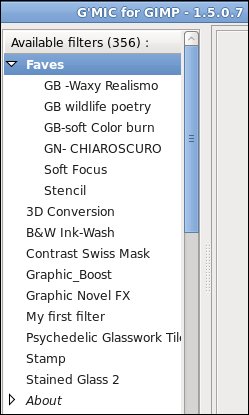
Your version is 1.5.0.7 in your picture, my version is also 1.5.0.7 as evidenced by my picture. I was careful to have it show the version number in mine.

I was looking in Faves for it as that is what your image shows, PhotoComix. When I looked in Artistic, there it was.

Image
Image

_________________
Image
Law of Gravity - Any tool, nut, bolt, screw, when dropped, will roll to the least accessible place.
Image


Top
 Profile  
 
Display posts from previous:  Sort by  
Post new topic Reply to topic  [ 44 posts ]  Go to page 1, 2, 3, 4, 5  Next

All times are UTC - 5 hours [ DST ]


Who is online

Users browsing this forum: No registered users and 2 guests


You cannot post new topics in this forum
You cannot reply to topics in this forum
You cannot edit your posts in this forum
You cannot delete your posts in this forum
You cannot post attachments in this forum

Search for:
Jump to:  

* Login   * Subscribe to RSS Feed


Powered by phpBB © 2000, 2002, 2005, 2007 phpBB Group