It is currently Tue May 21, 2013 1:16 pm


Latest GIMP Scripts & Plug-ins

All times are UTC - 5 hours [ DST ]


Post new topic Reply to topic  [ 4 posts ] 
Author Message
 Post subject: Small icons for Gimp-2.8 Theme DarkNice
PostPosted: Thu May 24, 2012 2:47 am  (#1) 
Offline
Global Moderator
User avatar

Joined: May 16, 2010
Posts: 8990
Location: "Looking for my eraser" =P
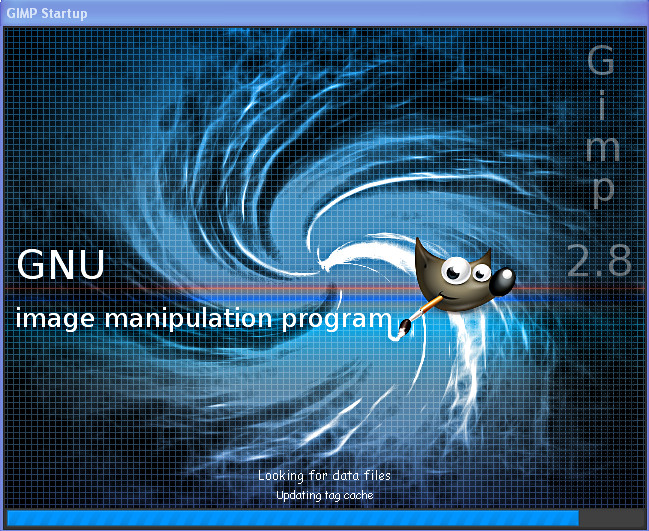
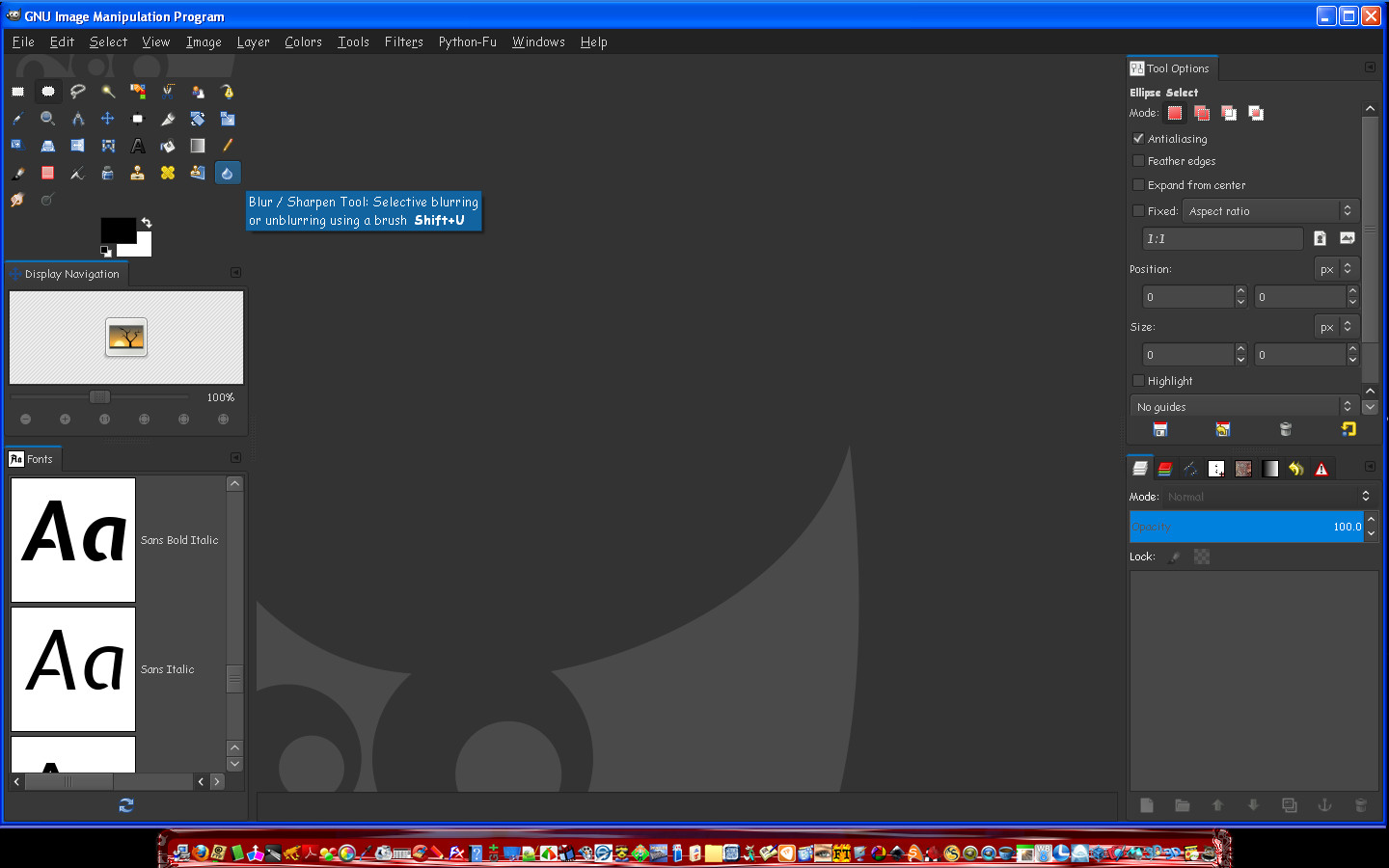
It is possible to make your icons small by going to Edit>Preferences>Themes and selecting small.
HOWEVER... if you are using the theme Darknice it doesn't give you the lovely round buttons and stuff.
SO... i found that if you paste the contents of the small theme gtkrc file under all the contents of the Darknice theme...you get small icons, and get to keep all your fancy buttons and loaders. :bigthup

So for those of you who want small icons with the Darknice theme...that is how to do it. :)

Some examples
Image
Image

_________________
Image
Gimp Rocks Blog
Simply Gimp Tutorials
"Once your in the cloud, you're in the net"
____________
OK, . . . . so what's the speed of dark?


Share on Facebook Share on Twitter Share on Orkut Share on Digg Share on MySpace Share on Delicious Share on Technorati
Top
 Profile  
 

 Post subject: Re: Small icons for Gimp-2.8 Theme DarkNice
PostPosted: Thu May 24, 2012 5:34 am  (#2) 
Offline
GimpChat Member

Joined: Mar 14, 2011
Posts: 898
Rod wrote:
It is possible to make your icons small by going to Edit>Preferences>Themes and selecting small.
HOWEVER... if you are using the theme Darknice it doesn't give you the lovely round buttons and stuff.
SO... i found that if you paste the contents of the small theme gtkrc file under all the contents of the Darknice theme...you get small icons, and get to keep all your fancy buttons and loaders. :bigthup

So for those of you who want small icons with the Darknice theme...that is how to do it. :)

Some examples
Image
Image

Rod,

Why don't you submit this splash for Gimp splash consideration for Gimp 2.10?

Partha


Top
 Profile  
 
 Post subject: Re: Small icons for Gimp-2.8 Theme DarkNice
PostPosted: Thu May 24, 2012 6:29 pm  (#3) 
Offline
GimpChat Member
User avatar

Joined: Jun 04, 2011
Posts: 249
will it work with other themes?

_________________
Image


Top
 Profile  
 
 Post subject: Re: Small icons for Gimp-2.8 Theme DarkNice
PostPosted: Fri May 25, 2012 12:17 am  (#4) 
Offline
Global Moderator
User avatar

Joined: May 16, 2010
Posts: 8990
Location: "Looking for my eraser" =P
partha wrote:
Rod wrote:
It is possible to make your icons small by going to Edit>Preferences>Themes and selecting small.
HOWEVER... if you are using the theme Darknice it doesn't give you the lovely round buttons and stuff.
SO... i found that if you paste the contents of the small theme gtkrc file under all the contents of the Darknice theme...you get small icons, and get to keep all your fancy buttons and loaders. :bigthup

So for those of you who want small icons with the Darknice theme...that is how to do it. :)

Some examples
Image
Image

Rod,

Why don't you submit this splash for Gimp splash consideration for Gimp 2.10?

Partha


I was thinking about it. I was beaten to the punch for Gimp-2.8 splash but i did submit it.
I will probably try again for Gimp-2.10. :)
Thanks Partha.

Quote:
Alonte wrote:
will it work with other themes?

Alonte i am pretty sure you can do this with any of them that will not allow a small icon adjustment.

_________________
Image
Gimp Rocks Blog
Simply Gimp Tutorials
"Once your in the cloud, you're in the net"
____________
OK, . . . . so what's the speed of dark?


Top
 Profile  
 
Display posts from previous:  Sort by  
Post new topic Reply to topic  [ 4 posts ] 

All times are UTC - 5 hours [ DST ]


Who is online

Users browsing this forum: No registered users and 0 guests


You cannot post new topics in this forum
You cannot reply to topics in this forum
You cannot edit your posts in this forum
You cannot delete your posts in this forum
You cannot post attachments in this forum

Search for:
Jump to:  

* Login   * Subscribe to RSS Feed


Powered by phpBB © 2000, 2002, 2005, 2007 phpBB Group