It is currently Wed Sep 16, 2026 4:07 am


All times are UTC - 5 hours [ DST ]


Post new topic Reply to topic  [ 7 posts ] 
Author Message
 Post subject: Frog
PostPosted: Sat Feb 27, 2016 11:41 pm  (#1) 
Offline
GimpChat Member
User avatar

Joined: Sep 24, 2010
Posts: 12845
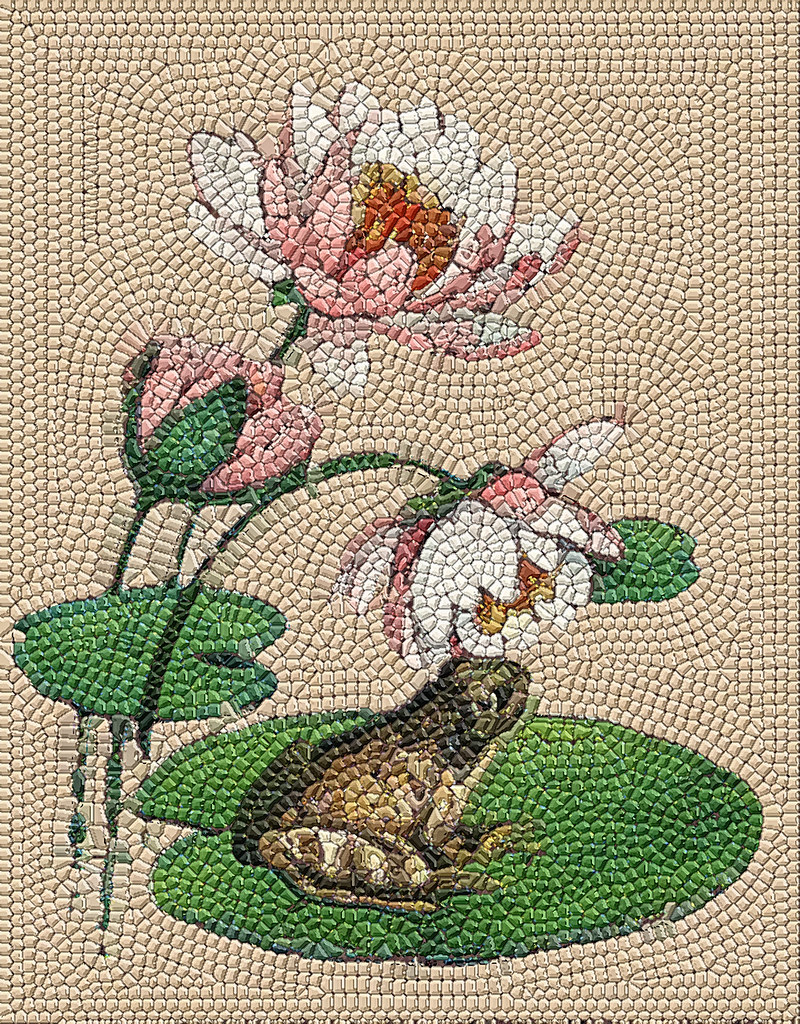
And the binge continues. lol

Secrets: Morphological and a very clean dot pattern. :)

ref: http://www.fontplay.com/freephotos/nine/frogframe.jpg

https://www.flickr.com/photos/34520999@ ... 1/sizes/o/

Image

_________________
Lyle

Psalm 109:8

Image


Share on Facebook Share on Twitter Share on Orkut Share on Digg Share on MySpace Share on Delicious Share on Technorati
Top
 Post subject: Re: Frog
PostPosted: Sun Feb 28, 2016 2:11 am  (#2) 
Offline
GimpChat Member
User avatar

Joined: Jan 20, 2013
Posts: 14835
Location: roma, italy
very nice, Lyle
another mosaic style....

_________________
"Where am I ?"


Top
 Post subject: Re: Frog
PostPosted: Sun Feb 28, 2016 2:16 am  (#3) 
Offline
GimpChat Member
User avatar

Joined: Sep 24, 2010
Posts: 12845
Same flow; just made more precise dots (stroking path is just not good enough, so I stroked a selection mask instead and filled with black; then I ran G'MIC's Poster (under b/w) to make them even sharper). Also made the squares more square by increasing the spacing (1100px instead of 800; might be a cool addition to add some flexibility to the spacing in your python pluging, Diego). Then, I dupped and ran morphological to spread the tiles wider setting the top layer to darken. Might be a better way, but this is good enough for now. :)

_________________
Lyle

Psalm 109:8

Image


Top
 Post subject: Re: Frog
PostPosted: Sun Feb 28, 2016 3:08 am  (#4) 
Offline
GimpChat Member
User avatar

Joined: Jan 20, 2013
Posts: 14835
Location: roma, italy
about the spacing, did you read my specific post?
limited choice for spacing a brush in a script

_________________
"Where am I ?"


Top
 Post subject: Re: Frog
PostPosted: Sun Feb 28, 2016 3:17 am  (#5) 
Offline
GimpChat Member
User avatar

Joined: Sep 24, 2010
Posts: 12845
Just read it; not a technical guru unfortunately; just an avid GIMP user, Diego. If the spacing becomes too wide, the Skeleton result won't look good from my experience regardless. Even so, a range between 800 to 1500 has been what I've been happy with. :)

_________________
Lyle

Psalm 109:8

Image


Top
 Post subject: Re: Frog
PostPosted: Sun Feb 28, 2016 3:20 am  (#6) 
Offline
GimpChat Member
User avatar

Joined: Jan 20, 2013
Posts: 14835
Location: roma, italy
...and, concerning the Mosaic filter:
having the limit to 10x space (1 dot each 10 pixels), I put a trick to have the output corresponding to the user taste: it's the work-dimension.
See the different mosaic coming out from the same image:
- using 1000 as work dimension
Attachment:
red-rose-Mosaic-1000.jpg
red-rose-Mosaic-1000.jpg [ 500.61 KiB | Viewed 1764 times ]

- using 2000 as work dimension
Attachment:
red-rose-Mosaic-2000.jpg
red-rose-Mosaic-2000.jpg [ 1.91 MiB | Viewed 1764 times ]

_________________
"Where am I ?"


Top
 Post subject: Re: Frog
PostPosted: Sun Feb 28, 2016 4:13 am  (#7) 
Offline
GimpChat Member
User avatar

Joined: Sep 24, 2010
Posts: 12845
Looking nice Diego. :)

_________________
Lyle

Psalm 109:8

Image


Top
Post new topic Reply to topic  [ 7 posts ] 

All times are UTC - 5 hours [ DST ]


* Login  


Powered by phpBB3 © phpBB Group