It is currently Wed Nov 25, 2026 11:37 am


All times are UTC - 5 hours [ DST ]


Post new topic Reply to topic  [ 20 posts ] 
Author Message
 Post subject: Re: Gimp-Sharp
PostPosted: Sun Aug 15, 2010 9:13 pm  (#11) 
Offline
Global Moderator
User avatar

Joined: May 16, 2010
Posts: 16309
Gms9810 wrote:
When I started to install it it acted like another version of gimp. Is it just a filter pack or a whole different version of Gimp that will mess with my current installation?

No it is not a version of Gimp.
It looks for certain files that are installed on your machine
Microsoft.Net 3.5
Gimp 2.4 (hence the reason to change those two files and then the program folder name if its not named 2.0)
The website has all the files you need to get it running on any machine. =)

If your installation of Gimp is named Program Files/Gimp 2.0 then you should only need to change the two file names in the bin folder.If its named something other than Gimp 2.0, change the folder name to 2.0 and install then change the folder name and the two file names back before you start Gimp again.

_________________
Image


Top
 Post subject: Re: Gimp-Sharp
PostPosted: Wed Aug 18, 2010 11:23 pm  (#12) 
Offline
GimpChat Member
User avatar

Joined: Jul 04, 2010
Posts: 2253
Location: Retired Moderator Slowly Returning to the Living.
I have it running, and put the ATN files in my scripts folder. When I go into the dialog window, there are no ATN's listed. What folder should they be put in??

_________________
Artists aren't crazy! We're eccentric! ~G.M. Ross

Image

My Sigs = My Photos
Check out my work at http://www.flickr.com/photos/photomastergreg.


Top
 Post subject: Re: Gimp-Sharp
PostPosted: Wed Aug 18, 2010 11:34 pm  (#13) 
Offline
Global Moderator
User avatar

Joined: May 16, 2010
Posts: 16309
They have to be in your user/Gimp 2.6/scripts folder
But keep in mind the Photo Shop Actions filter will only run up to 10 ATN files, and if it runs into one it cant handle, it will crash.

Try running about 5 at first, and see if they all come up.If they do add one more at a time.The only problem is you have to restart Gimp every time you add an action file to your scripts folder or the plug-in wont see it anyways. =\
I really hope they do more work on this plug-in for 2.6 versions because i think its a real nice addition to Gimp.

Though i believe they should only add actions with filters available with Gimp.That way the entire action will run all the way through.However there are some ATN files that don't run all the way through even in PS.

There is currently a version out for Linux users 0.16 (too bad i dont have Linux)
I have no idea how to compile on Windows, i do have a c compiler though.Maybe ill give it a try.

Ill let you know how it turns out.

The whole Gimp Sharp package does have some very useful, and nice filters though. =)

_________________
Image


Top
 Post subject: Re: Gimp-Sharp
PostPosted: Sun Nov 21, 2010 10:53 am  (#14) 
Offline
New Member

Joined: Nov 21, 2010
Posts: 1
how exactly is the name of the path where did you put the atn files ?


Top
 Post subject: Re: Gimp-Sharp
PostPosted: Sun Nov 21, 2010 4:32 pm  (#15) 
Offline
GimpChat Member
User avatar

Joined: Sep 24, 2010
Posts: 12870
I was a very early tryer for GIMP#; it was so buggy at the time that I promptly uninstalled it and haven't looked back. I may give it a whirl again one day (been a few years; surely those bugs are gone by now). :)

_________________
Lyle

Psalm 109:8

Image


Top
 Post subject: Re: Gimp-Sharp
PostPosted: Sun Nov 21, 2010 8:35 pm  (#16) 
Offline
GimpChat Member

Joined: Apr 12, 2010
Posts: 5870
the point of gimp# was not that of offers built in filters, that were just examples, let say sort of templates , the point was provide a tool to make easier write filters , easier also because included a interpreter for a lot of different languages from C# to java

but basically was 1 men only project, and the lack of any documentation and of contributors were severe obstacle to its development.

a pity that was noticed only for what less relevant (i.e allow the use of some % of PS actions...but already recorded actions are nothing relevant, what is relevant is the macro-recorder that allow to create actions on the fly, without need to know any coding )

i never found relevant bug in gimp#...except for a filter usable only on 100x100 images with not risk, but at that time were no warning about

even in that case gimp# worked well the filters didn't crash, neither crashed gimp or the whole OS (instead gmic was always crash if too much resources are needed...now finally only the single filter crash without crashing the whole plugin)only took about 24 hours to finish (i could not kill gimp, because i had some other unsaved work )

_________________
My 3D Gallery on Deviantart http://photocomix2.deviantart.com/
Main gallery http://www.flickriver.com/photos/photocomix-mandala/
Mandala and simmetry http://www.flickriver.com/photos/photocomix_mandala/

Image

Mrs Wilbress


Top
 Post subject: Re: Gimp-Sharp
PostPosted: Sun Nov 21, 2010 9:49 pm  (#17) 
Offline
GimpChat Member
User avatar

Joined: Jul 04, 2010
Posts: 2253
Location: Retired Moderator Slowly Returning to the Living.
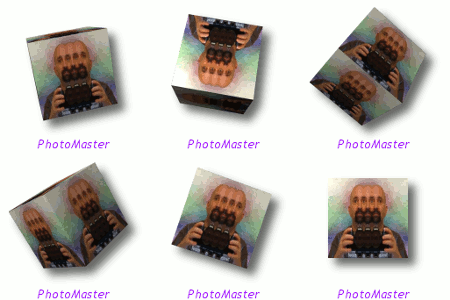
I love the picture package!

_________________
Artists aren't crazy! We're eccentric! ~G.M. Ross

Image

My Sigs = My Photos
Check out my work at http://www.flickr.com/photos/photomastergreg.


Top
 Post subject: Re: Gimp-Sharp
PostPosted: Sun Nov 21, 2010 11:01 pm  (#18) 
Offline
GimpChat Member

Joined: Apr 12, 2010
Posts: 5870
oh yes it has good filters , i just said was not that its main goal

_________________
My 3D Gallery on Deviantart http://photocomix2.deviantart.com/
Main gallery http://www.flickriver.com/photos/photocomix-mandala/
Mandala and simmetry http://www.flickriver.com/photos/photocomix_mandala/

Image

Mrs Wilbress


Top
 Post subject: Re: Gimp-Sharp
PostPosted: Mon Feb 21, 2011 9:52 pm  (#19) 
Offline
Global Moderator
User avatar

Joined: May 16, 2010
Posts: 16309
When i downloaded it the exact reason i did was for the PhotoShop Actions plug-in.
I didn't realize so many great filters were coming with it.
Wish they would create a windows binary for 0.17 though. :)

_________________
Image


Top
 Post subject: Re: Gimp-Sharp
PostPosted: Mon Feb 21, 2011 10:06 pm  (#20) 
Offline
Global Moderator
User avatar

Joined: May 16, 2010
Posts: 16309
Exact path for ATN files is here - where UserName is your user folder name
C:\documents and settings\UserName\.gimp-2.6\Scripts

_________________
Image


Top
Post new topic Reply to topic  [ 20 posts ] 

All times are UTC - 5 hours [ DST ]


* Login  


Powered by phpBB3 © phpBB Group