It is currently Sun Sep 27, 2026 1:47 am


All times are UTC - 5 hours [ DST ]


Post new topic Reply to topic  [ 157 posts ]  Go to page Previous  1 ... 4, 5, 6, 7, 8  Next
Author Message
 Post subject: Re: some fractals
PostPosted: Fri Jun 05, 2015 10:33 am  (#121) 
Offline
GimpChat Member
User avatar

Joined: Mar 10, 2014
Posts: 845
oldmangrumpy wrote:
Marcello - very nice fractal; I have just uninstalled Incendia as it crashed my machine twice this morning.

Sorry that you uninstalled Incendia but it is complicated
did you try XaoS?


Top
 Post subject: Re: some fractals
PostPosted: Fri Jun 05, 2015 10:40 am  (#122) 
Offline
GimpChat Member
User avatar

Joined: Mar 10, 2014
Posts: 845
Issabella wrote:
Marcello, great like usual. :bigthup

I find "incendia" really complicated for me to get something nice, as it can create. So leave it for experts and I'll enjoy seeing their great creations.
However I play with others simpler ones. These are a mix of Apophysis, WaveSilk and Tiera plus gimp (The same mix with different layer mode) :)


great fractals !
I understand about Incendia..

last in Apo7X ( occhio meccanico/robot eye)
Image


Top
 Post subject: Re: some fractals
PostPosted: Sat Jun 06, 2015 2:25 am  (#123) 
Offline
Global Moderator
User avatar

Joined: Oct 02, 2014
Posts: 5052
Location: Sydney Australia
Thank you Issabella, Sallyanne and Marcello for your compliments.

Marcello - I am ploughing my way thru JWildfire, Xaos and Apophysis tutorials ... these programs are not as intuitive as GIMP and some tutorials appear to be written on the assumption that you know everything in the first place! :roll:

Anyway, I found a 'script' in JWildfire that turn your fractal results into heart shapes, so by virtue of that plus some GIMP scripts here is today's playtime result ...

Image

_________________
Image

Respect should be offered freely but hard earned


Top
 Post subject: Re: some fractals
PostPosted: Sat Jun 06, 2015 11:07 am  (#124) 
Offline
GimpChat Member
User avatar

Joined: Mar 10, 2014
Posts: 845
OMG
great result in JWildfire! I like very much!
did you use Apophysis7X?


Top
 Post subject: Re: some fractals
PostPosted: Sun Jun 07, 2015 12:43 am  (#125) 
Offline
Global Moderator
User avatar

Joined: Oct 02, 2014
Posts: 5052
Location: Sydney Australia
Marcello - thank you, thank you, thank you :tyspin.

I was using ordinary Apothysis, so I downloaded Apothysis7X and it came with an (obscure) link to tutorials that assume no prior fractal knowledge. They are excellent and have already clarified some key issues I was having (senility being one of them :hehe) and have really paved the way for better results.


So here is the outcome from my first Apothysis7X tutorial ...

Image

_________________
Image

Respect should be offered freely but hard earned


Top
 Post subject: Re: some fractals
PostPosted: Sun Jun 07, 2015 2:42 am  (#126) 
Offline
GimpChat Member
User avatar

Joined: Mar 01, 2014
Posts: 14198
Location: Spain, Aragón
Great OMG, I follow your steps, so any tips would be very appreciate. :) :clap

_________________
Image

Gimp 2.10.36 (samj) portable _ OS Windows 10 Home_ 64bits
Don’t be afraid to start over. It’s a new chance to rebuild what you want.


Top
 Post subject: Re: some fractals
PostPosted: Sun Jun 07, 2015 11:12 am  (#127) 
Offline
GimpChat Member
User avatar

Joined: Mar 10, 2014
Posts: 845
OMG excellent application!
Issabella , OMG and friend I am happy to help you in Apo7X
first of all my version is 15B there is also 15C but I think that my suggestions will work.
FIRST STEP
1. under Apophysis7X directory you should have a folder PLUGINS
open and copy the .ddl files that you can find in the attached zipped folder
(these are additional plugins that I collected in the past)

2. open the program and click Editor(fx) you will see at the bottom of variations the new plugins ( now you can work with these extra)

let me know if is working!


Attachments:
Plugins.zip [788.96 KiB]
Downloaded 97 times
Top
 Post subject: Re: some fractals
PostPosted: Sun Jun 07, 2015 12:19 pm  (#128) 
Offline
GimpChat Member
User avatar

Joined: Mar 01, 2014
Posts: 14198
Location: Spain, Aragón
Marcello, Thank you so much for your kindness. I've tried to add your Plugins but the programme says no, as my system is 32 bits and yours is 64.
So I've have to remove them from my folder. But don't worry, because my main problem is to know how it works and the steps to follow. I'm trying to find tutorials in PDF to learn step by step, too. :tyspin :)

_________________
Image

Gimp 2.10.36 (samj) portable _ OS Windows 10 Home_ 64bits
Don’t be afraid to start over. It’s a new chance to rebuild what you want.


Top
 Post subject: Re: some fractals
PostPosted: Sun Jun 07, 2015 12:46 pm  (#129) 
Offline
GimpChat Member
User avatar

Joined: Mar 10, 2014
Posts: 845
Issabella wrote:
Marcello, Thank you so much for your kindness. I've tried to add your Plugins but the programme says no, as my system is 32 bits and yours is 64.
So I've have to remove them from my folder. But don't worry, because my main problem is to know how it works and the steps to follow. I'm trying to find tutorials in PDF to learn step by step, too. :tyspin :)

Issabella sorry but my system is Windows 32 bits!maybr the zipfile is wrong!
can you try with this new( only 3 plugins)? thanks


Attachments:
ApoExtraPlugins.zip [20.82 KiB]
Downloaded 77 times
Top
 Post subject: Re: some fractals
PostPosted: Sun Jun 07, 2015 1:16 pm  (#130) 
Offline
GimpChat Member
User avatar

Joined: Mar 01, 2014
Posts: 14198
Location: Spain, Aragón
Done, Marcello. After that when I open Apophysis7X says as I have those three plugins, but in the folder they aren't with the same name. That is odd.
Sorry, I have 158 plugins in my folder but I said before, the problem is that I don't manage to create anything nice. I'll try it. :)

_________________
Image

Gimp 2.10.36 (samj) portable _ OS Windows 10 Home_ 64bits
Don’t be afraid to start over. It’s a new chance to rebuild what you want.


Top
 Post subject: Re: some fractals
PostPosted: Sun Jun 07, 2015 7:50 pm  (#131) 
Offline
Global Moderator
User avatar

Joined: Oct 02, 2014
Posts: 5052
Location: Sydney Australia
Marcello - thank you for the plugins; there is a tab in settings that I set to 'select all' in order to find the new plugins in the 'variations' tab of the 'editor' window. I will have a play today and see how it goes.

Issabella - I found the instructions/tutorial I used under the HELP button (actually '?' button); there are linkls to both the Apophysis User Manual (tutorials) and the Flame Algorythm info. Also I searched Deviant Art and found some too but have not tried them yet.

So much to learn ...!

_________________
Image

Respect should be offered freely but hard earned


Top
 Post subject: Re: some fractals
PostPosted: Sun Jun 07, 2015 9:08 pm  (#132) 
Offline
GimpChat Member
User avatar

Joined: Mar 10, 2014
Posts: 845
today I try JWildfire 2.5( very nice free sw)
here my first fractal
Image


Top
 Post subject: Re: some fractals
PostPosted: Mon Jun 08, 2015 12:07 am  (#133) 
Offline
GimpChat Member
User avatar

Joined: Nov 16, 2011
Posts: 5127
Location: Metro Vancouver, BC
Very nice Marcello.

_________________
Image
Gimp 2.8.18, Linux, median user
Gimp Chat Tutorials Index
Spirit Bear (Kermode)


Top
 Post subject: Re: some fractals
PostPosted: Mon Jun 08, 2015 9:22 am  (#134) 
Offline
GimpChat Member
User avatar

Joined: Mar 01, 2014
Posts: 14198
Location: Spain, Aragón
Thanks OMG, your tips are very useful for me to start. :tyspin

Marcello. :coolthup

_________________
Image

Gimp 2.10.36 (samj) portable _ OS Windows 10 Home_ 64bits
Don’t be afraid to start over. It’s a new chance to rebuild what you want.


Top
 Post subject: Re: some fractals
PostPosted: Mon Jun 08, 2015 12:02 pm  (#135) 
Offline
GimpChat Member
User avatar

Joined: Mar 10, 2014
Posts: 845
oldmangrumpy wrote:
Marcello - thank you for the plugins; there is a tab in settings that I set to 'select all' in order to find the new plugins in the 'variations' tab of the 'editor' window. I will have a play today and see how it goes.
So much to learn ...!


to be honest I don' t remember the use of SELECT ALL in setting, my setting include only two ( linear3D and spherical)!

It very difficult to start to build a flame I usually start with a script on blank flame
or on one of my thousand in library.
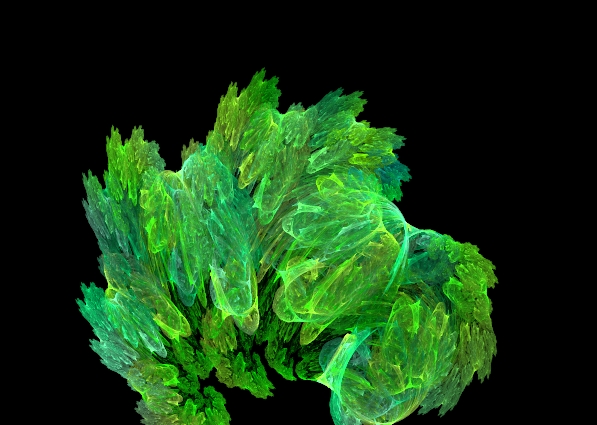
here one of my first build fractal!!!...lettuce!!!!
Image


Top
 Post subject: Re: some fractals
PostPosted: Mon Jun 08, 2015 11:56 pm  (#136) 
Offline
GimpChat Member
User avatar

Joined: Jul 06, 2013
Posts: 2663
Location: California
Marcello wrote:
OMG excellent application!
Issabella , OMG and friend I am happy to help you in Apo7X
first of all my version is 15B there is also 15C but I think that my suggestions will work.
FIRST STEP
1. under Apophysis7X directory you should have a folder PLUGINS
open and copy the .ddl files that you can find in the attached zipped folder
(these are additional plugins that I collected in the past)

2. open the program and click Editor(fx) you will see at the bottom of variations the new plugins ( now you can work with these extra)

let me know if is working!


Marcello, I have Apophysis 7x 64 bit and some of the plugins in your pack don't show up for me. I think they are out dated.

Plugins that don't work for me are avHexes, blur_heart, circle1, circle2, circus, collideoscope, cosine, crob, cropn, cross2, droste, eclipse, waffle, tancos, wedge_juliaFL, wedge_sphFL, splitbrdr, splits, SphericalN, square, Squarize, sinecho, as well as many others. I have too many to name.


Top
 Post subject: Re: some fractals
PostPosted: Tue Jun 09, 2015 12:31 pm  (#137) 
Offline
GimpChat Member
User avatar

Joined: Mar 10, 2014
Posts: 845
mackenzieh wrote:
Marcello wrote:
OMG excellent application!
Issabella , OMG and friend I am happy to help you in Apo7X
first of all my version is 15B there is also 15C but I think that my suggestions will work.
FIRST STEP
1. under Apophysis7X directory you should have a folder PLUGINS
open and copy the .ddl files that you can find in the attached zipped folder
(these are additional plugins that I collected in the past)

2. open the program and click Editor(fx) you will see at the bottom of variations the new plugins ( now you can work with these extra)

let me know if is working!


Marcello, I have Apophysis 7x 64 bit and some of the plugins in your pack don't show up for me. I think they are out dated.

Plugins that don't work for me are avHexes, blur_heart, circle1, circle2, circus, collideoscope, cosine, crob, cropn, cross2, droste, eclipse, waffle, tancos, wedge_juliaFL, wedge_sphFL, splitbrdr, splits, SphericalN, square, Squarize, sinecho, as well as many others. I have too many to name.


I have windows 32bits Apo7X v.15B
if you tell me one plugin working I will try to understand what happened!

updated
many plugins work only 32bits! I suggest to search in DEVIANTART


Top
 Post subject: Re: some fractals
PostPosted: Tue Jun 09, 2015 5:21 pm  (#138) 
Offline
GimpChat Member
User avatar

Joined: Jul 06, 2013
Posts: 2663
Location: California
Marcello wrote:
mackenzieh wrote:
Marcello wrote:
OMG excellent application!
Issabella , OMG and friend I am happy to help you in Apo7X
first of all my version is 15B there is also 15C but I think that my suggestions will work.
FIRST STEP
1. under Apophysis7X directory you should have a folder PLUGINS
open and copy the .ddl files that you can find in the attached zipped folder
(these are additional plugins that I collected in the past)

2. open the program and click Editor(fx) you will see at the bottom of variations the new plugins ( now you can work with these extra)

let me know if is working!


Marcello, I have Apophysis 7x 64 bit and some of the plugins in your pack don't show up for me. I think they are out dated.

Plugins that don't work for me are avHexes, blur_heart, circle1, circle2, circus, collideoscope, cosine, crob, cropn, cross2, droste, eclipse, waffle, tancos, wedge_juliaFL, wedge_sphFL, splitbrdr, splits, SphericalN, square, Squarize, sinecho, as well as many others. I have too many to name.


I have windows 32bits Apo7X v.15B
if you tell me one plugin working I will try to understand what happened!

updated
many plugins work only 32bits! I suggest to search in DEVIANTART


I tried adding your plugins and I couldn't because they already exist in apophysis 7x version 16. I will search deviant art. :)


Top
 Post subject: Re: some fractals
PostPosted: Wed Jun 10, 2015 6:02 pm  (#139) 
Offline
GimpChat Member
User avatar

Joined: Mar 10, 2014
Posts: 845
Odinbc wrote:
Very nice Marcello.

Thank you!
--------------
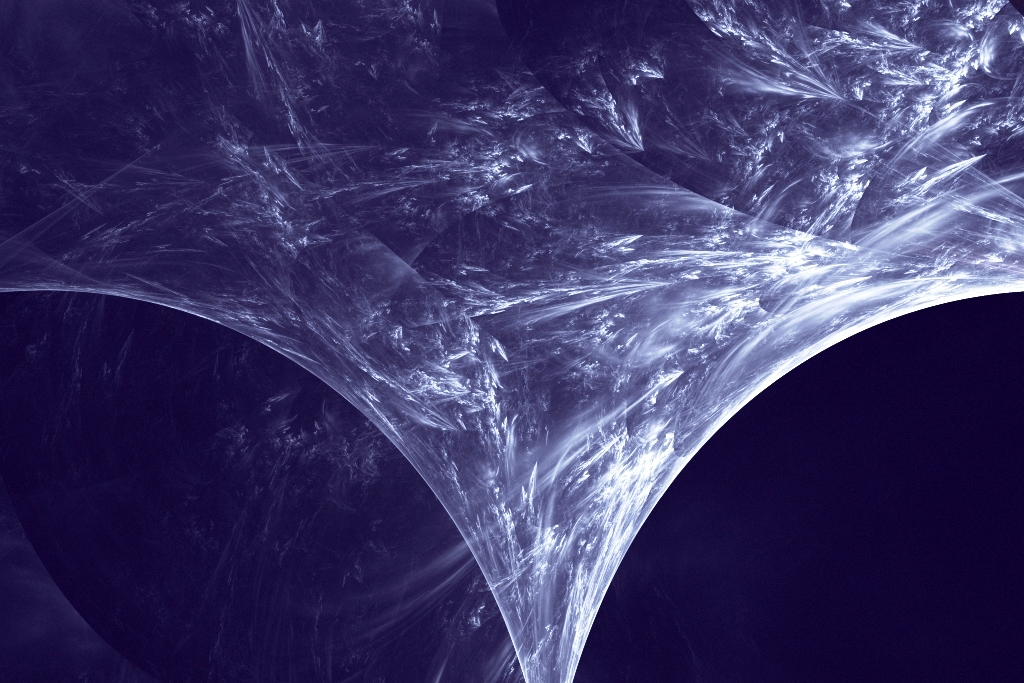
tornado in Apophysis7X (no postprocessing)

Image


Top
 Post subject: Re: some fractals
PostPosted: Wed Jun 10, 2015 7:25 pm  (#140) 
Offline
Global Moderator
User avatar

Joined: Oct 02, 2014
Posts: 5052
Location: Sydney Australia
@Marcello - really excellent Marcello; I'm so glad that you can get something out of Apo7x because, despite my initial absolute joy at completing Tut #1 (feathered wings above), I have been completely frustrated with Tut#2.

It's about creating a Grand Julia and Chapter 2 then refers to making setting changes to the 'julia' variation - well there is no 'julia' variation available in the list, even after I load the 'julia.dll' from your download! There are a number of other variations containing 'julia' some with '.x86' and some with '.x64' extensions, so maybe it is something to do with the Apo7x X64 version I downloaded.

Still, I will keep persevering!

_________________
Image

Respect should be offered freely but hard earned


Top
Post new topic Reply to topic  [ 157 posts ]  Go to page Previous  1 ... 4, 5, 6, 7, 8  Next

All times are UTC - 5 hours [ DST ]


* Login  


Powered by phpBB3 © phpBB Group