It is currently Fri Oct 23, 2026 6:08 pm


All times are UTC - 5 hours [ DST ]


Post new topic Reply to topic  [ 51 posts ]  Go to page Previous  1, 2, 3  Next
Author Message
 Post subject: Re: New pictures made old.
PostPosted: Mon Feb 07, 2011 10:52 pm  (#21) 
Offline
GimpChat Member
User avatar

Joined: Oct 06, 2010
Posts: 4050
You'll need to let the author know, but it doesn't look promising if you're using Win 7. I have it working on my Win 7 64 bit, but no idea why yours isn't working.

_________________
"In order to attain the impossible, one must attempt the absurd."
~ Miguel de Cervantes


Top
 Post subject: Re: New pictures made old.
PostPosted: Tue Feb 08, 2011 12:19 am  (#22) 
Offline
GimpChat Member

Joined: Feb 06, 2011
Posts: 342
Been working on getting my python and getting it to work properly and all necessary or suggested 'things". LOL I now have add mat, add frame, add bevel, and add border. I got the line border and it looks like the stencil carve and chrome which i did not have before. LOL Yea!! Maybe I will work on a project tomorrow? Trying to get the wrapmap plugin but all i get is something written i can not just place in my plugin folder. Ok I am not super smart in this program stuff but ok.. I am bombing on this one. :( :gaah maybe it is the link..anyways I am not finding the nice little plug-in neatly packaged so all i have to do is download into my my plug-in folder. Any suggestions? thanks


Top
 Post subject: Re: New pictures made old.
PostPosted: Tue Feb 08, 2011 12:22 am  (#23) 
Offline
Global Moderator
User avatar

Joined: May 16, 2010
Posts: 16206
WrapMap is actually more than one file - Mahvin can explain it better.

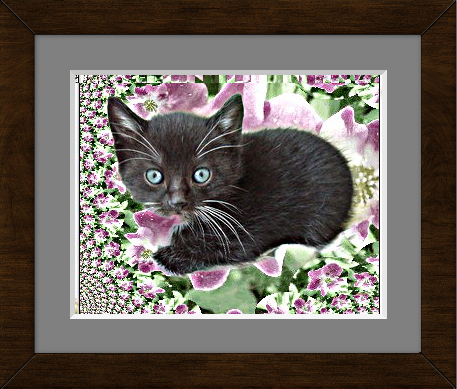
I looked all over for them ( add mat, and add frame), and finally found them under FX Foundry/Image Effects
So i edited the script to set them in the Gimp menu as - <Images>/Filters/Decor

Both still show under FX Foundry - lol
I have no clue why - but they work so oh well. :P

Image


Top
 Post subject: Re: New pictures made old.
PostPosted: Tue Feb 08, 2011 12:31 am  (#24) 
Offline
GimpChat Member

Joined: Feb 06, 2011
Posts: 342
ohhh that is not fun. Glad I found my all neatly done. LOL I have no idea on how to adapt that kind of stuff to gimp. The brushes are easy get a pic work on it a bit and save as a .gbr. Easy enough for me. I did play a little with the add matt, frame, and line border just to see how they work. So far so good. I am going to go back and look for the one tut I found about cutting out an image to eliminate the original background. It looked great but the tut was missing lots of steps for nubies like me. LOL I thought maybe some of the gimp geniuses on here could fill in the gaps or come up with better ideas. :)


Top
 Post subject: Re: New pictures made old.
PostPosted: Tue Feb 08, 2011 12:35 am  (#25) 
Offline
GimpChat Member
User avatar

Joined: Oct 06, 2010
Posts: 4050
Lianam, WrapMap is just a python file, which should be added to your plug-ins folder. Are you using Windows? What version? I'm not understanding the complexities you are having, could you please describe what it is about WrapMap that makes it hard to place in your plug-ins folder?

The py file can be found here: http://sourceforge.net/projects/gimp-wrapmap/files/

It's version 3.

_________________
"In order to attain the impossible, one must attempt the absurd."
~ Miguel de Cervantes


Top
 Post subject: Re: New pictures made old.
PostPosted: Tue Feb 08, 2011 1:05 am  (#26) 
Offline
GimpChat Member
User avatar

Joined: Oct 06, 2010
Posts: 4050
Did you mean Line Borders, Rod? WrapMap is only one .py file. There seems to be some confusion and I'm not sure who is talking about what?

Line Borders is more than one file and is in its own Line Border folder, and should be extracted to your hard drive (wherever you want it) and then point GIMP to it via Edit-Preferences-Folders-Plug-ins (create a new pointer, browse to the extracted Line Border folder, click OK twice, close GIMP, then restart GIMP).

WrapMap on the other hand is one solitary .py file and should be added to your .gimp-2.6/plug-ins folder.

_________________
"In order to attain the impossible, one must attempt the absurd."
~ Miguel de Cervantes


Top
 Post subject: Re: New pictures made old.
PostPosted: Tue Feb 08, 2011 1:07 am  (#27) 
Offline
GimpChat Member

Joined: Feb 06, 2011
Posts: 342
I have windows XP sp3 and I use windows Explorer version 8 I beleive. I go to the link you give and it has the two files i go to download them and i get this link http://sourceforge.net/projects/gimp-wr ... f/download or http://sourceforge.net/projects/gimp-wr ... y/download and it never does anything just sits there. So I tried the are you having trouble with the download and I still get nothing. :gaah Maybe I am too impatient and need to wait for it to think about downloading?? Maybe I should be a member?


Top
 Post subject: Re: New pictures made old.
PostPosted: Tue Feb 08, 2011 1:10 am  (#28) 
Offline
GimpChat Member

Joined: Feb 06, 2011
Posts: 342
I got a written document from the download this time. but i have no idea what to do with it because it does not just go into the plug-in folder. I know i have to do something else but I am not sure what.


Top
 Post subject: Re: New pictures made old.
PostPosted: Tue Feb 08, 2011 1:15 am  (#29) 
Offline
GimpChat Member

Joined: Feb 06, 2011
Posts: 342
geee.. everytime i start gimp I have to reinstall all the python pycairo-1.8.6-py26, pygobject-2.20.0-py26, and pygtk-2.16-0+glade.win32-py26. I followed the instructions> I am wondering if i did something wrong or is that normal??


Top
 Post subject: Re: New pictures made old.
PostPosted: Tue Feb 08, 2011 1:17 am  (#30) 
Offline
GimpChat Member
User avatar

Joined: Oct 06, 2010
Posts: 4050
You have to manually move this file into the plug-ins folder. I am assuming it downloaded to your Downloads folder. You have to go into Windows explorer and move the file (drag and drop it) into .gimp-2.6/plug-ins

Python files look like text files, but they have a .py extension

something.py or in this case, wrapmap.0.3.py

You don't need the xcf file.

No you do not need to re-install all those. I have no idea what is causing that, I am not there to see what is going on.

_________________
"In order to attain the impossible, one must attempt the absurd."
~ Miguel de Cervantes


Top
 Post subject: Re: New pictures made old.
PostPosted: Tue Feb 08, 2011 1:20 am  (#31) 
Offline
GimpChat Member
User avatar

Joined: Oct 06, 2010
Posts: 4050
I am going to say this point blank, please don't be offended (Internet Explorer is by far the worst browser there is, ever, in the land of all things Internet and I would strongly recommend you use Firefox or Google Chrome instead).

You should not have to be re-installing any of the Python modules all over again. Since I can't see what's going on you'll have to describe it or take a screenshot and post it....

_________________
"In order to attain the impossible, one must attempt the absurd."
~ Miguel de Cervantes


Top
 Post subject: Re: New pictures made old.
PostPosted: Tue Feb 08, 2011 1:37 am  (#32) 
Offline
GimpChat Member

Joined: Feb 06, 2011
Posts: 342
No offense taken I know it is a bad one but i have loaded the others and it seems all I get is trouble so I have uninstalled them. As for python and the modules maybe they were saved to a wrong folder? I am just making a wild guess.
Thanks for helping me. will uninstall and reinstall everything one more time and see what happens.


Top
 Post subject: Re: New pictures made old.
PostPosted: Tue Feb 08, 2011 2:38 am  (#33) 
Offline
GimpChat Member

Joined: Feb 06, 2011
Posts: 342
Well I got the python modules to quit installing themselves. I uninstalled everything and also deleted my old gimp files because, the modules had downloaded themselves to the gimp file. I have no idea how and well I am not going to even try to figure that one out. I just saved my brush folders and others i had added and updated on to my desktop. reinstalled as in the directions given and everything works great now. :yes

I have down loaded google chrome and used it to download the wrapmap file. No luck all i get again is a bunch of text no download anywhere muchless even gives me an option to where to save it. This I give up on. :P signing off and going to bed. Night everyone and thanks again for the help.

Liana


Top
 Post subject: Re: New pictures made old.
PostPosted: Tue Feb 08, 2011 7:01 am  (#34) 
Offline
Global Moderator
User avatar

Joined: May 16, 2010
Posts: 16206
mahvin wrote:
Did you mean Line Borders, Rod? WrapMap is only one .py file. There seems to be some confusion and I'm not sure who is talking about what?

Line Borders is more than one file and is in its own Line Border folder, and should be extracted to your hard drive (wherever you want it) and then point GIMP to it via Edit-Preferences-Folders-Plug-ins (create a new pointer, browse to the extracted Line Border folder, click OK twice, close GIMP, then restart GIMP).

WrapMap on the other hand is one solitary .py file and should be added to your .gimp-2.6/plug-ins folder.


Yes Line Borders, sorry for the confusion.


Top
 Post subject: Re: New pictures made old.
PostPosted: Tue Feb 08, 2011 7:06 am  (#35) 
Offline
Global Moderator
User avatar

Joined: May 16, 2010
Posts: 16206
Lianam wrote:
geee.. everytime i start gimp I have to reinstall all the python pycairo-1.8.6-py26, pygobject-2.20.0-py26, and pygtk-2.16-0+glade.win32-py26. I followed the instructions> I am wondering if i did something wrong or is that normal??


Take the install programs out of your plug-in folder. :)


Top
 Post subject: Re: New pictures made old.
PostPosted: Tue Feb 08, 2011 7:10 am  (#36) 
Offline
Global Moderator
User avatar

Joined: May 16, 2010
Posts: 16206
Lianam wrote:
I got a written document from the download this time. but i have no idea what to do with it because it does not just go into the plug-in folder. I know i have to do something else but I am not sure what.


If it has this line at the top - #!/usr/bin/env python (open it in your text editor - notepad will work)
This is the Python file itself - make sure you save it as a ".py" extension in the plug-ins folder.
"wrap-map.py"


Top
 Post subject: Re: New pictures made old.
PostPosted: Tue Feb 08, 2011 7:25 am  (#37) 
Offline
Global Moderator
User avatar

Joined: May 16, 2010
Posts: 16206
Mahvin for some reason i can not get the Line Border 2 scripts to run.
I placed the folder in my plug-ins folder and pointed a path to it via pref and i thought that would work.
Does the folder and the other py file have to be elsewhere in it's own directory other than plug-ins folder?

This is very strange.


Top
 Post subject: Re: New pictures made old.
PostPosted: Tue Feb 08, 2011 8:06 am  (#38) 
Offline
Global Moderator
User avatar

Joined: May 16, 2010
Posts: 16206
Either way i am having too much fun with the add mat add frame script. :)
Here is one in which i created my own wood texture and used it for an overlay on the frame.
Just to give a knotty look to the frame.I also added the corner grooves.

Image


Top
 Post subject: Re: New pictures made old.
PostPosted: Tue Feb 08, 2011 8:12 am  (#39) 
Offline
Script Coder
User avatar

Joined: Oct 25, 2010
Posts: 4812
Lianam, to download WrapMap from SourceForge, go there:

http://sourceforge.net/projects/gimp-wrapmap/

Just click on the green "Downoad now" button (or futher down on the file, but that's the same link). Do not use "Save link as" because this will make you save an intermediate web page.

_________________
Image


Top
 Post subject: Re: New pictures made old.
PostPosted: Tue Feb 08, 2011 8:18 am  (#40) 
Offline
GimpChat Member
User avatar

Joined: Apr 07, 2010
Posts: 14182
Rod wrote:
Mahvin for some reason i can not get the Line Border 2 scripts to run.
I placed the folder in my plug-ins folder and pointed a path to it via pref and i thought that would work.
Does the folder and the other py file have to be elsewhere in it's own directory other than plug-ins folder?

This is very strange.


I am having the same prob as Rod. It shows under filters > decor > borders, but nothing happens when I click it. grrrrrr :gaah

_________________
Image


Top
Post new topic Reply to topic  [ 51 posts ]  Go to page Previous  1, 2, 3  Next

All times are UTC - 5 hours [ DST ]


* Login  


Powered by phpBB3 © phpBB Group