It is currently Fri Sep 25, 2026 9:18 pm


All times are UTC - 5 hours [ DST ]


Post new topic Reply to topic  [ 45 posts ]  Go to page Previous  1, 2, 3  Next
Author Message
 Post subject: Re: A Work In Progress
PostPosted: Sat Feb 28, 2015 12:44 pm  (#21) 
Offline
GimpChat Member
User avatar

Joined: Apr 08, 2010
Posts: 5420
Location: Northwest Ohio
It's art, not reality, so it's really all up to the artist, but we had an old skull that my mom found out in the desert on a trip to Peru, and the hair was all dry, frizzly, and sparse. That is why I mentioned it.


Top
 Post subject: Re: A Work In Progress
PostPosted: Sat Feb 28, 2015 12:53 pm  (#22) 
Offline
GimpChat Member
User avatar

Joined: Jun 02, 2013
Posts: 2090
Exceptional work Jynx_TQ. I apologize for not seeing this thread sooner. I'm not on this forum much, and I tend to miss out on what's going on. Again, really nice work.

_________________
Image


Top
 Post subject: Re: A Work In Progress
PostPosted: Sat Feb 28, 2015 1:20 pm  (#23) 
Offline
GimpChat Member
User avatar

Joined: Feb 25, 2015
Posts: 34
2-ton wrote:
It's art, not reality, so it's really all up to the artist, but we had an old skull that my mom found out in the desert on a trip to Peru, and the hair was all dry, frizzly, and sparse. That is why I mentioned it.

Yep, You're right. The dude peeking round the tree is going to be more like that (that's how I've sketched him anyway)

The Warrior wrote:
Exceptional work Jynx_TQ. I apologize for not seeing this thread sooner. I'm not on this forum much, and I tend to miss out on what's going on. Again, really nice work.


Thanks :mrgreen:

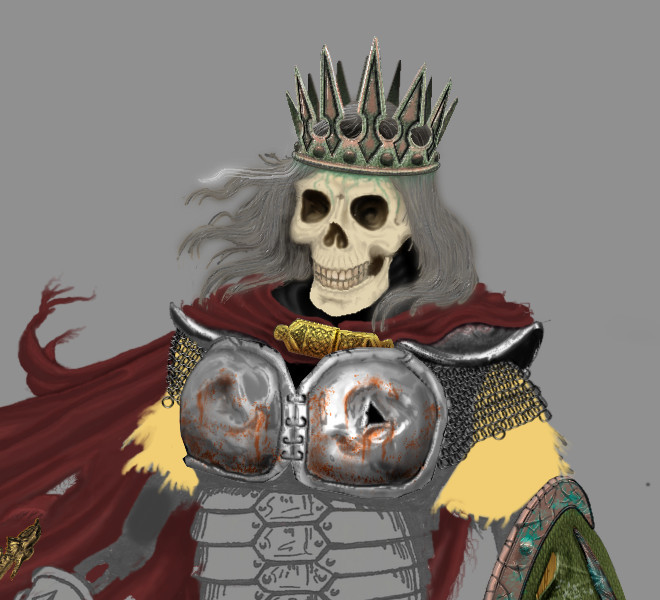
Another update (probably the last until Monday evening now)

Image

Cloak/cape finished (I think!?)


Top
 Post subject: Re: A Work In Progress
PostPosted: Sun Mar 01, 2015 6:15 am  (#24) 
Offline
GimpChat Member
User avatar

Joined: Feb 25, 2015
Posts: 34
OK, I lied, there is another update before monday (can't keep away from GIMP it seems!)
Decided last night that the easiest way to represent chainmail would be with a "brush pipe" so made one this morning. Quite pleased with the initial test.

Image


Top
 Post subject: Re: A Work In Progress
PostPosted: Mon Mar 02, 2015 5:49 am  (#25) 
Offline
GimpChat Member
User avatar

Joined: Mar 23, 2012
Posts: 7388
Location: Göteborg at last!
Wow, that is looking so good! You are living proof that Gimp is a great tool for digital painting.


Top
 Post subject: Re: A Work In Progress
PostPosted: Mon Mar 02, 2015 5:50 pm  (#26) 
Offline
GimpChat Member
User avatar

Joined: Apr 08, 2010
Posts: 5420
Location: Northwest Ohio
The chain mail is fantastic looking!


Top
 Post subject: Re: A Work In Progress
PostPosted: Tue Mar 03, 2015 2:51 pm  (#27) 
Offline
GimpChat Member
User avatar

Joined: Feb 25, 2015
Posts: 34
Nearly Almost nowhere near finished, but closer than I was :hehe

Image

Not sure about the colour "scheme" any more, thinking I should have unified it a bit more.. Oh well, learning all the time.


Oh, and the hand is toooo big :(

EDIT: Leather on this update courtesy of conbagui's brilliant tutorial (haven't worked out how to link to it, sorry!)


Top
 Post subject: Re: A Work In Progress
PostPosted: Tue Mar 03, 2015 3:21 pm  (#28) 
Offline
Administrator
User avatar

Joined: Aug 10, 2012
Posts: 14211
Location: Native to NYC living in Arizona, Gimp 2.8 - 3.0, Win 11 PC.
Nice work Jynx_TQ. :bigthup

_________________
Image
"A wise man learns more from a foolish question than a fool can learn from a wise answer"
Image


Top
 Post subject: Re: A Work In Progress
PostPosted: Wed Mar 04, 2015 8:13 am  (#29) 
Offline
GimpChat Member
User avatar

Joined: Mar 23, 2012
Posts: 7388
Location: Göteborg at last!
Nice work. I like the material texture on his sleeves.


Top
 Post subject: Re: A Work In Progress
PostPosted: Wed Mar 04, 2015 2:16 pm  (#30) 
Offline
GimpChat Member
User avatar

Joined: Feb 25, 2015
Posts: 34
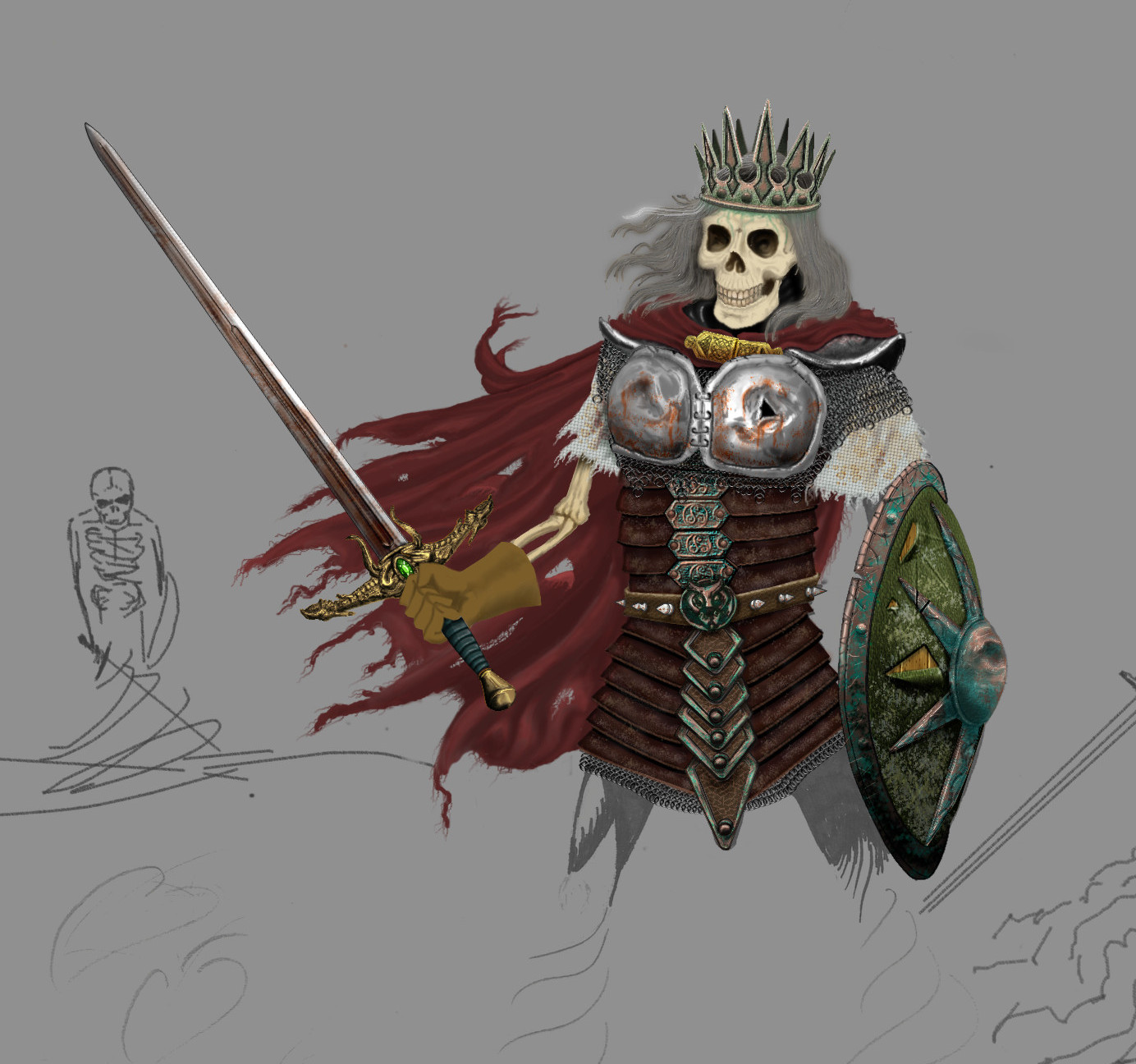
OK. First figure finished (or at least I think so - I'm bound to spend at least another hour on it before the end!)

Here he is on his own (I've changed the colour of the shield to try and get a more "unified" feel)
Image

And here he is in context (this picture scares me due to the volume of work still to do :shock: )

Image

Now to tackle the tree...Or "peeping Tom" :)


Top
 Post subject: Re: A Work In Progress
PostPosted: Wed Mar 04, 2015 5:26 pm  (#31) 
Offline
GimpChat Member
User avatar

Joined: Apr 07, 2010
Posts: 14182
Wow, that is coming along great. I love how you did the smoke around his legs. That is really good.

_________________
Image


Top
 Post subject: Re: A Work In Progress
PostPosted: Wed Mar 04, 2015 5:45 pm  (#32) 
Offline
Administrator
User avatar

Joined: Aug 10, 2012
Posts: 14211
Location: Native to NYC living in Arizona, Gimp 2.8 - 3.0, Win 11 PC.
Here's a suggestion...
You may be able to improve how the hair looks, by applying Color>Curves>Alpha. This can help to consolidate the outer edge of the gray.

_________________
Image
"A wise man learns more from a foolish question than a fool can learn from a wise answer"
Image


Top
 Post subject: Re: A Work In Progress
PostPosted: Wed Mar 04, 2015 8:35 pm  (#33) 
Offline
GimpChat Member
User avatar

Joined: Aug 28, 2012
Posts: 3060
Location: Idk where I am.
For being the undead, it looks pretty good so far! :P

Depending on the atmosphere you are looking for, at the end when all is painted you can overlay a gradient or a color and play with transparency to make it look a little more "entwined".

_________________
Image
Reality is a lovely place...But I wouldn't wanna live there.


Top
 Post subject: Re: A Work In Progress
PostPosted: Thu Mar 05, 2015 2:43 am  (#34) 
Offline
GimpChat Member
User avatar

Joined: Feb 25, 2015
Posts: 34
Mokonafan wrote:
For being the undead, it looks pretty good so far! :P

Depending on the atmosphere you are looking for, at the end when all is painted you can overlay a gradient or a color and play with transparency to make it look a little more "entwined".


Yep, ahead of you already ;) (years of tarting up photos for flickr!). there's a yellow grey layer, with a difference cloud overlay over the one with the background. Each layer of "distance" in the final image will be separated with varying "mist" layers.

Top
 Post subject: Re: A Work In Progress
PostPosted: Thu Mar 05, 2015 2:45 am  (#35) 
Offline
GimpChat Member
User avatar

Joined: Feb 25, 2015
Posts: 34
Wallace wrote:
Here's a suggestion...
You may be able to improve how the hair looks, by applying Color>Curves>Alpha. This can help to consolidate the outer edge of the gray.


I shall give that a try, thanks :bigthup


Top
 Post subject: Re: A Work In Progress
PostPosted: Thu Mar 05, 2015 4:57 am  (#36) 
Offline
GimpChat Member
User avatar

Joined: Mar 23, 2012
Posts: 7388
Location: Göteborg at last!
It's beginning to remind me of The Mire Of The Damned in one of my Might and Magic games.


Top
 Post subject: Re: A Work In Progress
PostPosted: Thu Mar 05, 2015 5:26 am  (#37) 
Offline
GimpChat Member
User avatar

Joined: Feb 25, 2015
Posts: 34
Erisian wrote:
It's beginning to remind me of The Mire Of The Damned in one of my Might and Magic games.

Funny you should say that. When I first drew the main character here (20 odd years ago) I was DMing Warhammer FRP games, reading Dragonlance, Michael Moorcock, David Eddings, etc, etc.
Always loved the Fantasy genre.


Top
 Post subject: Re: A Work In Progress
PostPosted: Tue Mar 10, 2015 5:47 am  (#38) 
Offline
GimpChat Member
User avatar

Joined: Feb 25, 2015
Posts: 34
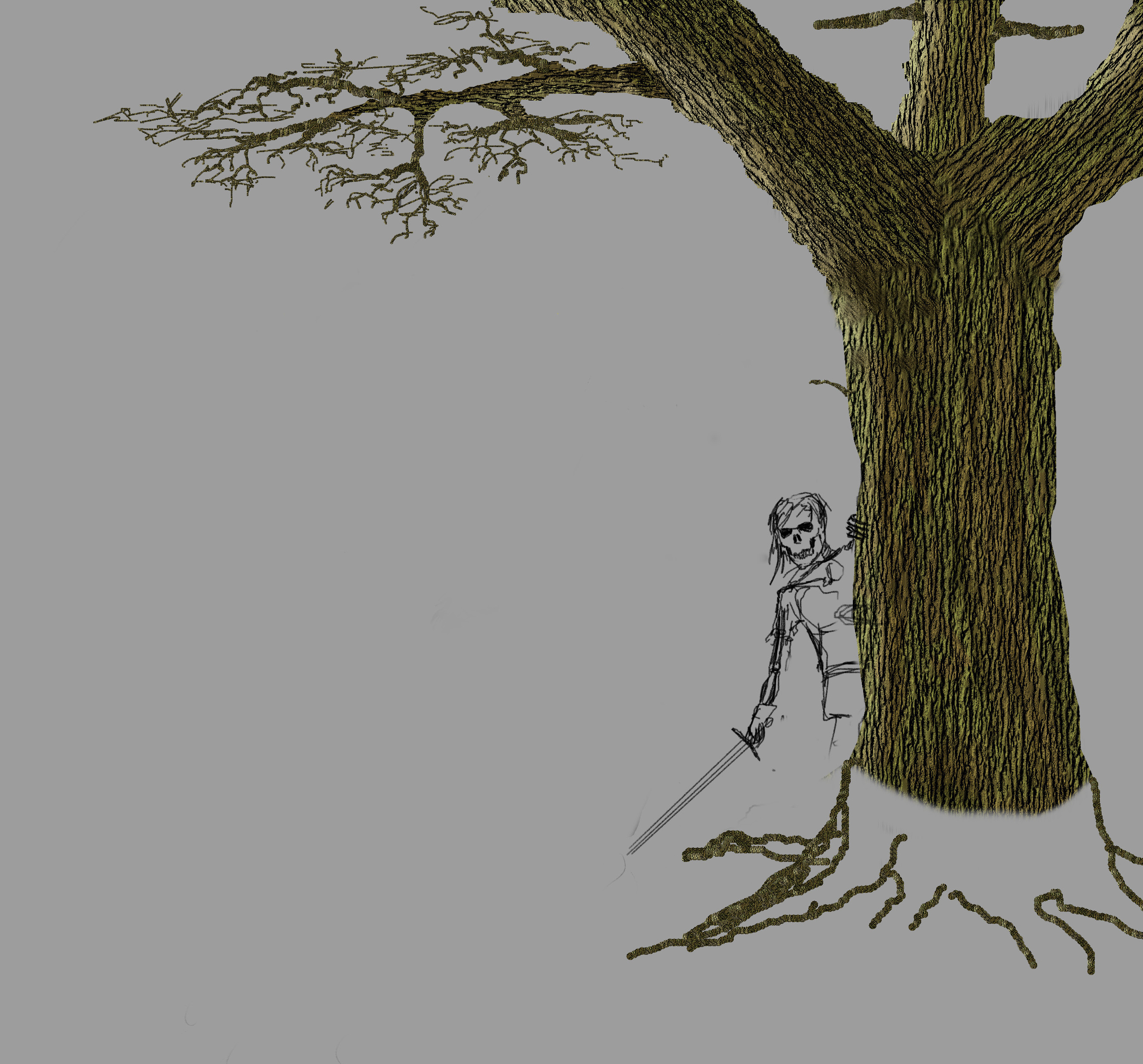
Hit an unexpectedly busy time in my life recently so haven't had time to do much more to this project unfortunately.
Before the proverbial hit the fan I did start on the tree, using a texture created with various filters, bump mapping, layer masks and a custom image pipe brush.

This is still very much a WIP.

(I have made notes whilst creating this as I was making it up as I went along and didn't want to forget what I was doing - That does mean if, when I finally do finish it, anybody wants to know how I did it I should be able to share it fairly well)

Image


Top
 Post subject: Re: A Work In Progress
PostPosted: Tue Mar 10, 2015 6:20 am  (#39) 
Offline
GimpChat Member
User avatar

Joined: Apr 07, 2010
Posts: 14182
Wow, that tree is looking great, I would sure like to know how you got it so real looking. Was it the pipe brush?

_________________
Image


Top
 Post subject: Re: A Work In Progress
PostPosted: Tue Mar 10, 2015 6:26 am  (#40) 
Offline
GimpChat Member
User avatar

Joined: Feb 25, 2015
Posts: 34
molly wrote:
Wow, that tree is looking great, I would sure like to know how you got it so real looking. Was it the pipe brush?

No, I created a texture using various filters in gimp and g'mic, then bump mapped a flat brown base image, then applied a gradient map (green+black i think?) to a duplicate layer, then colour to alpha, then layer mask....
It's not as complicated as I've made it sound but I don't have my notes on me. I will write them up properly as soon as I can.

The pipe brush was sampled from the trunk and I used it to draw in the smaller twigs so the colour stayed true.


Top
Post new topic Reply to topic  [ 45 posts ]  Go to page Previous  1, 2, 3  Next

All times are UTC - 5 hours [ DST ]


* Login  


Powered by phpBB3 © phpBB Group