It is currently Thu Nov 12, 2026 11:18 pm


All times are UTC - 5 hours [ DST ]


Post new topic Reply to topic  [ 309 posts ]  Go to page Previous  1 ... 12, 13, 14, 15, 16  Next
Author Message
 Post subject: Re: Learning MyPaint Projects
PostPosted: Tue Apr 28, 2015 8:02 pm  (#281) 
Offline
Script Coder
User avatar

Joined: Dec 27, 2014
Posts: 508
You could try bumping it:

Image
Before bumping:Image

(duplicate, Filters>Lighting Effects> using itself as bumpmap, reduce opacity to ~25%)
Bumping brings out a lot of detail, but you may need to redo the background with a smooth gradient cos Wallace's stripes get bumped too!


Top
 Post subject: Re: Learning MyPaint Projects
PostPosted: Wed Apr 29, 2015 5:14 am  (#282) 
Offline
GimpChat Member
User avatar

Joined: Apr 07, 2010
Posts: 14182
That looks cool Jontait, thanks for the suggestion. that method sure gives it a bit of depth.

_________________
Image


Top
 Post subject: Re: Learning MyPaint Projects
PostPosted: Wed Apr 29, 2015 5:55 am  (#283) 
Offline
GimpChat Member
User avatar

Joined: Mar 01, 2014
Posts: 14240
Location: Spain, Aragón
Molly, I love your painting. Great job! :bigthup :paint

_________________
Image

Gimp 2.10.36 (samj) portable _ OS Windows 10 Home_ 64bits
Don’t be afraid to start over. It’s a new chance to rebuild what you want.


Top
 Post subject: Re: Learning MyPaint Projects
PostPosted: Wed Apr 29, 2015 6:21 am  (#284) 
Offline
GimpChat Member
User avatar

Joined: Apr 07, 2010
Posts: 14182
Thank you Issabella but I am not too happy with it. I am trying now to change the sky to brighten it up.

_________________
Image


Top
 Post subject: Re: Learning MyPaint Projects
PostPosted: Thu Apr 30, 2015 12:13 pm  (#285) 
Offline
GimpChat Founder
User avatar

Joined: May 22, 2008
Posts: 5241
Location: Gimpville
Excellent work, Molly. Nice to see you doing more art like this. :2thup

_________________
“If you reach for the stars, you just might land on a decently sized hill.” - Stuart Hill


Top
 Post subject: Re: Learning MyPaint Projects
PostPosted: Thu Apr 30, 2015 12:14 pm  (#286) 
Offline
GimpChat Member
User avatar

Joined: Apr 07, 2010
Posts: 14182
Thank you Tux, I am working on another bird right now.

_________________
Image


Top
 Post subject: Re: Learning MyPaint Projects
PostPosted: Thu Apr 30, 2015 4:44 pm  (#287) 
Offline
GimpChat Member
User avatar

Joined: Apr 27, 2010
Posts: 1510
Location: Sweden
@molly

It's a good little landscape image you have there, you have a good sping-feel to it with the birds and the overall elements. Moko is correct though that there is no real focus to the image, all elements are roughly equal of importance. When composing an image you want to avoid this - you want to "guide" the viewer into your image.

What I think might be an useful test here is to determine what you want the image to be "about". Is it about the birds sitting on their branch? Is it about a lonely tree stump in the forest? Decide which part of your image you want the viewer to look at first, then try to bring this element forwards. You can do this in various ways, the easiest is to use light. You could subtle dim parts of the image to bring focus to the element you want to bring focus to. This is not the only way to do it though, you could for example use colors or stronger outlines to bring forth the element you want.

As an example, take a look at the RAP image I did here: http://griatch-art.deviantart.com/art/F ... -530153302, notice how the background is shaded gray and turning whiter towards her finger? This is a way to help tell the audience just where they should focus. The idea is that once they have "landed" in the pointing finger, they can look around at the rest of the image and take it in.

As for shadows, you are right that there is no clear light direction on an overcast day. But this doesn't mean you cannot use shadows if you want - even on a day without a visible sun you will still have a general light direction - the light comes from the sky above! In fact, on a gray day the colors you see in the world will best match their "real" colors (that is, a red ball will look its "real" red on a gray day whereas it will be affected by scattered light from the environment when you have more interesting light hitting it).

Anyway, I'm glad you are finding good use for MyPaint. :D
.
Griatch

_________________


Top
 Post subject: Re: Learning MyPaint Projects
PostPosted: Thu Apr 30, 2015 5:47 pm  (#288) 
Offline
GimpChat Member
User avatar

Joined: Apr 07, 2010
Posts: 14182
Thanks you very much Griatch.

This is very valuable information and I appreciate it a lot. I knew I should have a focal point or a point of interest and in this one I think the birds would work for that. I learned a long time ago when I was doing water colors that I should lean my trees, branches into the picture to bring the eye in and other different tips so I should take more care in putting these things to work.

That RAP image was a very good example, it lead my eye straight to the girl and to her finger pointing at the rose.

_________________
Image


Top
 Post subject: Re: Learning MyPaint Projects
PostPosted: Fri May 01, 2015 5:38 pm  (#289) 
Offline
GimpChat Member
User avatar

Joined: Apr 07, 2010
Posts: 14182
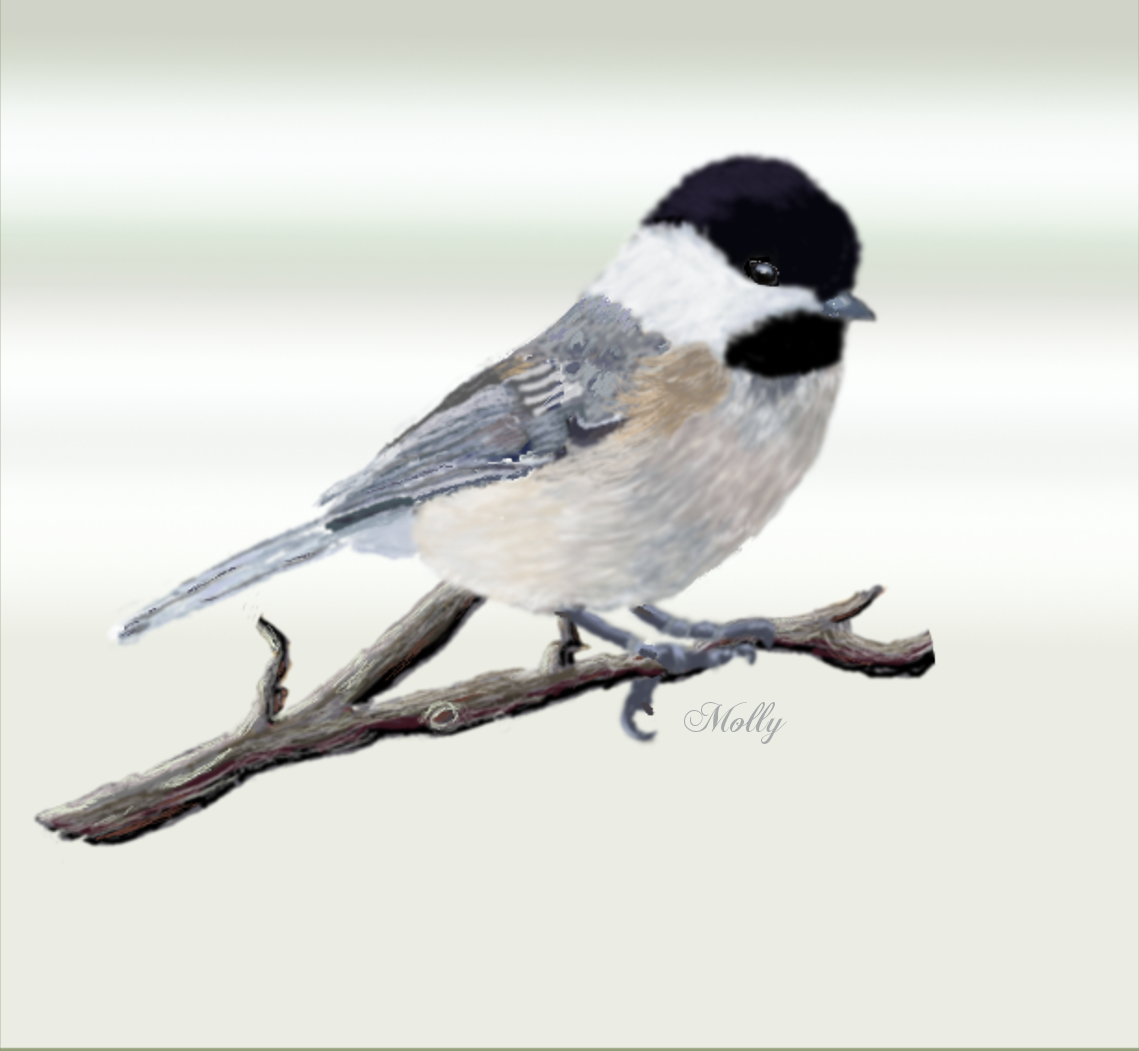
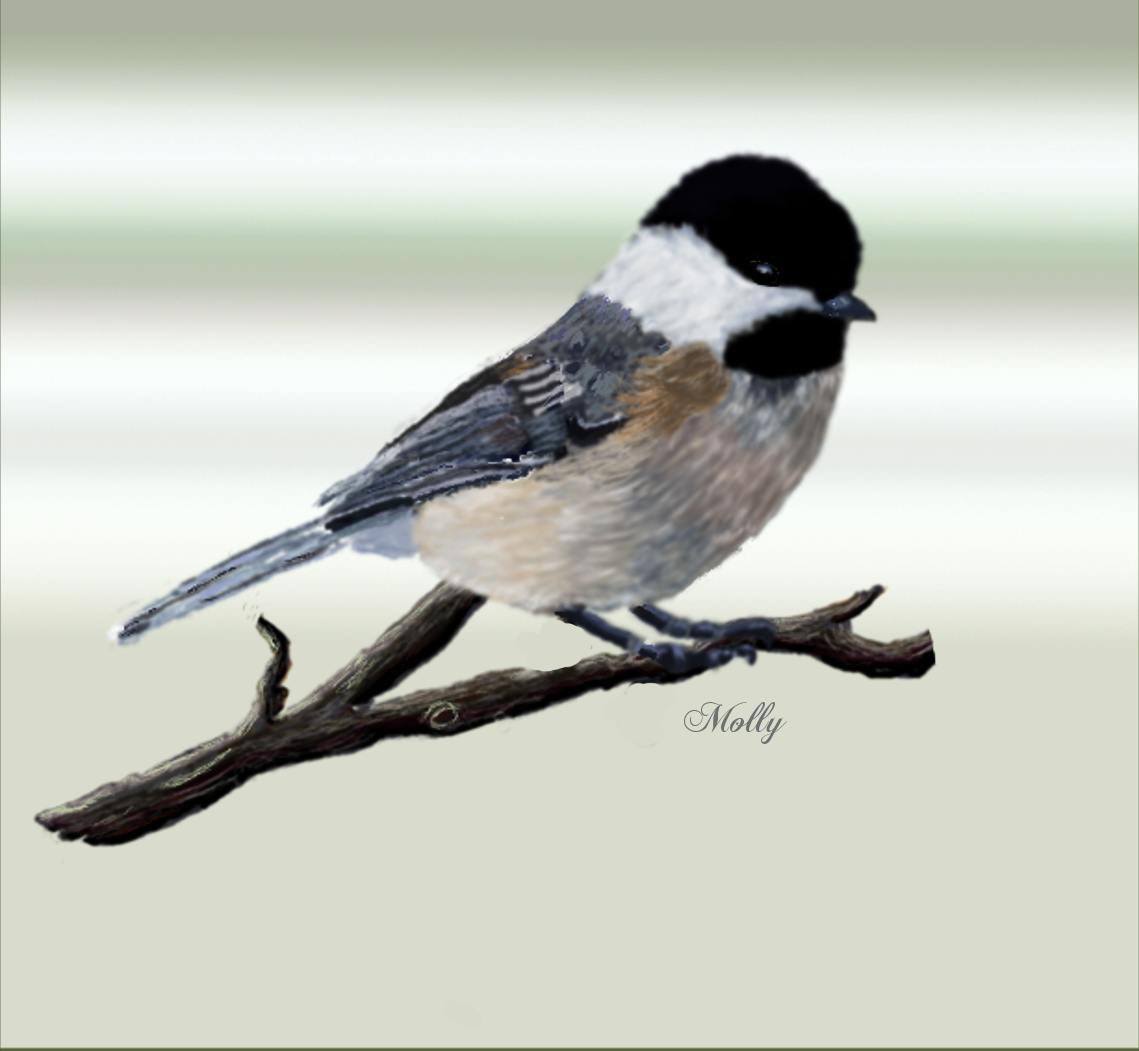
This my try at a Chickadee and I did it all from scratch including the branch. Took around 24 hrs for the bird and one hr for the branch
Image

I have plans to make some more birds or something that I can put into a composition and use them all in one picture.

_________________
Image


Top
 Post subject: Re: Learning MyPaint Projects
PostPosted: Fri May 01, 2015 9:08 pm  (#290) 
Offline
Administrator
User avatar

Joined: Aug 10, 2012
Posts: 14269
Location: Native to NYC living in Arizona, Gimp 2.8 - 3.0, Win 11 PC.
Nice Molly!

What is this...
Image

_________________
Image
"A wise man learns more from a foolish question than a fool can learn from a wise answer"
Image


Top
 Post subject: Re: Learning MyPaint Projects
PostPosted: Sat May 02, 2015 4:21 am  (#291) 
Offline
GimpChat Member
User avatar

Joined: Apr 07, 2010
Posts: 14182
Is this any better Wallace? That was his back claw hanging down.
Image

_________________
Image


Top
 Post subject: Re: Learning MyPaint Projects
PostPosted: Sat May 02, 2015 1:06 pm  (#292) 
Offline
GimpChat Member
User avatar

Joined: Nov 16, 2011
Posts: 5127
Location: Metro Vancouver, BC
Nice one Molly. :bigthup

_________________
Image
Gimp 2.8.18, Linux, median user
Gimp Chat Tutorials Index
Spirit Bear (Kermode)


Top
 Post subject: Re: Learning MyPaint Projects
PostPosted: Sat May 02, 2015 1:15 pm  (#293) 
Offline
GimpChat Member
User avatar

Joined: Apr 07, 2010
Posts: 14182
Thanks Odin, I love doing birds.

_________________
Image


Top
 Post subject: Re: Learning MyPaint Projects
PostPosted: Sat May 02, 2015 3:29 pm  (#294) 
Offline
Administrator
User avatar

Joined: Aug 10, 2012
Posts: 14269
Location: Native to NYC living in Arizona, Gimp 2.8 - 3.0, Win 11 PC.
molly wrote:
Is this any better Wallace? That was his back claw hanging down.
[ Image ]

Is that what it was? :oops:
That looks much better Molly. :bigthup
It was really big though, so I didn't recognize it as being claw from that little bird.

_________________
Image
"A wise man learns more from a foolish question than a fool can learn from a wise answer"
Image


Top
 Post subject: Re: Learning MyPaint Projects
PostPosted: Sat May 02, 2015 3:44 pm  (#295) 
Offline
GimpChat Member
User avatar

Joined: Apr 07, 2010
Posts: 14182
I looked at a bunch of birds in Bing images and most of them got that. they put two claws over the branch and use that back one to hook under it. They have ugly feet

_________________
Image


Top
 Post subject: Re: Learning MyPaint Projects
PostPosted: Sat May 09, 2015 1:46 pm  (#296) 
Offline
GimpChat Member
User avatar

Joined: Apr 07, 2010
Posts: 14182
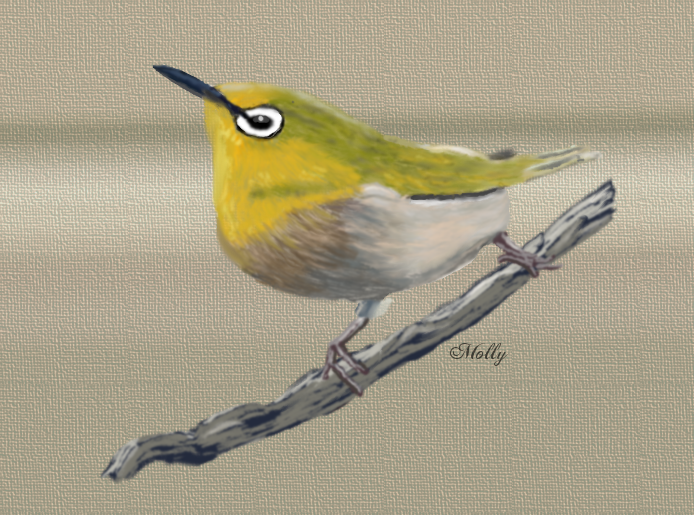
My little yellow bird.

Image

_________________
Image


Top
 Post subject: Re: Learning MyPaint Projects
PostPosted: Sat May 09, 2015 2:11 pm  (#297) 
Offline
GimpChat Member
User avatar

Joined: Nov 16, 2011
Posts: 5127
Location: Metro Vancouver, BC
Nice one Molly.

_________________
Image
Gimp 2.8.18, Linux, median user
Gimp Chat Tutorials Index
Spirit Bear (Kermode)


Top
 Post subject: Re: Learning MyPaint Projects
PostPosted: Sat May 09, 2015 3:32 pm  (#298) 
Offline
GimpChat Member
User avatar

Joined: Apr 07, 2010
Posts: 14182
Thanks Odin.

_________________
Image


Top
 Post subject: Re: Learning MyPaint Projects
PostPosted: Sat May 09, 2015 7:59 pm  (#299) 
Offline
Administrator
User avatar

Joined: Aug 10, 2012
Posts: 14269
Location: Native to NYC living in Arizona, Gimp 2.8 - 3.0, Win 11 PC.
Cool Molly!

You're the "Bird Woman" of Alca... I mean Gimp Chat. :hehe

_________________
Image
"A wise man learns more from a foolish question than a fool can learn from a wise answer"
Image


Top
 Post subject: Re: Learning MyPaint Projects
PostPosted: Sat May 09, 2015 10:00 pm  (#300) 
Offline
GimpChat Member
User avatar

Joined: Jun 25, 2011
Posts: 914
Location: Mount Olive, North Carolina
These are all very nice!


Top
Post new topic Reply to topic  [ 309 posts ]  Go to page Previous  1 ... 12, 13, 14, 15, 16  Next

All times are UTC - 5 hours [ DST ]


* Login  


Powered by phpBB3 © phpBB Group