It is currently Fri Aug 14, 2026 6:17 pm


All times are UTC - 5 hours [ DST ]


Post new topic Reply to topic  [ 957 posts ]  Go to page Previous  1 ... 19, 20, 21, 22, 23, 24, 25 ... 48  Next
Author Message
 Post subject: Re: Different Effects Gimp Text (Show us yours using gimp)
PostPosted: Mon Sep 27, 2021 12:34 am  (#421) 
Offline
GimpChat Member
User avatar

Joined: May 24, 2021
Posts: 859
Location: SEA - South East Asia
Skinnyhouse wrote:
Converting a custom font to a real font - I nearly choked on my piece of toast this morning!
:mrgreen:
I began the font manipulating journey when I had my own real italic font (created in FontForge) and wanted to alter the size as it flowed along the path - then Wallace brought up the idea of emulating the old PhotoFont program in Gimp and Tim came up with a solution. FontSlab was my version! It just seems strange to come full circle back to where I started.

FontSlab is big with many options - I think I may try a simpler help guide.

Best of luck Patrice


Thanks Skinnyhouse, your post made me laugh, I did not expect the full circle back :hehe :hehe
In all case, It's very nice to know the story behind your custom font that's :coolthup

_________________
Patrice


Top
 Post subject: Re: Different Effects Gimp Text (Show us yours using gimp)
PostPosted: Mon Sep 27, 2021 12:55 am  (#422) 
Offline
GimpChat Member
User avatar

Joined: May 24, 2021
Posts: 859
Location: SEA - South East Asia
Wow!
racer-x, sallyanne, teapot, Issabella, your texts are amazing!

Very nice metal effect, racer-x :clap
Beautiful colored butterflies, sallyanne :clap
teapot, the rock effect is stunning :clap
Issabella, the text effect in the marbles is amazing :clap
The light effect in the last one is super cool sallyanne :clap

_________________
Patrice


Top
 Post subject: Re: Different Effects Gimp Text (Show us yours using gimp)
PostPosted: Thu Sep 30, 2021 1:14 am  (#423) 
Offline
GimpChat Member
User avatar

Joined: Dec 09, 2018
Posts: 736
Attachment:
tjs.jpg
tjs.jpg [ 131.14 KiB | Viewed 2270 times ]


Top
 Post subject: Re: Different Effects Gimp Text (Show us yours using gimp)
PostPosted: Thu Sep 30, 2021 1:35 am  (#424) 
Offline
GimpChat Member
User avatar

Joined: Mar 01, 2014
Posts: 14128
Location: Spain, Aragón
teapot, how nice that effect. :bigthup

_________________
Image

Gimp 2.10.30(samj) portable _ OS Windows 10 Home_ 64bits
Don’t be afraid to start over. It’s a new chance to rebuild what you want.


Top
 Post subject: Re: Different Effects Gimp Text (Show us yours using gimp)
PostPosted: Sun Oct 03, 2021 1:00 am  (#425) 
Offline
Global Moderator
User avatar

Joined: Apr 01, 2012
Posts: 8457
Location: On the other side of your screen
Lovely to see them still coming in. :jumpclap Everyone is doing a great job.
Here my latest Image

_________________
Image
Free Fun Photo Editing & resources
Poems from the Lord
Gimp Newby
Gimp version 3.2.4 and GMIC-Qt 4.0.2 OS :- Windows 10 Home 64


Top
 Post subject: Re: Different Effects Gimp Text (Show us yours using gimp)
PostPosted: Sun Oct 03, 2021 5:25 am  (#426) 
Offline
Global Moderator
User avatar

Joined: Apr 01, 2012
Posts: 8457
Location: On the other side of your screen
Image

_________________
Image
Free Fun Photo Editing & resources
Poems from the Lord
Gimp Newby
Gimp version 3.2.4 and GMIC-Qt 4.0.2 OS :- Windows 10 Home 64


Top
 Post subject: Re: Different Effects Gimp Text (Show us yours using gimp)
PostPosted: Sun Oct 03, 2021 8:45 am  (#427) 
Offline
GimpChat Member
User avatar

Joined: Jun 02, 2013
Posts: 2090
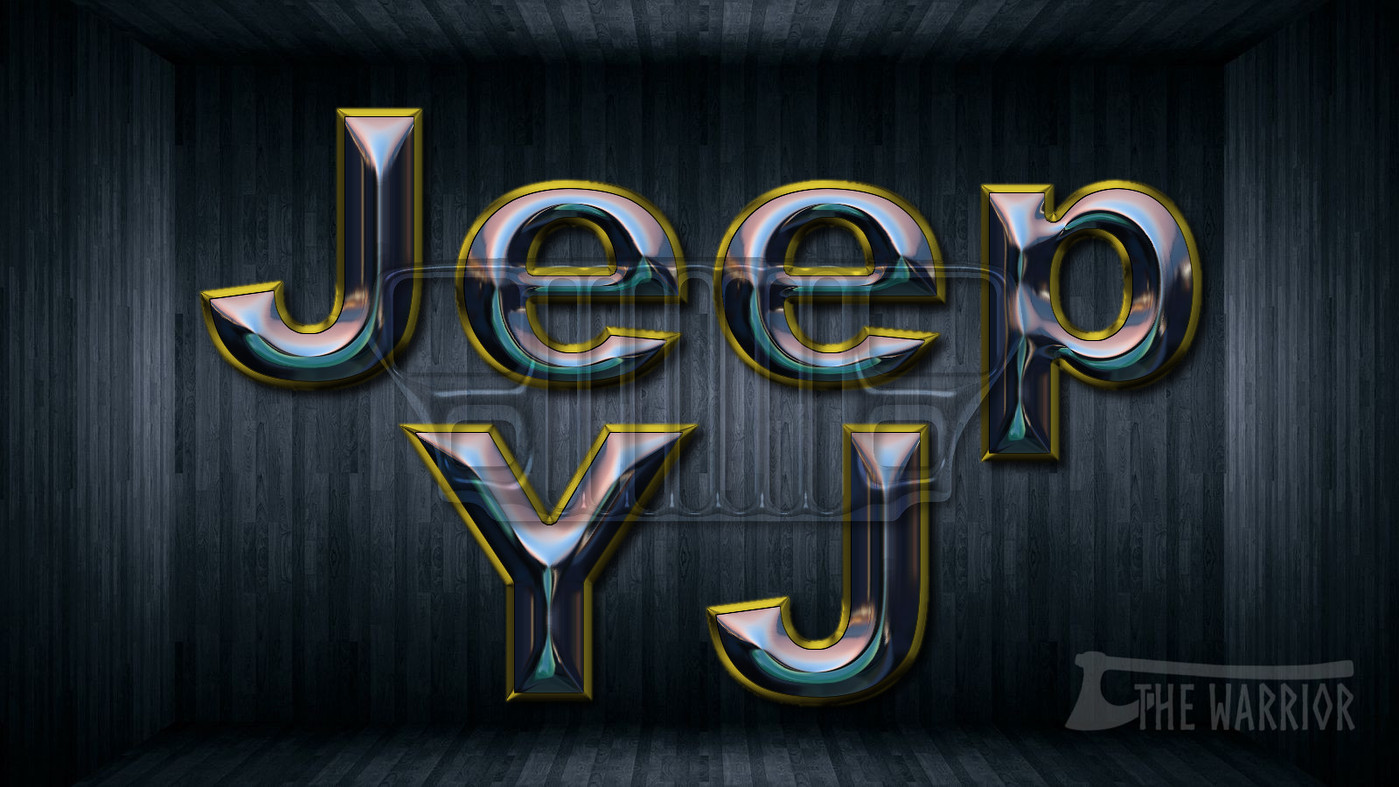
Jeep fan here. I have a 1994 Jeep YJ. Here's a wallpaper I made last night:

Image

_________________
Image


Top
 Post subject: Re: Different Effects Gimp Text (Show us yours using gimp)
PostPosted: Sun Oct 03, 2021 11:01 pm  (#428) 
Offline
Global Moderator
User avatar

Joined: Apr 01, 2012
Posts: 8457
Location: On the other side of your screen
Cool The Warrior - Jeeps, as in autos?

_________________
Image
Free Fun Photo Editing & resources
Poems from the Lord
Gimp Newby
Gimp version 3.2.4 and GMIC-Qt 4.0.2 OS :- Windows 10 Home 64


Top
 Post subject: Re: Different Effects Gimp Text (Show us yours using gimp)
PostPosted: Mon Oct 04, 2021 12:00 am  (#429) 
Offline
GimpChat Member
User avatar

Joined: May 24, 2021
Posts: 859
Location: SEA - South East Asia
Some nice new inputs every one :bigthup

sallyanne wrote:
Cool The Warrior - Jeeps, as in autos?

Yes as in auto, The Warrior has overlayed the jeep's grille on top of the text ;)

_________________
Patrice


Top
 Post subject: Re: Different Effects Gimp Text (Show us yours using gimp)
PostPosted: Mon Oct 04, 2021 5:14 am  (#430) 
Offline
GimpChat Member
User avatar

Joined: Jun 02, 2013
Posts: 2090
Yes Sallyanne, and PixLab is correct. The YJ edition Jeeps, were the first true Wranglers, distinct, because they have the square headlights, as opposed to the round ones. Here's a few photos of my Jeep. Have had it for nearly 6 years, and have only put about 1,000 miles on it. Weekend Warrior:

Image

Image

_________________
Image


Top
 Post subject: Re: Different Effects Gimp Text (Show us yours using gimp)
PostPosted: Tue Oct 05, 2021 4:12 am  (#431) 
Offline
Global Moderator
User avatar

Joined: Oct 02, 2014
Posts: 5017
Location: Sydney Australia
Some more Gimp Text.


Attachments:
gt_coloured_metal_glass.png
gt_coloured_metal_glass.png [ 2.23 MiB | Viewed 2231 times ]

_________________
Image

Respect should be offered freely but hard earned
Top
 Post subject: Re: Different Effects Gimp Text (Show us yours using gimp)
PostPosted: Wed Oct 06, 2021 4:09 am  (#432) 
Offline
Global Moderator
User avatar

Joined: Apr 01, 2012
Posts: 8457
Location: On the other side of your screen
Cool as guys :)

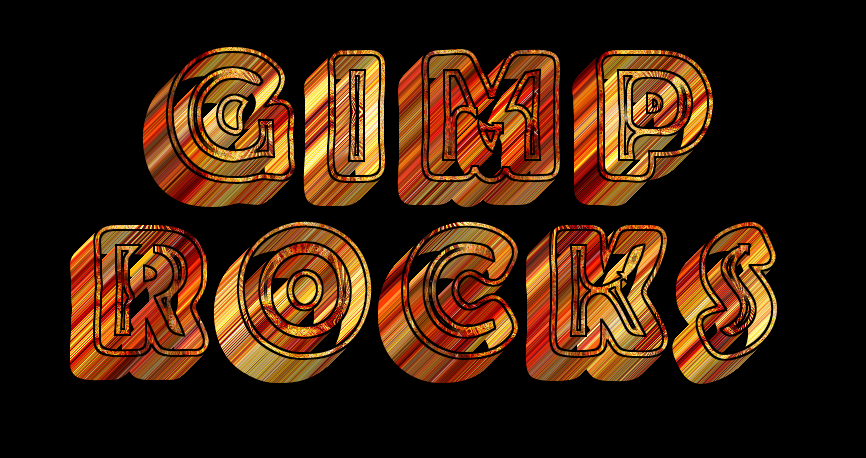
I did a couple using the same font and pattern but they didn't turn out the same colour
Image
Image

_________________
Image
Free Fun Photo Editing & resources
Poems from the Lord
Gimp Newby
Gimp version 3.2.4 and GMIC-Qt 4.0.2 OS :- Windows 10 Home 64


Top
 Post subject: Re: Different Effects Gimp Text (Show us yours using gimp)
PostPosted: Thu Oct 07, 2021 9:38 pm  (#433) 
Offline
GimpChat Member
User avatar

Joined: Dec 09, 2018
Posts: 736
sallyanne :clap The Warrior :clap oldmangrumpy :clap great effects!

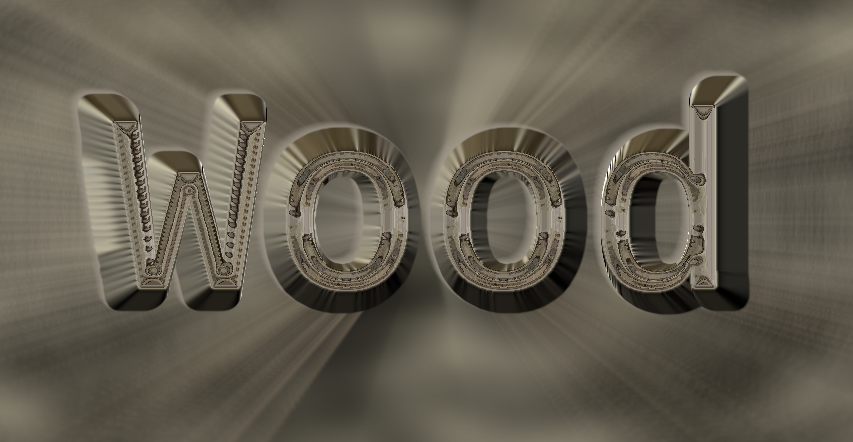
Just a simple one with wood patterns from the forum:
Attachment:
tep.jpg
tep.jpg [ 127.51 KiB | Viewed 2117 times ]


Top
 Post subject: Re: Different Effects Gimp Text (Show us yours using gimp)
PostPosted: Sat Oct 09, 2021 1:05 am  (#434) 
Offline
GimpChat Member
User avatar

Joined: May 24, 2021
Posts: 859
Location: SEA - South East Asia
Gals/Guys, you are increasing the level, very nice effect every one :clap :clap

Attachment:
gimp-cube-font.jpg
gimp-cube-font.jpg [ 553.1 KiB | Viewed 2060 times ]

Yep, shadows are disturbing... :hehe :hehe

_________________
Patrice


Top
 Post subject: Re: Different Effects Gimp Text (Show us yours using gimp)
PostPosted: Mon Oct 11, 2021 9:21 am  (#435) 
Offline
Global Moderator
User avatar

Joined: Apr 01, 2012
Posts: 8457
Location: On the other side of your screen
Ran a spherical emap and liked the outcome of it so didn't do much more to it except background
Image

_________________
Image
Free Fun Photo Editing & resources
Poems from the Lord
Gimp Newby
Gimp version 3.2.4 and GMIC-Qt 4.0.2 OS :- Windows 10 Home 64


Top
 Post subject: Re: Different Effects Gimp Text (Show us yours using gimp)
PostPosted: Mon Oct 11, 2021 9:52 am  (#436) 
Offline
GimpChat Member
User avatar

Joined: Mar 08, 2021
Posts: 329
Location: NorthEast USA
[scratching head]
the 3d / curve is interesting -
the text looks curved like its bent backward in the center
I have to try that .. maybe you did 3d extrude after sphere map (Bevel)

_________________
Image
-----------
GIMP 2.10.25 (AppImage) / G'mic-Qt for GIMP 2.8 Linux 64bits 2.9.8 / Linux Mint 19.3
(LeftyLeo/James)


Top
 Post subject: Re: Different Effects Gimp Text (Show us yours using gimp)
PostPosted: Mon Oct 11, 2021 1:41 pm  (#437) 
Offline
GimpChat Member
User avatar

Joined: Aug 08, 2016
Posts: 2855
Location: East Midlands of England
So many effects - so many to enjoy; my favourite thread.

Attachment:
Translucency.jpg
Translucency.jpg [ 1.16 MiB | Viewed 1964 times ]


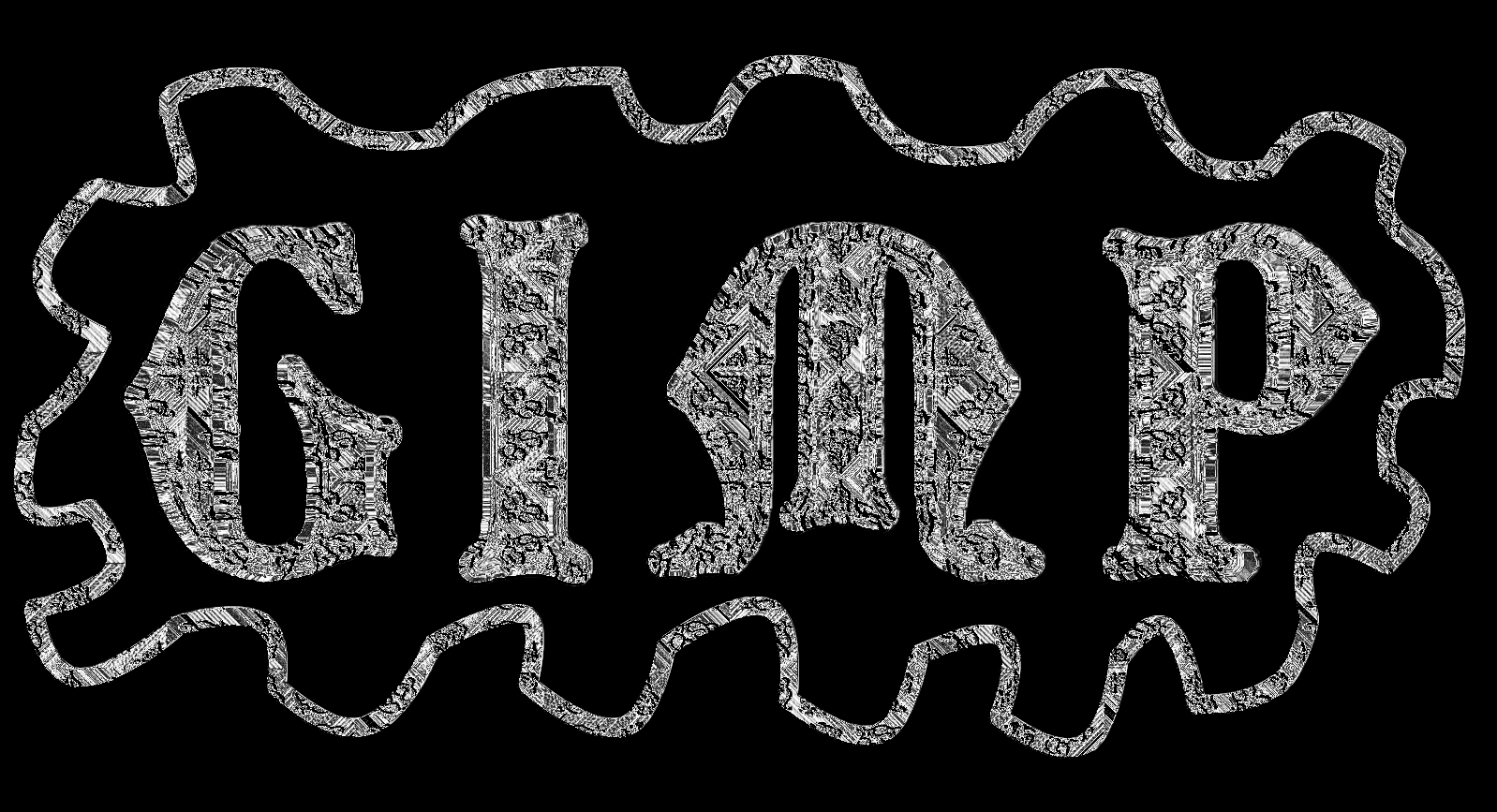
Multiple copies in different sizes of a custom font with a slightly translucent background.

_________________
Image
"Let no one steal your dreams."
Paul Cookson

Custom Font Links
2.10 Tools
Character Paths
White Bases


Top
 Post subject: Re: Different Effects Gimp Text (Show us yours using gimp)
PostPosted: Mon Oct 11, 2021 8:51 pm  (#438) 
Offline
Global Moderator
User avatar

Joined: Apr 01, 2012
Posts: 8457
Location: On the other side of your screen
leftyleo wrote:
[scratching head]
the 3d / curve is interesting -
the text looks curved like its bent backward in the center
I have to try that .. maybe you did 3d extrude after sphere map (Bevel)

Yes I did, (grow) forgot about that. You can stop scratching your head now :)
Cool Skinnyhouse

_________________
Image
Free Fun Photo Editing & resources
Poems from the Lord
Gimp Newby
Gimp version 3.2.4 and GMIC-Qt 4.0.2 OS :- Windows 10 Home 64


Top
 Post subject: Re: Different Effects Gimp Text (Show us yours using gimp)
PostPosted: Tue Oct 12, 2021 2:20 am  (#439) 
Offline
GimpChat Member
User avatar

Joined: Aug 08, 2016
Posts: 2855
Location: East Midlands of England
Attachment:
OnTheHorizon.jpg
OnTheHorizon.jpg [ 704.2 KiB | Viewed 1919 times ]

_________________
Image
"Let no one steal your dreams."
Paul Cookson

Custom Font Links
2.10 Tools
Character Paths
White Bases


Top
 Post subject: Re: Different Effects Gimp Text (Show us yours using gimp)
PostPosted: Tue Oct 12, 2021 2:28 am  (#440) 
Offline
GimpChat Member
User avatar

Joined: May 24, 2021
Posts: 859
Location: SEA - South East Asia
That's very interesting Skinnyhouse! I should take a serious in deep look at your custom font system :coolthup

Attachment:
golden-marble.jpg
golden-marble.jpg [ 199.5 KiB | Viewed 1919 times ]


How to make the marble > https://www.youtube.com/watch?v=z5J9NBfkuhA (yeah it's photoshop, but it's very-very easy to transpose to GIMP (I did it > you can do it :bigthup ).
A tip for the solid noise (3 layers) hit that "New seed" button EACH TIME, also before she selects the thicker veins (bottom layer) she does something > in GIMP you duplicate then do Filters/Threshold... then use the select by color tool > you got your selection :bigthup

How to make the golden foil for the marble > https://www.youtube.com/watch?v=gRhM2isnI8M (yes I' subscribed to her channel :hehe , she's pretty good and the way she does textures are very easy to transpose to GIMP)
For the later link at one point she does a glass effect, luckily we do have G'MIC > Deformations > Textured Glass, then she does something else > just sharpen that glass effect in GIMP (Unsharp mask) and you're up :bigthup

_________________
Patrice


Top
Post new topic Reply to topic  [ 957 posts ]  Go to page Previous  1 ... 19, 20, 21, 22, 23, 24, 25 ... 48  Next

All times are UTC - 5 hours [ DST ]


* Login  


Powered by phpBB3 © phpBB Group