It is currently Fri Jul 17, 2026 7:10 pm


All times are UTC - 5 hours [ DST ]


Post new topic Reply to topic  [ 139 posts ]  Go to page Previous  1, 2, 3, 4, 5, 6, 7  Next
Author Message
 Post subject: Re: Circle Mandala Made Using BRL
PostPosted: Mon Nov 24, 2014 5:36 pm  (#81) 
Offline
GimpChat Member
User avatar

Joined: Apr 07, 2010
Posts: 14182
That is kind of strange how those extra things just appeared, this is mine. Image

_________________
Image


Top
 Post subject: Re: Circle Mandala Made Using BRL
PostPosted: Mon Nov 24, 2014 6:03 pm  (#82) 
Offline
Administrator
User avatar

Joined: Aug 10, 2012
Posts: 14124
Location: Native to NYC living in Arizona, Gimp 2.8 - 3.0, Win 11 PC.
oldmangrumpy wrote:
@Wallace - you are giving me too much credit for 'making so called changes' to the mandala. I have had a look at my xcf file but I got rid of all the extraneous levels and I even tried to recreate the diamonds but no! So whatever I did was unwitting. However they do match up with the lines on both the outer and inner perimeter circles with your original svg ... as shown below where I have overlayed my paths on your svg image.

W have a saying about my favourite sport - "the glorious uncertainty of cricket", well now I can say "the glorious uncertainty of GIMP"!


molly wrote:
That is kind of strange how those extra things just appeared, this is mine. [ Image ]

It's the work of BRL on the shape, I guess. I'll have to take a closer look at my svg file. Maybe there's a space somewhere causing this happy accident.

I think I've found what might be causing this.
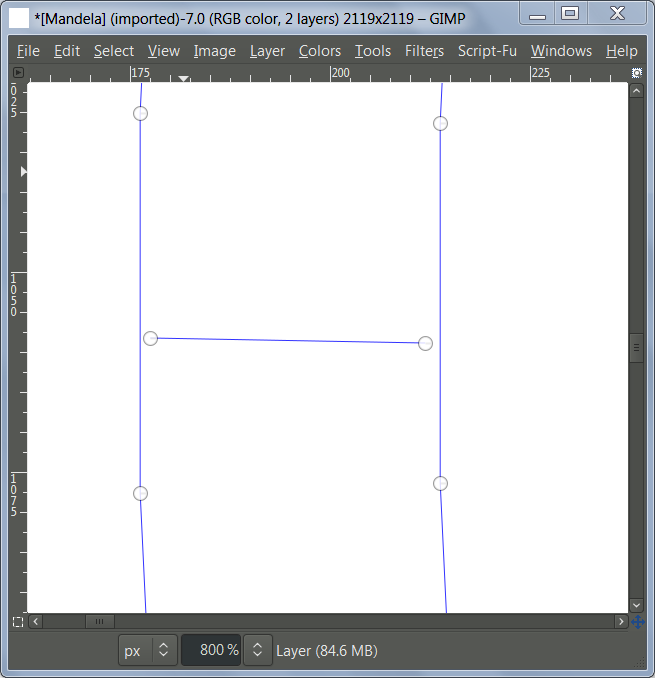
Some of the paths in this outer ring as well as the inner ring contain space. This might explain how these small diamond shapes are appearing.
Image

_________________
Image
"A wise man learns more from a foolish question than a fool can learn from a wise answer"
Image


Top
 Post subject: Re: Circle Mandala Made Using BRL
PostPosted: Mon Nov 24, 2014 7:06 pm  (#83) 
Offline
GimpChat Member
User avatar

Joined: Apr 07, 2010
Posts: 14182
Image

_________________
Image


Top
 Post subject: Re: Circle Mandala Made Using BRL
PostPosted: Mon Nov 24, 2014 7:27 pm  (#84) 
Offline
Administrator
User avatar

Joined: Aug 10, 2012
Posts: 14124
Location: Native to NYC living in Arizona, Gimp 2.8 - 3.0, Win 11 PC.
molly wrote:
[ Image ]

That ones really cool Molly, love all the colors you used. :jumpclap

_________________
Image
"A wise man learns more from a foolish question than a fool can learn from a wise answer"
Image


Top
 Post subject: Re: Circle Mandala Made Using BRL
PostPosted: Mon Nov 24, 2014 7:36 pm  (#85) 
Offline
GimpChat Member
User avatar

Joined: Apr 07, 2010
Posts: 14182
Thanks Wallace, I do like the colors but the closer I got to the end, they seemed to look rough around the edges. I have tried so many different contours that I don't know which ones suit. I added shadows to all 24 layers to see if it makes it more 3-D but I think maybe it darkened it too much.
Image

_________________
Image


Top
 Post subject: Re: Circle Mandala Made Using BRL
PostPosted: Mon Nov 24, 2014 8:19 pm  (#86) 
Offline
Administrator
User avatar

Joined: Aug 10, 2012
Posts: 14124
Location: Native to NYC living in Arizona, Gimp 2.8 - 3.0, Win 11 PC.
molly wrote:
Thanks Wallace, I do like the colors but the closer I got to the end, they seemed to look rough around the edges. I have tried so many different contours that I don't know which ones suit. I added shadows to all 24 layers to see if it makes it more 3-D but I think maybe it darkened it too much.
Image

That gc-shadow works really good, but I found that I have to turn down the blur radius and sometimes the x&y displacement, depending on the image size and colors.

_________________
Image
"A wise man learns more from a foolish question than a fool can learn from a wise answer"
Image


Top
 Post subject: Re: Circle Mandala Made Using BRL
PostPosted: Mon Nov 24, 2014 10:48 pm  (#87) 
Offline
GimpChat Member

Joined: Oct 02, 2014
Posts: 48
Just completed this one and tried to BRL it.

Attachment:
Circle Mandala 2.png
Circle Mandala 2.png [ 930.33 KiB | Viewed 1680 times ]


Looks like BRL took all the colors and squished them all together.

Attachment:
Circle Mandala 2a.png
Circle Mandala 2a.png [ 1.1 MiB | Viewed 1680 times ]


Want to try a weave next...that will take some time.


Top
 Post subject: Re: Circle Mandala Made Using BRL
PostPosted: Mon Nov 24, 2014 11:12 pm  (#88) 
Offline
Administrator
User avatar

Joined: Aug 10, 2012
Posts: 14124
Location: Native to NYC living in Arizona, Gimp 2.8 - 3.0, Win 11 PC.
rbdflyboy wrote:
Just completed this one and tried to BRL it.

Attachment:
Circle Mandala 2.png


Looks like BRL took all the colors and squished them all together.

Attachment:
Circle Mandala 2a.png


Want to try a weave next...that will take some time.

:coolthup

On your bottom mandala it Looks like you ran the BRL on the entire image.

_________________
Image
"A wise man learns more from a foolish question than a fool can learn from a wise answer"
Image


Top
 Post subject: Re: Circle Mandala Made Using BRL
PostPosted: Tue Nov 25, 2014 2:24 am  (#89) 
Offline
GimpChat Member

Joined: Oct 02, 2014
Posts: 48
That's exactly what happened. Going to try the star again and BRL it in stages. Other than for logos can't seem to get it to work on images...have numerous failed attempts to show for it. Thinking of R&R-ing it if this attempt fails as well.


Top
 Post subject: Re: Circle Mandala Made Using BRL
PostPosted: Tue Nov 25, 2014 3:08 am  (#90) 
Offline
Global Moderator
User avatar

Joined: Oct 02, 2014
Posts: 5004
Location: Sydney Australia
GIMP is addictive enough in itself, but now these mandala image manipulations are increasing the intensity of that feeling - and its terrific! Whatever specific objectives I started out with for this one, they were soon cast aside and I ended up with glass plate style image -which is where where I started off in Gimp Chat some weeks back!

Image

_________________
Image

Respect should be offered freely but hard earned


Top
 Post subject: Re: Circle Mandala Made Using BRL
PostPosted: Tue Nov 25, 2014 5:52 am  (#91) 
Offline
Global Moderator
User avatar

Joined: Oct 02, 2014
Posts: 5004
Location: Sydney Australia
And the last one - another night spent pleasantly Gimping!

Image

_________________
Image

Respect should be offered freely but hard earned


Top
 Post subject: Re: Circle Mandala Made Using BRL
PostPosted: Tue Nov 25, 2014 5:53 am  (#92) 
Offline
GimpChat Member

Joined: Oct 02, 2014
Posts: 48
@OMG...Very nicely done...have some catching up to do.
Tried again with the star...going to replace the BRL plugin and script today. It still works on logos...keeps crashing on images no matter how many layers. Here is the star and a logo from the emap.

Attachment:
Star Mandala_2.png
Star Mandala_2.png [ 171.32 KiB | Viewed 1946 times ]


Had to reorder the layers to get it right again. Here's the logo from the star above.

Attachment:
mandala.png
mandala.png [ 506.04 KiB | Viewed 1946 times ]


Top
 Post subject: Re: Circle Mandala Made Using BRL
PostPosted: Tue Nov 25, 2014 9:44 am  (#93) 
Offline
Administrator
User avatar

Joined: Aug 10, 2012
Posts: 14124
Location: Native to NYC living in Arizona, Gimp 2.8 - 3.0, Win 11 PC.
oldmangrumpy wrote:
GIMP is addictive enough in itself, but now these mandala image manipulations are increasing the intensity of that feeling - and its terrific! Whatever specific objectives I started out with for this one, they were soon cast aside and I ended up with glass plate style image -which is where where I started off in Gimp Chat some weeks back!

I feel the same way. ;) I'm happy that you don't find this stuff arduous.

rbdflyboy wrote:
@OMG
Tried again with the star...
Had to reorder the layers to get it right again. Here's the logo from the star above.

Did you run some kind of GMic smoothing on your star?

Interesting outcome when using the mandala as an e-map.

_________________
Image
"A wise man learns more from a foolish question than a fool can learn from a wise answer"
Image


Top
 Post subject: Re: Circle Mandala Made Using BRL
PostPosted: Tue Nov 25, 2014 8:35 pm  (#94) 
Offline
GimpChat Member

Joined: Oct 02, 2014
Posts: 48
Hi Wallace, have better examples of the logo now that the plugin and script are replaced. Broke something somehow? Tried the map with all three BRL"s and it worked fine and quick as well. Will be trying an image later on. Should work just now because it has worked before.
The broken plugin almost wrecked the work, the distortion was alright , but, the paint and shine really took a beating. Thank goodness for dups!
Used Mighty Details once to enhance the shine...Freaky Details was too much and one round of anisotropic smoothing on the bad layer. Played around with the layers to get the best effect...there it is. By chance will you be making anymore of these images? They're really cool and have learned to use more techniques with them. :bigthup


Top
 Post subject: Re: Circle Mandala Made Using BRL
PostPosted: Tue Nov 25, 2014 9:54 pm  (#95) 
Offline
Administrator
User avatar

Joined: Aug 10, 2012
Posts: 14124
Location: Native to NYC living in Arizona, Gimp 2.8 - 3.0, Win 11 PC.
rbdflyboy wrote:
Hi Wallace, have better examples of the logo now that the plugin and script are replaced. Broke something somehow? Tried the map with all three BRL"s and it worked fine and quick as well. Will be trying an image later on. Should work just now because it has worked before.
The broken plugin almost wrecked the work, the distortion was alright , but, the paint and shine really took a beating. Thank goodness for dups!
Used Mighty Details once to enhance the shine...Freaky Details was too much and one round of anisotropic smoothing on the bad layer. Played around with the layers to get the best effect...there it is. By chance will you be making anymore of these images? They're really cool and have learned to use more techniques with them. :bigthup

You can do an alpha select, after the "anisotropic smoothing", to remove the outside anomalies caused by it.

_________________
Image
"A wise man learns more from a foolish question than a fool can learn from a wise answer"
Image


Top
 Post subject: Re: Circle Mandala Made Using BRL
PostPosted: Wed Nov 26, 2014 5:22 am  (#96) 
Offline
Global Moderator
User avatar

Joined: Oct 02, 2014
Posts: 5004
Location: Sydney Australia
Thank you for your appreciation Rdbflyboy, but it is Wallace and GIMP that deserve the accolades! And you too because I decided to design my own mass butterfly mandala and I followed your lead, using my previous mandalas and also snowflake images (another Wallace thread) as 'maps' in BRL.

Image

_________________
Image

Respect should be offered freely but hard earned


Top
 Post subject: Re: Circle Mandala Made Using BRL
PostPosted: Wed Nov 26, 2014 7:12 am  (#97) 
Offline
Administrator
User avatar

Joined: Aug 10, 2012
Posts: 14124
Location: Native to NYC living in Arizona, Gimp 2.8 - 3.0, Win 11 PC.
oldmangrumpy wrote:
Thank you for your appreciation Rdbflyboy, but it is Wallace and GIMP that deserve the accolades! And you too because I decided to design my own mass butterfly mandala and I followed your lead, using my previous mandalas and also snowflake images (another Wallace thread) as 'maps' in BRL.

[ Image ]

Looks cool OMG, you must have spent a lot of time on it. :coolthup

_________________
Image
"A wise man learns more from a foolish question than a fool can learn from a wise answer"
Image


Top
 Post subject: Re: Circle Mandala Made Using BRL
PostPosted: Fri Nov 28, 2014 8:55 pm  (#98) 
Offline
Global Moderator
User avatar

Joined: Oct 02, 2014
Posts: 5004
Location: Sydney Australia
Just finished recovering/rebuilding my machine after the virus infection and decided to do just one last mandala (then I must move on to owls!!)

BRL just delivers some amazing results and I never really know what I will eventually end up with. This one is as far from my original target image as it possibly could be!

Image

_________________
Image

Respect should be offered freely but hard earned


Top
 Post subject: Re: Circle Mandala Made Using BRL
PostPosted: Sat Nov 29, 2014 3:29 am  (#99) 
Offline
Administrator
User avatar

Joined: Aug 10, 2012
Posts: 14124
Location: Native to NYC living in Arizona, Gimp 2.8 - 3.0, Win 11 PC.
oldmangrumpy wrote:
Just finished recovering/rebuilding my machine after the virus infection and decided to do just one last mandala (then I must move on to owls!!)

BRL just delivers some amazing results and I never really know what I will eventually end up with. This one is as far from my original target image as it possibly could be!

[ Image ]

It looks like a back lit, stained glass window. Nice one OMG. :bigthup

_________________
Image
"A wise man learns more from a foolish question than a fool can learn from a wise answer"
Image


Top
 Post subject: Re: Circle Mandala Made Using BRL
PostPosted: Sat Nov 29, 2014 6:08 pm  (#100) 
Offline
Global Moderator
User avatar

Joined: Oct 02, 2014
Posts: 5004
Location: Sydney Australia
Wallace wrote:
It looks like a back lit, stained glass window. Nice one OMG. :bigthup


Well thank you Wallace, now you come to mention it, that is exactly what I was trying to create ;) !

_________________
Image

Respect should be offered freely but hard earned


Top
Post new topic Reply to topic  [ 139 posts ]  Go to page Previous  1, 2, 3, 4, 5, 6, 7  Next

All times are UTC - 5 hours [ DST ]


* Login  


Powered by phpBB3 © phpBB Group