It is currently Fri Sep 04, 2026 8:27 am


All times are UTC - 5 hours [ DST ]


Post new topic Reply to topic  [ 23 posts ]  Go to page 1, 2  Next
Author Message
 Post subject: Using Lyle-ioglyphics As A Background - Revisited
PostPosted: Mon Feb 14, 2011 10:45 pm  (#1) 
Offline
GimpChat Member
User avatar

Joined: Oct 06, 2010
Posts: 4050
In case any new members are wondering what this is all about, this little group can be known to inspire and create.

Inspire coders to make scripts, and begin a whole new creation of unique Art. Oregonian pegged this new type of art as Lyle-ioglyphics (named after Lyle of course). Lyle's journey into making unique mosaic patterns outside the box, gave Saulgoode and RobA the inspiration to create the script that helps fill selections with colors read from an image, known as a Mean Fill. Saul or Rob can offer more, if they want.

To get a general idea of how this whole process came about, see here:

http://google.com/drnDJ8

Lyle just recently revisited the mean fill script, see here:

http://gimpchat.com/viewtopic.php?f=11& ... ill#p12940

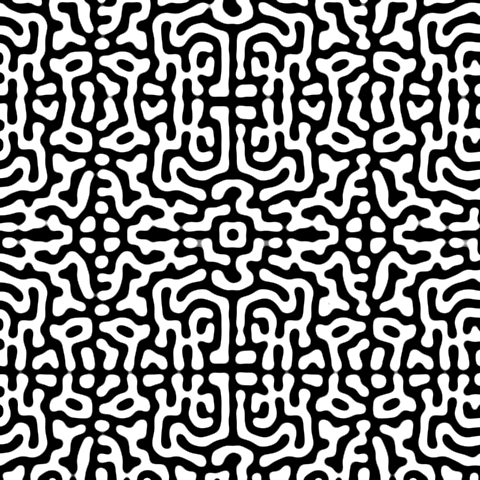
This is turn gave me an idea for a new background texture for this image:

Image

The pattern created from Lyle's tutorial below (created in combination with Voronoi stippling and G'MIC preset). I also ran Mathmap's Map - Square Decompose.
Image

_________________
"In order to attain the impossible, one must attempt the absurd."
~ Miguel de Cervantes


Share on Facebook Share on Twitter Share on Orkut Share on Digg Share on MySpace Share on Delicious Share on Technorati
Top
 Post subject: Re: Using Lyle-ioglyphics As A Background - Revisited
PostPosted: Mon Feb 14, 2011 11:25 pm  (#2) 
Offline
GimpChat Member
User avatar

Joined: Sep 24, 2010
Posts: 12844
Cool stuf Mahvin. Now you are the madman. lol

:)

_________________
Lyle

Psalm 109:8

Image


Top
 Post subject: Re: Using Lyle-ioglyphics As A Background - Revisited
PostPosted: Mon Feb 14, 2011 11:33 pm  (#3) 
Offline
GimpChat Member
User avatar

Joined: Oct 06, 2010
Posts: 4050
Somewhere in the middle of all this I will find a masterpiece. I was reading about Jigsaw Image Mosiacs (http://www.cs.cornell.edu/people/jkim/JIM/) and very curious about the programming they used to run the algorithms on. They don't offer any information outside of references to the authors of various algorithms and computational math theories. I would love to see those programs run.

_________________
"In order to attain the impossible, one must attempt the absurd."
~ Miguel de Cervantes


Top
 Post subject: Re: Using Lyle-ioglyphics As A Background - Revisited
PostPosted: Tue Feb 15, 2011 12:22 am  (#4) 
Offline
GimpChat Member
User avatar

Joined: Sep 24, 2010
Posts: 12844
You and me both Mahvin. Been literally searching for years; made a few strides and found out about PIMs by Dr. di Blasi (see link below; they even have an online JAVA program and you can download the JAR file itself to play with it local; still not a JIM) and also coaxed DAP to somewhat create these. Also Rob's Mean Fill can do a good job for a single object (but JIMs can uses many objects). If you do find a free program (I've run across some paid programs that supposedly can make these; also ran across some online services that will make custom mosaics like these for a fee; not linking any of these findings since I'm too lazy to re-find them; lol) that would be cool. :)

Article:
http://www.gz4.it/gdiblasi/pubblicazion ... ip2005.pdf

Online Java Program:
http://www.gz4.it/gdiblasi/photomosaic/photomosaic.html

Link to his main Mosaic page; all kinds fo cool links here:
http://www.gz4.it/gdiblasi/pubblicazioni/mosaic.php

_________________
Lyle

Psalm 109:8

Image


Top
 Post subject: Re: Using Lyle-ioglyphics As A Background - Revisited
PostPosted: Tue Feb 15, 2011 12:27 am  (#5) 
Offline
GimpChat Member
User avatar

Joined: Sep 24, 2010
Posts: 12844
By the way, I created these PIM a few years ago as a response to one of the threads that I frequent. :)

Image (original here).

Image (original from the Open Clipart Library).

Image hosted free thanks to ImageShack (http://www.imageshack.us).

_________________
Lyle

Psalm 109:8

Image


Top
 Post subject: Re: Using Lyle-ioglyphics As A Background - Revisited
PostPosted: Tue Feb 15, 2011 1:41 am  (#6) 
Offline
GimpChat Member
User avatar

Joined: Oct 06, 2010
Posts: 4050
Happy Valentines Day? *hick*

Image

Thanks for the links, Lyle!

I would really love running Jigsaw Image Mosaics. It's been a few years, I bet it's even been further adapted to the newer machines.

_________________
"In order to attain the impossible, one must attempt the absurd."
~ Miguel de Cervantes


Top
 Post subject: Re: Using Lyle-ioglyphics As A Background - Revisited
PostPosted: Tue Feb 15, 2011 1:51 am  (#7) 
Offline
GimpChat Member
User avatar

Joined: Sep 24, 2010
Posts: 12844
I know this set quite well Mahvin. lol

Lot's of cool mosaic types at di Blasi's site. I like the Quadtree Photomosaic the best w.r.t. Photomosaics. He has a cool Classical Mosaic tile program too. Still, I really would like a JIM program. Too bad the originators never shared their code despite being a University project. Oh well. :)

_________________
Lyle

Psalm 109:8

Image


Top
 Post subject: Re: Using Lyle-ioglyphics As A Background - Revisited
PostPosted: Tue Feb 15, 2011 3:22 am  (#8) 
Offline
GimpChat Member
User avatar

Joined: Oct 06, 2010
Posts: 4050
I'll feel like I've been down this road before, Deja Vu sort of thing. I've always been fascinated by mosaics, abstracts, glass tiling, stippling etc. It's a good feeling, though. I feel like I am back on track.

_________________
"In order to attain the impossible, one must attempt the absurd."
~ Miguel de Cervantes


Top
 Post subject: Re: Using Lyle-ioglyphics As A Background - Revisited
PostPosted: Tue Feb 15, 2011 8:25 am  (#9) 
Offline
Retired Staff
User avatar

Joined: May 22, 2008
Posts: 6946
Location: Somewhere in GIMP
Wow. That link up there mahvin brings back a lot of memories. I had such fun in that thread. The mosaics we all made were so cool. I had a big fight with a turtle and the turtle won. Sent it back to the pond.

_________________
Image
World War IV will be fought with sticks and stones. - Albert Einstein


Top
 Post subject: Re: Using Lyle-ioglyphics As A Background - Revisited
PostPosted: Tue Feb 15, 2011 9:12 am  (#10) 
Offline
Retired Staff
User avatar

Joined: May 22, 2008
Posts: 6946
Location: Somewhere in GIMP
Trying to get my feet wet in this again. We now have Lyle's preset stencil which is a big improvement over the original one.

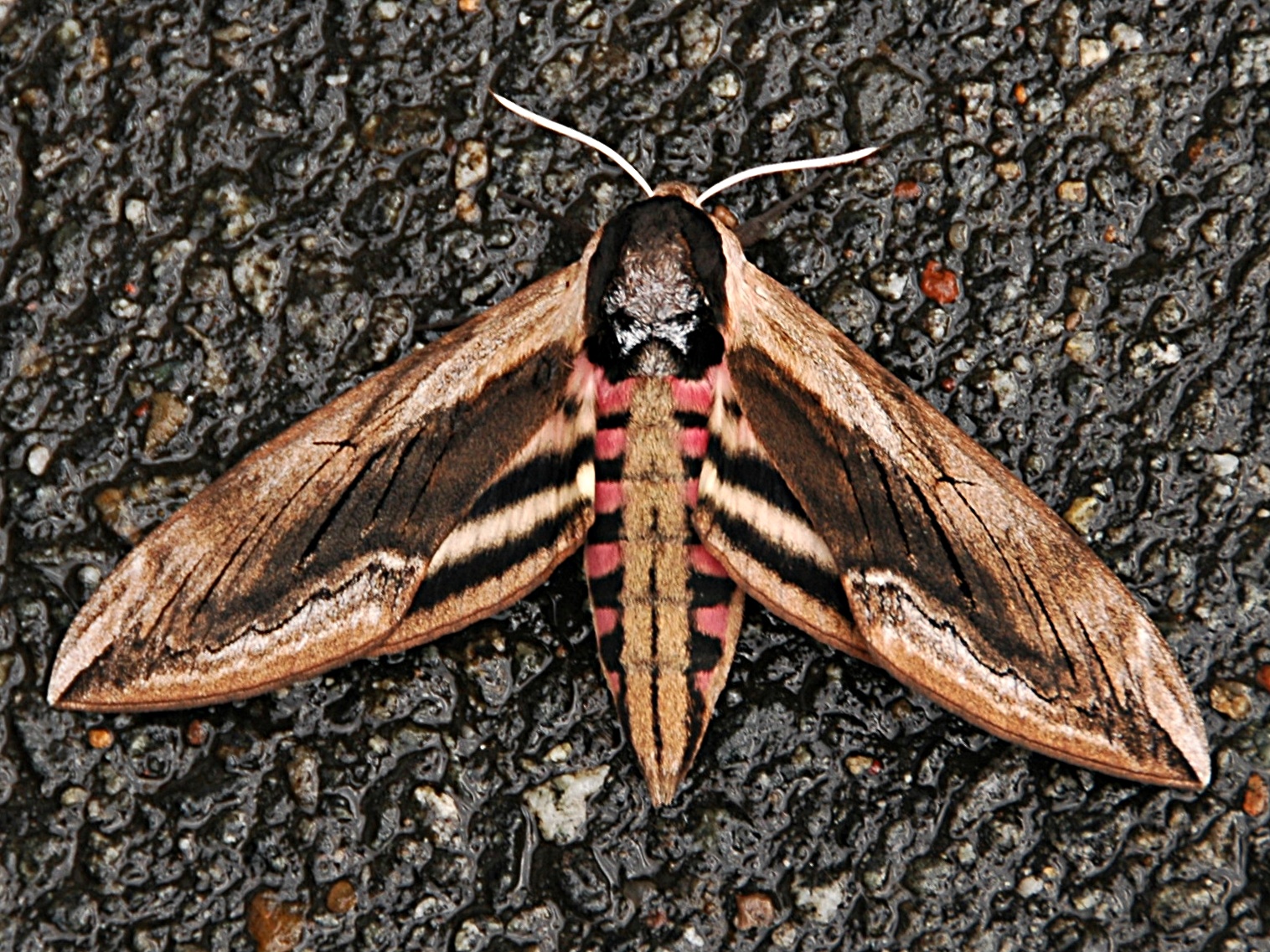
Gave a mosaic try to this moth. If I remember correctly I think I enlarged the islands using to path and growing one pixel before. I didn't do it on this image. I see I need more practice. :mrgreen:

Image

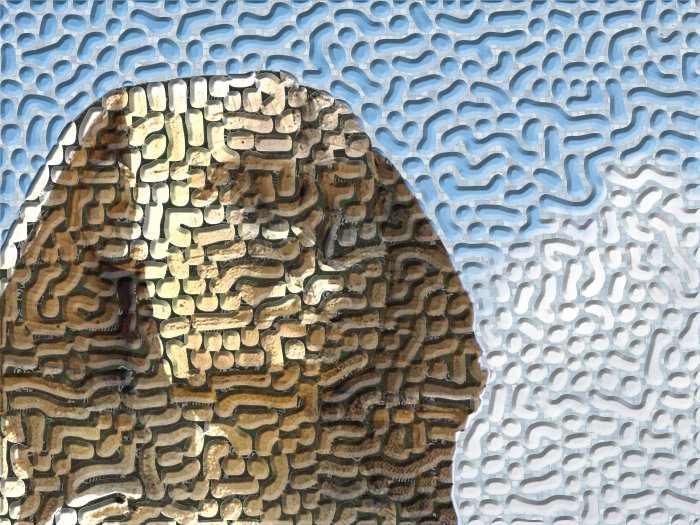
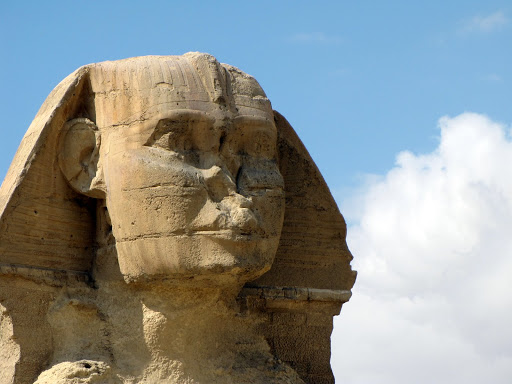
The colors in the sphinx using the mean color filter all turned the same color so I processed it without using the filter. Original sphinx image here.

I processed the sphinx separately from the sky.

Image

_________________
Image
World War IV will be fought with sticks and stones. - Albert Einstein


Top
 Post subject: Re: Using Lyle-ioglyphics As A Background - Revisited
PostPosted: Tue Feb 15, 2011 10:10 am  (#11) 
Offline
GimpChat Member
User avatar

Joined: Sep 24, 2010
Posts: 12844
Both nicely done indeed O. :)

_________________
Lyle

Psalm 109:8

Image


Top
 Post subject: Re: Using Lyle-ioglyphics As A Background - Revisited
PostPosted: Tue Feb 15, 2011 12:38 pm  (#12) 
Offline
Retired Staff
User avatar

Joined: May 22, 2008
Posts: 6946
Location: Somewhere in GIMP
lylejk wrote:
Both nicely done indeed O. :)
Thanks Lyle.

Check out Lyle's Mosaic tutorial.

Create Mosaics with G'MIC

_________________
Image
World War IV will be fought with sticks and stones. - Albert Einstein


Top
 Post subject: Re: Using Lyle-ioglyphics As A Background - Revisited
PostPosted: Tue Feb 15, 2011 5:36 pm  (#13) 
Offline
GimpChat Member
User avatar

Joined: Oct 06, 2010
Posts: 4050
One thing I learned this morning is that running my svg output from command line Concorde into a directional guideline for the photomosaic program creates some pretty spectacular results. You have to close the path in Inkscape before saving it as a directional guideline (png format is fine).

As soon as I fine tune my madness, I'll share it with everyone. :O

_________________
"In order to attain the impossible, one must attempt the absurd."
~ Miguel de Cervantes


Top
 Post subject: Re: Using Lyle-ioglyphics As A Background - Revisited
PostPosted: Tue Feb 15, 2011 5:49 pm  (#14) 
Offline
GimpChat Member
User avatar

Joined: Sep 24, 2010
Posts: 12844
Not sure what photomosaic program you are referring too (di Blasi's by chance?), but do look forward to seein your result Mahvin. Funny how one thing will lead to another and then another (stipple, to TSP, to now Photomosaic guide). That's what's fun with doing all these things. :)

_________________
Lyle

Psalm 109:8

Image


Top
 Post subject: Re: Using Lyle-ioglyphics As A Background - Revisited
PostPosted: Tue Feb 15, 2011 6:01 pm  (#15) 
Offline
GimpChat Member
User avatar

Joined: Oct 06, 2010
Posts: 4050
Yeah, too many threads bouncing around on the same thing, but not complaining (just losing track of where I should post). Yes the Mosaic.jar you posted last night (I should have posted there). It allows you to submit your own guide for mosaics or let the render engine create one.

_________________
"In order to attain the impossible, one must attempt the absurd."
~ Miguel de Cervantes


Last edited by mahvin on Tue Feb 15, 2011 10:37 pm, edited 1 time in total.

Top
 Post subject: Re: Using Lyle-ioglyphics As A Background - Revisited
PostPosted: Tue Feb 15, 2011 10:36 pm  (#16) 
Offline
GimpChat Member
User avatar

Joined: Oct 06, 2010
Posts: 4050
Time consuming stuff!

This was rendered in Mosaic, and tweaked in G'MIC.
Image

_________________
"In order to attain the impossible, one must attempt the absurd."
~ Miguel de Cervantes


Top
 Post subject: Re: Using Lyle-ioglyphics As A Background - Revisited
PostPosted: Tue Feb 15, 2011 11:03 pm  (#17) 
Offline
Retired Staff
User avatar

Joined: May 22, 2008
Posts: 6946
Location: Somewhere in GIMP
Whoa! That's way beyond awesome mahvin. :clap

_________________
Image
World War IV will be fought with sticks and stones. - Albert Einstein


Top
 Post subject: Re: Using Lyle-ioglyphics As A Background - Revisited
PostPosted: Tue Feb 15, 2011 11:29 pm  (#18) 
Offline
GimpChat Member
User avatar

Joined: Sep 24, 2010
Posts: 12844
Now that's one cool mosaic Mahvin. :)

_________________
Lyle

Psalm 109:8

Image


Top
 Post subject: Re: Using Lyle-ioglyphics As A Background - Revisited
PostPosted: Wed Feb 16, 2011 1:25 am  (#19) 
Offline
GimpChat Member
User avatar

Joined: Sep 24, 2010
Posts: 12844
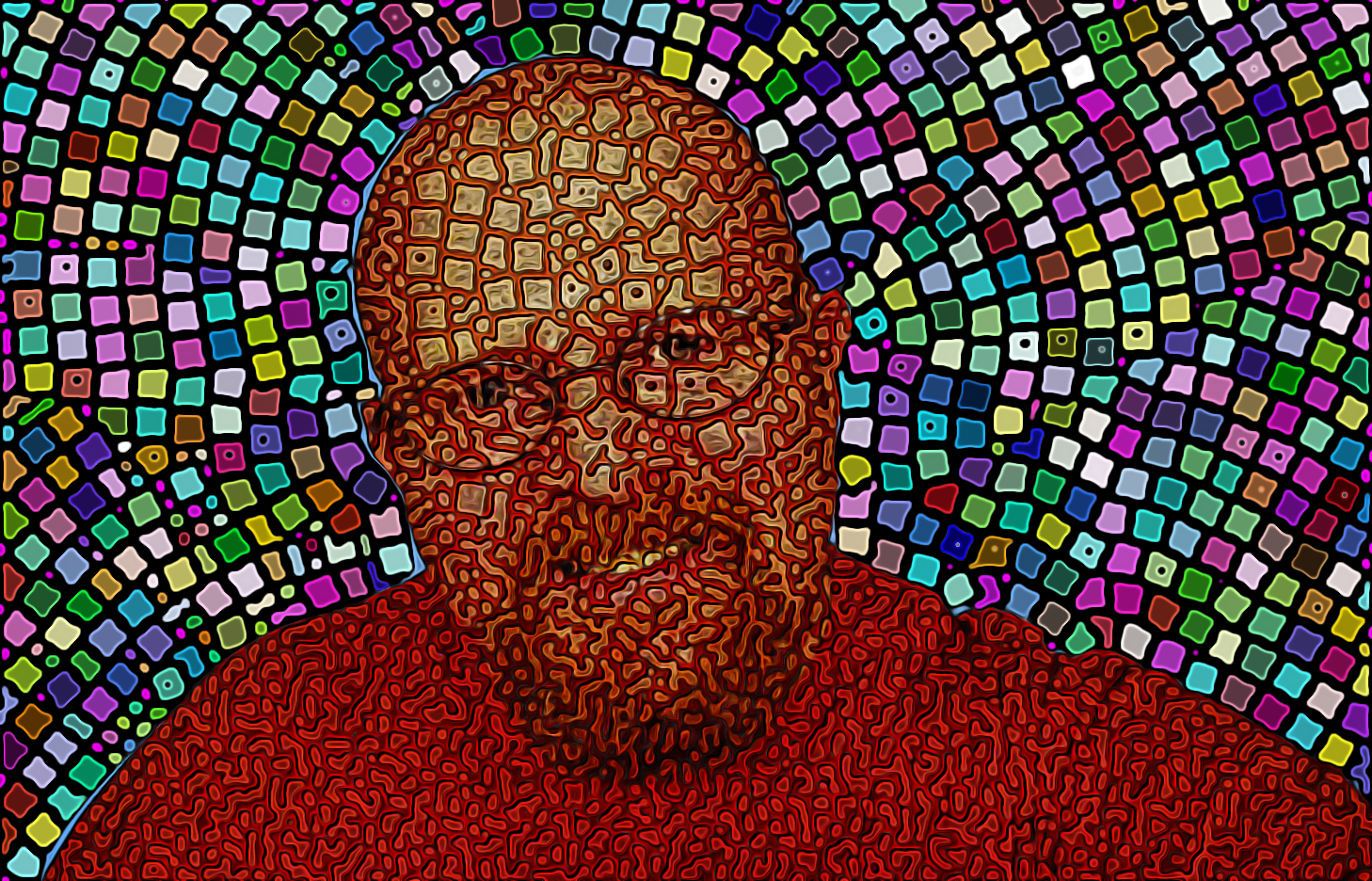
Hope you don't mind me using your Avatar Mahvin. I've been trying to emulate this guys work (http://www.flickr.com/photos/benheine/4483138022/) for over a year now. Think I finally figured out a close approximation (he literally takes hours to do his renders; I took only a few minutes with this one even though I did have to add a few additional circles). Almost obvious what I did; I ran a 400 stipple and used that result as a mask to run a 2000 stipple and blended both in Inkscape (alignment is the only challenge), shrunk just the big circles a bit and ungrouped, selected all and nudged using Inkscapes capabilities and then used the result as a selection mask in GIMP to run Saul's cool Script-fu. :)

selection mask (only because I liked this result too):

Attachment:
322bt.png
322bt.png [ 235.61 KiB | Viewed 1836 times ]


Result:


Attachments:
322.png
322.png [ 314.09 KiB | Viewed 1836 times ]

_________________
Lyle

Psalm 109:8

Image
Top
 Post subject: Re: Using Lyle-ioglyphics As A Background - Revisited
PostPosted: Wed Feb 16, 2011 1:31 am  (#20) 
Offline
GimpChat Member
User avatar

Joined: Oct 06, 2010
Posts: 4050
Pretty darn cool, Lyle. :) I don't mind at all.

I'm still working on the best way to mask these mosaics. I was under the impression you could add your own guidelines and masks, but the program keeps defaulting to its own render. What I am doing now is adding the images in segments, as if they were masked already, and it's slow going.

_________________
"In order to attain the impossible, one must attempt the absurd."
~ Miguel de Cervantes


Top
Post new topic Reply to topic  [ 23 posts ]  Go to page 1, 2  Next

All times are UTC - 5 hours [ DST ]


* Login  


Powered by phpBB3 © phpBB Group