Hello, all:
Revisited G'MIC's Rendering -> Hair lock and reworked its highlighting bits, and in the course of testing it, got carried away. Not often that I post a test suite, but I like how this came out.
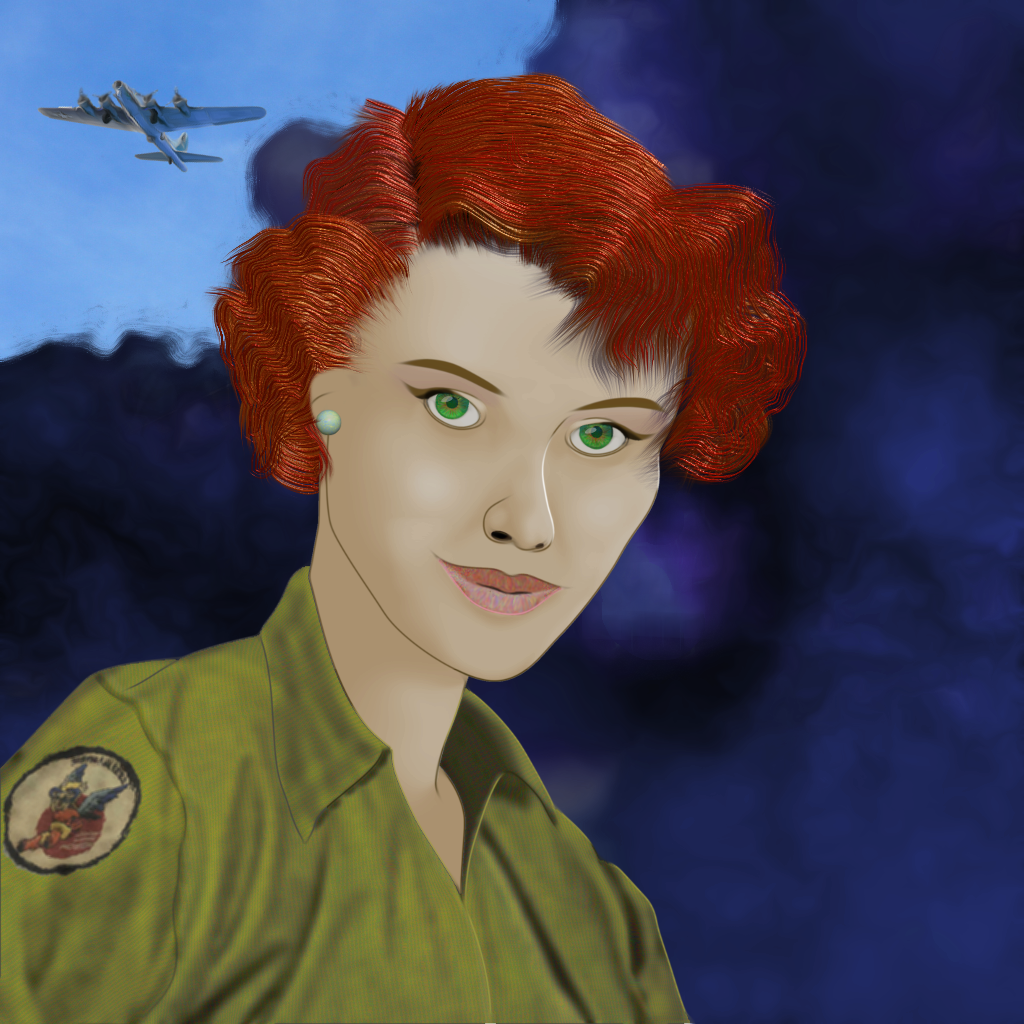
In rememberance of Pearl Harbor Day, I've been reading about the
Womens' Airforce Service Pilots (US Army Air Force WASPs) who, in World War II delivered newly-built aircraft to operational theaters, and, as with the
Tuskegee Airmen, had to fight two wars, the other being the one for simple recognition that they were physically (read: mentally) capable of flying something so complex as a B-17G - but they did, and, on occasion, straight from the production line to operational theaters without so much as an initial test flight. Many years were to pass before they got some of the recognition they deserved and some did not live to enjoy it.
The tutorial for the Hair lock filter is at
The Hair lock Filter page in the G'MIC Tutorials. None of the changes I've made affect the user interface or the argument list, though I'm considering retiring the 'Variance' argument in future release, as its effect is so subtle as to be invisible in some cases and its intent can be easily served by overlaying two or three slightly different colored hairlocks.
If time permits, I might write a Gimp Chat specific tutorial based on this particular art work.
Enjoy,
Garry
 Login
Login Register
 Tweets
 FAQ
FAQ Advanced Search