It is currently Thu Sep 03, 2026 2:24 am


All times are UTC - 5 hours [ DST ]


Post new topic Reply to topic  [ 5 posts ] 
Author Message
 Post subject: Obama in Text
PostPosted: Tue Oct 04, 2011 1:27 pm  (#1) 
Offline
Global Moderator
User avatar

Joined: May 16, 2010
Posts: 16169
Image

_________________
Image


Share on Facebook Share on Twitter Share on Orkut Share on Digg Share on MySpace Share on Delicious Share on Technorati
Top
 Post subject: Re: Obama in Text
PostPosted: Tue Oct 04, 2011 3:36 pm  (#2) 
Offline
GimpChat Member

Joined: Apr 12, 2010
Posts: 5870
Nice one Rod

_________________
My 3D Gallery on Deviantart http://photocomix2.deviantart.com/
Main gallery http://www.flickriver.com/photos/photocomix-mandala/
Mandala and simmetry http://www.flickriver.com/photos/photocomix_mandala/

Image

Mrs Wilbress


Top
 Post subject: Re: Obama in Text
PostPosted: Wed Oct 05, 2011 12:14 pm  (#3) 
Offline
GimpChat Member
User avatar

Joined: Jun 04, 2011
Posts: 254
wow! that's awesome how did you do it? do tell.

_________________
Image


Top
 Post subject: Re: Obama in Text
PostPosted: Wed Oct 05, 2011 4:56 pm  (#4) 
Offline
Global Moderator
User avatar

Joined: May 16, 2010
Posts: 16169
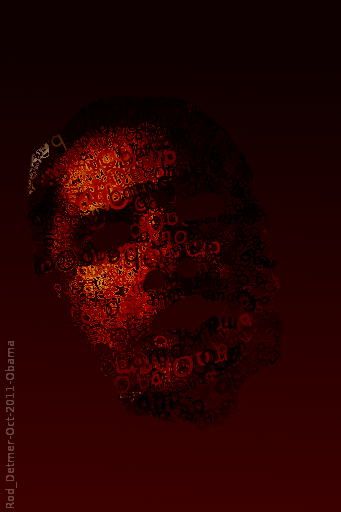
Here is another
Image

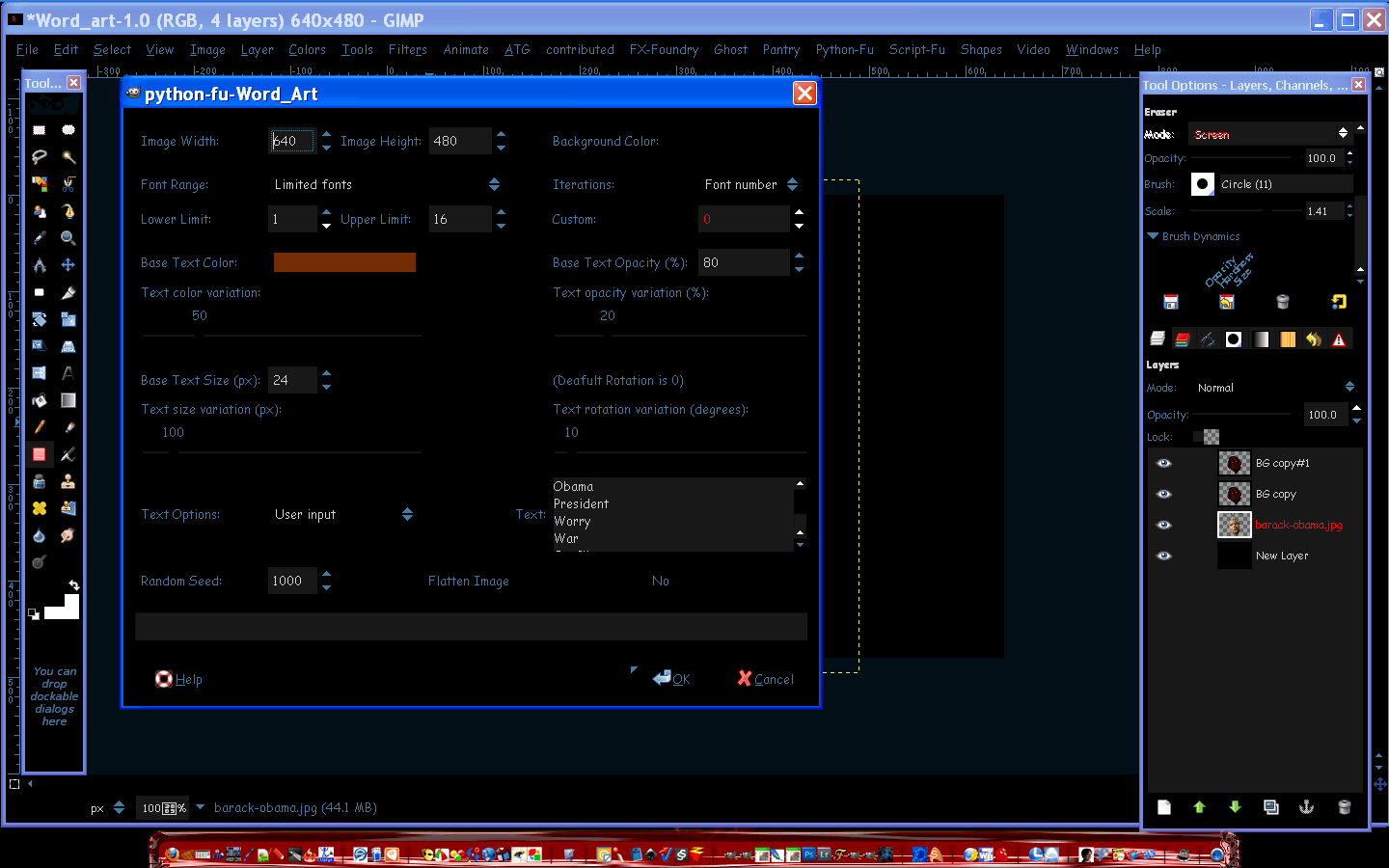
To get this effect you need to download the bytes and pixels Word Art plug-in.
It is at the registry.
Set it up something like this.
Image
Once you have created your word art and are happy with how its arranged. (i had to duplicate it a few times, and move the layers around.)You can either do that or create more than 16 types of font.

First open your Obama image as a layer
Duplicate it
Set the bottom image to invisible
Set your word art on top.
Erase the eyes and the ears on Obama image.Erase all the word art except whats on Obamas face.
Create a new black layer - set at bottom for bg
Now set the word art image on overlay and duplicate it until you are satisfied with the color tone.
I think darker looks better (i duplicated twice)
Now just save the image. :)

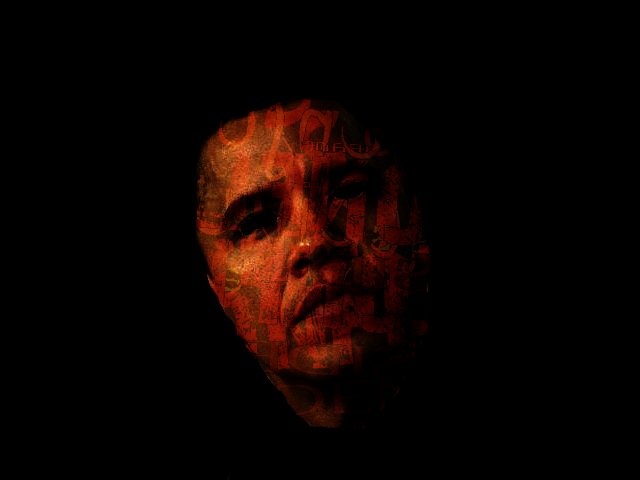
Results
Image

_________________
Image


Top
 Post subject: Re: Obama in Text
PostPosted: Wed Oct 05, 2011 6:02 pm  (#5) 
Offline
GimpChat Member
User avatar

Joined: Apr 07, 2010
Posts: 14182
Rod, it is pretty dark, can you lighten it up some? It is very good but I think it needs more contrast between the face and the black stuff, is that text or tatoos, I can't quite make out that part .

_________________
Image


Top
Post new topic Reply to topic  [ 5 posts ] 

All times are UTC - 5 hours [ DST ]


* Login  


Powered by phpBB3 © phpBB Group