It is currently Tue Oct 27, 2026 4:05 pm


All times are UTC - 5 hours [ DST ]


Post new topic Reply to topic  [ 37 posts ]  Go to page 1, 2  Next
Author Message
 Post subject: Text Art with a Different Approach
PostPosted: Sun Nov 13, 2011 4:23 am  (#1) 
Offline
GimpChat Member
User avatar

Joined: Oct 06, 2010
Posts: 4050
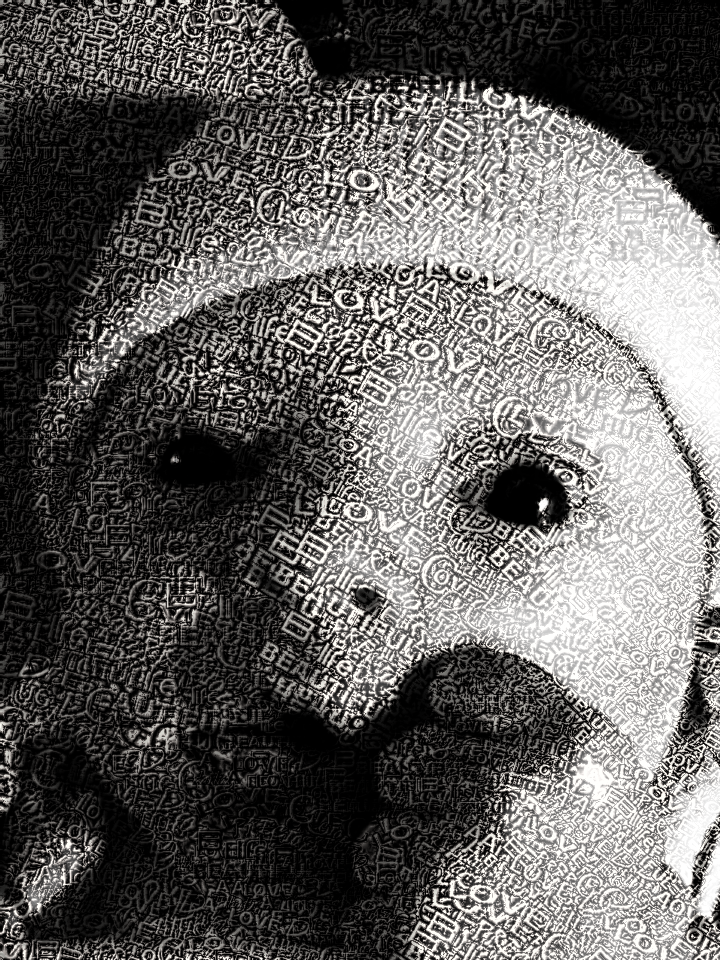
Light bulb came on and I decided to give it a shot:

Image

_________________
"In order to attain the impossible, one must attempt the absurd."
~ Miguel de Cervantes


Share on Facebook Share on Twitter Share on Orkut Share on Digg Share on MySpace Share on Delicious Share on Technorati
Top
 Post subject: Re: Text Art with a Different Approach
PostPosted: Sun Nov 13, 2011 4:34 am  (#2) 
Offline
GimpChat Member
User avatar

Joined: Apr 07, 2010
Posts: 14182
This is what I have been wanting to do. very nice Mahv.

_________________
Image


Top
 Post subject: Re: Text Art with a Different Approach
PostPosted: Sun Nov 13, 2011 4:47 am  (#3) 
Offline
GimpChat Member
User avatar

Joined: Oct 06, 2010
Posts: 4050
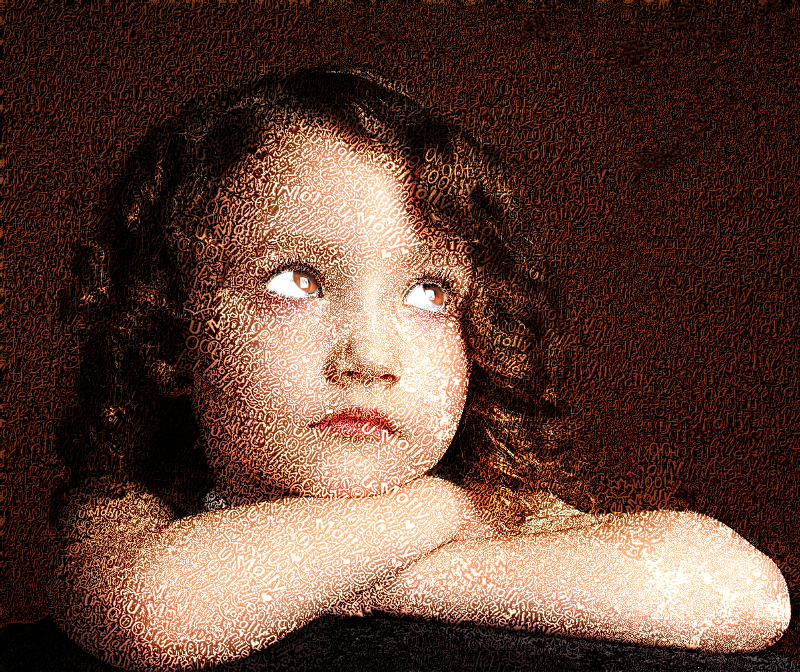
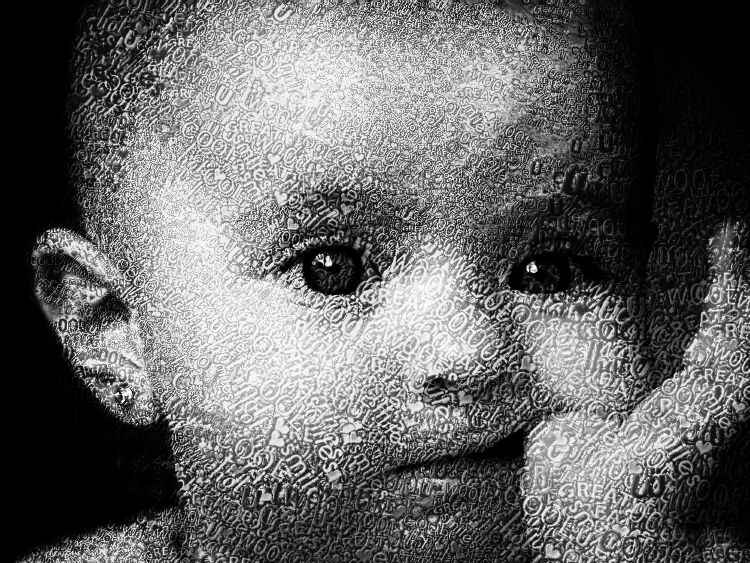
Well, it's quite easy to do now, Molly. I used GIMPressionist. I made a text brush (white text on black background 128 x 128 px)with different words in different angles/positions (extension .pgm is used, not .gbr or .gih) and placed it in .gimp-2.6/GIMPressionist/Brushes folder. If the folder doesn't exist you need to create it.

Select your image, and duplicate it. Change layer mode on top layer to Overlay. Run GIMPressionist on the bottom layer. If your image is in color, fret not, you can desaturate afterwards.

Select the text brush, and update the Preview. Switch to the size tab and raise the minimum/maximum sizes to suit. Reset the Preview before re-applying the new size parameters.

Once you're happy with the text size after running GIMPressionist. You'll need to readjust the top layer mode to Hard Light, then run the bottom Layer through PC's Dragan Tom Keil's PhotoIllustration filter in Artistic.

Image
Image
Ignore the mouse cursor in the bottom picture.

_________________
"In order to attain the impossible, one must attempt the absurd."
~ Miguel de Cervantes


Last edited by mahvin on Sun Nov 13, 2011 6:53 am, edited 3 times in total.

Top
 Post subject: Re: Text Art with a Different Approach
PostPosted: Sun Nov 13, 2011 4:55 am  (#4) 
Offline
GimpChat Member
User avatar

Joined: Apr 07, 2010
Posts: 14182
Thank you Mahv, I got that copied and will try it out later in the day. I have always liked that look.
I saw a video tutorial a while back and now I can't find it. It was quite long so I didn't get to write it out.
The author changed the face of a man, (he used his own face) into the bark from a tree. It was an amazing transformation.

_________________
Image


Top
 Post subject: Re: Text Art with a Different Approach
PostPosted: Sun Nov 13, 2011 6:19 am  (#5) 
Offline
GimpChat Member
User avatar

Joined: Aug 24, 2011
Posts: 1785
Location: Dallas, TX
Wow Mahvin. That's an awsome looking effect.

_________________
Image


Top
 Post subject: Re: Text Art with a Different Approach
PostPosted: Sun Nov 13, 2011 6:40 am  (#6) 
Offline
GimpChat Member
User avatar

Joined: Oct 06, 2010
Posts: 4050
I got a tutorial up on my blog at http://www.mahvin.com/?p=2440.

Here's a video, too:

www.youtube.com Video from : www.youtube.com

_________________
"In order to attain the impossible, one must attempt the absurd."
~ Miguel de Cervantes


Top
 Post subject: Re: Text Art with a Different Approach
PostPosted: Sun Nov 13, 2011 6:48 am  (#7) 
Offline
GimpChat Member
User avatar

Joined: Apr 09, 2011
Posts: 1764
mahvin wrote:
Well, it's quite easy to do now, Molly. I used GIMPressionist. I made a text brush (white text on black background 128 x 128 px)with different words in different angles/positions (extension .pgm is used, not .gbr or .gih) and placed it in .gimp-2.6/GIMPressionist/Brushes folder. If the folder doesn't exist you need to create it.

Select your image, and duplicate it. Change layer mode on top layer to Overlay. Run GIMPressionist on the bottom layer. If your image is in color, fret not, you can desaturate afterwards.

Select the text brush, and update the Preview. Switch to the size tab and raise the minimum/maximum sizes to suit. Reset the Preview before re-applying the new size parameters.

Once you're happy with the text size after running GIMPressionist. You'll need to readjust the top layer mode to Hard Light, then run the bottom Layer through PC's Dragan Tom Keil's PhotoIllustration filter in Artistic.

I'll have to have a crack at that...it looks great!!


Top
 Post subject: Re: Text Art with a Different Approach
PostPosted: Sun Nov 13, 2011 7:01 am  (#8) 
Offline
GimpChat Member
User avatar

Joined: Apr 07, 2010
Posts: 14182
excellent tute Mahv

_________________
Image


Top
 Post subject: Re: Text Art with a Different Approach
PostPosted: Sun Nov 13, 2011 8:15 am  (#9) 
Offline
Retired Staff
User avatar

Joined: May 22, 2008
Posts: 6946
Location: Somewhere in GIMP
Wow, mahv, that is wonderful. Going to have to give that a try. :hehe

_________________
Image
World War IV will be fought with sticks and stones. - Albert Einstein


Top
 Post subject: Re: Text Art with a Different Approach
PostPosted: Sun Nov 13, 2011 12:07 pm  (#10) 
Offline
GimpChat Member
User avatar

Joined: Jul 04, 2011
Posts: 395
Location: Indianapolis, IN
That is very cool! Is that your baby?

_________________
"That which does not kill us makes us stronger." ~ Friedrich Nietzsche


Last edited by MrBiggz on Sun Nov 13, 2011 2:52 pm, edited 2 times in total.

Top
 Post subject: Re: Text Art with a Different Approach
PostPosted: Sun Nov 13, 2011 1:38 pm  (#11) 
Offline
GimpChat Member

Joined: Apr 12, 2010
Posts: 5870
Mahvin that is really excellent
Gimpimpressionist filter will really deserve some update is a great filter but really need a better preview ( a make it much bigger ass you may see if you use Partha 2,7 build, but the point is not only the size, would be better be able to pan and to zoom ) and way to save presets

looking now to your tutorial

_________________
My 3D Gallery on Deviantart http://photocomix2.deviantart.com/
Main gallery http://www.flickriver.com/photos/photocomix-mandala/
Mandala and simmetry http://www.flickriver.com/photos/photocomix_mandala/

Image

Mrs Wilbress


Top
 Post subject: Re: Text Art with a Different Approach
PostPosted: Sun Nov 13, 2011 3:49 pm  (#12) 
Offline
GimpChat Member
User avatar

Joined: Oct 06, 2010
Posts: 4050
MrBiggz wrote:
That is very cool! Is that your baby?


That is my cousin Aubree. She joined us back in September.

Did you figure out that a text brush is just a black background with white text? The only thing different is that GIMPressionist works with .pgm files.

_________________
"In order to attain the impossible, one must attempt the absurd."
~ Miguel de Cervantes


Top
 Post subject: Re: Text Art with a Different Approach
PostPosted: Sun Nov 13, 2011 4:44 pm  (#13) 
Offline
GimpChat Member
User avatar

Joined: Jul 04, 2011
Posts: 395
Location: Indianapolis, IN
mahvin wrote:
MrBiggz wrote:
That is very cool! Is that your baby?


That is my cousin Aubree. She joined us back in September.

Did you figure out that a text brush is just a black background with white text? The only thing different is that GIMPressionist works with .pgm files.


Aubree had that .. geez I'm try'n sleep look!

And yes! Once again .. dummy me should have watched the video before typing! :oops:

_________________
"That which does not kill us makes us stronger." ~ Friedrich Nietzsche


Top
 Post subject: Re: Text Art with a Different Approach
PostPosted: Sun Nov 13, 2011 6:02 pm  (#14) 
Offline
GimpChat Member
User avatar

Joined: Apr 07, 2010
Posts: 14182
I redid mine and I still left the color without desaturate. I erased the text out of the eyes also . I also change it to flowing instead of the default in the size.
I love this gimpressionist...first time I have used it. Thanks Mahv

Image

_________________
Image


Last edited by molly on Sun Nov 13, 2011 7:18 pm, edited 2 times in total.

Top
 Post subject: Re: Text Art with a Different Approach
PostPosted: Sun Nov 13, 2011 6:06 pm  (#15) 
Offline
GimpChat Member
User avatar

Joined: Oct 06, 2010
Posts: 4050
Looks fabulous! Good job, Molly!

_________________
"In order to attain the impossible, one must attempt the absurd."
~ Miguel de Cervantes


Top
 Post subject: Re: Text Art with a Different Approach
PostPosted: Sun Nov 13, 2011 6:16 pm  (#16) 
Offline
GimpChat Member
User avatar

Joined: Apr 07, 2010
Posts: 14182
I was just looking at yours again and I can't get my text to cover where the highlights are on the face. I did 5 already and they are all like that. Yours covers the whole face.

_________________
Image


Top
 Post subject: Re: Text Art with a Different Approach
PostPosted: Sun Nov 13, 2011 6:17 pm  (#17) 
Offline
Retired Staff
User avatar

Joined: May 22, 2008
Posts: 6946
Location: Somewhere in GIMP
Got the picture here: http://www.photosofpictures.com/wp-cont ... es-102.jpg

Image

_________________
Image
World War IV will be fought with sticks and stones. - Albert Einstein


Top
 Post subject: Re: Text Art with a Different Approach
PostPosted: Sun Nov 13, 2011 6:18 pm  (#18) 
Offline
GimpChat Member
User avatar

Joined: Apr 08, 2010
Posts: 5420
Location: Northwest Ohio
That is soooo awesome!


Top
 Post subject: Re: Text Art with a Different Approach
PostPosted: Sun Nov 13, 2011 6:21 pm  (#19) 
Offline
GimpChat Member
User avatar

Joined: Apr 07, 2010
Posts: 14182
sweeeet "O". This is baby day at the Gimp Ranch.

Your turn 2-ton.

_________________
Image


Top
 Post subject: Re: Text Art with a Different Approach
PostPosted: Sun Nov 13, 2011 6:31 pm  (#20) 
Offline
GimpChat Member
User avatar

Joined: Sep 24, 2010
Posts: 12853
Result looks cool Mahvin. Could you share the pgm file if not the GIMPressionist preset itself? :)

_________________
Lyle

Psalm 109:8

Image


Top
Post new topic Reply to topic  [ 37 posts ]  Go to page 1, 2  Next

All times are UTC - 5 hours [ DST ]


* Login  


Powered by phpBB3 © phpBB Group