It is currently Thu Jun 04, 2026 8:31 am


All times are UTC - 5 hours [ DST ]


Post new topic Reply to topic  [ 20 posts ] 
Author Message
 Post subject: Ghost parameters
PostPosted: Fri Jun 01, 2012 10:40 pm  (#1) 
Offline
Global Moderator
User avatar

Joined: May 16, 2010
Posts: 16009
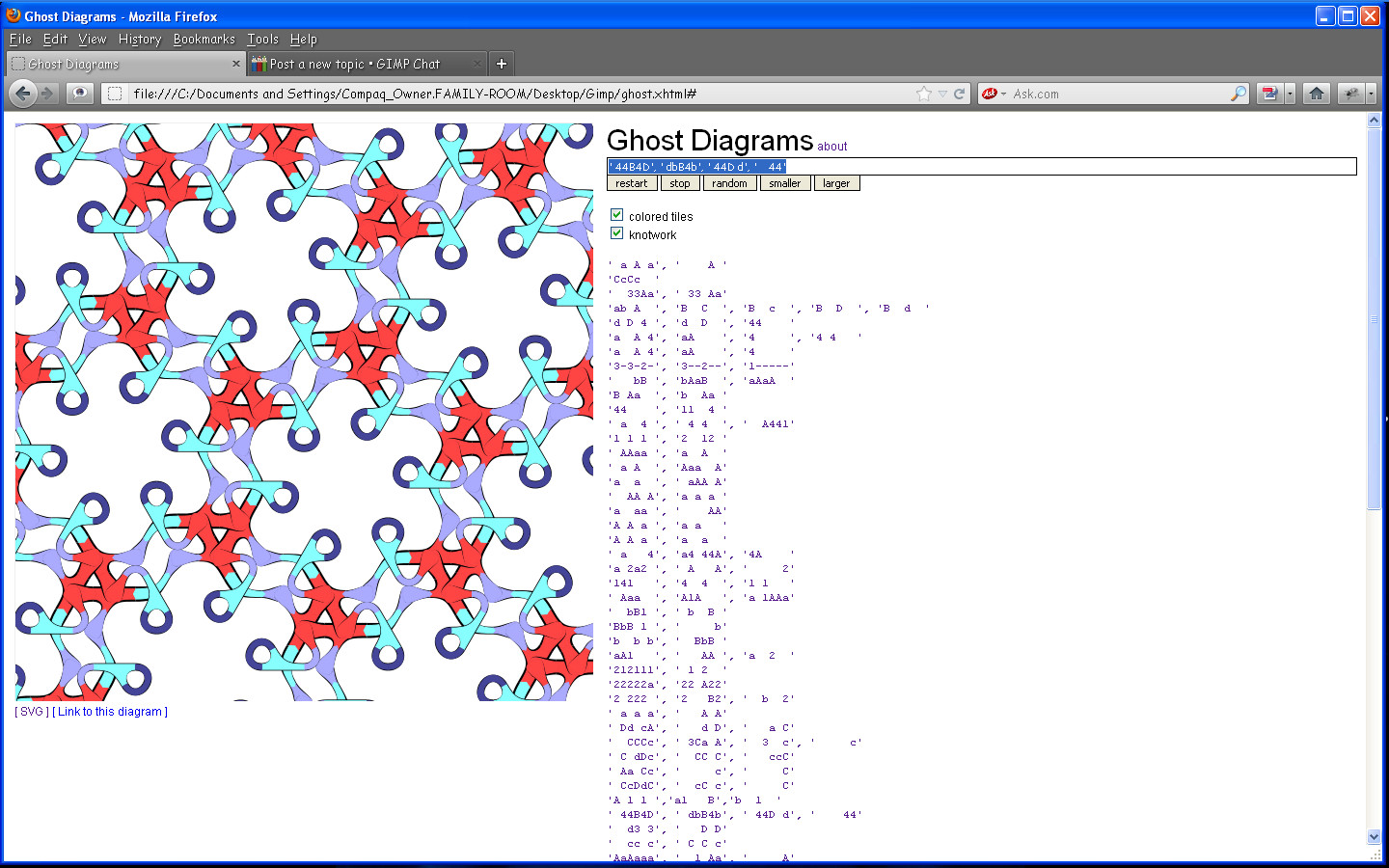
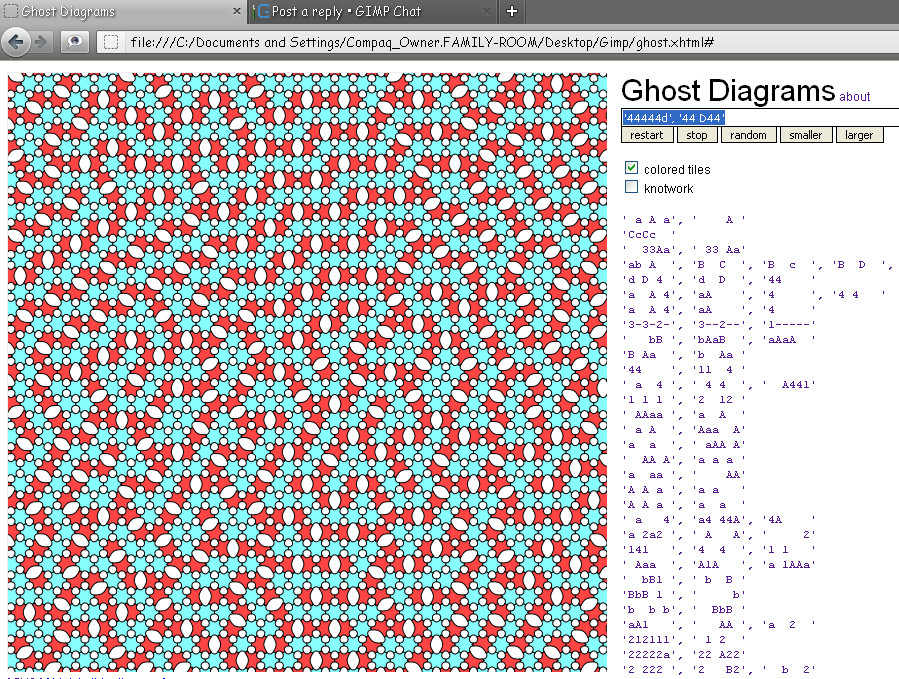
Copy and paste this in the text field
' 44B4D', ' dbB4b', ' 44D d', '    44'


Click restart. :)

Click svg (bottom of rendered image)
Right click the page that opens and select all>Copy
Open Notepad ++ and save as "Ghost.svg"
Open in Inkscape or Gimp.

Image

_________________
Image


Share on Facebook Share on Twitter Share on Orkut Share on Digg Share on MySpace Share on Delicious Share on Technorati
Top
 Post subject: Re: Ghost parameters
PostPosted: Sat Jun 02, 2012 8:53 am  (#2) 
Offline
GimpChat Member

Joined: Mar 29, 2011
Posts: 346
Location: Wisconsin
I've played with Ghost Diagrams a fair amount.

This is an "alphabetical" list of the parameters for the diagrams that I found to be "interesting"

'   bB ', 'bAaB  ', 'aAaA  '
'  33Aa', ' 33 Aa'
'  AA A', 'a a a '
'  bB1 ', ' b  B '
'  cc c', ' C C c'
'  CCCc', ' 3Ca A', '  3  c', '     c'
'  d3 3', '   D D'
' 111'
' 44B4D', ' dbB4b', ' 44D d', '    44'
' a   4', 'a4 44A', '4A    '
' a  4 ', ' 4 4  ', '  A441'
' a A  ', 'Aaa  A'
' a A a', '    A '
' a a a', '   A A'
' Aa Cc', '     c', '     C'
' Aaa  ', 'A1A   ', 'a 1AAa'
' bbb', '  BB'
' C dDc', '  CC C', '   ccC'
' CcDdC', '  cC c', '     C'
' Dd cA', '   d D', '   a C'
'1 1 1 ', '2  12 '
'1---', 'cC--'
'1-1-', '1---', '11--', '111-'
'1B1B', 'a A ', ' bA ', 'ab B'
'212111', ' 1 2  '
'22222a', '22 A22'
'3 3 ', 'b B3', '3   '
'3---', '333-'
'3-3-2-', '3--2--', '1-----'
'33-3--', '3--3--'
'3333', '3 1 ', '33  '
'411 ', '1   '
'422-', '4-22'
'44    ', '11  4 '
'44--', '4-4-', '444-'
'4A4a', '  a4', ' A B', '  Ab'
'a  a  ', ' aAA A'
'a  A 4', 'aA    ', '4     '
'a  A 4', 'aA    ', '4     ', '4 4   '
'a  aa ', '    AA'
'A 1   ', 'aA a  '
'A 1 1 ', 'a1   B', 'b  1  '
'a 1 A ', 'a  A  '
'a 2a2 ', ' A   A', '     2'
'A A a ', 'a  a  '
'A A a ', 'a a   '
'a AA A', 'a a   '
'a AA A', 'a a   '
'a AA A', 'aaBA  ', 'ba    '
'a C  A', 'cc C  '
'A---', 'B3--', 'db-D', 'ca-C'
'a--2--', 'A-14--'
'a-A-', 'aA--'
'A44444', 'a4   4', '4 4   '
'AA   3', 'a   2 '
'aA   B', 'b   4 '
'aa A  ', 'c A   ', 'a     ', 'C3    '
'aa A', 'cC A'
'aA1   ', '   AA ', 'a  2  '
'aa4-', 'A---'
'AAA ', 'aA A', 'aAa ', 'aa A'
'aaAA  ', 'aA a A'
'aAAa A', 'aaAAa '
'AaAaaa', '  1 Aa', '     A'
'aCa ', 'A 11', 'c   '
'acAC', 'adBD', 'bcBD', 'bdAC'
'b  4B '
'b  b b', '  BbB '
'b 3   ', 'a A B '
'b 4   ', '3     ', 'B   44', '4  3  '
'B 4 ', 'bBb '
'B Aa  ', 'b  Aa '
'B B   ', 'bb4 B ', 'B 4   '
'b C B ', 'c bC b', 'c  B  '
'b D   ', 'd  bBB'
'b2  ', 'bBB '
'b4 B', 'b 4B'
'bB 3B ', 'b33   '
'bb B  ', 'b BB B'
'bb D', 'BBBB', 'd Bb'
'bB-B', 'd-bD'
'bB2   ', 'c C   '
'bb44', 'B  4'
'bBaD', 'dA  '
'bbB  B', 'b BBB ', 'bb    '
'BbB 1 ', '     b'
'bbb-b-', 'b-B---', 'B-b---', 'B-----'
'bD 3', 'd B '
'bD a', 'DAD ', 'dB  ', 'd b '
'c   CC', 'c c  C'
'C  3', 'ccC '
'c aA A', 'a  C  '
'C AA', 'ca a'
'c c ', 'dC D'
'c CC', 'cCc '
'c-----', 'a---CA'
'c-C-', 'cC--' 1
'C22222', 'cC  22', 'cc  2C', '2 2   '
'caA ', 'aaAA', 'aAAA', 'a  C'
'cAc---', 'C-----', 'c--a--'
'CC    ', 'cCc c ', 'ccCccC'
'cC  B ', 'b a A '
'cC a A', 'a A   '
'cC C', 'cc C'
'cCc   ', 'c CC  '
'cCc C '
'cCc C ', 'cC c C'
'cCc--C', 'cC----', 'c-C---'
'CcCc  '
'cCcC  ', 'c  C  '
'cCCcCC', 'cccC  ', 'c C  C'
'cCCcCC', 'cccC  '
'd  1D '
'd  CD ', 'd  c D'
'd Cc', 'cC D'
'd D  D', 'ddDd D'
'd D 3 ', 'dD    ', '3     '
'd D 4 ', 'd  D  ', '44    '
'd DD', 'dDDD', 'dDd '
'd-c-', 'ccc-', 'C---', 'DC--'
'd4 Dd ', 'd D   ', 'DD    '
'da d  ', 'dDDD A'
'dB44', 'bD--'
'dD  D ', 'dd dD '
'dD 2', 'b  B'
'dD 2', 'd44D' 1
'dD 2', 'd44D' 2
'DD--', 'dddD'
'dd11', 'D-3-', '11--'
'ddBb', 'DD  '
'ddD d ', 'DD2 2 '
'ddD-', 'D-4-'
'dDd2', 'D 2 '
'ddd3', 'dDd3', 'dDdD', 'dddD', 'D3D '
'dddD', 'D D '
'dDDdD ', 'dd dDD'

(This list is an edited directory listing of the SVG files that I've saved.)

_________________
Image


Top
 Post subject: Re: Ghost parameters
PostPosted: Sat Jun 02, 2012 9:18 am  (#3) 
Offline
GimpChat Member
User avatar

Joined: Apr 07, 2010
Posts: 14182
What in the heck is all that?

_________________
Image


Top
 Post subject: Re: Ghost parameters
PostPosted: Sat Jun 02, 2012 9:43 am  (#4) 
Offline
GimpChat Member
User avatar

Joined: Mar 23, 2012
Posts: 7388
Location: Göteborg at last!
molly wrote:
What in the heck is all that?


It's elementary mathematics Molly. We learned it in Junior school. Comes in handy in quantum mechanics when understanding eigenstates, superpositions and how things can be waves and particles simultaneously. :rofl


Top
 Post subject: Re: Ghost parameters
PostPosted: Sat Jun 02, 2012 10:14 am  (#5) 
Offline
GimpChat Member
User avatar

Joined: Apr 18, 2011
Posts: 620
Location: New York
molly wrote:
What in the heck is all that?
type in the parameters in here:
http://www.logarithmic.net/ghost.xhtml

_________________
Ubuntu 24.04.1, Kernel i686, 6.8.0-52-generic
python3 v3.12.3 ----- GIMP - ver 2.10.38


Top
 Post subject: Re: Ghost parameters
PostPosted: Sat Jun 02, 2012 10:24 am  (#6) 
Offline
GimpChat Member
User avatar

Joined: Sep 24, 2010
Posts: 12775
I've yet to figure out this mumbo-jumbo myself Molly but it can give you some cool results. lol

The one I ran across that I liked the best (just fiddled one day and voila) is the one below. :)

'cCc C '


Attachments:
fiddled.png
fiddled.png [ 278.31 KiB | Viewed 3204 times ]

_________________
Lyle

Psalm 109:8

Image
Top
 Post subject: Re: Ghost parameters
PostPosted: Sat Jun 02, 2012 10:29 am  (#7) 
Offline
GimpChat Member
User avatar

Joined: Apr 07, 2010
Posts: 14182
That is way beyond me Lyle, I will let you guys play with it that like numbers.

_________________
Image


Top
 Post subject: Re: Ghost parameters
PostPosted: Sat Jun 02, 2012 10:34 am  (#8) 
Offline
GimpChat Member
User avatar

Joined: Apr 18, 2011
Posts: 620
Location: New York
I tried putting this ' 44B4D', ' dbB4b', ' 44D d', ' 44' in the field but I get nothing. Blank page

wah :cry

_________________
Ubuntu 24.04.1, Kernel i686, 6.8.0-52-generic
python3 v3.12.3 ----- GIMP - ver 2.10.38


Top
 Post subject: Re: Ghost parameters
PostPosted: Sat Jun 02, 2012 10:35 am  (#9) 
Offline
GimpChat Member
User avatar

Joined: Apr 18, 2011
Posts: 620
Location: New York
molly wrote:
That is way beyond me Lyle, I will let you guys play with it that like numbers.
just clcik on the lines that run all the way to the bottom of the page. that will give you images that have already been worked out.
or click the Random button

'32---2', 'b-----', 'B22B--'
just found this :hehe

_________________
Ubuntu 24.04.1, Kernel i686, 6.8.0-52-generic
python3 v3.12.3 ----- GIMP - ver 2.10.38


Top
 Post subject: Re: Ghost parameters
PostPosted: Sat Jun 02, 2012 10:51 am  (#10) 
Offline
GimpChat Member

Joined: Mar 29, 2011
Posts: 346
Location: Wisconsin
cecilia wrote:
I tried putting this ' 44B4D', ' dbB4b', ' 44D d', ' 44' in the field but I get nothing. Blank page

wah :cry

You missed some spaces in the last number group. Spaces are very important in the strings. Copy and paste the string below and then hit restart.
' 44B4D', ' dbB4b', ' 44D d', '    44'


Image

cecilia wrote:
'32---2', 'b-----', 'B22B--'
just found this :hehe

Perfect for a Star Wars design. :bigthup

_________________
Image


Top
 Post subject: Re: Ghost parameters
PostPosted: Sat Jun 02, 2012 11:43 am  (#11) 
Offline
Global Moderator
User avatar

Joined: May 16, 2010
Posts: 16009
Ghost is addicting. :)

_________________
Image


Top
 Post subject: Re: Ghost parameters
PostPosted: Sat Jun 02, 2012 11:54 am  (#12) 
Offline
GimpChat Member
User avatar

Joined: Sep 24, 2010
Posts: 12775
Used your parameters but chose the overlap option for this result. I used Auto-rotate with vector and additionally resynthesizer (old) to make creating this seamless texture easier for me. :)

Attachment:
seamless_ghost.png
seamless_ghost.png [ 135.43 KiB | Viewed 2441 times ]


Attachments:
ghost_sphere.png
ghost_sphere.png [ 1.62 MiB | Viewed 2441 times ]

_________________
Lyle

Psalm 109:8

Image


Last edited by lylejk on Sat Jun 02, 2012 11:56 am, edited 1 time in total.
Top
 Post subject: Re: Ghost parameters
PostPosted: Sat Jun 02, 2012 11:56 am  (#13) 
Offline
GimpChat Member

Joined: Mar 04, 2011
Posts: 2599
These small graphics applications are great.
I have a little Acer A110 netbook. 16GB ssd and Bohdi E17 linux. The display is only 1024 x 600 so it is not really suitable for Gimp, but I can run Ghost-diagrams, just about fits on, and from command line G'mic will modify. As an example good ol' Rods rodilius give this: top is before and bottom is after.
Image
love playing about with these things


Top
 Post subject: Re: Ghost parameters
PostPosted: Sat Jun 02, 2012 11:58 am  (#14) 
Offline
GimpChat Member
User avatar

Joined: Apr 18, 2011
Posts: 620
Location: New York
bkh1914 wrote:
cecilia wrote:
I tried putting this ' 44B4D', ' dbB4b', ' 44D d', ' 44' in the field but I get nothing. Blank page

wah :cry

You missed some spaces in the last number group. Spaces are very important in the strings. Copy and paste the string below and then hit restart.
' 44B4D', ' dbB4b', ' 44D d', '    44'
yes, I was trying to figure out the spaces because I know they are important but I wasn't finding the secret so that's why I posted. :tyspin


Quote:
cecilia wrote:
'32---2', 'b-----', 'B22B--'
just found this :hehe

Perfect for a Star Wars design. :bigthup


isn't that weird? just hit random and up it popped :hehe

_________________
Ubuntu 24.04.1, Kernel i686, 6.8.0-52-generic
python3 v3.12.3 ----- GIMP - ver 2.10.38


Top
 Post subject: Re: Ghost parameters
PostPosted: Sat Jun 02, 2012 1:36 pm  (#15) 
Offline
Global Moderator
User avatar

Joined: May 16, 2010
Posts: 16009
Lyle that is very awesome looking. I tried old resynth but got real bad results. I never thought of the other script.
The parameters i posted aren't mine they are in the Ghost drop down list. :)
I changed the first post so you can just copy and paste what i posted to get good results Cecilia.
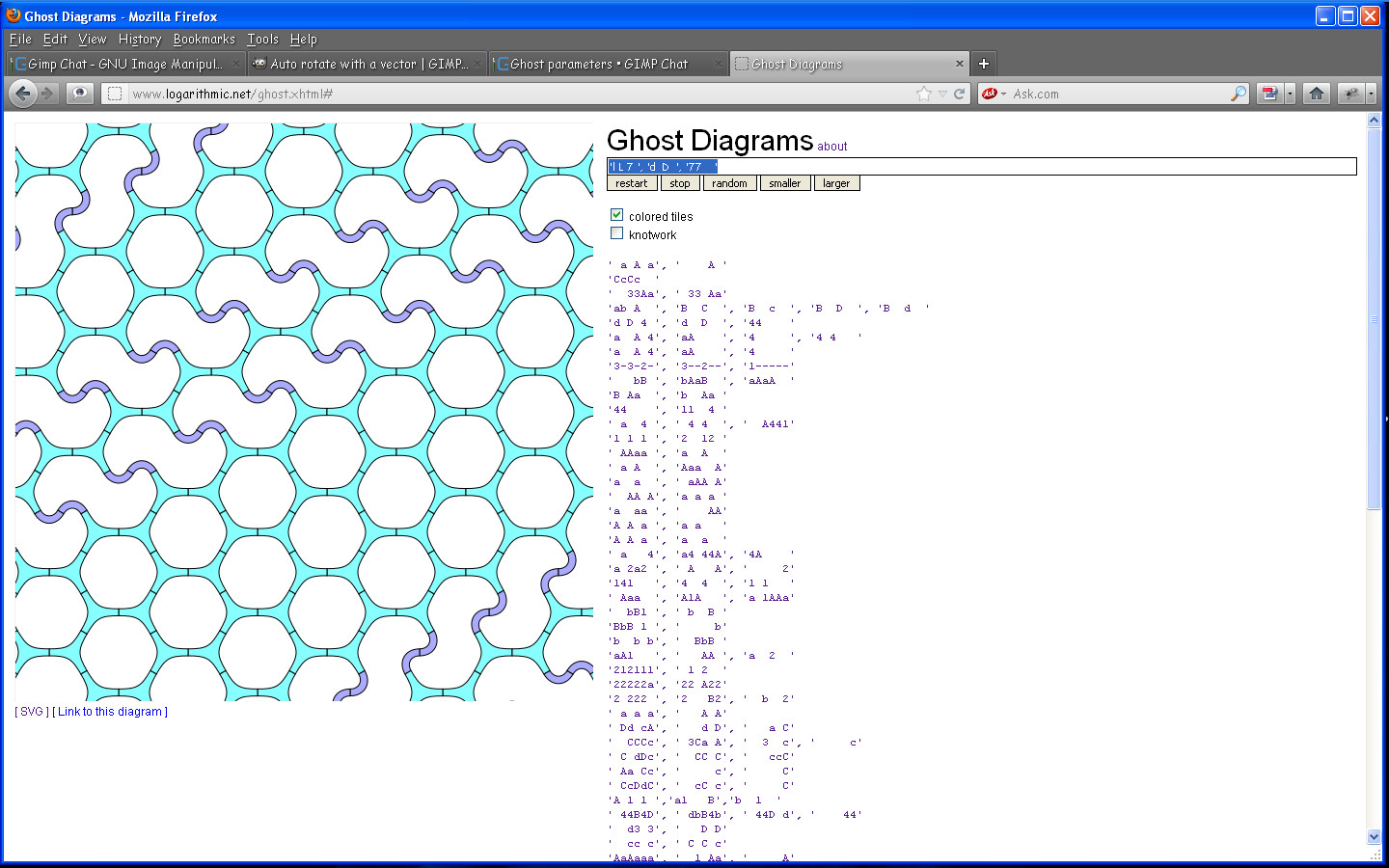
Here is one i made myself
'l L 7 ', 'd  D  ', '77    '


Image

_________________
Image


Top
 Post subject: Re: Ghost parameters
PostPosted: Sat Jun 02, 2012 1:50 pm  (#16) 
Offline
GimpChat Member
User avatar

Joined: Sep 24, 2010
Posts: 12775
I like the new resynthesizer for certain things but for making the outer border seamless, the older version just works better and samj compiled it to work synergistically with the new resynthesizer so I have them both (GIMP really does allow you to have your cake and eat it too; lol). :)

_________________
Lyle

Psalm 109:8

Image


Top
 Post subject: Re: Ghost parameters
PostPosted: Sat Jun 02, 2012 8:10 pm  (#17) 
Offline
Global Moderator
User avatar

Joined: May 16, 2010
Posts: 16009
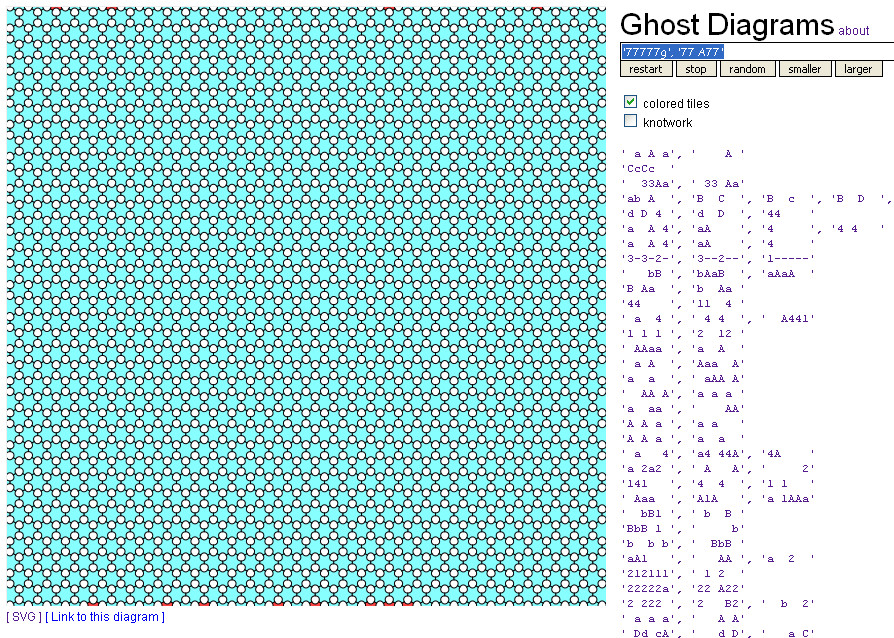
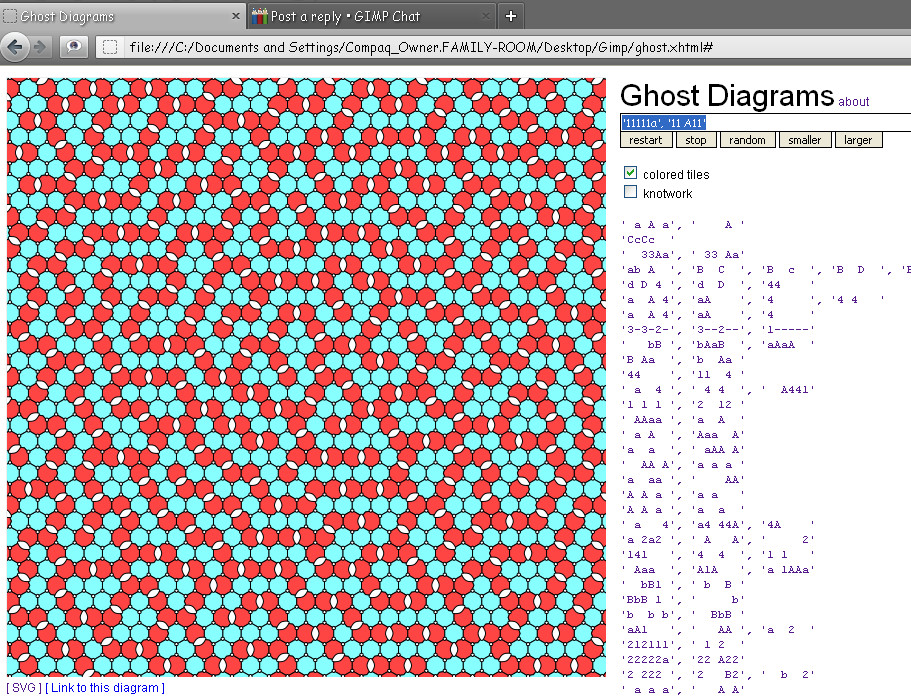
This one is one of my own also. :)
'77777g', '77 A77'


It makes a six point star pattern.

Image

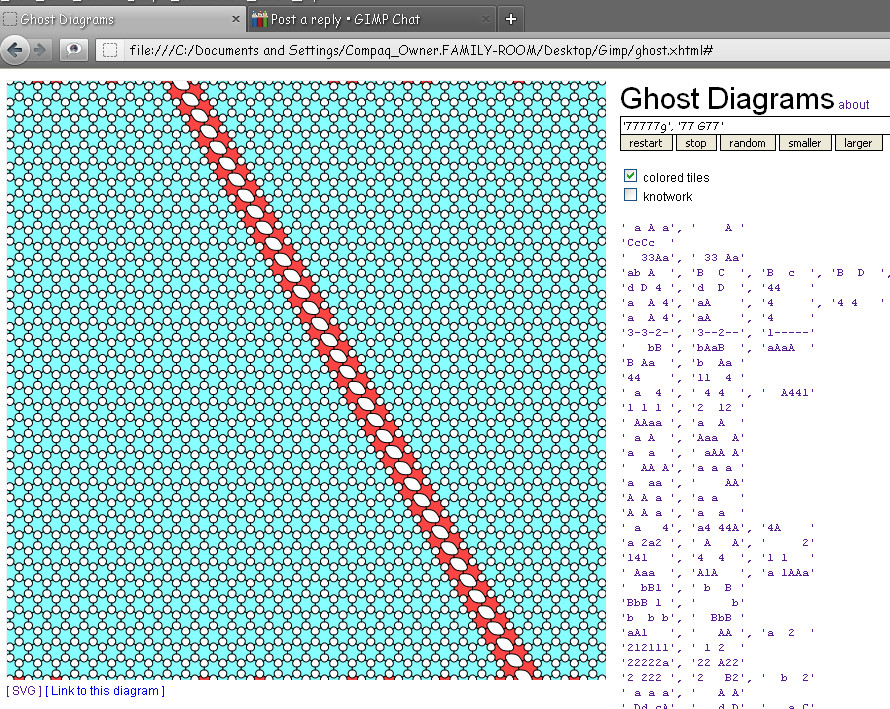
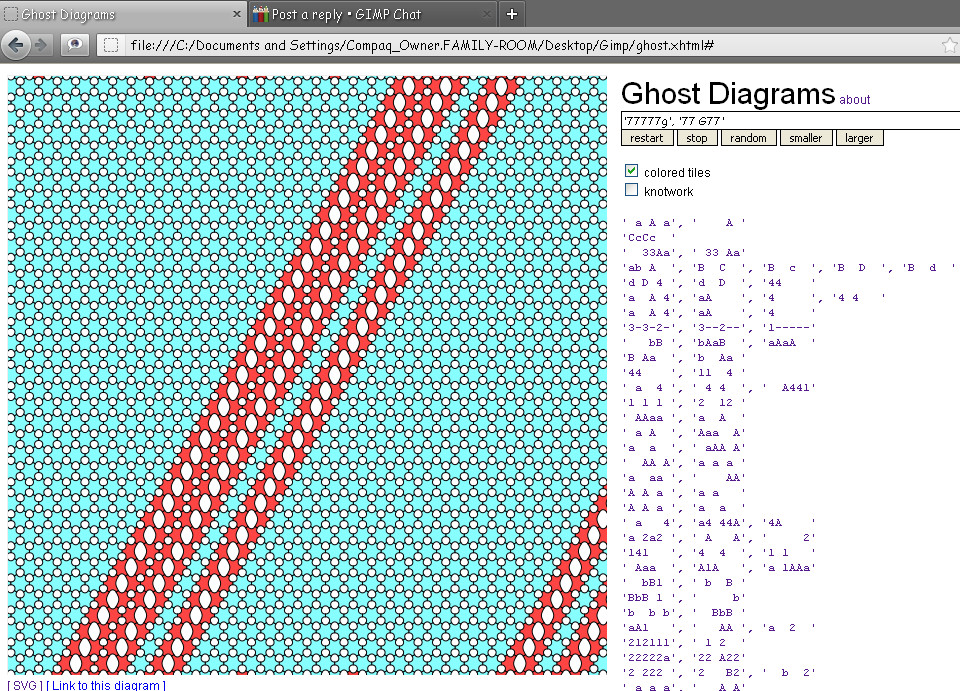
Now watch what happens when i change the cap A to a cap G :)
Image

I have been checking out the similarities with the number sequence in the alphabet such as G = the 7th letter in the alphabet so i use only G and 7 in the parameter. :)
I have been getting some very cool results.Pretty amazing 7 and G gives you this pattern.
Here is D and 4
Image

A and 1 = circles & semi circles
Image
G-7
Image

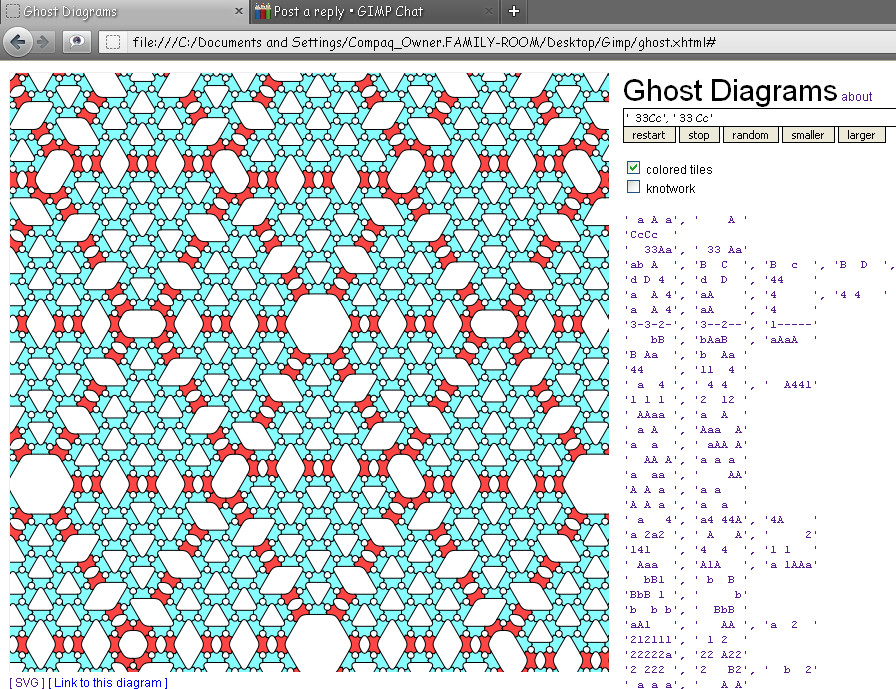
Even changing the equation sequence but keeping the pattern...
C and 3
Image

Of course double numeral letters seem to not work.Like K and 11. :)
But taking any parameter Ghost has in the drop down and changing the numbers and letters to match sequentially yields some interesting results.

Just thought that was interesting. :)

_________________
Image


Top
 Post subject: Re: Ghost parameters
PostPosted: Sat Jun 02, 2012 8:14 pm  (#18) 
Offline
Global Moderator
User avatar

Joined: May 16, 2010
Posts: 16009
Here are some more equations with the same pattern...
' d   4', 'd4 44D', '4D    '

' i   9', 'i9 99I', '9I    '

_________________
Image


Top
 Post subject: Re: Ghost parameters
PostPosted: Sat Jun 02, 2012 10:33 pm  (#19) 
Offline
GimpChat Member
User avatar

Joined: Sep 24, 2010
Posts: 12775
You got me back into playing with this cool toy Rod. I call this preset straightened DNA (couldn't figure out a way to twirl it in GIMP; trust me I tried). Used the preset to and Thielr's Pan to Bow for the final result. :)

'abA ', 'B C ', 'B c ', 'B D ', 'B d '


Attachments:
ghost_circle.png
ghost_circle.png [ 295.7 KiB | Viewed 2409 times ]

_________________
Lyle

Psalm 109:8

Image
Top
 Post subject: Re: Ghost parameters
PostPosted: Sun Jun 03, 2012 2:02 am  (#20) 
Offline
Global Moderator
User avatar

Joined: May 16, 2010
Posts: 16009
Very cool. :)
I grabbed that preset for my collection.

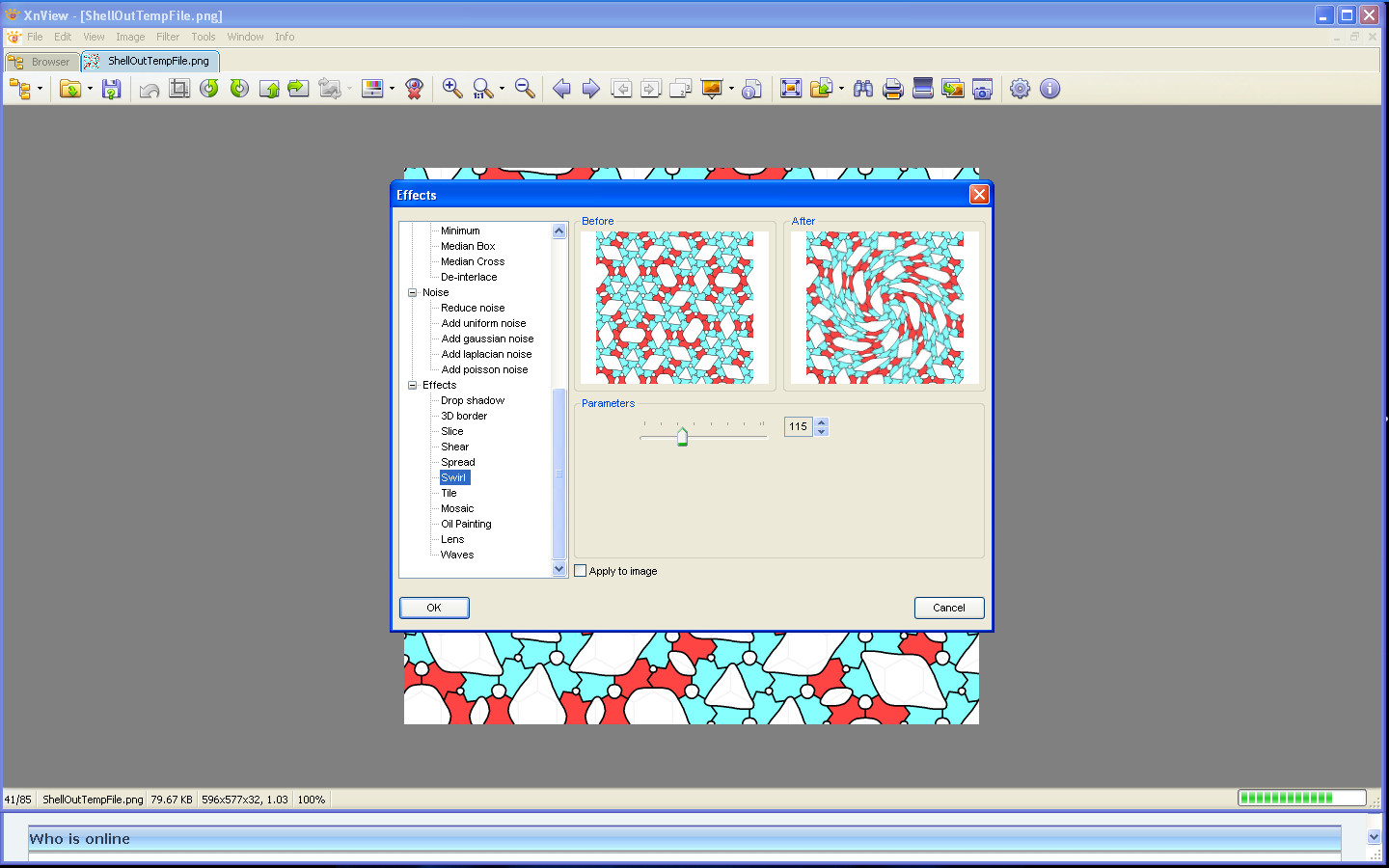
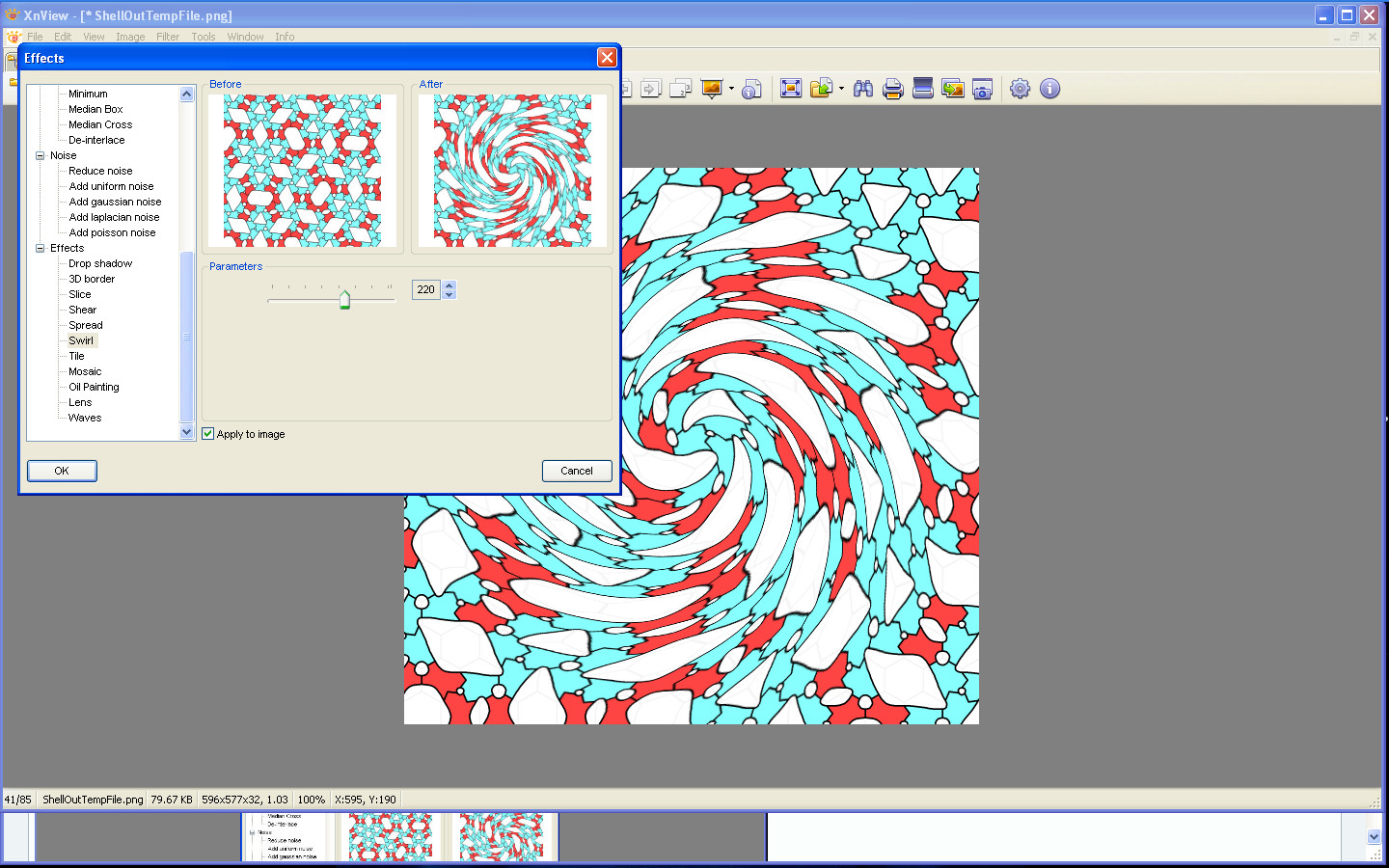
Try XnViews >Filters>Effects>Swirl tool. :)
Image

If you click apply to image you get a live preview also.
Image

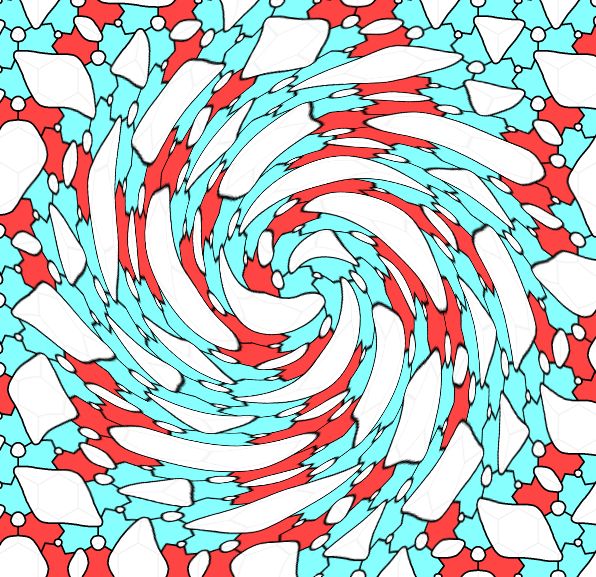
Results
Image

Or do you mean twist as in a pretzel shape? :lol

_________________
Image


Top
Post new topic Reply to topic  [ 20 posts ] 

All times are UTC - 5 hours [ DST ]


* Login  


Powered by phpBB3 © phpBB Group