It is currently Mon Aug 31, 2026 8:00 pm


All times are UTC - 5 hours [ DST ]


Post new topic Reply to topic  [ 21 posts ]  Go to page 1, 2  Next
Author Message
 Post subject: 2 Gimp Palettes plus
PostPosted: Sun Nov 11, 2012 5:26 am  (#1) 
Offline
GimpChat Member
User avatar

Joined: Nov 16, 2011
Posts: 5127
Location: Metro Vancouver, BC
Image


Attachments:
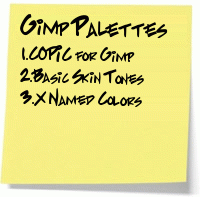
2-Gimp-palettes.zip [7.36 KiB]
Downloaded 517 times

_________________
Image
Gimp 2.8.18, Linux, median user
Gimp Chat Tutorials Index
Spirit Bear (Kermode)
Share on Facebook Share on Twitter Share on Orkut Share on Digg Share on MySpace Share on Delicious Share on Technorati
Top
 Post subject: Re: 2 Gimp Palettes
PostPosted: Sun Nov 11, 2012 8:08 am  (#2) 
Offline
Script Coder
User avatar

Joined: Nov 06, 2012
Posts: 239
Location: Italy
Thank you, Odinbc, for sharing these two palettes.
I've just now downloaded and placed them in the appropriate directory.
They look equipped with several interesting colors and I also find it valuable that each item of both the palettes has a significant name.
I am sure I will find plenty of opportunities to exploit them. :paint

_________________
Gino D's GIMP scripts: https://sites.google.com/site/ginodonig/gimp-scripts


Top
 Post subject: Re: 2 Gimp Palettes
PostPosted: Sun Nov 11, 2012 8:46 am  (#3) 
Offline
GimpChat Member

Joined: Aug 27, 2010
Posts: 491
I find these most palatable ... :hehe


Top
 Post subject: Re: 2 Gimp Palettes
PostPosted: Sun Nov 11, 2012 5:39 pm  (#4) 
Offline
GimpChat Member
User avatar

Joined: Nov 16, 2011
Posts: 5127
Location: Metro Vancouver, BC
Too funny guys :hehe

_________________
Image
Gimp 2.8.18, Linux, median user
Gimp Chat Tutorials Index
Spirit Bear (Kermode)


Top
 Post subject: Re: 2 Gimp Palettes
PostPosted: Sun Nov 11, 2012 9:05 pm  (#5) 
Offline
GimpChat Member
User avatar

Joined: Apr 30, 2010
Posts: 1937
Location: Missouri
I've been wanting a pantone palette for a long time. I had one for my Xara designer but lost it and found that it's really hard to find online. I should be able to take this one and convert it. A thousand thanks, maybe even a thousand and one.

_________________
Image
The last time I kept an open mind,
my brain fell out and the dog grabbed it.
Now it's full of dirt, toothmarks, and dog slobber.
No more open minds or dogs for me.


Top
 Post subject: Re: 2 Gimp Palettes
PostPosted: Sun Nov 11, 2012 10:32 pm  (#6) 
Offline
GimpChat Member
User avatar

Joined: Nov 16, 2011
Posts: 5127
Location: Metro Vancouver, BC
Image


Attachments:
3-Gimp-palettes.zip [14.36 KiB]
Downloaded 325 times

_________________
Image
Gimp 2.8.18, Linux, median user
Gimp Chat Tutorials Index
Spirit Bear (Kermode)
Top
 Post subject: Re: 2 Gimp Palettes
PostPosted: Mon Nov 12, 2012 10:45 am  (#7) 
Offline
GimpChat Member
User avatar

Joined: May 26, 2012
Posts: 342
Location: France
Thanks for these copic (copia?) things, I like how colors are sorted and how the blend is done. It seriously enhances our perception of colors, breaking those archetypal hues the average child is educated to.

I found some similar treatment applied on hues on wikipedia several days ago, very enlightening IMO:
https://fr.wikipedia.org/wiki/Mod%C3%A8 ... es_de_rose
or
https://fr.wikipedia.org/wiki/Mod%C3%A8 ... _de_violet
I was thinking about turning them into palettes.


Top
 Post subject: Re: 2 Gimp Palettes
PostPosted: Mon Nov 12, 2012 11:21 am  (#8) 
Offline
GimpChat Member

Joined: Oct 02, 2010
Posts: 106
Thank for copic colours, I will see how bright the are I hear that have Phosphor in it make more neon :) and unable to scan. :)


Top
 Post subject: Gimp Chat Palette
PostPosted: Thu Jul 17, 2014 8:46 pm  (#9) 
Offline
GimpChat Member
User avatar

Joined: Nov 16, 2011
Posts: 5127
Location: Metro Vancouver, BC
Just for fun, Gimp Chat Palette.
This might be useful for Gimp Chat banner art.

Another useful palette, Solarized palette
Ubuntu palettes with some helpful information about palette use.


Attachments:
File comment: Gimp Chat Palette
gimp-chat-palette.zip [491 Bytes]
Downloaded 225 times

_________________
Image
Gimp 2.8.18, Linux, median user
Gimp Chat Tutorials Index
Spirit Bear (Kermode)
Top
 Post subject: Re: 2 Gimp Palettes
PostPosted: Thu Jul 17, 2014 10:58 pm  (#10) 
Offline
Script Coder
User avatar

Joined: Feb 18, 2011
Posts: 4826
Location: Bendigo Vic. Australia
Odin Thank you for all the new palettes

_________________
Image
No matter how much you push the envelope, it'll still be stationery.


Top
 Post subject: Re: Gimp Chat Palette
PostPosted: Fri Jul 18, 2014 2:00 am  (#11) 
Offline
Administrator
User avatar

Joined: Aug 10, 2012
Posts: 14185
Location: Native to NYC living in Arizona, Gimp 2.8 - 3.0, Win 11 PC.
Odinbc wrote:
Just for fun, Gimp Chat Palette.
This might be useful for Gimp Chat banner art.

Thanks Odin. :bigthup
I've actually made one for this, but one more couldn't hurt.
Is this going to be a "Palette Resource" thread, where we can post our color palettes?

_________________
Image
"A wise man learns more from a foolish question than a fool can learn from a wise answer"
Image


Top
 Post subject: Re: 2 Gimp Palettes
PostPosted: Fri Jul 18, 2014 4:51 am  (#12) 
Offline
GimpChat Member
User avatar

Joined: Mar 01, 2014
Posts: 14162
Location: Spain, Aragón
Odin, please, I don't know the name of the file in Gimp to insert the palette. Could you give me where I must put it? Thank you so much. :tyspin

_________________
Image

Gimp 2.10.30(samj) portable _ OS Windows 10 Home_ 64bits
Don’t be afraid to start over. It’s a new chance to rebuild what you want.


Top
 Post subject: Re: 2 Gimp Palettes
PostPosted: Fri Jul 18, 2014 7:21 am  (#13) 
Offline
GimpChat Member
User avatar

Joined: Jan 10, 2013
Posts: 863
Issabelle,

C:\Program Files\GIMP 2\share\gimp\2.0\palettes

Or check on your Gimp on:
Edit - Preferences - Folders - Palletes

Another option would be:
C: \ Users \ Issabelle \ GIMP-2.8 \ palettes.

;)

_________________
bbbbbbbbbbbImage
bbbbbbbbbbb Be patient, English is not my language.


Top
 Post subject: Re: 2 Gimp Palettes
PostPosted: Fri Jul 18, 2014 7:28 am  (#14) 
Offline
GimpChat Member
User avatar

Joined: Mar 01, 2014
Posts: 14162
Location: Spain, Aragón
Thank you so much my friend, I'll do it now. :) :tyspin

_________________
Image

Gimp 2.10.30(samj) portable _ OS Windows 10 Home_ 64bits
Don’t be afraid to start over. It’s a new chance to rebuild what you want.


Top
 Post subject: Re: 2 Gimp Palettes
PostPosted: Fri Jul 18, 2014 10:20 am  (#15) 
Offline
GimpChat Member
User avatar

Joined: Nov 16, 2011
Posts: 5127
Location: Metro Vancouver, BC
Issabella wrote:
Odin, please, I don't know the name of the file in Gimp to insert the palette. Could you give me where I must put it? Thank you so much. :tyspin
I use,
[user]/.gimp-2.8/palettes/

Wallace wrote:
Is this going to be a "Palette Resource" thread, where we can post our color palettes?
Sure add yours if you like, I can adjust the thread title if members add more palettes to this thread.

I think palettes are important and likely underused.
Color Theory For Designers: Creating Your Own Color Palettes

_________________
Image
Gimp 2.8.18, Linux, median user
Gimp Chat Tutorials Index
Spirit Bear (Kermode)


Top
 Post subject: Re: 2 Gimp Palettes
PostPosted: Fri Jul 18, 2014 10:53 am  (#16) 
Offline
GimpChat Member
User avatar

Joined: Jul 06, 2013
Posts: 2662
Location: California
How are palettes used in gimp?


Top
 Post subject: Re: 2 Gimp Palettes
PostPosted: Fri Jul 18, 2014 3:37 pm  (#17) 
Offline
GimpChat Member
User avatar

Joined: Nov 16, 2011
Posts: 5127
Location: Metro Vancouver, BC
mackenzieh wrote:
How are palettes used in gimp?
Palettes Dialog
Windows → Dockable Dialogs → Palettes
or Color Picker tool

_________________
Image
Gimp 2.8.18, Linux, median user
Gimp Chat Tutorials Index
Spirit Bear (Kermode)


Top
 Post subject: Re: 2 Gimp Palettes
PostPosted: Fri Jul 18, 2014 5:01 pm  (#18) 
Offline
GimpChat Member
User avatar

Joined: Mar 10, 2014
Posts: 845
These palettes are wonderful
but how I can use Pantone colors? too small pls help
Image


Top
 Post subject: Re: 2 Gimp Palettes
PostPosted: Fri Jul 18, 2014 8:49 pm  (#19) 
Offline
GimpChat Member
User avatar

Joined: Nov 16, 2011
Posts: 5127
Location: Metro Vancouver, BC
Windows → Dockable Dialogs → Palettes
Use zoom in, out & all
and/or detach tab, expand dialog.

Image
actual size after expanding detached dialog

Palette files (gpl) are ASCII files that can also be edited with any text editor.

_________________
Image
Gimp 2.8.18, Linux, median user
Gimp Chat Tutorials Index
Spirit Bear (Kermode)


Top
 Post subject: Re: 2 Gimp Palettes plus
PostPosted: Fri Jul 18, 2014 10:09 pm  (#20) 
Offline
GimpChat Founder
User avatar

Joined: May 22, 2008
Posts: 5241
Location: Gimpville
Thanks, Odin!

I think it's a great idea to have a palette sharing thread. I don't have very many at all and would love to have a nice collection to work with. :2thup

_________________
“If you reach for the stars, you just might land on a decently sized hill.” - Stuart Hill


Top
Post new topic Reply to topic  [ 21 posts ]  Go to page 1, 2  Next

All times are UTC - 5 hours [ DST ]


* Login  


Powered by phpBB3 © phpBB Group