It is currently Mon Aug 10, 2026 5:39 pm


All times are UTC - 5 hours [ DST ]


Post new topic Reply to topic  [ 76 posts ]  Go to page Previous  1, 2, 3, 4
Author Message
 Post subject: Re: New-Theme --- Blue-Licorice-Dynamic-Metallica - windows
PostPosted: Tue Apr 11, 2017 12:28 pm  (#61) 
Offline
GimpChat Member
User avatar

Joined: Jan 20, 2013
Posts: 14831
Location: roma, italy
Changed to red, thanks Rod!

_________________
"Where am I ?"


Top
 Post subject: Re: New-Theme --- Blue-Licorice-Dynamic-Metallica - windows
PostPosted: Tue Apr 11, 2017 1:19 pm  (#62) 
Offline
GimpChat Member
User avatar

Joined: Jan 20, 2013
Posts: 14831
Location: roma, italy
After some tests I decided to use dark gray instead of red (this because in any case the unselected items always show a white contour), and also changed the FG to a nice green. I'm happy. Thanks Rod.

_________________
"Where am I ?"


Top
 Post subject: Re: New-Theme --- Blue-Licorice-Dynamic-Metallica - windows
PostPosted: Wed Apr 12, 2017 8:15 am  (#63) 
Offline
Global Moderator
User avatar

Joined: May 16, 2010
Posts: 16154
dinasset wrote:
After some tests I decided to use dark gray instead of red (this because in any case the unselected items always show a white contour), and also changed the FG to a nice green. I'm happy. Thanks Rod.

Your welcome. :hi5

_________________
Image


Top
 Post subject: Re: New-Theme --- Blue-Licorice-Dynamic-Metallica - windows
PostPosted: Sat Oct 19, 2019 9:00 am  (#64) 
Offline
GimpChat Member

Joined: May 12, 2015
Posts: 4693
Rod, is this theme compatible with GIMP 2.10?


Top
 Post subject: Re: New-Theme --- Blue-Licorice-Dynamic-Metallica - windows
PostPosted: Sat Oct 19, 2019 12:21 pm  (#65) 
Offline
Global Moderator
User avatar

Joined: May 16, 2010
Posts: 16154
Yes.But you have to open gimp with the default theme.I use the dark theme. Then switch to the licorice theme after gimp 2.10 starts. Otherwise sometimes gimp will not start.I believe it has something to do with having multiple splash screens.If you run the theme with one splash screen you may be ok.I haven't tried it.

_________________
Image


Top
 Post subject: Re: New-Theme --- Blue-Licorice-Dynamic-Metallica - windows
PostPosted: Sat Oct 19, 2019 3:57 pm  (#66) 
Offline
GimpChat Member
User avatar

Joined: Jul 06, 2013
Posts: 2662
Location: California
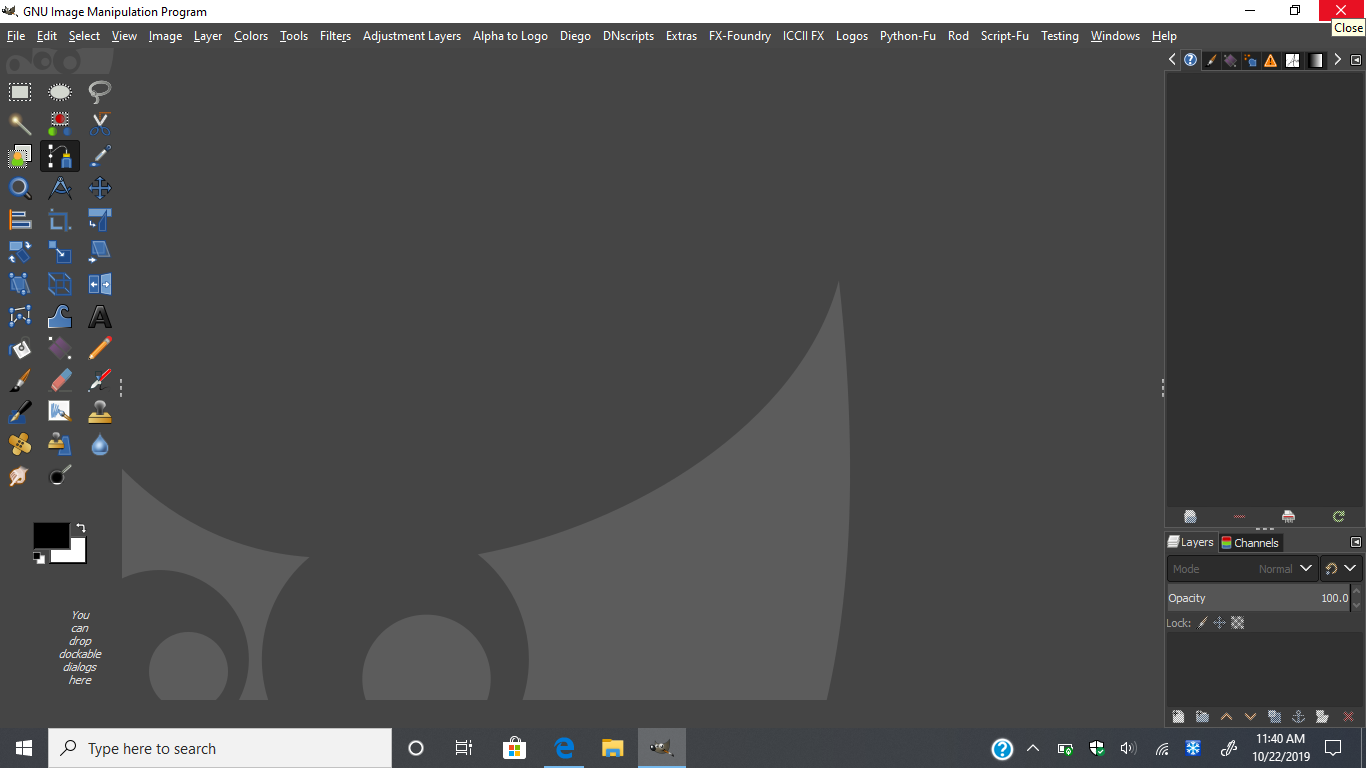
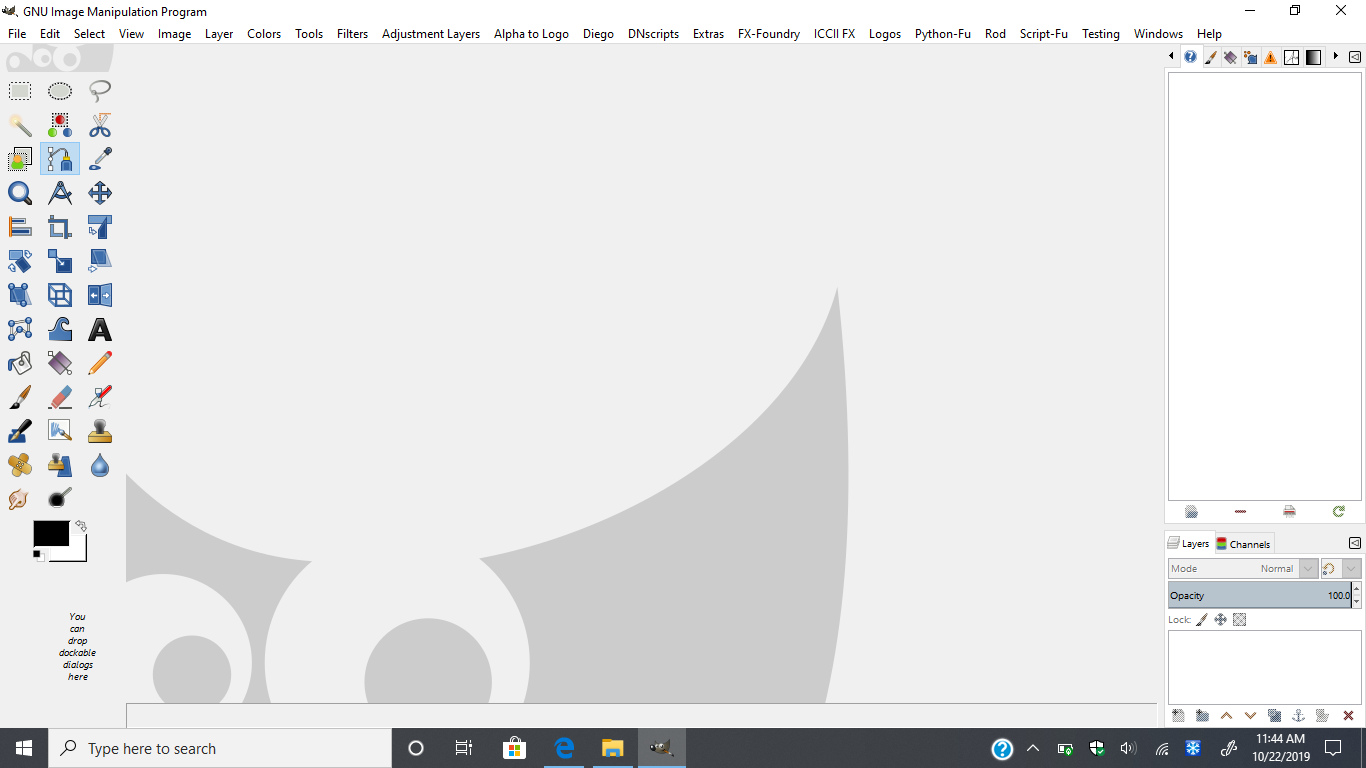
The theme works for me. Nice work Rod. The only problem I have is when I maximize the theme, it cuts off the other tabs I have and I have to restore it down and then I'd have to move the theme around just to see everything. The Windows tab is cut off the help tab isn't shown at all when maximizing the theme.
Image


Top
 Post subject: Re: New-Theme --- Blue-Licorice-Dynamic-Metallica - windows
PostPosted: Sun Oct 20, 2019 6:37 pm  (#67) 
Offline
Global Moderator
User avatar

Joined: May 16, 2010
Posts: 16154
mackenzieh wrote:
The theme works for me. Nice work Rod. The only problem I have is when I maximize the theme, it cuts off the other tabs I have and I have to restore it down and then I'd have to move the theme around just to see everything. The Windows tab is cut off the help tab isn't shown at all when maximizing the theme.
[ Image ]

You can change the font size within the gtkrc file. This happened to me before and there was an arrow that appeared to the right of the menu.This allowed me to click the arrow and it would show a drop down menu of the rest of the menu. Or you can change the menu by editing scripts to go elsewhere in the menu. For instance all my new script fu scripts are under the menu heading, Script-Fu.That shortens the top window menu significantly.:)
Example... Script-Fu/Rod/

_________________
Image


Top
 Post subject: Re: New-Theme --- Blue-Licorice-Dynamic-Metallica - windows
PostPosted: Mon Oct 21, 2019 1:32 am  (#68) 
Offline
GimpChat Member
User avatar

Joined: Jul 06, 2013
Posts: 2662
Location: California
Rod wrote:
mackenzieh wrote:
The theme works for me. Nice work Rod. The only problem I have is when I maximize the theme, it cuts off the other tabs I have and I have to restore it down and then I'd have to move the theme around just to see everything. The Windows tab is cut off the help tab isn't shown at all when maximizing the theme.
[ Image ]

You can change the font size within the gtkrc file. This happened to me before and there was an arrow that appeared to the right of the menu.This allowed me to click the arrow and it would show a drop down menu of the rest of the menu. Or you can change the menu by editing scripts to go elsewhere in the menu. For instance all my new script fu scripts are under the menu heading, Script-Fu.That shortens the top window menu significantly.:)
Example... Script-Fu/Rod/


What line would I change in the gtkrc file to change the font size?


Top
 Post subject: Re: New-Theme --- Blue-Licorice-Dynamic-Metallica - windows
PostPosted: Tue Oct 22, 2019 8:34 am  (#69) 
Offline
Global Moderator
User avatar

Joined: May 16, 2010
Posts: 16154
If you open the rc file in notepad ++, you can just search style font. I don't have internet until this Friday so I can't name the line number. Just using data on my phone for the time being. :)

_________________
Image


Top
 Post subject: Re: New-Theme --- Blue-Licorice-Dynamic-Metallica - windows
PostPosted: Tue Oct 22, 2019 11:52 am  (#70) 
Offline
GimpChat Member
User avatar

Joined: Jul 06, 2013
Posts: 2662
Location: California
Rod wrote:
If you open the rc file in notepad ++, you can just search style font. I don't have internet until this Friday so I can't name the line number. Just using data on my phone for the time being. :)


Thanks Rod. I have tried your suggestion with changing the font and I still experience the menu portion being cut off.

When I tried to open GIMP, I got this: Image

When I finally got GIMP to open on try number 3, I still get this:
Image

EDIT: I had to delete the theme and download it again. Which rc file can be edited? Is it the gtkrc file or the gtkrc-origine file?


Top
 Post subject: Re: New-Theme --- Blue-Licorice-Dynamic-Metallica - windows
PostPosted: Tue Oct 22, 2019 1:28 pm  (#71) 
Offline
GimpChat Member

Joined: Mar 04, 2011
Posts: 2610
Debatable whether all those menu tabs are a good idea or not, however have you tried using a 'floating' tear-off menu. A chance that a vertical stack of menus fits better than the horizontal tabs, although going to be a close call with that many tabs. The Gimp docs: https://docs.gimp.org/2.10/en/menus.html#tear-off-menus. Example with Rod's blue themed Gimp 2.10

Attachment:
tear-off.jpg
tear-off.jpg [ 107.67 KiB | Viewed 7437 times ]


and a short 1 min 30 sec demo video https://youtu.be/fvwcsMCGy9I

might be worth a try.


Top
 Post subject: Re: New-Theme --- Blue-Licorice-Dynamic-Metallica - windows
PostPosted: Tue Oct 22, 2019 1:48 pm  (#72) 
Offline
GimpChat Member
User avatar

Joined: Jul 06, 2013
Posts: 2662
Location: California
rich2005 wrote:
Debatable whether all those menu tabs are a good idea or not, however have you tried using a 'floating' tear-off menu. A chance that a vertical stack of menus fits better than the horizontal tabs, although going to be a close call with that many tabs. The Gimp docs: https://docs.gimp.org/2.10/en/menus.html#tear-off-menus. Example with Rod's blue themed Gimp 2.10

Attachment:
tear-off.jpg


and a short 1 min 30 sec demo video https://youtu.be/fvwcsMCGy9I

might be worth a try.


They work well with the pre-installed themes.. just not with Rod's theme.

Image
Image
Image
Image


The tear off floating menu is pretty cool. I like it. :)


Top
 Post subject: Re: New-Theme --- Blue-Licorice-Dynamic-Metallica - windows
PostPosted: Wed Oct 23, 2019 12:54 am  (#73) 
Offline
GimpChat Member
User avatar

Joined: Jul 06, 2013
Posts: 2662
Location: California
I reinstalled Rod's theme and tried to open gimp. I get the fatal error. Why is that? The error happens more than once and when it finally loads, the theme doesn't load properly. This what I get when it loads:Image

This is what happens when I go into preferences and actually change it:
Image

I didn't change any of the files.

EDIT: After changing the font size in the gtkrc code (line 535), Rod's theme takes at least 6 attempts to load all the while, giving me the fatal error message.


Top
 Post subject: Re: New-Theme --- Blue-Licorice-Dynamic-Metallica - windows
PostPosted: Fri Oct 25, 2019 5:25 am  (#74) 
Offline
Global Moderator
User avatar

Joined: May 16, 2010
Posts: 16154
Gtkrc file is the one you would want to change. If you wish to use the theme I would suggest editing some scripts like all mine to load in the Script-Fu menu.
As I stated before, if you load the theme after you start gimp it should be fine on gimp startup. Just be sure and unload it before you exit or close gimp. I am pretty sure it's because of the startup splashes. Some of them just will not start.And that throws the error.

_________________
Image


Top
 Post subject: Re: New-Theme --- Blue-Licorice-Dynamic-Metallica - windows
PostPosted: Fri Oct 25, 2019 9:11 pm  (#75) 
Offline
GimpChat Member
User avatar

Joined: Jul 06, 2013
Posts: 2662
Location: California
Rod wrote:
Gtkrc file is the one you would want to change. If you wish to use the theme I would suggest editing some scripts like all mine to load in the Script-Fu menu.
As I stated before, if you load the theme after you start gimp it should be fine on gimp startup. Just be sure and unload it before you exit or close gimp. I am pretty sure it's because of the startup splashes. Some of them just will not start.And that throws the error.


I got the theme to work.


Top
 Post subject: Re: New-Theme --- Blue-Licorice-Dynamic-Metallica - windows
PostPosted: Wed Oct 30, 2019 4:58 pm  (#76) 
Offline
Global Moderator
User avatar

Joined: May 16, 2010
Posts: 16154
:) *thumbs up*

_________________
Image


Top
Post new topic Reply to topic  [ 76 posts ]  Go to page Previous  1, 2, 3, 4

All times are UTC - 5 hours [ DST ]


* Login  


Powered by phpBB3 © phpBB Group