It is currently Mon Oct 05, 2026 7:27 am


All times are UTC - 5 hours [ DST ]


Post new topic Reply to topic  [ 1172 posts ]  Go to page Previous  1 ... 43, 44, 45, 46, 47, 48, 49 ... 59  Next
Author Message
 Post subject: Re: Custom Fonts for 2024
PostPosted: Sun Oct 27, 2024 9:56 am  (#901) 
Offline
GimpChat Member

Joined: Apr 11, 2024
Posts: 315
Thanks for the link, Rod.


Top
 Post subject: Re: Custom Fonts for 2024
PostPosted: Sun Oct 27, 2024 10:56 am  (#902) 
Offline
GimpChat Member
User avatar

Joined: Jul 09, 2023
Posts: 1802
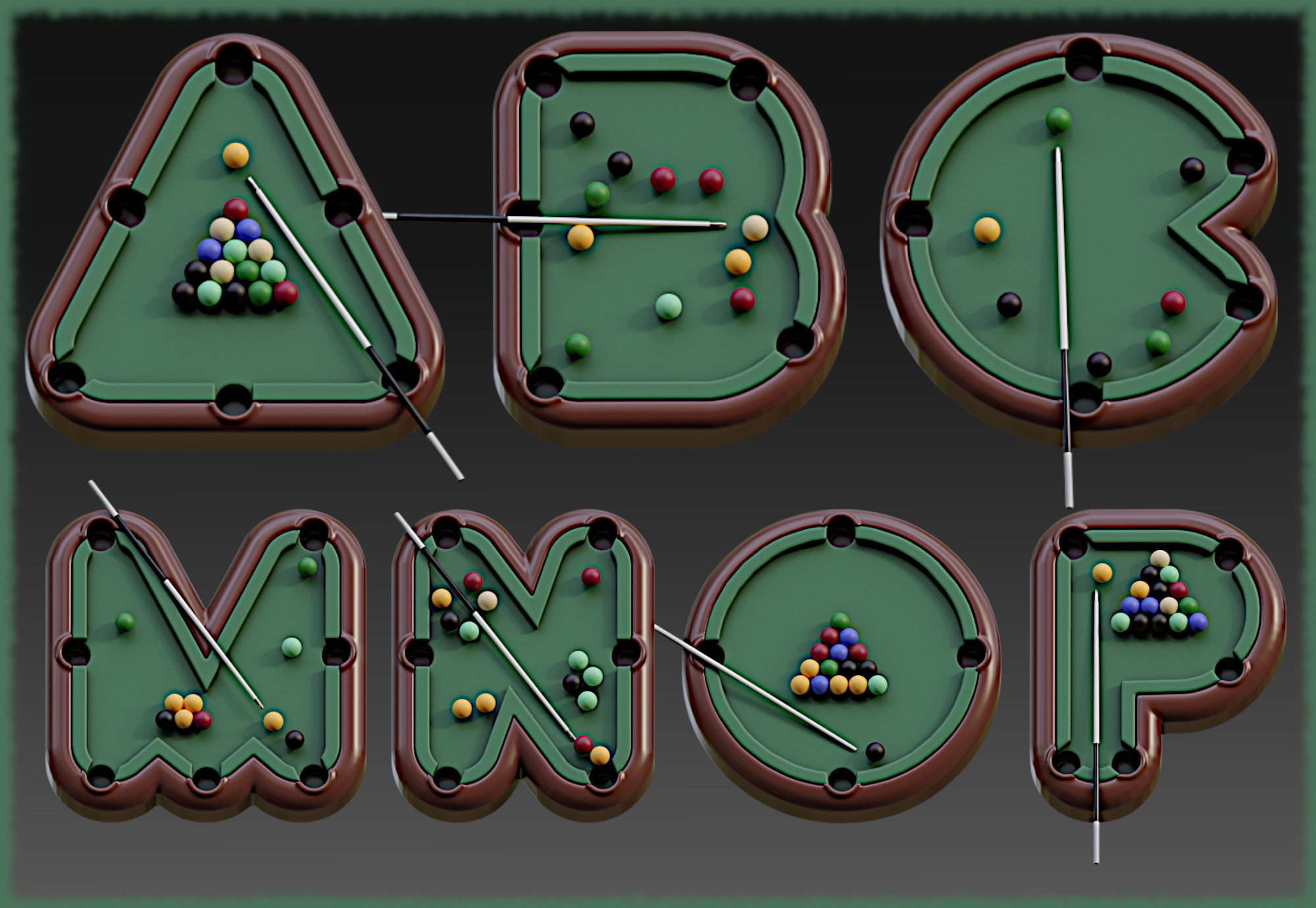
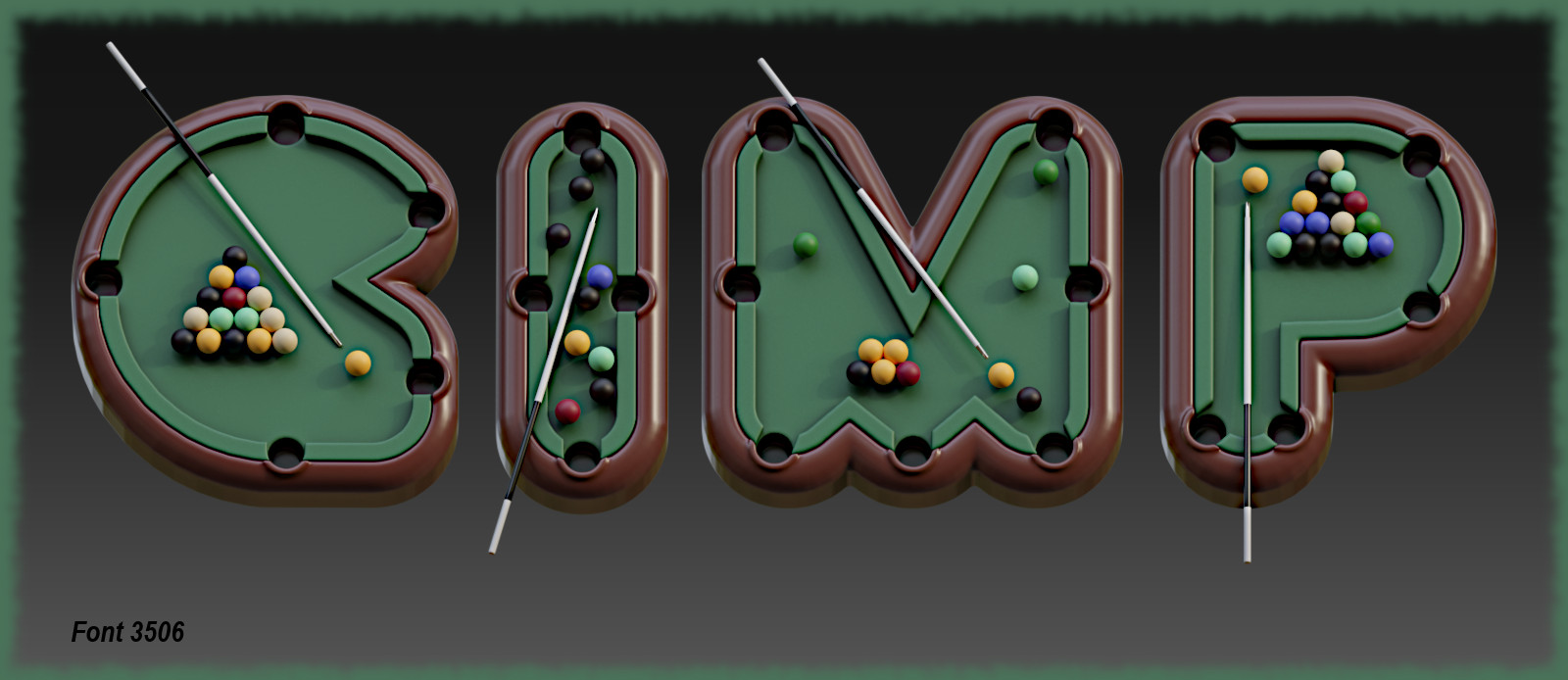
Here is a snippet of the 3506 alphabet.
Image
Image


Top
 Post subject: Re: Custom Fonts for 2024
PostPosted: Sun Oct 27, 2024 10:59 am  (#903) 
Offline
GimpChat Member
User avatar

Joined: Jul 09, 2023
Posts: 1802
Here is custom font 3507.
Image
Image
Download, unzip and reassemble the files with Stitcher v0.3 from post #1 (custom fonts for 2024).
No need to rename the files to reassemble.


Attachments:
Gimp_3507-CF.rar [3.3 MiB]
Downloaded 83 times
Gimp_3507-CF_1.rar [4.35 MiB]
Downloaded 106 times
Gimp_3507-CF_2.rar [3.29 MiB]
Downloaded 85 times
Top
 Post subject: Re: Custom Fonts for 2024
PostPosted: Mon Oct 28, 2024 2:04 am  (#904) 
Offline
Global Moderator
User avatar

Joined: May 16, 2010
Posts: 16195
quietreader wrote:
Thanks for the link, Rod.


No problem. B&P created some fantastic plug-ins. :bigthup


Top
 Post subject: Re: Custom Fonts for 2024
PostPosted: Mon Oct 28, 2024 8:18 am  (#905) 
Offline
GimpChat Member
User avatar

Joined: Jul 09, 2023
Posts: 1802
Here is custom font 3508.
Image
Image
Download, unzip and reassemble the files with Stitcher v0.3 from post #1 (custom fonts for 2024).
No need to rename the files to reassemble.


Attachments:
Gimp_3508-CF.rar [1.64 MiB]
Downloaded 80 times
Gimp_3508-CF_1.rar [1.77 MiB]
Downloaded 53 times
Gimp_3508-CF_2.rar [1.21 MiB]
Downloaded 69 times
Top
 Post subject: Re: Custom Fonts for 2024
PostPosted: Mon Oct 28, 2024 10:53 am  (#906) 
Offline
GimpChat Member
User avatar

Joined: Jul 09, 2023
Posts: 1802
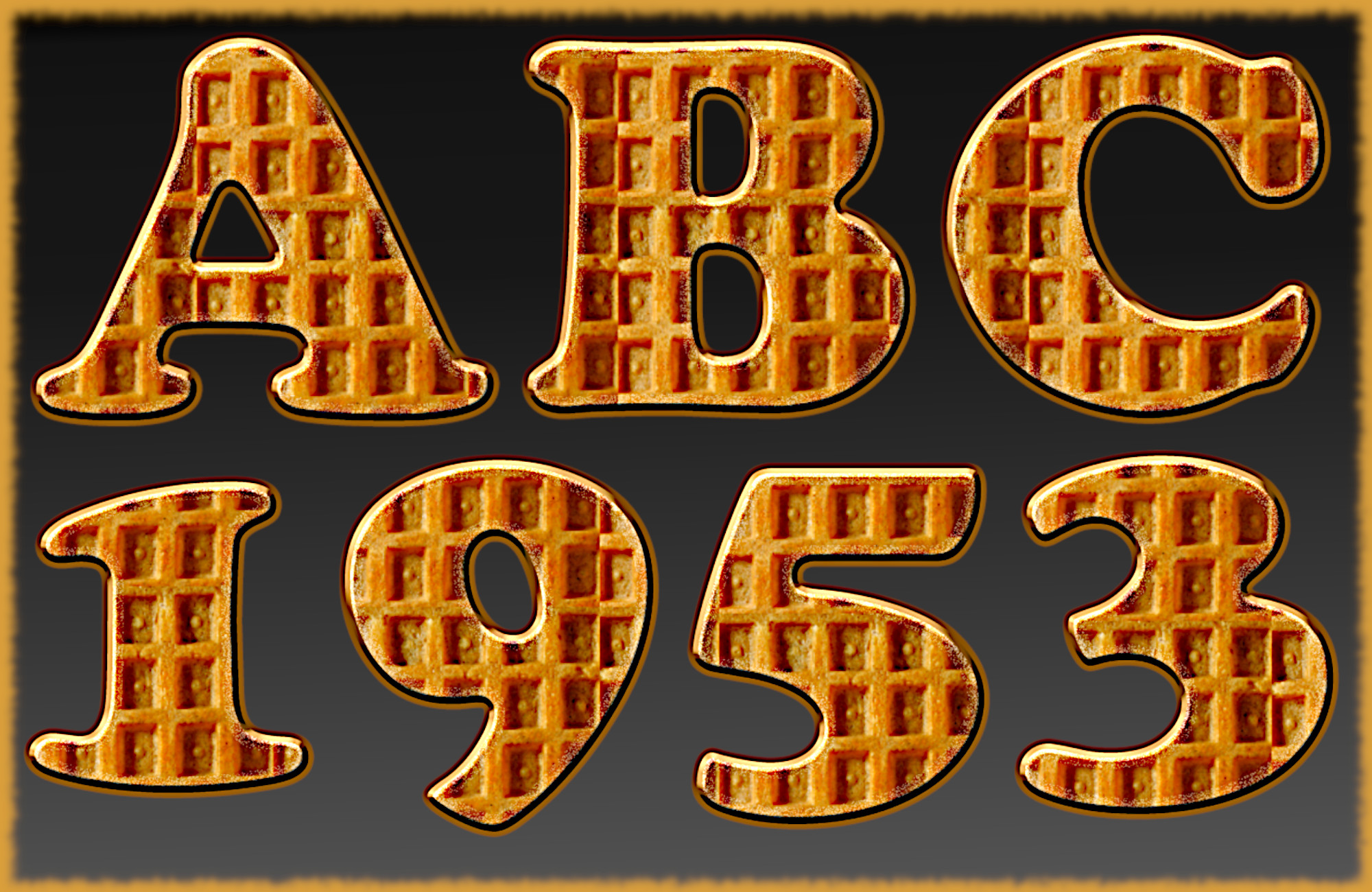
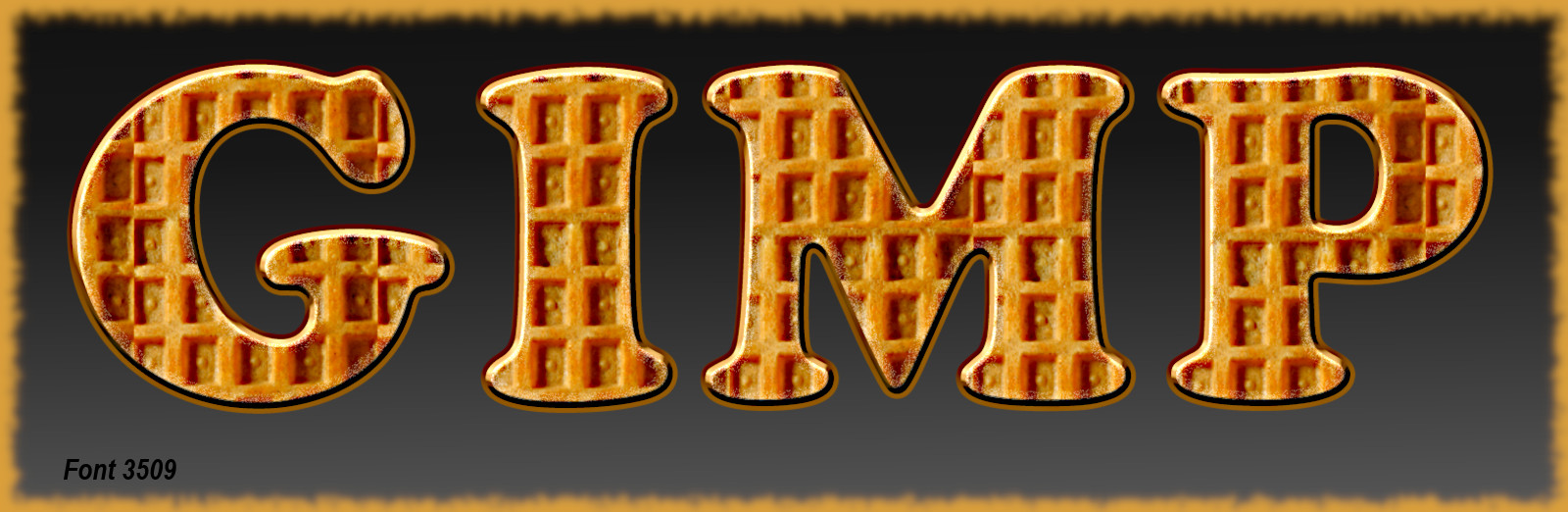
Here is custom font 3509.
Image
Image
Download, unzip and reassemble the files with Stitcher v0.3 from post #1 (custom fonts for 2024).
No need to rename the files to reassemble.


Attachments:
Gimp_3509-CF.rar [2.69 MiB]
Downloaded 120 times
Gimp_3509-CF_1.rar [3.24 MiB]
Downloaded 108 times
Top
 Post subject: Re: Custom Fonts for 2024
PostPosted: Mon Oct 28, 2024 1:16 pm  (#907) 
Offline
GimpChat Member

Joined: Apr 11, 2024
Posts: 315
What a delicious font, Alan.


Top
 Post subject: Re: Custom Fonts for 2024
PostPosted: Tue Oct 29, 2024 10:47 am  (#908) 
Offline
GimpChat Member
User avatar

Joined: Jul 09, 2023
Posts: 1802
Thanks quietreader. :)
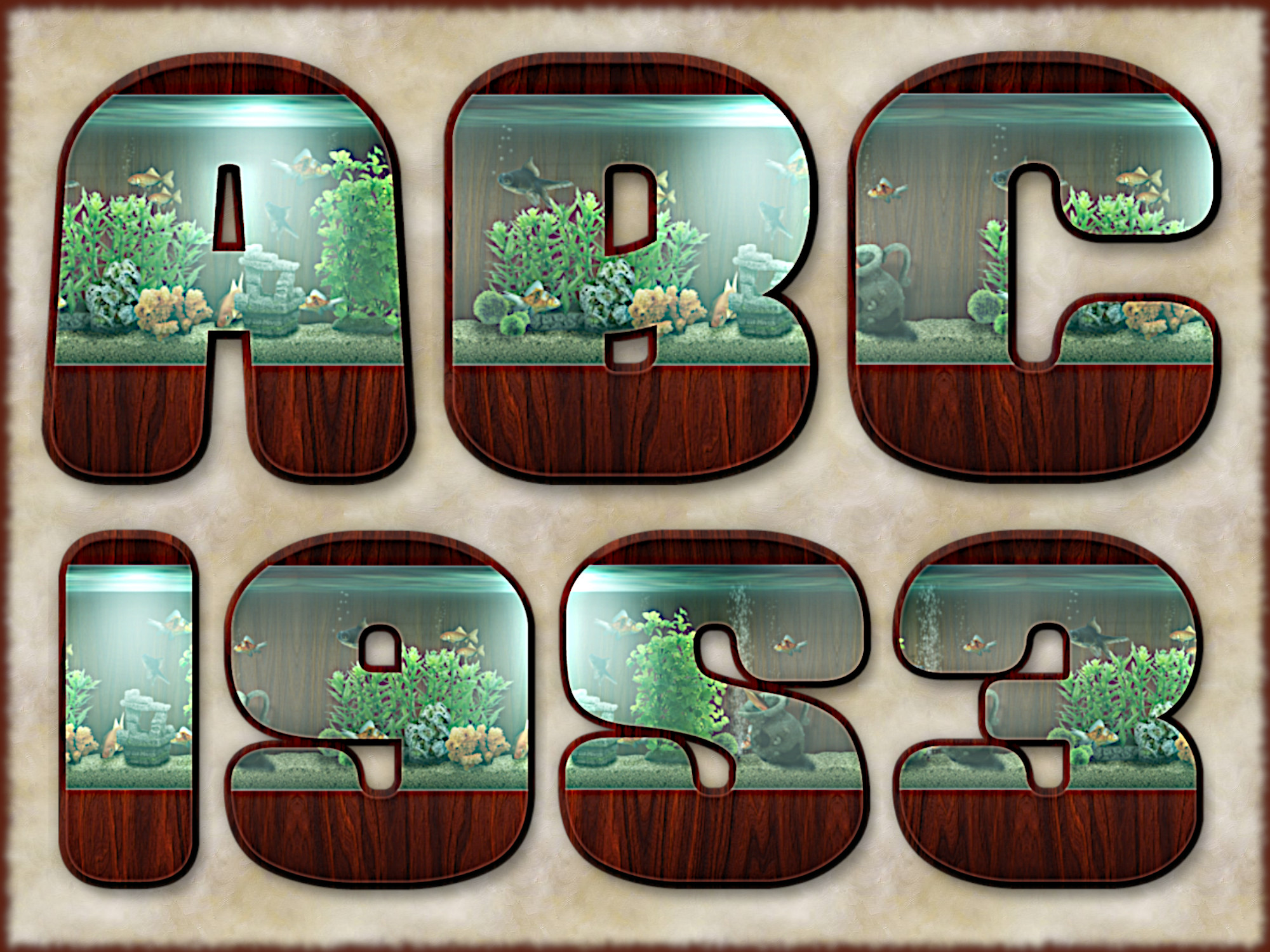
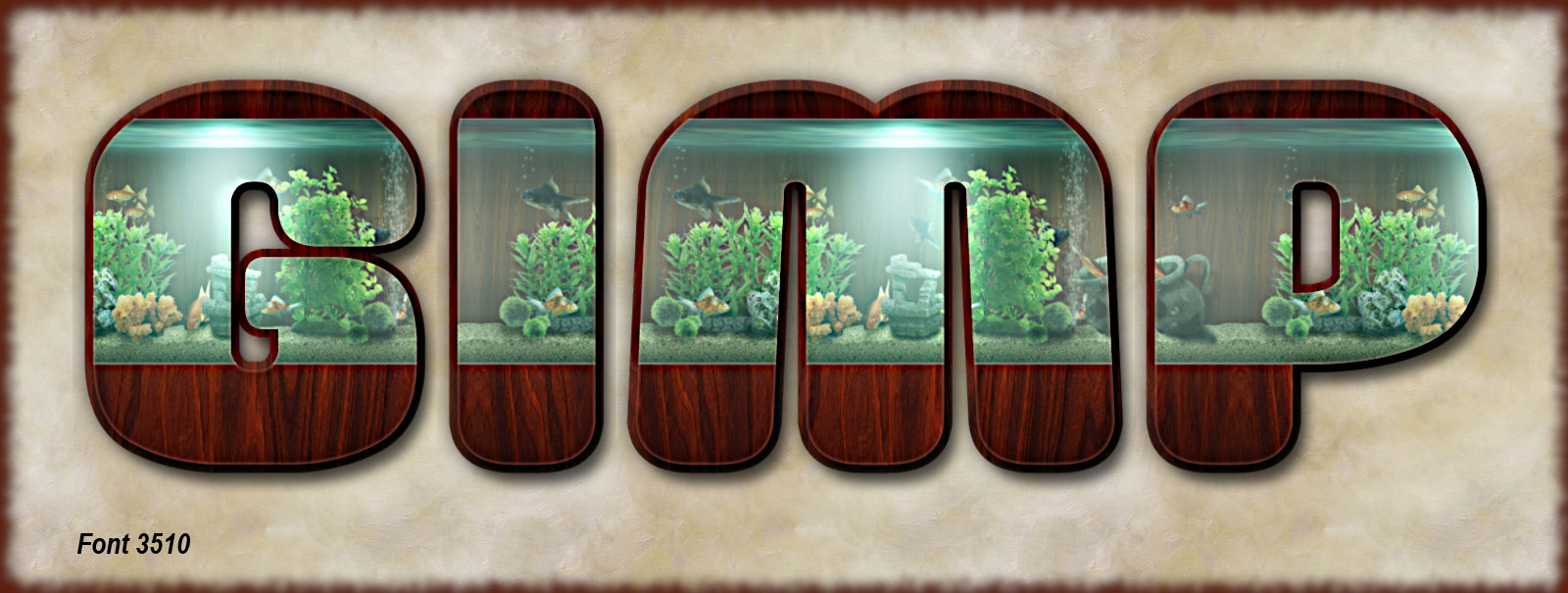
Here is custom font 3510.
Image
Image
Download, unzip and reassemble the files with Stitcher v0.3 from post #1 (custom fonts for 2024).
No need to rename the files to reassemble.


Attachments:
Gimp_3510-CF.rar [3.51 MiB]
Downloaded 34 times
Gimp_3510-CF_1.rar [4.17 MiB]
Downloaded 128 times
Gimp_3510-CF_2.rar [3.21 MiB]
Downloaded 82 times
Top
 Post subject: Re: Custom Fonts for 2024
PostPosted: Wed Oct 30, 2024 7:02 am  (#909) 
Offline
GimpChat Member
User avatar

Joined: Jul 09, 2023
Posts: 1802
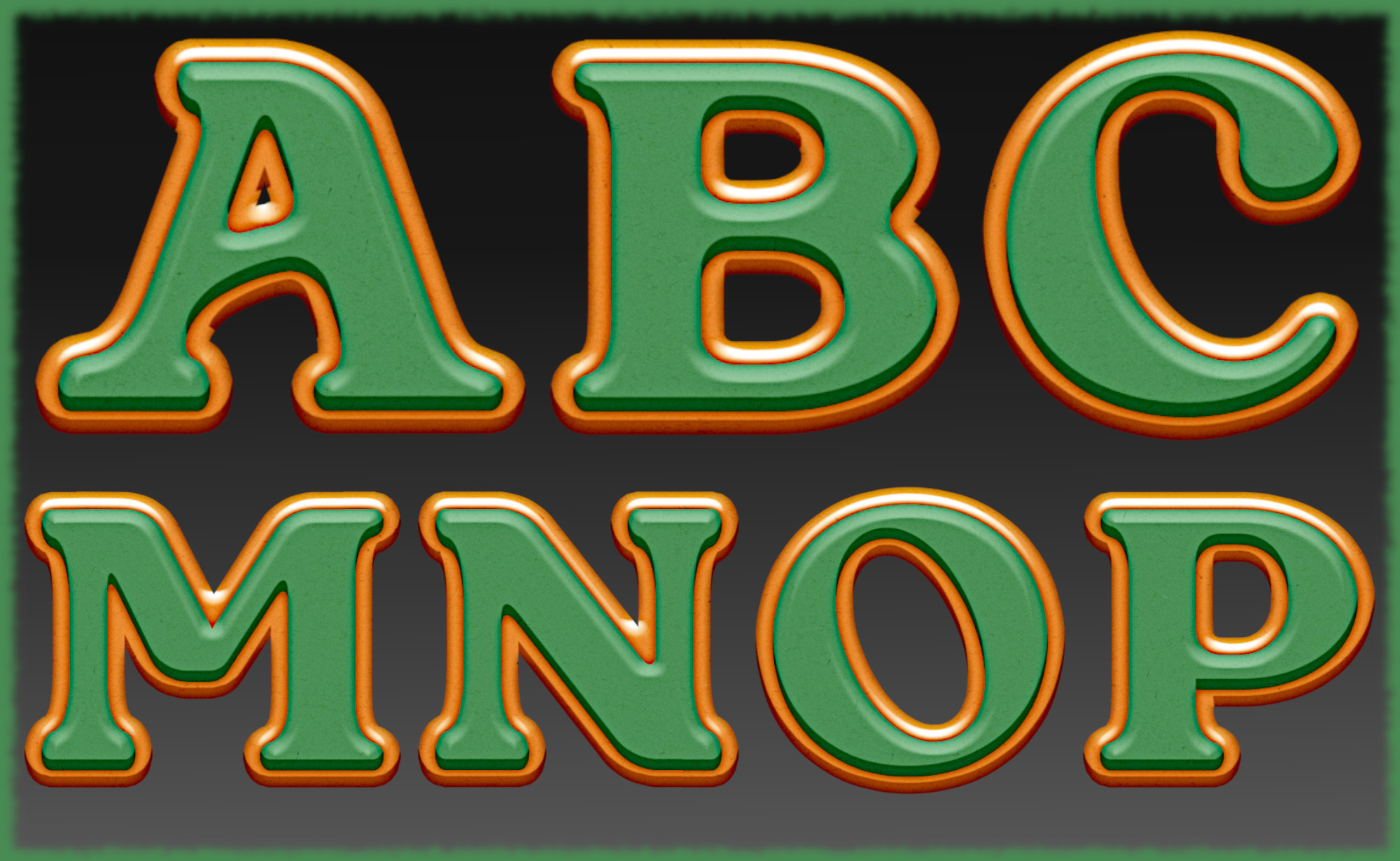
Here is custom font 3511 (only letters).
Image
Image
Download, unzip and reassemble the files with Stitcher v0.3 from post #1 (custom fonts for 2024).
No need to rename the files to reassemble.


Attachments:
Gimp_3511-CF.rar [3.2 MiB]
Downloaded 51 times
Gimp_3511-CF_1.rar [3.76 MiB]
Downloaded 58 times
Gimp_3511-CF_2.rar [3.44 MiB]
Downloaded 113 times
Top
 Post subject: Re: Custom Fonts for 2024
PostPosted: Thu Oct 31, 2024 2:54 am  (#910) 
Offline
GimpChat Member
User avatar

Joined: Mar 01, 2014
Posts: 14199
Location: Spain, Aragón
:bigthup


Attachments:
Suncatcher_Decorated_Edge_Issa.jpg
Suncatcher_Decorated_Edge_Issa.jpg [ 273.06 KiB | Viewed 1224 times ]
Suncatcher_Decorated_Edge_Issa.rar [3.08 MiB]
Downloaded 32 times
Suncatcher_Decorated_Edge_Issa_1.rar [3.77 MiB]
Downloaded 106 times

_________________
Image

Gimp 2.10.36 (samj) portable _ OS Windows 10 Home_ 64bits
Don’t be afraid to start over. It’s a new chance to rebuild what you want.
Top
 Post subject: Re: Custom Fonts for 2024
PostPosted: Thu Oct 31, 2024 2:54 am  (#911) 
Offline
GimpChat Member
User avatar

Joined: Mar 01, 2014
Posts: 14199
Location: Spain, Aragón
:)


Attachments:
Suncatcher_Decorated_Edge_Issa_2.rar [3.81 MiB]
Downloaded 108 times

_________________
Image

Gimp 2.10.36 (samj) portable _ OS Windows 10 Home_ 64bits
Don’t be afraid to start over. It’s a new chance to rebuild what you want.
Top
 Post subject: Re: Custom Fonts for 2024
PostPosted: Thu Oct 31, 2024 2:56 am  (#912) 
Offline
GimpChat Member
User avatar

Joined: Mar 01, 2014
Posts: 14199
Location: Spain, Aragón
Alan, your snippet of the 3506 alphabet is Cool!.

_________________
Image

Gimp 2.10.36 (samj) portable _ OS Windows 10 Home_ 64bits
Don’t be afraid to start over. It’s a new chance to rebuild what you want.


Top
 Post subject: Re: Custom Fonts for 2024
PostPosted: Thu Oct 31, 2024 3:44 am  (#913) 
Offline
Administrator
User avatar

Joined: Aug 10, 2012
Posts: 14231
Location: Native to NYC living in Arizona, Gimp 2.8 - 3.0, Win 11 PC.
Rod wrote:
There is a plug-in (python), named Word Art from b&p (bytes and pixels) that allows you to create different layers of font characters. Sort of a word cloud engine.
http://www.bytes-and-pixels.com/downloads/?did=13

I can confirm it works in Gimp-2.10 as well. :bigthup

If you want to keep each font character layer consistent just choose 0 variation for all settings and every layer should be the same size and color. I always go with Black bg and white font color.
Type each character (for instance A - Z) vertically in the font name field. Here are my settings for A - Z.

[ Image ]

And you have to have an image open in Gimp for the plug-in to start. It will create a new image.

My results from these settings. Each layer is a different font face. I could have just chosen 1-26 for font range.
[ Image ]
The font characters do not center on the canvas so you will need to move them all to center and then crop all to content. There is a script for that also. I believe it is named Multiple Layer Actions.

Then just decorate each layer as you see fit. Just another way to create custom fonts in Gimp. :jumpclap :clap :bigthup

I seem to be unable to download any of the plugins from the site?
Each link on the page appear to do nothing when clicked?
Could I be doing something wrong?


Attachment:
screencapture-bytes-and-pixels-downloads-2024-10-31-01_40_07.png
screencapture-bytes-and-pixels-downloads-2024-10-31-01_40_07.png [ 464.03 KiB | Viewed 1212 times ]

_________________
Image
"A wise man learns more from a foolish question than a fool can learn from a wise answer"
Image


Top
 Post subject: Re: Custom Fonts for 2024
PostPosted: Thu Oct 31, 2024 9:26 am  (#914) 
Offline
GimpChat Member

Joined: Mar 14, 2023
Posts: 614
Location: Turkiye
Attachment:
DJ_1_cf.7z [4.92 MiB]
Downloaded 67 times

Attachment:
DJ_1.jpg
DJ_1.jpg [ 1.39 MiB | Viewed 1189 times ]


Last edited by diagrajamal1 on Thu Oct 31, 2024 1:00 pm, edited 1 time in total.

Top
 Post subject: Re: Custom Fonts for 2024
PostPosted: Thu Oct 31, 2024 10:08 am  (#915) 
Offline
GimpChat Member
User avatar

Joined: Jul 09, 2023
Posts: 1802
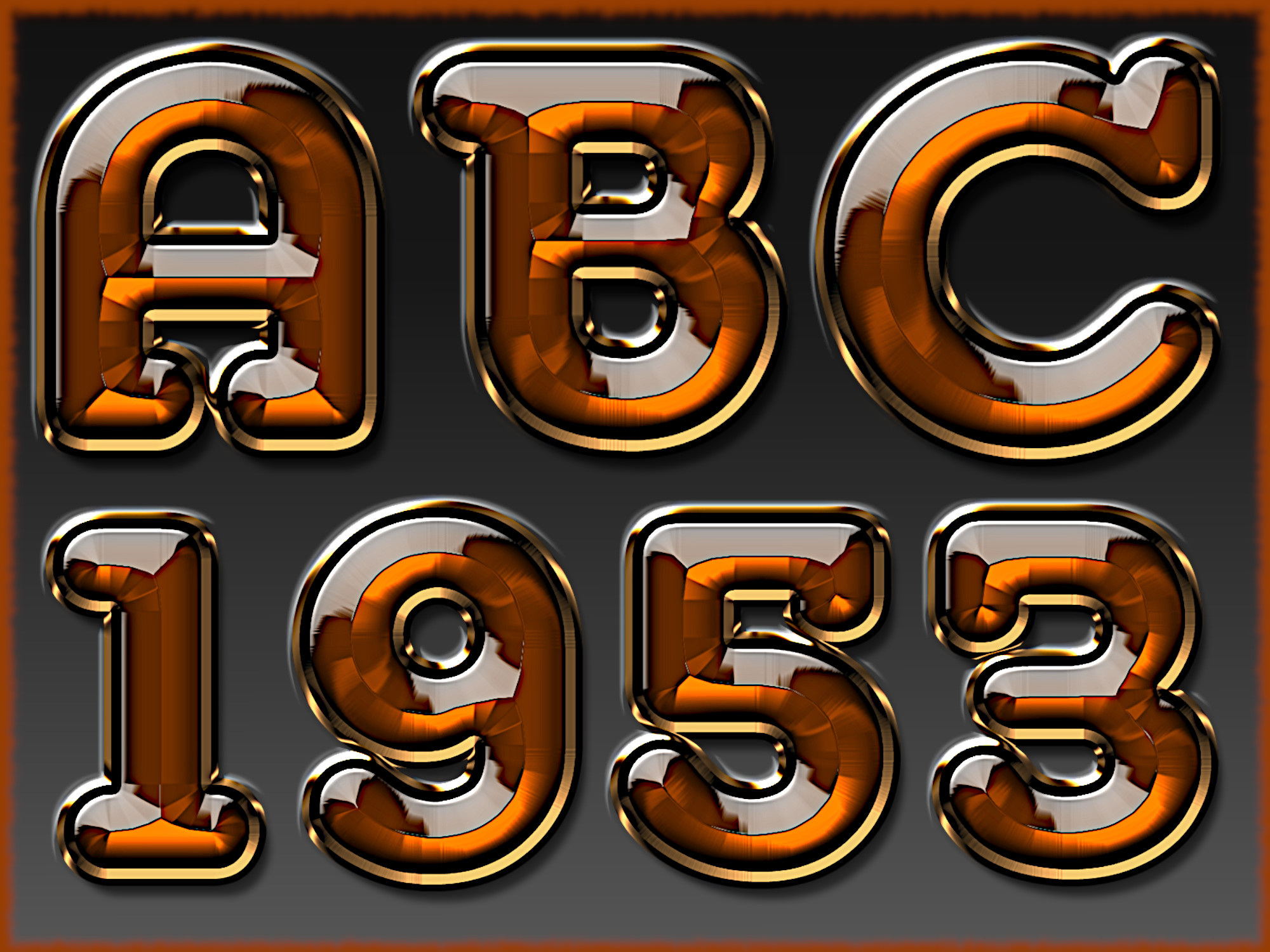
Here is custom font 3512.
Image
Image
Download, unzip and reassemble the files with Stitcher v0.3 from post #1 (custom fonts for 2024).
No need to rename the files to reassemble.


Attachments:
Gimp_3512-CF.rar [3.24 MiB]
Downloaded 44 times
Gimp_3512-CF_1.rar [3.18 MiB]
Downloaded 50 times
Top
 Post subject: Re: Custom Fonts for 2024
PostPosted: Thu Oct 31, 2024 11:41 am  (#916) 
Offline
GimpChat Member
User avatar

Joined: Mar 01, 2014
Posts: 14199
Location: Spain, Aragón
:cool


Attachments:
Milk Cocoa_Decorated_Issa.jpg
Milk Cocoa_Decorated_Issa.jpg [ 354.67 KiB | Viewed 1174 times ]
Milk Cocoa_Decorated_Issa.rar [5.52 MiB]
Downloaded 64 times
Milk Cocoa_Decorated_Issa_1.rar [5.06 MiB]
Downloaded 52 times

_________________
Image

Gimp 2.10.36 (samj) portable _ OS Windows 10 Home_ 64bits
Don’t be afraid to start over. It’s a new chance to rebuild what you want.
Top
 Post subject: Re: Custom Fonts for 2024
PostPosted: Fri Nov 01, 2024 2:48 am  (#917) 
Offline
Administrator
User avatar

Joined: Aug 10, 2012
Posts: 14231
Location: Native to NYC living in Arizona, Gimp 2.8 - 3.0, Win 11 PC.
Inspired by alan5603 font #3344.
Attachment:
Gimp_inspired_3344.png
Gimp_inspired_3344.png [ 624.94 KiB | Viewed 1141 times ]

Link To Custom Font #3344

Attachment:
File comment: XCF file created in GIMP 2.8
NOT A FULL FONT

Gimp_inspired_7969_3344.xcf [12.6 MiB]
Downloaded 62 times

_________________
Image
"A wise man learns more from a foolish question than a fool can learn from a wise answer"
Image


Top
 Post subject: Re: Custom Fonts for 2024
PostPosted: Fri Nov 01, 2024 5:08 am  (#918) 
Offline
GimpChat Member
User avatar

Joined: Mar 01, 2014
Posts: 14199
Location: Spain, Aragón
:)


Attachments:
Armonioso_GoldenFeather_Issa.jpg
Armonioso_GoldenFeather_Issa.jpg [ 149.16 KiB | Viewed 1097 times ]
Armonioso_GoldenFeather_Issa.xcf [4.97 MiB]
Downloaded 69 times
Armonioso_GoldenFeather_Issa_1.xcf [4.74 MiB]
Downloaded 57 times

_________________
Image

Gimp 2.10.36 (samj) portable _ OS Windows 10 Home_ 64bits
Don’t be afraid to start over. It’s a new chance to rebuild what you want.
Top
 Post subject: Re: Custom Fonts for 2024
PostPosted: Fri Nov 01, 2024 5:09 am  (#919) 
Offline
GimpChat Member
User avatar

Joined: Mar 01, 2014
Posts: 14199
Location: Spain, Aragón
:)


Attachments:
Armonioso_GoldenFeather_Issa_2.xcf [3.77 MiB]
Downloaded 109 times

_________________
Image

Gimp 2.10.36 (samj) portable _ OS Windows 10 Home_ 64bits
Don’t be afraid to start over. It’s a new chance to rebuild what you want.
Top
 Post subject: Re: Custom Fonts for 2024
PostPosted: Fri Nov 01, 2024 5:25 am  (#920) 
Offline
GimpChat Member
User avatar

Joined: Jul 09, 2023
Posts: 1802
Wallace, excellent work. :jumpclap :clap


Top
Post new topic Reply to topic  [ 1172 posts ]  Go to page Previous  1 ... 43, 44, 45, 46, 47, 48, 49 ... 59  Next

All times are UTC - 5 hours [ DST ]


cron

* Login  


Powered by phpBB3 © phpBB Group