Fluffybunny was asked by a member how to PM another member. After searching Gimp Chats FAQ (Frequently Asked Questions) area nothing could be found on the subject.
One very easy way is to click any members avatar and that will take you right to their profile page. From there you can just click the PM icon and start writing your message.

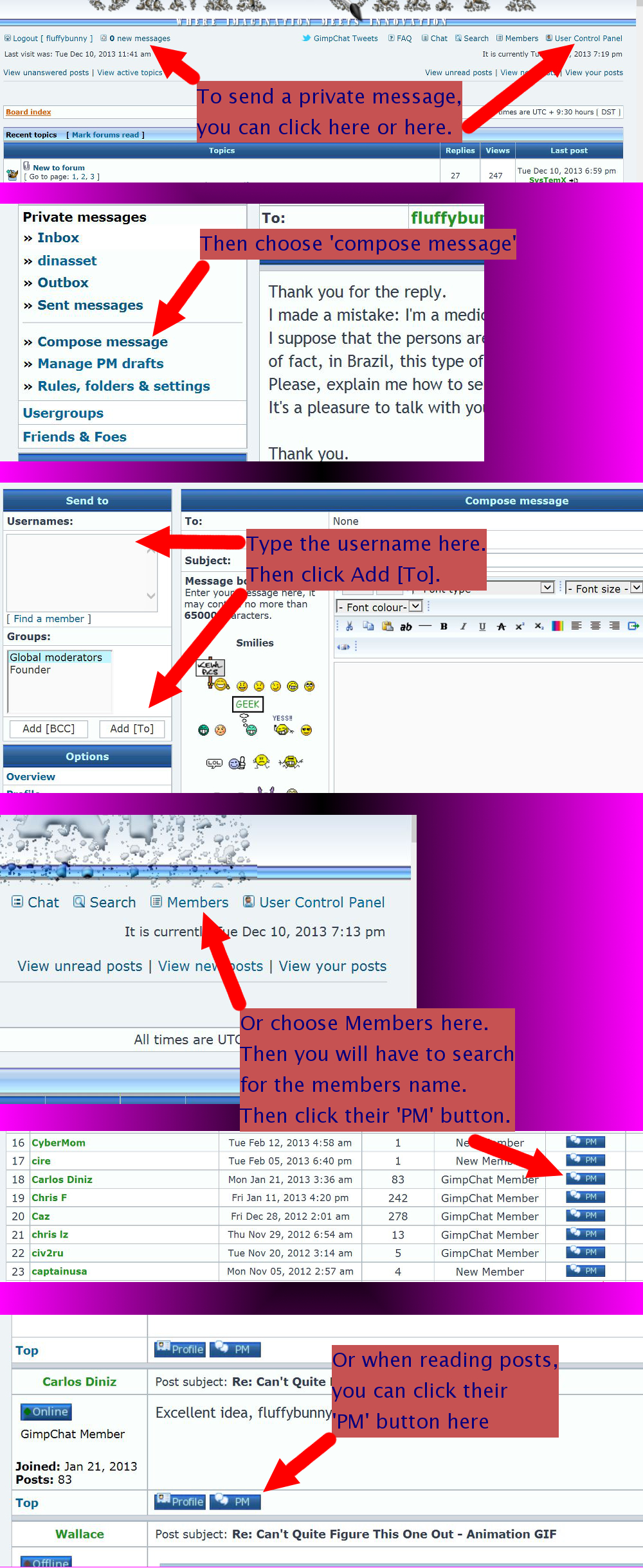
Fluffybunny has also created an image guide for a few more ways it is possible to do this. Pinned here for your convenience.
Thanks for the idea Fluffybunny and the hard work on the image you created for Gimp Chat.
 Login
Login Register
 Tweets
 FAQ
FAQ Advanced Search


