It is currently Mon Sep 14, 2026 2:45 pm


All times are UTC - 5 hours [ DST ]


Post new topic Reply to topic  [ 37 posts ]  Go to page 1, 2  Next
Author Message
 Post subject: paint by numbers.
PostPosted: Sun Sep 20, 2015 12:54 pm  (#1) 
Online
Script Coder
User avatar

Joined: May 07, 2014
Posts: 4548
Location: Canada
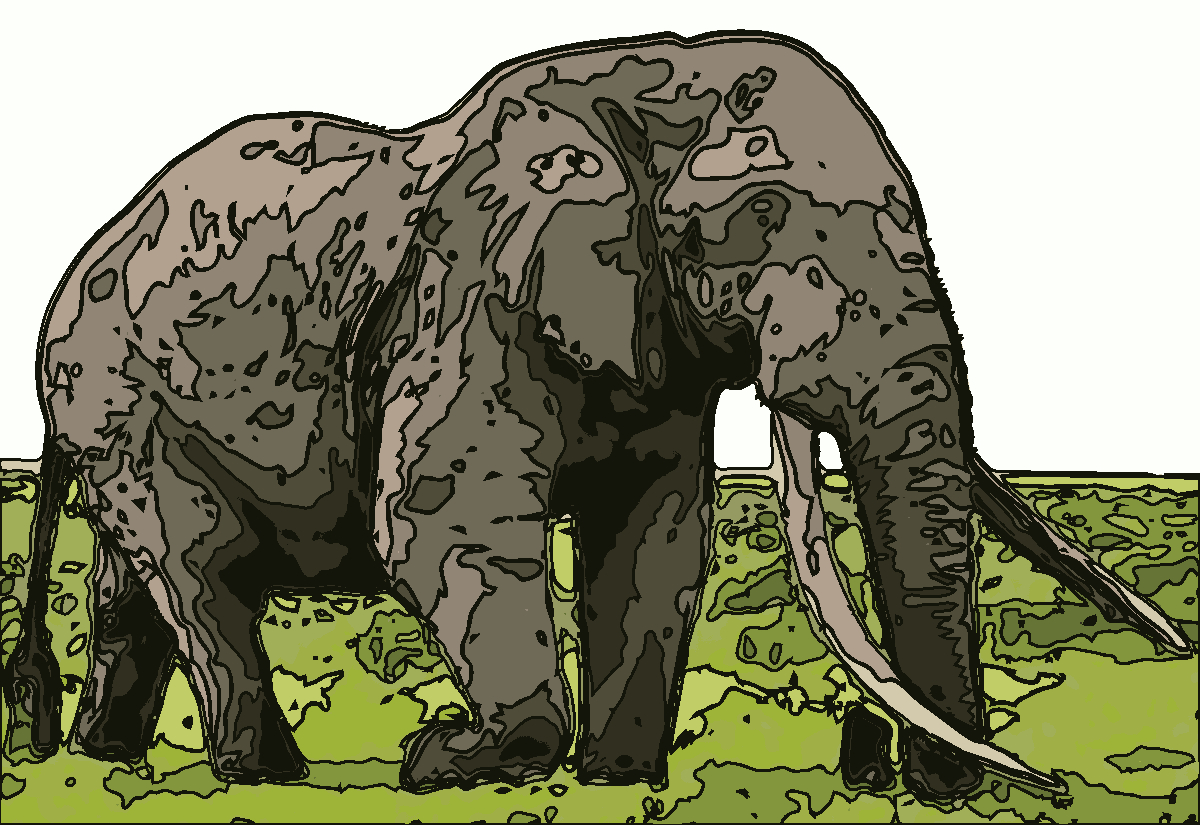
i was going for the paint by numbers look...
should've made my strokes thinner.
Image

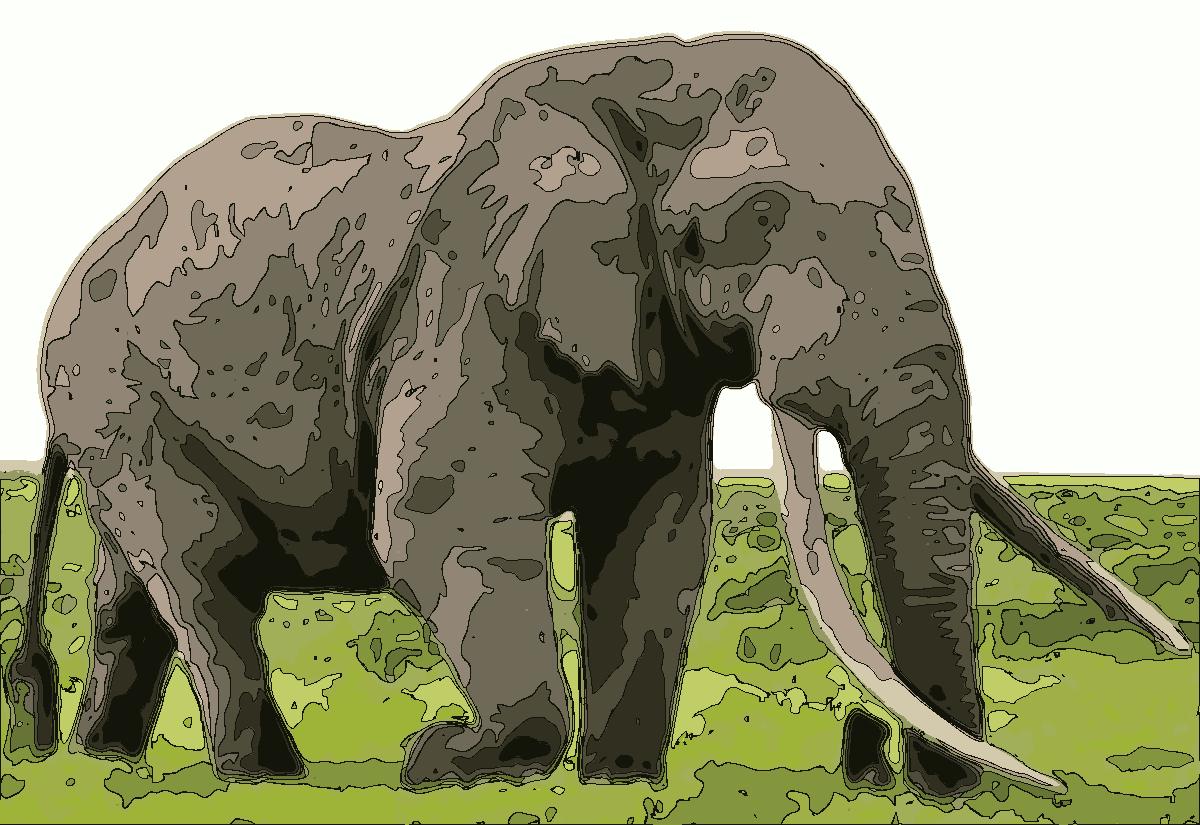
Edit: maybe this one is better
Image

_________________
Image
Visualize your and others dreams coming true.


Share on Facebook Share on Twitter Share on Orkut Share on Digg Share on MySpace Share on Delicious Share on Technorati
Top
 Post subject: Re: paint by numbers.
PostPosted: Sun Sep 20, 2015 8:16 pm  (#2) 
Offline
GimpChat Member
User avatar

Joined: Apr 08, 2010
Posts: 5420
Location: Northwest Ohio
the colors give it sort of a camo look!


Top
 Post subject: Re: paint by numbers.
PostPosted: Sun Sep 20, 2015 11:47 pm  (#3) 
Offline
Administrator
User avatar

Joined: Aug 10, 2012
Posts: 14204
Location: Native to NYC living in Arizona, Gimp 2.8 - 3.0, Win 11 PC.
I think the one with the thinner black lines looks pretty good, that would be the bottom one. :bigthup

_________________
Image
"A wise man learns more from a foolish question than a fool can learn from a wise answer"
Image


Top
 Post subject: Re: paint by numbers.
PostPosted: Mon Sep 21, 2015 5:12 am  (#4) 
Offline
GimpChat Member
User avatar

Joined: Dec 26, 2014
Posts: 205
:kpix I like the thicker line version as it more reflects the large, heavy and rough appearance of an elephant


Top
 Post subject: Re: paint by numbers.
PostPosted: Mon Sep 21, 2015 9:02 am  (#5) 
Offline
GimpChat Member
User avatar

Joined: Aug 16, 2012
Posts: 4271
Location: Göteborg, Sweden
trandoductin: the botttom one definitely has that paint by numbers look, but i agree with steve about the thicker lines working better with the elephant, i like that one better at least :). nice results either case, well done.

_________________


Top
 Post subject: Re: paint by numbers.
PostPosted: Mon Sep 21, 2015 11:01 am  (#6) 
Online
Script Coder
User avatar

Joined: May 07, 2014
Posts: 4548
Location: Canada
how's this one? I personally like it more than the other two. since it's not too thick and not too thin either (stroke path 2px width).
Image

_________________
Image
Visualize your and others dreams coming true.


Top
 Post subject: Re: paint by numbers.
PostPosted: Mon Sep 21, 2015 11:24 am  (#7) 
Offline
GimpChat Member
User avatar

Joined: Jan 20, 2013
Posts: 14835
Location: roma, italy
yes, Tin, the third one looks as the best
but ... I have a stupid question:
what's the advantage over cartoonize?
(I tell you the truth: I didn't understand the technique....hehehe)

_________________
"Where am I ?"


Top
 Post subject: Re: paint by numbers.
PostPosted: Mon Sep 21, 2015 1:20 pm  (#8) 
Online
Script Coder
User avatar

Joined: May 07, 2014
Posts: 4548
Location: Canada
i didn't know cartoonize did the same (don't know if it does).
How i did it is pretty simple, indexed color then pick number of colors, then pick each color, and turn to path, then stroke path.

_________________
Image
Visualize your and others dreams coming true.


Top
 Post subject: Re: paint by numbers.
PostPosted: Mon Sep 21, 2015 5:46 pm  (#9) 
Online
Script Coder
User avatar

Joined: May 07, 2014
Posts: 4548
Location: Canada
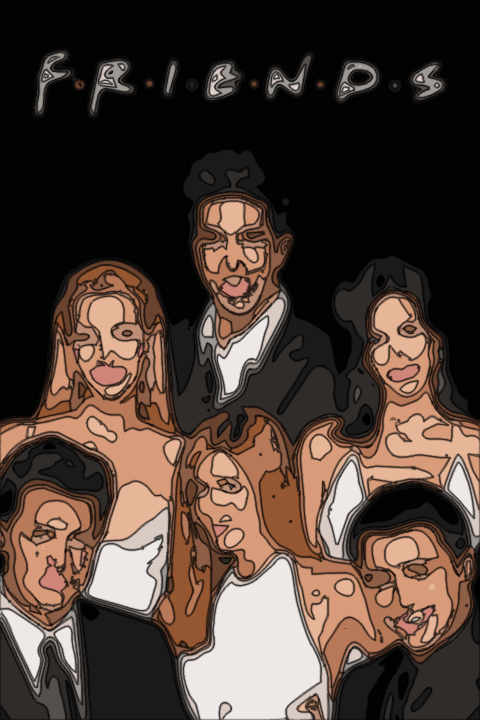
created a simple script for this simple task of stroking paths of a reduced colored image.
Image
The script will be available under Script-Fu/Create-New/Paint By Numbers...
Attachment:
paint-by-numbers.scm [3.98 KiB]
Downloaded 374 times

Image

_________________
Image
Visualize your and others dreams coming true.


Top
 Post subject: Re: paint by numbers.
PostPosted: Mon Sep 21, 2015 11:51 pm  (#10) 
Offline
GimpChat Member
User avatar

Joined: Aug 16, 2012
Posts: 4271
Location: Göteborg, Sweden
trandoductin: see you found something to cure your script writing itch with :). i like the third elephant best too. i don't know if cartooniser works exactly like this, but it looks very much like it.

_________________


Top
 Post subject: Re: paint by numbers.
PostPosted: Tue Sep 22, 2015 12:27 am  (#11) 
Offline
GimpChat Member
User avatar

Joined: Jan 20, 2013
Posts: 14835
Location: roma, italy
thanks for the script, Tin
Attachment:
3roses-painted-by-numbers.jpg
3roses-painted-by-numbers.jpg [ 478.9 KiB | Viewed 2439 times ]

_________________
"Where am I ?"


Top
 Post subject: Re: paint by numbers.
PostPosted: Tue Sep 22, 2015 4:06 am  (#12) 
Offline
Administrator
User avatar

Joined: Aug 10, 2012
Posts: 14204
Location: Native to NYC living in Arizona, Gimp 2.8 - 3.0, Win 11 PC.
:bigthup
Here's my go at it, minus the stroked lines.
Attachment:
PBY#.PNG
PBY#.PNG [ 115.27 KiB | Viewed 2433 times ]

@ Trandoductin, can an option to not use lines be added, and or be able to place the lines on it's own layer?

_________________
Image
"A wise man learns more from a foolish question than a fool can learn from a wise answer"
Image


Top
 Post subject: Re: paint by numbers.
PostPosted: Tue Sep 22, 2015 6:39 am  (#13) 
Offline
GimpChat Member
User avatar

Joined: Dec 26, 2014
Posts: 205
A fine script :bigthup , tried it on a few subjects, building, statue, goose and

Autumn leaves
Attachment:
defaultsklv0-120-255.jpg
defaultsklv0-120-255.jpg [ 816.35 KiB | Viewed 2425 times ]


Top
 Post subject: Re: paint by numbers.
PostPosted: Tue Sep 22, 2015 8:22 am  (#14) 
Offline
Administrator
User avatar

Joined: Aug 10, 2012
Posts: 14204
Location: Native to NYC living in Arizona, Gimp 2.8 - 3.0, Win 11 PC.
Here's another I did.
Attachment:
476622288.png
476622288.png [ 208.97 KiB | Viewed 2413 times ]

Is that cool or what! :jumpclap

_________________
Image
"A wise man learns more from a foolish question than a fool can learn from a wise answer"
Image


Top
 Post subject: Re: paint by numbers.
PostPosted: Tue Sep 22, 2015 9:40 am  (#15) 
Offline
GimpChat Member
User avatar

Joined: Jan 20, 2013
Posts: 14835
Location: roma, italy
cool Wallace!
what about this "variation"? (you left the BG to the taste of those who look at the picture, hehehe...)

Attachment:
476622288-surrounded.png
476622288-surrounded.png [ 338.96 KiB | Viewed 2406 times ]

_________________
"Where am I ?"


Top
 Post subject: Re: paint by numbers.
PostPosted: Tue Sep 22, 2015 10:54 am  (#16) 
Offline
Administrator
User avatar

Joined: Aug 10, 2012
Posts: 14204
Location: Native to NYC living in Arizona, Gimp 2.8 - 3.0, Win 11 PC.
dinasset wrote:
cool Wallace!
what about this "variation"? (you left the BG to the taste of those who look at the picture, hehehe...)

Attachment:
476622288-surrounded.png

That's interesting. :mrgreen:

_________________
Image
"A wise man learns more from a foolish question than a fool can learn from a wise answer"
Image


Top
 Post subject: Re: paint by numbers.
PostPosted: Tue Sep 22, 2015 11:54 am  (#17) 
Online
Script Coder
User avatar

Joined: May 07, 2014
Posts: 4548
Location: Canada
Wallace wrote:
:bigthup
Here's my go at it, minus the stroked lines.
Attachment:
The attachment PBY#.PNG is no longer available

@ Trandoductin, can an option to not use lines be added, and or be able to place the lines on it's own layer?

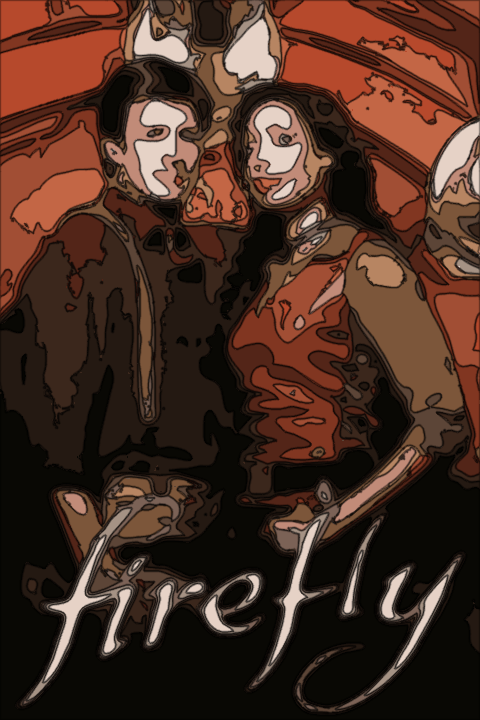
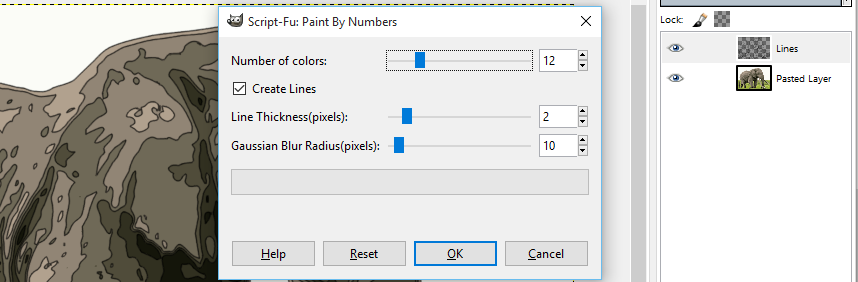
thanks for suggesting that Wallace..I think it's good option to this simple script even though if you uncheck the "Create Lines" option, the script does very little work :D
here it is
Image
Attachment:
paint-by-numbers.scm [4.25 KiB]
Downloaded 300 times

_________________
Image
Visualize your and others dreams coming true.


Top
 Post subject: Re: paint by numbers.
PostPosted: Tue Sep 22, 2015 11:55 am  (#18) 
Online
Script Coder
User avatar

Joined: May 07, 2014
Posts: 4548
Location: Canada
AnMal wrote:
trandoductin: see you found something to cure your script writing itch with :). i like the third elephant best too. i don't know if cartooniser works exactly like this, but it looks very much like it.

yes it helped cured my itch :hi5

_________________
Image
Visualize your and others dreams coming true.


Top
 Post subject: Re: paint by numbers.
PostPosted: Tue Sep 22, 2015 12:00 pm  (#19) 
Offline
Administrator
User avatar

Joined: Aug 10, 2012
Posts: 14204
Location: Native to NYC living in Arizona, Gimp 2.8 - 3.0, Win 11 PC.
trandoductin wrote:
thanks for suggesting that Wallace..I think it's good option to this simple script even though if you uncheck the "Create Lines" option, the script does very little work :D

You're welcome T and nice work. :bigthup

_________________
Image
"A wise man learns more from a foolish question than a fool can learn from a wise answer"
Image


Top
 Post subject: Re: paint by numbers.
PostPosted: Tue Sep 22, 2015 12:51 pm  (#20) 
Online
Script Coder
User avatar

Joined: May 07, 2014
Posts: 4548
Location: Canada
dinasset, thanks for trying out my script.
Steve, it looks like your out line of the autumn leaves is thicker than the lines that separated the shades of leaves. Did you pick a path of sky and stroked it yourself or something?

_________________
Image
Visualize your and others dreams coming true.


Top
Post new topic Reply to topic  [ 37 posts ]  Go to page 1, 2  Next

All times are UTC - 5 hours [ DST ]


* Login  


Powered by phpBB3 © phpBB Group