It is currently Sat Sep 05, 2026 6:00 pm


All times are UTC - 5 hours [ DST ]


Post new topic Reply to topic  [ 16 posts ] 
Author Message
 Post subject: M1GU3L05 this is for you
PostPosted: Sun Mar 13, 2011 6:03 pm  (#1) 
Offline
Global Moderator
User avatar

Joined: May 16, 2010
Posts: 16169
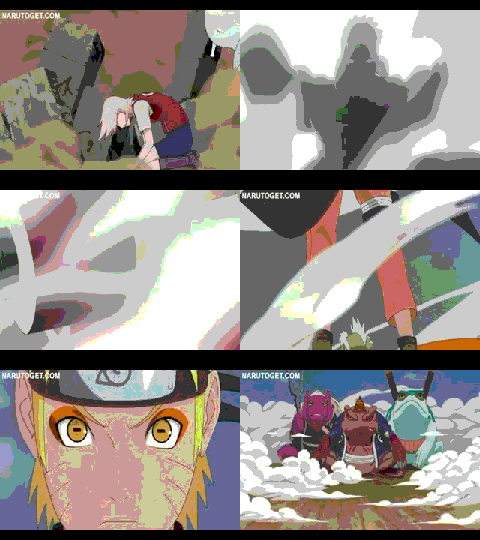
Just download it and add it to your sig - if you do not know how i'll show you. :)
Image

I made it smaller so the file isn't so huge, but now it's about sig size so it should work fine.

_________________
Image


Share on Facebook Share on Twitter Share on Orkut Share on Digg Share on MySpace Share on Delicious Share on Technorati
Top
 Post subject: Re: M1GU3L05 this is for you
PostPosted: Sun Mar 13, 2011 6:06 pm  (#2) 
Offline
GimpChat Member

Joined: Mar 07, 2011
Posts: 206
Rod wrote:
Just download it and add it to your sig - if you do not know how i'll show you. :)
Image

I made it smaller so the file isn't so huge, but now it's about sig size so it should work fine.

the video doesnt look like the one on youtube tho its all messed up no offence


Top
 Post subject: Re: M1GU3L05 this is for you
PostPosted: Sun Mar 13, 2011 6:10 pm  (#3) 
Offline
Global Moderator
User avatar

Joined: May 16, 2010
Posts: 16169
Its a GIF therefore its indexed, and not as many colors are used.
I could probably try and make it better if you like but not being able to work
with as many colors will always cost you some quality.

_________________
Image


Top
 Post subject: Re: M1GU3L05 this is for you
PostPosted: Sun Mar 13, 2011 6:10 pm  (#4) 
Offline
GimpChat Member
User avatar

Joined: Mar 02, 2011
Posts: 1850
Location: Michigan
A bit slow might I add...
APNG a possiblity?

_________________
Image
I'm back I think


Top
 Post subject: Re: M1GU3L05 this is for you
PostPosted: Sun Mar 13, 2011 6:11 pm  (#5) 
Offline
GimpChat Member
User avatar

Joined: Apr 27, 2010
Posts: 1509
Location: Sweden
Nice one, Rod. It's a GIF animation, M1GU3L05. GIF only supports 256 colours, so you have to expect a drop in image quality from the original. Not much to do about that, alas.
.
Griatch

_________________


Top
 Post subject: Re: M1GU3L05 this is for you
PostPosted: Sun Mar 13, 2011 6:13 pm  (#6) 
Offline
GimpChat Member

Joined: Mar 07, 2011
Posts: 206
i guess lol im just saying bc it forums the sig videos look perfect


Top
 Post subject: Re: M1GU3L05 this is for you
PostPosted: Sun Mar 13, 2011 6:14 pm  (#7) 
Offline
GimpChat Member
User avatar

Joined: Mar 02, 2011
Posts: 1850
Location: Michigan
That is because someone made it as a GIF, so they only used those 256 available colors to start with, and none of those got removed when it was changed from something else to GIF, because it always was GIF

_________________
Image
I'm back I think


Top
 Post subject: Re: M1GU3L05 this is for you
PostPosted: Sun Mar 13, 2011 6:16 pm  (#8) 
Offline
GimpChat Member

Joined: Mar 07, 2011
Posts: 206
and how do i added to my sig? also can i add this pic on sigs to " Image "


Top
 Post subject: Re: M1GU3L05 this is for you
PostPosted: Sun Mar 13, 2011 6:17 pm  (#9) 
Offline
Global Moderator
User avatar

Joined: May 16, 2010
Posts: 16169
Actually it's because the gradients are going to be lower quality because the colors aren't available in GIF.
For 417 frames though you can't beat the size ( under 2 mb), :lol

Thanks Griatch

_________________
Image


Top
 Post subject: Re: M1GU3L05 this is for you
PostPosted: Sun Mar 13, 2011 6:19 pm  (#10) 
Offline
GimpChat Member
User avatar

Joined: Mar 02, 2011
Posts: 1850
Location: Michigan
I do believe you can just paste this into your sig
files/196_mygif.gif
Image

Wait no... I have no idea whether this is allowed... it is uploaded on GIMP Chat

_________________
Image
I'm back I think


Top
 Post subject: Re: M1GU3L05 this is for you
PostPosted: Sun Mar 13, 2011 6:21 pm  (#11) 
Offline
GimpChat Member

Joined: Mar 07, 2011
Posts: 206
lol what about the picture?


Top
 Post subject: Re: M1GU3L05 this is for you
PostPosted: Sun Mar 13, 2011 6:21 pm  (#12) 
Offline
GimpChat Member
User avatar

Joined: Mar 02, 2011
Posts: 1850
Location: Michigan
http://www.narutobase.net/forums/pictur ... reid=71893
Image Paste that code into sig, with the brackets

_________________
Image
I'm back I think


Top
 Post subject: Re: M1GU3L05 this is for you
PostPosted: Sun Mar 13, 2011 6:26 pm  (#13) 
Offline
Global Moderator
User avatar

Joined: May 16, 2010
Posts: 16169
M1GU3L05 wrote:
and how do i added to my sig? also can i add this pic on sigs to " Image "


Yes you can add it because it's already a GIF.
Adding a video or animation to a sig is as simple as the highlite tutorial.

bg = background

Just add those animations to your bg sig.
Of course your bg sig will have to be opened first - that creates your actual size without having to enlarge the canvas.Make sure this bg sig layer stays at the bottom of the layers stack always! That's important when you go to
combine the bg part.
Then open your GIF as layers File/Open as Layers
Now using the shift key on your keyboard press it and click on the area in your layer dialog where your link icon shows up.I am assuming you know how to link layers here.
Now all layers should be linked - now click the link on the bg sig - that will remove the link icon
Now select any layer of your animation doesn't matter which one and select the move tool.
Now move your animation layers where you want them - they will all move because their linked.
Now assuming you have the FX Foundry/Animation/Combine background script - run it.
Now all your animations should have that bg sig behind them - you can now delete the bg sig layer.
Go to Filters/Animation/Play back to test it.

Need help with it PM me. :)

_________________
Image


Top
 Post subject: Re: M1GU3L05 this is for you
PostPosted: Sun Mar 13, 2011 6:28 pm  (#14) 
Offline
GimpChat Member
User avatar

Joined: Mar 02, 2011
Posts: 1850
Location: Michigan
I don't think he has the scripts, from what I have seen it appears as though he is just starting out

_________________
Image
I'm back I think


Top
 Post subject: Re: M1GU3L05 this is for you
PostPosted: Sun Mar 13, 2011 6:37 pm  (#15) 
Offline
GimpChat Member

Joined: Mar 07, 2011
Posts: 206
Rod wrote:
M1GU3L05 wrote:
and how do i added to my sig? also can i add this pic on sigs to " Image "


Yes you can add it because it's already a GIF.
Adding a video or animation to a sig is as simple as the highlite tutorial.

bg = background

Just add those animations to your bg sig.
Of course your bg sig will have to be opened first - that creates your actual size without having to enlarge the canvas.Make sure this bg sig layer stays at the bottom of the layers stack always! That's important when you go to
combine the bg part.
Then open your GIF as layers File/Open as Layers
Now using the shift key on your keyboard press it and click on the area in your layer dialog where your link icon shows up.I am assuming you know how to link layers here.
Now all layers should be linked - now click the link on the bg sig - that will remove the link icon
Now select any layer of your animation doesn't matter which one and select the move tool.
Now move your animation layers where you want them - they will all move because their linked.
Now assuming you have the FX Foundry/Animation/Combine background script - run it.
Now all your animations should have that bg sig behind them - you can now delete the bg sig layer.
Go to Filters/Animation/Play back to test it.

Need help with it PM me. :)

um can u explain that again with pictures?


Top
 Post subject: Re: M1GU3L05 this is for you
PostPosted: Sun Mar 13, 2011 6:37 pm  (#16) 
Offline
GimpChat Member

Joined: Mar 07, 2011
Posts: 206
where do i open the scripts i did it with fx animation but i 4got where to go


Top
Post new topic Reply to topic  [ 16 posts ] 

All times are UTC - 5 hours [ DST ]


* Login  


Powered by phpBB3 © phpBB Group