It is currently Thu Sep 24, 2026 3:45 pm


All times are UTC - 5 hours [ DST ]


Post new topic Reply to topic  [ 18 posts ] 
Author Message
 Post subject: the effects hub
PostPosted: Sat Feb 08, 2014 1:59 pm  (#1) 
Offline
GimpChat Member
User avatar

Joined: Sep 22, 2012
Posts: 2089
Location: US
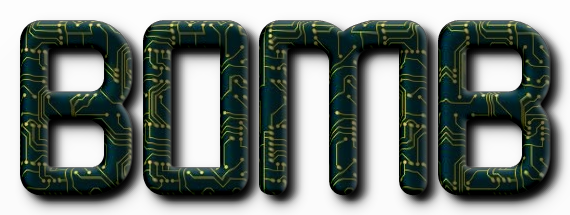
Has anyone seen this website? http://www.picturetopeople.org/

it's a
Image


Share on Facebook Share on Twitter Share on Orkut Share on Digg Share on MySpace Share on Delicious Share on Technorati
Top
 Post subject: Re: the effects hub
PostPosted: Sat Feb 08, 2014 7:54 pm  (#2) 
Offline
Global Moderator
User avatar

Joined: May 16, 2010
Posts: 16174
Excellent resource. Thank you. :)


Top
 Post subject: Re: the effects hub
PostPosted: Sat Feb 08, 2014 7:59 pm  (#3) 
Offline
GimpChat Member
User avatar

Joined: Sep 22, 2012
Posts: 2089
Location: US
You're welcome Rod!
I think the whole thing works similar to PS
Image


Top
 Post subject: Re: the effects hub
PostPosted: Sat Feb 08, 2014 8:00 pm  (#4) 
Offline
GimpChat Member
User avatar

Joined: Apr 07, 2010
Posts: 14182
wow that is amazing Kit.

_________________
Image


Top
 Post subject: Re: the effects hub
PostPosted: Sun Feb 09, 2014 1:25 pm  (#5) 
Offline
Administrator
User avatar

Joined: Aug 10, 2012
Posts: 14207
Location: Native to NYC living in Arizona, Gimp 2.8 - 3.0, Win 11 PC.
That's pretty cool, and they do it all for you.

_________________
Image
"A wise man learns more from a foolish question than a fool can learn from a wise answer"
Image


Top
 Post subject: Re: the effects hub
PostPosted: Sun Feb 09, 2014 4:27 pm  (#6) 
Offline
GimpChat Member
User avatar

Joined: Apr 08, 2010
Posts: 5420
Location: Northwest Ohio
it seems to work great, but it feels like cheating, lol.


Top
 Post subject: Re: the effects hub
PostPosted: Sun Feb 09, 2014 9:06 pm  (#7) 
Offline
GimpChat Member
User avatar

Joined: Sep 22, 2012
Posts: 2089
Location: US
2-ton wrote:
it seems to work great, but it feels like cheating, lol.


for those who still don't know much about Gimp or PS it must feel like a magic, lol


Top
 Post subject: Re: the effects hub
PostPosted: Sun Feb 09, 2014 9:52 pm  (#8) 
Offline
GimpChat Member
User avatar

Joined: Nov 16, 2011
Posts: 5127
Location: Metro Vancouver, BC
I checked out, www.picturetopeople.org, but I didn't try it out.
It looks like a massive project.

_________________
Image
Gimp 2.8.18, Linux, median user
Gimp Chat Tutorials Index
Spirit Bear (Kermode)


Top
 Post subject: Re: the effects hub
PostPosted: Sun Feb 09, 2014 10:03 pm  (#9) 
Offline
GimpChat Member
User avatar

Joined: Sep 22, 2012
Posts: 2089
Location: US
Odinbc wrote:
I checked out, www.picturetopeople.org, but I didn't try it out.
It looks like a massive project.


Image


Top
 Post subject: Re: the effects hub
PostPosted: Sun Feb 09, 2014 10:43 pm  (#10) 
Offline
GimpChat Member
User avatar

Joined: Dec 10, 2013
Posts: 1004
It does sort of feel like cheating but I really like it. Great find!

_________________
Image
Macbook Air - MacOS Sierra 10.12
McGimp 2.8.14
G'mic 1.6.5


Top
 Post subject: Re: the effects hub
PostPosted: Mon Feb 10, 2014 7:02 am  (#11) 
Offline
GimpChat Member
User avatar

Joined: Jan 20, 2013
Posts: 590
How can we save the logo generated by P2P? I saved it in the usual way (save as) with the right click of the mouse. Apparently, he was saved, but when I try to open in GIMP nothing appears.

_________________
Image


Top
 Post subject: Re: the effects hub
PostPosted: Mon Feb 10, 2014 11:16 am  (#12) 
Offline
GimpChat Member
User avatar

Joined: Sep 22, 2012
Posts: 2089
Location: US
Carlos Diniz wrote:
How can we save the logo generated by P2P? I saved it in the usual way (save as) with the right click of the mouse. Apparently, he was saved, but when I try to open in GIMP nothing appears.


I did exactly as you've described and no problems whatsoever. Can you see the downloaded image with the image viewer?
In addition you can check the Get as a transparent PNG file box and after you hit Calculate Effect the download starts automatically.


Top
 Post subject: Re: the effects hub
PostPosted: Tue Feb 11, 2014 6:51 am  (#13) 
Offline
GimpChat Member
User avatar

Joined: Jan 20, 2013
Posts: 590
Yes, k1. I see the image downloaded, but I can't save it. ????

_________________
Image


Top
 Post subject: Re: the effects hub
PostPosted: Wed Feb 12, 2014 2:31 am  (#14) 
Offline
GimpChat Member
User avatar

Joined: Feb 12, 2014
Posts: 27
Location: Brazil
Hi.

My name is Leonardo. I'm the P2P developer.

This little problem saving the result images is the most common doubt users have.

Most browsers get confused when you use the "save" command from a P2P resulting page. If I use it from my Chrome, for example, it tries to request the image again, what it can not make properly this time. In fact, it should save the local image it's already showing to you, but it doesn't make it. This way, what it saves for you is a HTML error page, what obviously is not your image. Other browsers have some strange behaviors too, and sometimes it also depends on the browser configuration.

Any user who has this kind of problem should copy the image from browser to a desktop graphic program (GIMP in your case) and so save the image as desired.

This subject (image saving) is also cited in P2P "how to use" page. It's a good place to get generic info about how the whole project works (click the second top tab at P2P site).

I have a very big amount of new tools in my schedule to develop for this project, so P2P site will grow a lot yet (probably it will become at least three or four times bigger).

See you!

_________________
Image


Top
 Post subject: Re: the effects hub
PostPosted: Wed Feb 12, 2014 5:32 am  (#15) 
Offline
GimpChat Member
User avatar

Joined: Jan 20, 2013
Posts: 14835
Location: roma, italy
Carlos,
by using IRON as browser, right clicking and "saving" works perfectly, no problems

_________________
"Where am I ?"


Top
 Post subject: Re: the effects hub
PostPosted: Tue Mar 18, 2014 7:23 am  (#16) 
Offline
GimpChat Member
User avatar

Joined: Apr 07, 2010
Posts: 14182
leocda wrote:
Hi.

My name is Leonardo. I'm the P2P developer.

This little problem saving the result images is the most common doubt users have.

Most browsers get confused when you use the "save" command from a P2P resulting page. If I use it from my Chrome, for example, it tries to request the image again, what it can not make properly this time. In fact, it should save the local image it's already showing to you, but it doesn't make it. This way, what it saves for you is a HTML error page, what obviously is not your image. Other browsers have some strange behaviors too, and sometimes it also depends on the browser configuration.

Any user who has this kind of problem should copy the image from browser to a desktop graphic program (GIMP in your case) and so save the image as desired.

This subject (image saving) is also cited in P2P "how to use" page. It's a good place to get generic info about how the whole project works (click the second top tab at P2P site).

I have a very big amount of new tools in my schedule to develop for this project, so P2P site will grow a lot yet (probably it will become at least three or four times bigger).

See you!

Welcome to gimp chat leocda

_________________
Image


Top
 Post subject: Re: the effects hub
PostPosted: Tue Mar 18, 2014 9:51 am  (#17) 
Offline
GimpChat Member
User avatar

Joined: Mar 01, 2014
Posts: 14198
Location: Spain, Aragón
Yes, it's a page when everybody can learn something. Thanks K1TesseraEna.

_________________
Image

Gimp 2.10.36 (samj) portable _ OS Windows 10 Home_ 64bits
Don’t be afraid to start over. It’s a new chance to rebuild what you want.


Top
 Post subject: Re: the effects hub
PostPosted: Tue Mar 18, 2014 2:29 pm  (#18) 
Offline
GimpChat Member
User avatar

Joined: Feb 12, 2014
Posts: 27
Location: Brazil
molly wrote:
Welcome to gimp chat leocda

Thank you, Molly.

_________________
Image


Top
Post new topic Reply to topic  [ 18 posts ] 

All times are UTC - 5 hours [ DST ]


* Login  


Powered by phpBB3 © phpBB Group