molly wrote:
What ClockX program's "Preset" folder.
Warrior's instructions on where to place the files is good.
The folder is named "Prestes", and you should be able to find the "Presets" folder in Windows 7 at, "C:\Program Files\ClocX\Presets". That is if you have installed the ClocX software.
This clock has 2 files, one clock .png image file, and one .ini file. Just place them both into the "Presets".
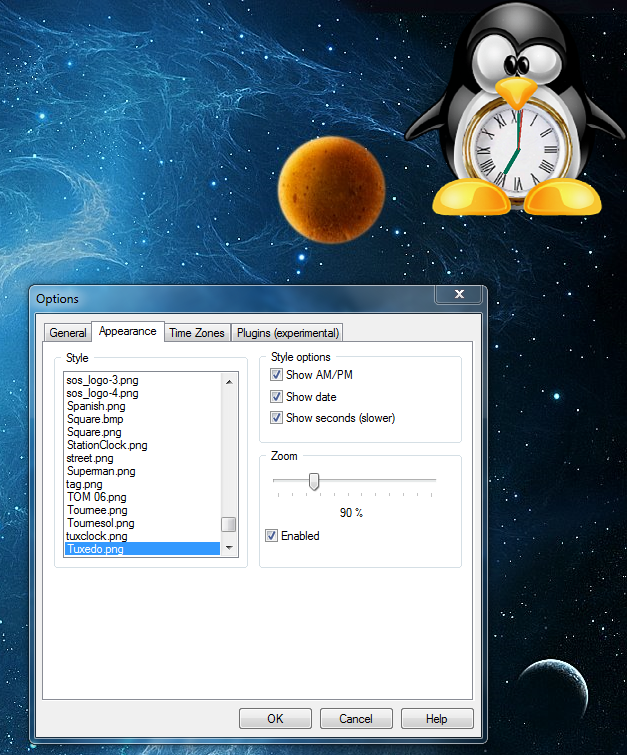
Once you've done this, start the program (if you haven't done this yet). Right click on the ClocX program icon and select "Options"
Once in the options menu, select "Appearance" and chose "Tuxedo" for the list of available clocks.
he4rty wrote:
Nice work on the clock Wallace.
Thanks He4rty.

 Login
Login Register
 Tweets
 FAQ
FAQ Advanced Search