It is currently Wed Jul 29, 2026 5:58 pm


All times are UTC - 5 hours [ DST ]


Post new topic Reply to topic  [ 1444 posts ]  Go to page Previous  1 ... 27, 28, 29, 30, 31, 32, 33 ... 73  Next
Author Message
 Post subject: Re: For lovers of photography
PostPosted: Thu Jun 23, 2016 2:47 am  (#581) 
Offline
GimpChat Member
User avatar

Joined: Mar 01, 2014
Posts: 14088
Location: Spain, Aragón
David, good results on both pictures.
Dinasset, I like yours a lot too. A question, what is a bilinear mask?
I wanted to get colour on my tries. But perhaps I added over colour on them.
I levelled both photos, too.


Attachments:
IMG_1985-leveled-specific saturation-chromaticity-luma invert at 70% opacity.JPG
IMG_1985-leveled-specific saturation-chromaticity-luma invert at 70% opacity.JPG [ 726.61 KiB | Viewed 1324 times ]
IMG_1954-horizontality-specific saturation-colour balance-boost chromaticity.JPG
IMG_1954-horizontality-specific saturation-colour balance-boost chromaticity.JPG [ 640.69 KiB | Viewed 1324 times ]

_________________
Image

Gimp 2.10.30(samj) portable _ OS Windows 10 Home_ 64bits
Don’t be afraid to start over. It’s a new chance to rebuild what you want.
Top
 Post subject: Re: For lovers of photography
PostPosted: Thu Jun 23, 2016 3:00 am  (#582) 
Offline
Script Coder
User avatar

Joined: Oct 25, 2010
Posts: 4812
SeriousTom wrote:
ofnuts ... hows this ?


Still not quite correct, if you use guides to check. By the way, if the lens axis isn't horizontal, perspective will make vertical lineson the sides lean inward (camera tilted upwards) or outward (camera tilted downwards) to you you check vertical lines around the center of the picture.

_________________
Image


Top
 Post subject: Re: For lovers of photography
PostPosted: Thu Jun 23, 2016 3:25 am  (#583) 
Offline
Global Moderator
User avatar

Joined: Apr 01, 2012
Posts: 8441
Location: On the other side of your screen
Image
Just used National geographic (lazy I know)

_________________
Image
Free Fun Photo Editing & resources
Poems from the Lord
Gimp Newby
Gimp version 3.2.4 and GMIC-Qt 4.2.0 OS :- Windows 10 Home 64


Top
 Post subject: Re: For lovers of photography
PostPosted: Thu Jun 23, 2016 3:31 am  (#584) 
Offline
GimpChat Member
User avatar

Joined: Jan 20, 2013
Posts: 14831
Location: roma, italy
Issabella,
bilinear mask, just my shortcut to say:
- added a layer mask
- applied on the layer mask a B&W gradient using bilinear gradient shape
In one case it allowed NOT to APPLY the multiply mode to the central horizontal stripe
In the other case it allowed to APPLY ONLY the screen mode to the central horizontal stripe

_________________
"Where am I ?"


Top
 Post subject: Re: For lovers of photography
PostPosted: Thu Jun 23, 2016 5:56 am  (#585) 
Offline
GimpChat Member
User avatar

Joined: Mar 28, 2016
Posts: 312
Location: Netherlands
This time I opt for something completely different: ;)


Attachments:
IMG_1954_edited.JPG
IMG_1954_edited.JPG [ 948.04 KiB | Viewed 1309 times ]
Top
 Post subject: Re: For lovers of photography
PostPosted: Thu Jun 23, 2016 8:23 am  (#586) 
Offline
GimpChat Member
User avatar

Joined: Mar 01, 2014
Posts: 14088
Location: Spain, Aragón
Thank you Sallyanne for your contribution . Nice result.
Thank you Dinasset for your explanation about bilinear mask. I have to test it, too.
iarga, you did such a novelty effect. I'd like if you tell your flow to get such a nice effect. Thank you so much, too. :)

_________________
Image

Gimp 2.10.30(samj) portable _ OS Windows 10 Home_ 64bits
Don’t be afraid to start over. It’s a new chance to rebuild what you want.


Top
 Post subject: Re: For lovers of photography
PostPosted: Thu Jun 23, 2016 8:23 am  (#587) 
Offline
Global Moderator
User avatar

Joined: Apr 01, 2012
Posts: 8441
Location: On the other side of your screen
Image

_________________
Image
Free Fun Photo Editing & resources
Poems from the Lord
Gimp Newby
Gimp version 3.2.4 and GMIC-Qt 4.2.0 OS :- Windows 10 Home 64


Top
 Post subject: Re: For lovers of photography
PostPosted: Thu Jun 23, 2016 9:55 am  (#588) 
Offline
GimpChat Member
User avatar

Joined: Mar 28, 2016
Posts: 312
Location: Netherlands
Issabella, the most importand filters I used, G'MIC "Tone enhance" and "Curves". Thereafter little things as smoothing. But I'm not satisfied with the tree tops (after extreme tone mapping). Maybe someone knows a quick way to deal with that. I supose I have to learn more about masks. :roll: But thats not always quick and easy.

Here my next one, also with "Tone enhance" and "Color grading":


Attachments:
IMG_1985_edited.JPG
IMG_1985_edited.JPG [ 874.44 KiB | Viewed 1281 times ]
Top
 Post subject: Re: For lovers of photography
PostPosted: Thu Jun 23, 2016 1:11 pm  (#589) 
Offline
GimpChat Member
User avatar

Joined: Mar 12, 2016
Posts: 198
Location: Illinois, USA
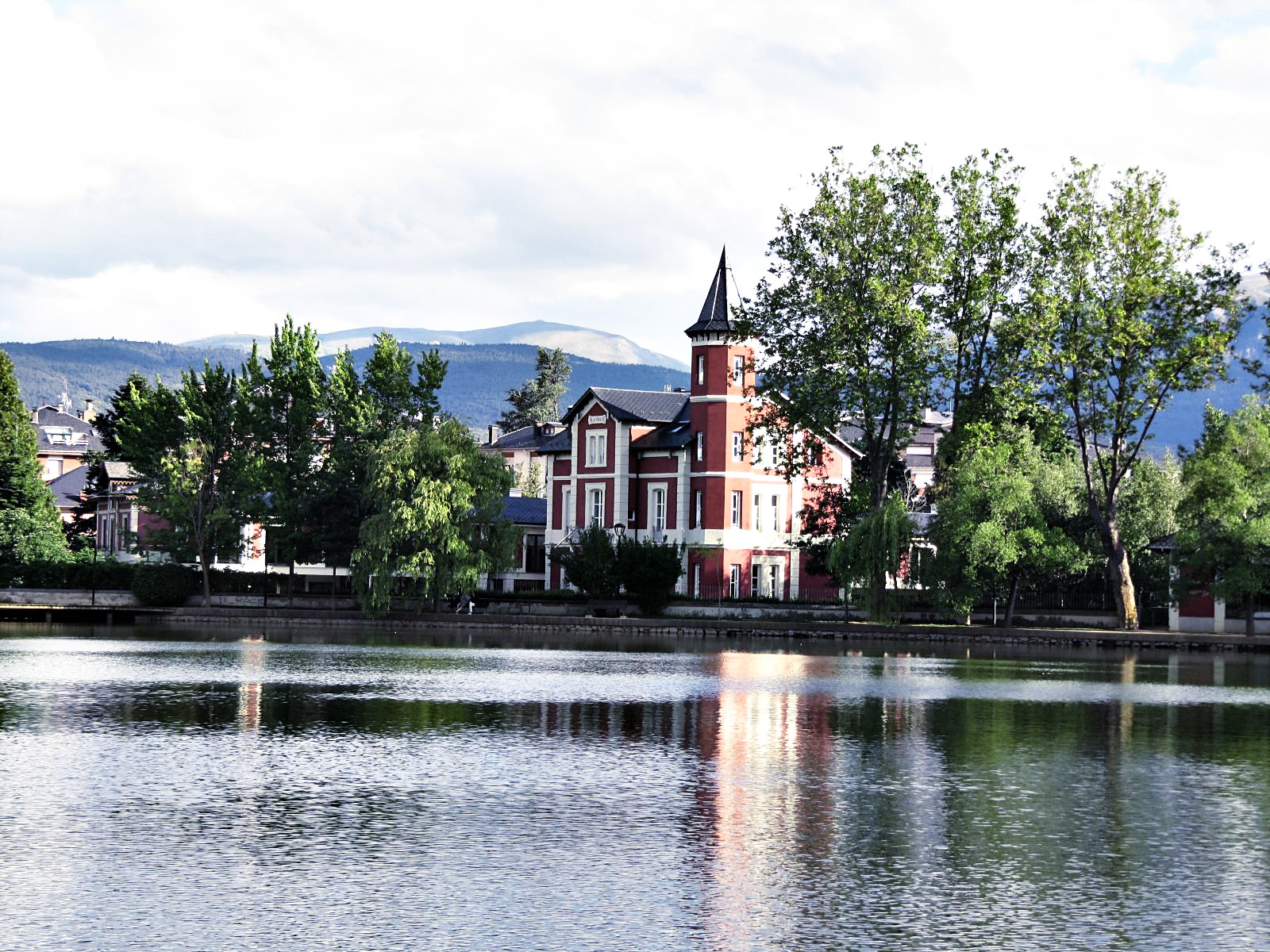
For the lake I used a mask on DDD
G'MIC Basic Adjustments lowered brightness on masked layer, added contrast and gamma, hue and satuaration.
Sharpened with Inverse Diffusion.
The picture with the nice building I used layer mask MMM
adjust gamma and unsharp mask.


Attachments:
IMG_1985.JPG
IMG_1985.JPG [ 515.39 KiB | Viewed 1266 times ]
IMG_1954.JPG
IMG_1954.JPG [ 519.79 KiB | Viewed 1266 times ]

_________________
Image
Top
 Post subject: Re: For lovers of photography
PostPosted: Thu Jun 23, 2016 1:56 pm  (#590) 
Offline
GimpChat Member
User avatar

Joined: Mar 01, 2014
Posts: 14088
Location: Spain, Aragón
iarga, your last result has a very nice luminosity. I agree with you about masks but I'm following David's tutorial and little by little I feel myself a bit more confident. :)
Serious Tom, I like your results, too. Thanks for sharing your flow on them. :)

_________________
Image

Gimp 2.10.30(samj) portable _ OS Windows 10 Home_ 64bits
Don’t be afraid to start over. It’s a new chance to rebuild what you want.


Top
 Post subject: Re: For lovers of photography
PostPosted: Thu Jun 23, 2016 2:52 pm  (#591) 
Offline
GimpChat Member
User avatar

Joined: Mar 01, 2014
Posts: 14088
Location: Spain, Aragón
I found this photo taken in 2012. A challenge. :)


Attachments:
IMG_3339.jpg
IMG_3339.jpg [ 1.91 MiB | Viewed 1265 times ]

_________________
Image

Gimp 2.10.30(samj) portable _ OS Windows 10 Home_ 64bits
Don’t be afraid to start over. It’s a new chance to rebuild what you want.
Top
 Post subject: Re: For lovers of photography
PostPosted: Thu Jun 23, 2016 3:27 pm  (#592) 
Offline
GimpChat Member
User avatar

Joined: Nov 15, 2014
Posts: 875
Iarga,

The secret to learning to use masks is to play. I frequently find that I get totally the wrong result, so just delete the layer or the mask, have a re-think and start again.
Of course, you never see my total disasters!!! Keep playing and have fun (and occasionally a bit of frustration, it has to be admitted).

david.


Top
 Post subject: Re: For lovers of photography
PostPosted: Thu Jun 23, 2016 4:12 pm  (#593) 
Offline
GimpChat Member
User avatar

Joined: Nov 15, 2014
Posts: 875
Issabella,

Sorry. With your last challenge I have cheated!
I felt that the photograph had two focuses (focii?) and was pulling two ways. So I have made two photographs from it.

The right side felt like a path leading to (?) somewhere. I enhanced the colours, added a layer mask with a radial gradient to try to lead the eye along the path. Sharpened.

The left side of the original picture made me think of winter colours. The sky and the lake were over-exposed, so little I could do with them, but I accentuated the colours of the trees and fallen leaves - DDD Mask to bring out detail in the darkest areas. Colours perhaps too much?

david.


Attachments:
path_to.jpg
path_to.jpg [ 1.96 MiB | Viewed 1259 times ]
winter_colours.jpg
winter_colours.jpg [ 1.78 MiB | Viewed 1259 times ]
Top
 Post subject: Re: For lovers of photography
PostPosted: Thu Jun 23, 2016 4:30 pm  (#594) 
Offline
GimpChat Member
User avatar

Joined: Nov 15, 2014
Posts: 875
Perhaps there is a third photograph in there!
Similar process to Winter Colours.

david.


Attachments:
winter_colours2.jpg
winter_colours2.jpg [ 1.16 MiB | Viewed 1258 times ]
Top
 Post subject: Re: For lovers of photography
PostPosted: Thu Jun 23, 2016 11:57 pm  (#595) 
Offline
GimpChat Member
User avatar

Joined: Jan 20, 2013
Posts: 14831
Location: roma, italy
interesting interpretation, David !
I kept a single image, which you may call "where should I go?"
-dup
-retinex low, multiply
-new from visible, doubled contrast on A and B (g'mic mixer lab)
-curve to lighten
-downscaled

Attachment:
IMG_3339-dn1-where-to-go.jpg
IMG_3339-dn1-where-to-go.jpg [ 522.48 KiB | Viewed 1241 times ]

_________________
"Where am I ?"


Top
 Post subject: Re: For lovers of photography
PostPosted: Fri Jun 24, 2016 4:16 am  (#596) 
Offline
GimpChat Member
User avatar

Joined: Mar 01, 2014
Posts: 14088
Location: Spain, Aragón
Thank you David. Well done. we are free to change or split our photos as we want them. I like the results you got. Yes, it was taken in December so colours reflect that cold atmosphere.
Dinasset, I like your result getting more deep view at the horizon. So many enhance tools you are a master on. Thanks.
My try


Attachments:
IMG_3339-Lumi MaskDDD- colour grading-contrast.jpg
IMG_3339-Lumi MaskDDD- colour grading-contrast.jpg [ 4.63 MiB | Viewed 1230 times ]

_________________
Image

Gimp 2.10.30(samj) portable _ OS Windows 10 Home_ 64bits
Don’t be afraid to start over. It’s a new chance to rebuild what you want.
Top
 Post subject: Re: For lovers of photography
PostPosted: Fri Jun 24, 2016 10:58 am  (#597) 
Offline
GimpChat Member
User avatar

Joined: Mar 01, 2014
Posts: 14088
Location: Spain, Aragón
Another two more photos. :)


Attachments:
IMG_4038.JPG
IMG_4038.JPG [ 620.82 KiB | Viewed 1204 times ]
IMG_4243.JPG
IMG_4243.JPG [ 381.78 KiB | Viewed 1204 times ]

_________________
Image

Gimp 2.10.30(samj) portable _ OS Windows 10 Home_ 64bits
Don’t be afraid to start over. It’s a new chance to rebuild what you want.
Top
 Post subject: Re: For lovers of photography
PostPosted: Fri Jun 24, 2016 11:28 am  (#598) 
Offline
GimpChat Member
User avatar

Joined: Jan 20, 2013
Posts: 14831
Location: roma, italy
perspective transform
unsharp mask

Attachment:
IMG_4038-dn1.JPG
IMG_4038-dn1.JPG [ 662.31 KiB | Viewed 1200 times ]

_________________
"Where am I ?"


Top
 Post subject: Re: For lovers of photography
PostPosted: Fri Jun 24, 2016 12:12 pm  (#599) 
Offline
GimpChat Member
User avatar

Joined: Nov 15, 2014
Posts: 875
For the picture of your lovely dog I have done very little.
DD luminosity mask to lighten the face a little and wavelet sharpened.

The picture of Port Meirion (very close to home for me!), multiple layers with D, DD, and DDD masks. Slight adjustment on each one to try to find some detail in the dark areas.
Weak winter sun and very little in the way of white clouds produces very high contrast. Boosted colour and wavelet sharpened.

david.


Attachments:
dog.JPG
dog.JPG [ 792.93 KiB | Viewed 1197 times ]
port_meirion.JPG
port_meirion.JPG [ 848.66 KiB | Viewed 1197 times ]
Top
 Post subject: Re: For lovers of photography
PostPosted: Fri Jun 24, 2016 2:38 pm  (#600) 
Offline
GimpChat Member
User avatar

Joined: Mar 01, 2014
Posts: 14088
Location: Spain, Aragón
Dinasset, I like your results on both pictures. :)
David, I'm happy you recognized Port_Meirion. Part of my family lives near too. :) I like your results too.
I applied on it a Bi-linear gradient vertical on left side (the darkest zone) I learnt this from Dinasset.
On Lucca picture I applied Luminosity Mask DDD. I learnt this from David.


Attachments:
IMG_4243-Bi-Linear vertical left side-unsharp mask.JPG
IMG_4243-Bi-Linear vertical left side-unsharp mask.JPG [ 3.33 MiB | Viewed 1192 times ]
IMG_4038-L.M-DDD-curves-contrast&saturation.JPG
IMG_4038-L.M-DDD-curves-contrast&saturation.JPG [ 626.94 KiB | Viewed 1192 times ]

_________________
Image

Gimp 2.10.30(samj) portable _ OS Windows 10 Home_ 64bits
Don’t be afraid to start over. It’s a new chance to rebuild what you want.
Top
Post new topic Reply to topic  [ 1444 posts ]  Go to page Previous  1 ... 27, 28, 29, 30, 31, 32, 33 ... 73  Next

All times are UTC - 5 hours [ DST ]


* Login  


Powered by phpBB3 © phpBB Group