It is currently Sun Sep 06, 2026 7:12 am


All times are UTC - 5 hours [ DST ]


Post new topic Reply to topic  [ 16 posts ] 
Author Message
 Post subject: me...again
PostPosted: Mon Sep 05, 2011 9:25 am  (#1) 
Offline
GimpChat Member
User avatar

Joined: May 27, 2011
Posts: 707
Hello to All of You wonders of photo editing.
Can someone please explain how that works?
http://photofunia.com/

is the software used available as a free software or is possible to make
using Gimp?
Thank You again for helping resolving,yet another mystery for me :)


Share on Facebook Share on Twitter Share on Orkut Share on Digg Share on MySpace Share on Delicious Share on Technorati
Top
 Post subject: Re: me...again
PostPosted: Tue Sep 06, 2011 8:22 am  (#2) 
Offline
Global Moderator
User avatar

Joined: May 16, 2010
Posts: 16169
The program is a server side application.
You can install itunes and get it that way.
http://itunes.apple.com/us/app/photofun ... 40709?mt=8

Cool site though. :)

Image

_________________
Image


Top
 Post subject: Re: me...again
PostPosted: Tue Sep 06, 2011 8:38 am  (#3) 
Offline
GimpChat Member
User avatar

Joined: May 27, 2011
Posts: 707
Thank You for your reply :)
But the app will only let me use the graphics in the app,no?
What I was trying to figure out is ,can i use the app by using my own graphics and let the app add the faces i want ?


Top
 Post subject: Re: me...again
PostPosted: Tue Sep 06, 2011 10:32 am  (#4) 
Offline
Global Moderator
User avatar

Joined: May 16, 2010
Posts: 16169
If you want more versatility try Robs shellout python script.It gives Gimp many more programs, and filters to work with.
You can run Xnview through Rob A's shellout script if you have python for Gimp installed.
This script calls another graphics program, and exports a selected layer or the visible image to that other program. You can then run many types of filters (not just 8bf's) on it in whichever program you export the layer too, then export it back to Gimp with the effects on the layer or visible image. :)

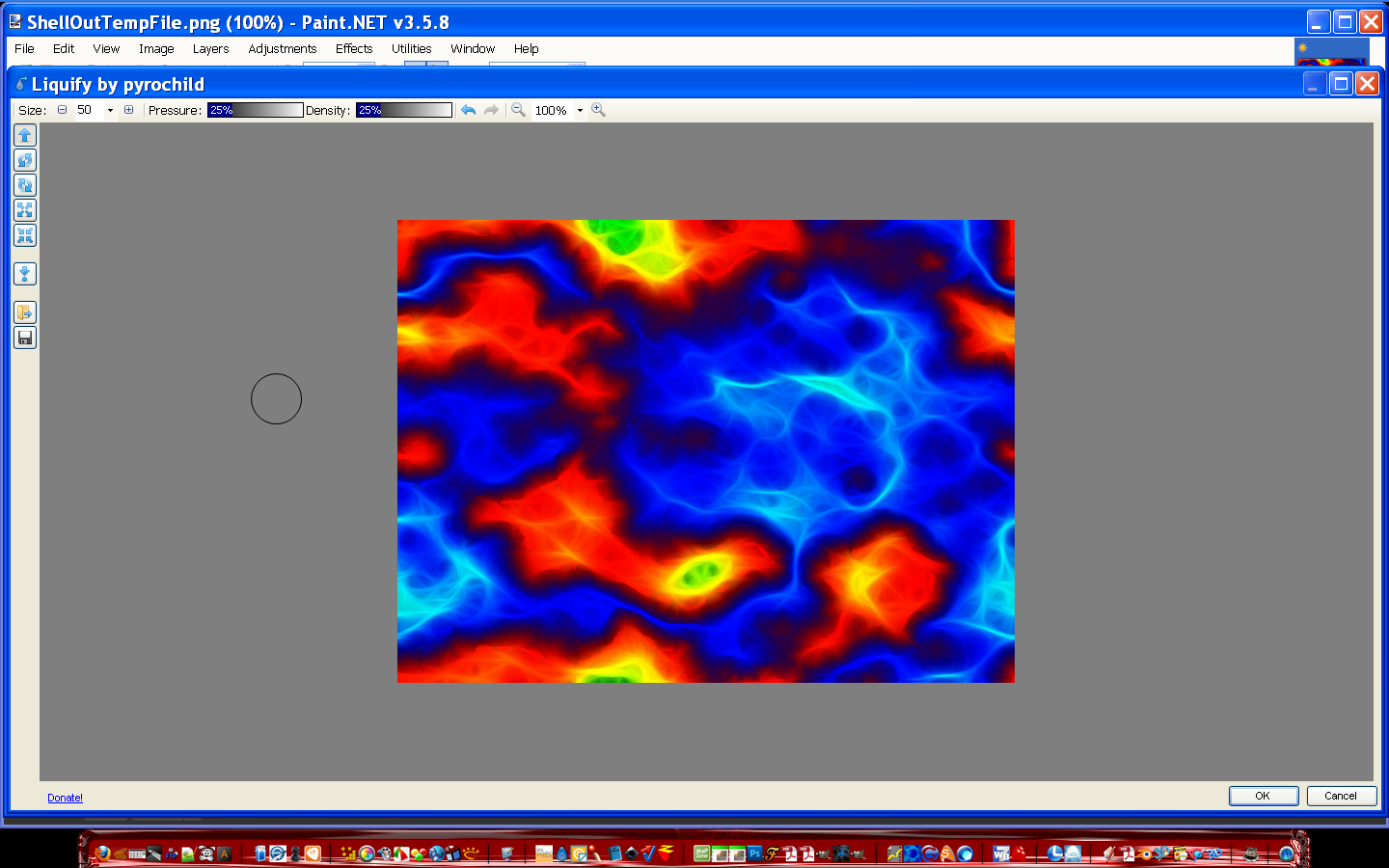
I actually call Paint.Net and use Liquify (almost exactly like PhotoShops liquify filter), on my images.
Image


Image

_________________
Image


Top
 Post subject: Re: me...again
PostPosted: Tue Sep 06, 2011 10:37 am  (#5) 
Offline
GimpChat Member
User avatar

Joined: May 27, 2011
Posts: 707
Cool :)
Thank You so much !


Top
 Post subject: Re: me...again
PostPosted: Tue Sep 06, 2011 10:40 am  (#6) 
Offline
Global Moderator
User avatar

Joined: May 16, 2010
Posts: 16169
pirate541 wrote:
Cool :)
Thank You so much !

You are welcome, and if you need help editing your shellout script to call certain programs just holler at me. :)

The script comes all set to call XnView if you have it installed.Many people use XnView to run Photo Shop filters.

_________________
Image


Top
 Post subject: Re: me...again
PostPosted: Tue Sep 06, 2011 10:51 am  (#7) 
Offline
GimpChat Member
User avatar

Joined: May 27, 2011
Posts: 707
Hollering :)
I d/led Python in plugins,but it is not showing in the filters tab
I read some of the comments,and it says it doesn't always work?
i have winXP,do i need an older version of python?


Top
 Post subject: Re: me...again
PostPosted: Tue Sep 06, 2011 11:02 am  (#8) 
Offline
GimpChat Member
User avatar

Joined: Apr 08, 2010
Posts: 5420
Location: Northwest Ohio
That photofunia app is only for iphone, ipad, and ipod...not for the computer.


Top
 Post subject: Re: me...again
PostPosted: Tue Sep 06, 2011 11:18 am  (#9) 
Offline
GimpChat Member
User avatar

Joined: May 27, 2011
Posts: 707
Yes i noticed.
I was trying to find out if there were similar programs we can use on our own
with gimp
:crash


Top
 Post subject: Re: me...again
PostPosted: Tue Sep 06, 2011 11:56 am  (#10) 
Offline
GimpChat Member
User avatar

Joined: Apr 07, 2010
Posts: 14182
pirate541 wrote:
Hollering :)
I d/led Python in plugins,but it is not showing in the filters tab
I read some of the comments,and it says it doesn't always work?
i have winXP,do i need an older version of python?


Try this tutorial by Rod viewtopic.php?f=10&t=2277

_________________
Image


Last edited by molly on Tue Sep 06, 2011 4:52 pm, edited 1 time in total.

Top
 Post subject: Re: me...again
PostPosted: Tue Sep 06, 2011 12:01 pm  (#11) 
Offline
GimpChat Member
User avatar

Joined: May 27, 2011
Posts: 707
Thank You Molly :yr


Top
 Post subject: Re: me...again
PostPosted: Tue Sep 06, 2011 4:26 pm  (#12) 
Offline
GimpChat Member
User avatar

Joined: May 27, 2011
Posts: 707
I did all of the attached:

Now you will see an area called system variables.In the window you should be able to scroll to an entry named Path.Click the path line in the window - now click edit - another dialog will open in the VALUE area you will see a long line of variables add this at the very end INCLUDING the semicolon at the beginning.
;C:\Python26\bin;C:\Python26\lib;C:\Python26\tcl;C:\Python26\Libs
but fog filter stays grey.
Python shows a console and program directory shows correct
so now what? :gaah

(Select ok, then ok, then ok again
Now restart your machine.
The variable value should be recognizable by Windows and Gimp now.Restart Gimp and look for the menu entries, and test to make sure they work.I usually run the Filters/Render/Clouds/Fog filter.

If this does not fix the problem check to see if the files
YourProgramDirectory\GIMP-2.0\lib\gimp\2.0\interpreters\pygimp,interp AND
YourProgramDirectory\GIMP-2.0\lib\gimp\2.0\environ\pygimp.env are in those two directories!
DO NOT MOVE OR EDIT THESE TWO FILES! - unless you know what you are doing.)


Top
 Post subject: Re: me...again
PostPosted: Tue Sep 06, 2011 4:58 pm  (#13) 
Offline
GimpChat Member
User avatar

Joined: Apr 07, 2010
Posts: 14182
Pirate541, were you able to get Python installed? I see a post under the one where you said thank you and I can't tell if you have it working or not. If you can't get clouds > fog filter to work, then it isn't working.

_________________
Image


Top
 Post subject: Re: me...again
PostPosted: Tue Sep 06, 2011 5:06 pm  (#14) 
Offline
GimpChat Member
User avatar

Joined: May 27, 2011
Posts: 707
the thank you was for giving me the link to get instructions.
then i installed,following the topic step by step.
it shows in scriptfu the console for python and i added the path
and it shows GIMP-2.0\lib\gimp\2.0\interpreters\pygimp,interp and
\GIMP-2.0\lib\gimp\2.0\environ\pygimp.env

but no fog


Top
 Post subject: Re: me...again
PostPosted: Tue Sep 06, 2011 5:31 pm  (#15) 
Offline
GimpChat Member
User avatar

Joined: May 27, 2011
Posts: 707
Molly

I reinstalled again,it is working now
Thank You for helping me :yes


Top
 Post subject: Re: me...again
PostPosted: Tue Sep 06, 2011 5:46 pm  (#16) 
Offline
GimpChat Member
User avatar

Joined: Apr 07, 2010
Posts: 14182
woo hoo. good. hope you enjoy it. I like the filter where you make the picture frames. filters > map > wrap bitmap (bucket) at the bottom. Here is a tute by Mahvin for it and there is another tute in the tutorials for the same thing but a different setup. http://www.mahvin.com/?p=2336

_________________
Image


Top
Post new topic Reply to topic  [ 16 posts ] 

All times are UTC - 5 hours [ DST ]


* Login  


Powered by phpBB3 © phpBB Group