It is currently Tue Jun 23, 2026 9:49 am


All times are UTC - 5 hours [ DST ]


Post new topic Reply to topic  [ 23 posts ]  Go to page 1, 2  Next
Author Message
 Post subject: Processing 2 (tutorial on p.2)
PostPosted: Sun Aug 24, 2014 1:30 pm  (#1) 
Offline
GimpChat Member
User avatar

Joined: Sep 22, 2012
Posts: 2089
Location: US
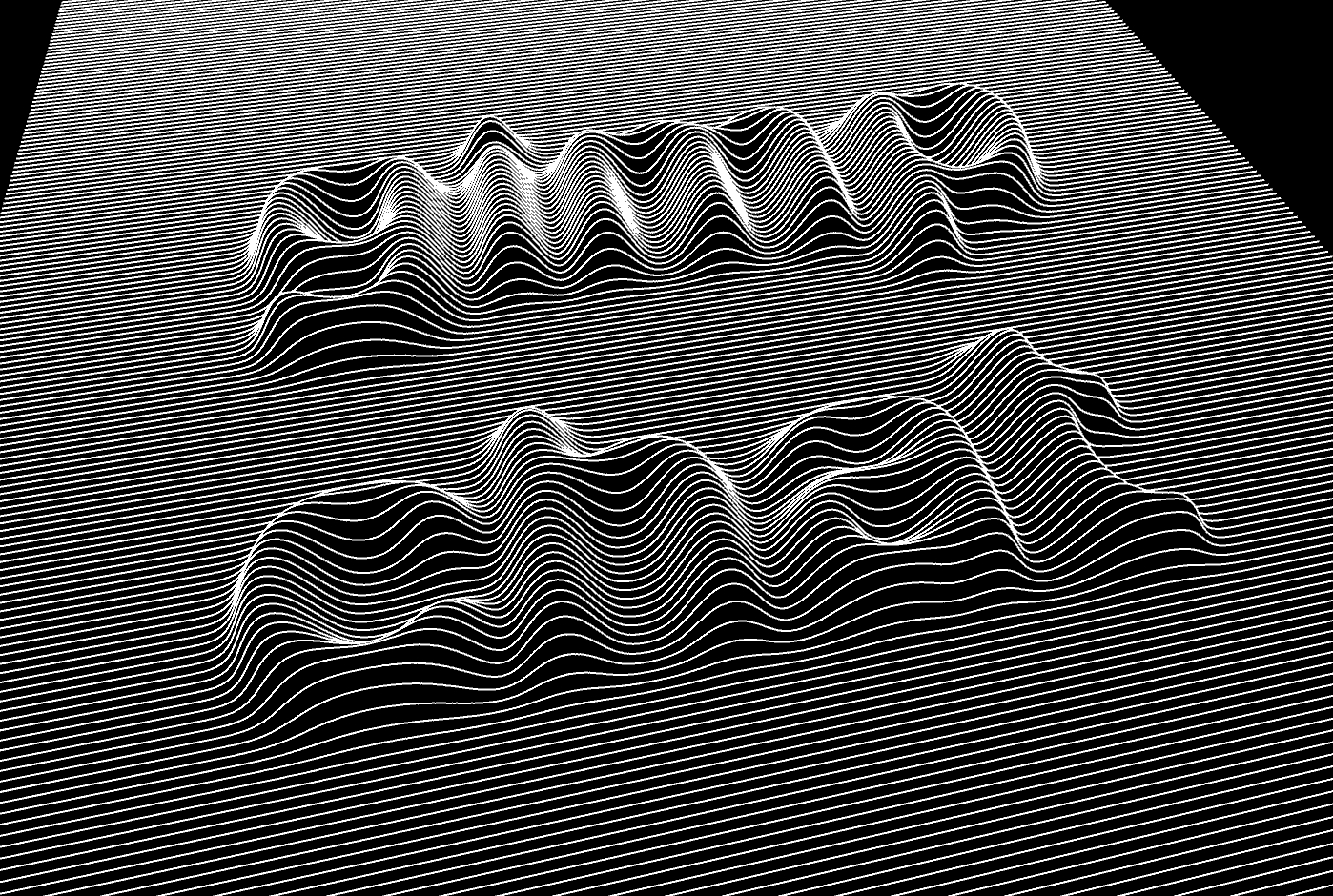
The image below created with Open Source cross-platform Processing2 software.
It supports javascript, Python and a few other programming languages.
I just got my hands on it this morning. It can create animations too. Very helpful whether you are a beginning or a seasoned programmer.

For the image below I created b/w jpg map (depth map) and zmap java script by Enrique Gallar
Here is the code
/**
* creates text typography on lines
* uses portions of code from Marius Watz for pdf rendering
* based in original idea (using AI-Scriptographer) from Jurg Lehni work commissioned
* for the artist Philippe Decrauzat.
*
* Copyright (c) 2007 Enrique Gallar
*/
import processing.opengl.*;
import processing.pdf.*;

//SimplePostscript ps;
int gap; //space in between lines
int num_lines;
float z_value;
PImage img;
float value;
color[] myarr;
boolean dosave=true;


void setup(){
size(2000, 2000, OPENGL); //if you change this arange new canvas rotation
background(0);
strokeWeight(1);

noLoop();
//frameRate(30); //if you use mouse input for viewport
gap = 10; // line spacing
z_value = 100; // height of elevation
num_lines = floor(height/gap);

//place this flie in the data directory in the script folder
PImage img = loadImage("ovi_lines.jpg"); //best if you have same size, use nice gausian blur
image(img, 0, 0);
loadPixels();
//filter(GRAY);
//filter(BLUR,100); //leftovers from attempts using processing also for the blur. Type relevant code was removed.

myarr= new color[pixels.length]; //this may not be necessary
arraycopy(pixels, myarr); // copy buffer to new array
for (int i=0; i <(width*height) -1; i++){ // store brightness values in new array
float brg = brightness(pixels[i]); // part of the magic, reading values
//float brg = 0.30 * r + 0.59 * g + 0.11 * b ;
myarr[i] = abs ((int) brg);
}
}

void draw(){
if(dosave) {
PGraphicsPDF pdf=(PGraphicsPDF)beginRaw(PDF, "pdf_out.pdf");

// set stroke styles and paint background rect.
pdf.strokeJoin(MITER);
pdf.strokeCap(SQUARE);
pdf.fill(0);
pdf.noStroke();
pdf.rect(0,0, width,height);
}


background(0);
stroke(255);
strokeWeight(2);
fill(0);//interesting effect if you do not fill shapes ;)
smooth();
pushMatrix();

translate(width/2, height/2);
//rotateX(map(mouseX,0, width, 0, PI/2)); // test realtime what effect you like
rotateX(PI/4); //final settings for viewpoint
rotateZ(-PI/15);
//rotateZ(map(mouseY, 0, height, 0, PI/2));
scale(1);
translate(-width/2,-height/2);

for (int i=0; i < num_lines; i++){ // y resolution
beginShape();
for ( int j=0; j < width; j++){ // x resolution
//color c = pixels[i*width+j]; //experiment with color variations based on location
value = map (myarr[i*gap*width+j], 0, 255, 0, z_value);
vertex(j, i*gap, value); //other primitives also work bezier vertex.
// if (j == 0) ps.moveto(j, i*gap);
// else ps.lineto(j, i*gap);
}
endShape();

}

popMatrix();
save("ovi_lines.tif"); //bitmap

if(dosave) {
endRaw();
dosave=false;
}

}

void keyPressed() {
if(key=='s') dosave=true;
}


Image


Edit. Tutorial on p.2 on how to create such images.


Last edited by K1TesseraEna on Wed Aug 27, 2014 6:38 am, edited 1 time in total.

Share on Facebook Share on Twitter Share on Orkut Share on Digg Share on MySpace Share on Delicious Share on Technorati
Top
 Post subject: Re: Processing 2
PostPosted: Sun Aug 24, 2014 3:04 pm  (#2) 
Offline
GimpChat Member
User avatar

Joined: Apr 07, 2010
Posts: 14182
Wow Kit, that would work very well on a t-shirt too. very cool

_________________
Image


Top
 Post subject: Re: Processing 2
PostPosted: Sun Aug 24, 2014 6:01 pm  (#3) 
Offline
GimpChat Member
User avatar

Joined: Sep 22, 2012
Posts: 2089
Location: US
Nice idea about t-shirts molly! Thanks

Image


Top
 Post subject: Re: Processing 2
PostPosted: Sun Aug 24, 2014 7:03 pm  (#4) 
Offline
GimpChat Member
User avatar

Joined: Nov 16, 2011
Posts: 5127
Location: Metro Vancouver, BC
Did you see it in this thread, Processing.org?

_________________
Image
Gimp 2.8.18, Linux, median user
Gimp Chat Tutorials Index
Spirit Bear (Kermode)


Top
 Post subject: Re: Processing 2
PostPosted: Sun Aug 24, 2014 7:38 pm  (#5) 
Offline
GimpChat Member
User avatar

Joined: Sep 22, 2012
Posts: 2089
Location: US
Odinbc wrote:
Did you see it in this thread, Processing.org?


No, I didn't see it. I actually found it following an image on Flickr


Top
 Post subject: Re: Processing 2
PostPosted: Sun Aug 24, 2014 7:41 pm  (#6) 
Offline
GimpChat Member
User avatar

Joined: May 27, 2011
Posts: 707
K1TesseraEna
That's neat !
can it become a Gimp script?


Top
 Post subject: Re: Processing 2
PostPosted: Sun Aug 24, 2014 7:52 pm  (#7) 
Offline
GimpChat Member
User avatar

Joined: Apr 07, 2010
Posts: 14182
K1TesseraEna wrote:
Nice idea about t-shirts molly! Thanks

[ Image ]

Wow, that is sooo cool. I want to do one of those.
I just watched parts of the video and it is away beyond me. I would have to back to school and learn all those x and y things I didn't pay any attention to when I did go to school.
Too bad though, it sure would be nice to be able to do that.

_________________
Image


Top
 Post subject: Re: Processing 2
PostPosted: Sun Aug 24, 2014 8:50 pm  (#8) 
Offline
GimpChat Member
User avatar

Joined: Nov 16, 2011
Posts: 5127
Location: Metro Vancouver, BC
K1TesseraEna wrote:
No, I didn't see it. I actually found it following an image on Flickr
I looked through the reference manual awhile ago but never got around to using the program. Thanks for reminding me about it, I've downloaded it again today to have a look see. The Processing language first came to my attention with Processing.js for the web.

_________________
Image
Gimp 2.8.18, Linux, median user
Gimp Chat Tutorials Index
Spirit Bear (Kermode)


Top
 Post subject: Re: Processing 2
PostPosted: Sun Aug 24, 2014 9:53 pm  (#9) 
Offline
GimpChat Member
User avatar

Joined: Sep 22, 2012
Posts: 2089
Location: US
@pirate541 I did something similar in gimp using a displacement map and lighting effect filter.
But the lines weren't continuous, just warped around the letters. But this code is for Processing only.


@Odin From what I've learned so far (and that's just scratching the surface) this application is a Klondike of possibilities.


Top
 Post subject: Re: Processing 2
PostPosted: Mon Aug 25, 2014 7:29 am  (#10) 
Offline
Global Moderator
User avatar

Joined: May 16, 2010
Posts: 16042
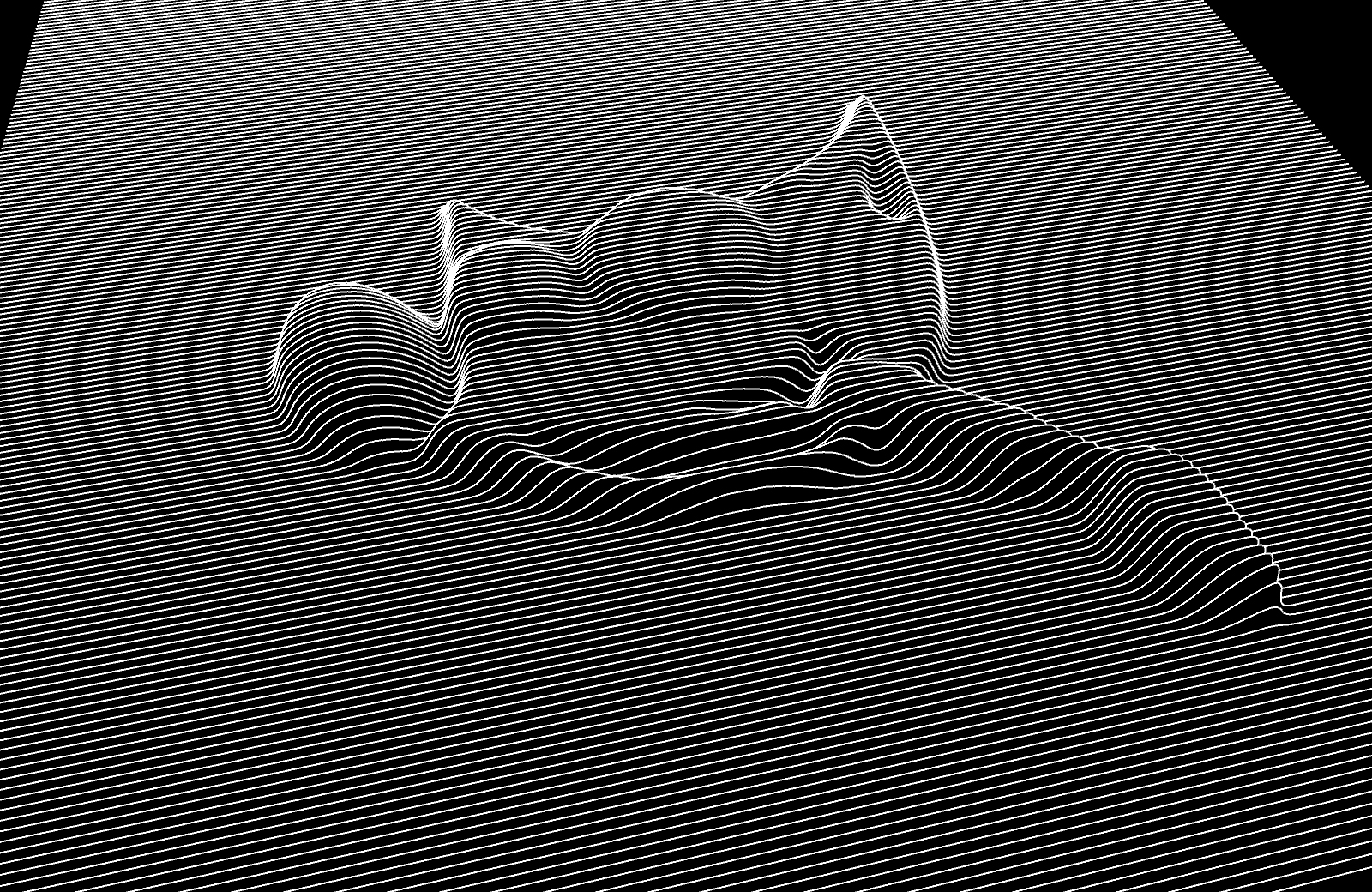
Sort of the effect i was looking for with the man coming out of the letters to hug a woman.

_________________
Image


Top
 Post subject: Re: Processing 2
PostPosted: Mon Aug 25, 2014 7:43 am  (#11) 
Offline
GimpChat Member
User avatar

Joined: Jun 02, 2013
Posts: 2090
Very cool.

pirate541 wrote:
can it become a Gimp script?


This. :bigthup

_________________
Image


Top
 Post subject: Re: Processing 2
PostPosted: Mon Aug 25, 2014 2:20 pm  (#12) 
Offline
GimpChat Founder
User avatar

Joined: May 22, 2008
Posts: 5241
Location: Gimpville
Looks interesting. Wish I had more time to play..

_________________
“If you reach for the stars, you just might land on a decently sized hill.” - Stuart Hill


Top
 Post subject: Re: Processing 2
PostPosted: Tue Aug 26, 2014 7:42 am  (#13) 
Offline
Script Coder
User avatar

Joined: Jul 14, 2010
Posts: 697
I was playing with processing a while back - here were some random procedural ciry map images I made:
Image

-Rob A>

_________________
Image
Fantasy Cartography and Mapping by RobA


Top
 Post subject: Re: Processing 2
PostPosted: Tue Aug 26, 2014 10:31 am  (#14) 
Offline
GimpChat Member
User avatar

Joined: Sep 22, 2012
Posts: 2089
Location: US
RobA wrote:
I was playing with processing a while back - here were some random procedural ciry map images I made:
[ Image ]

-Rob A>


I've read the entire thread after Odin pointed it out and saw this image of yours, Rob.
Unfortunately the pics in your links are missing.


Top
 Post subject: Re: Processing 2
PostPosted: Tue Aug 26, 2014 11:24 pm  (#15) 
Offline
GimpChat Member
User avatar

Joined: Sep 22, 2012
Posts: 2089
Location: US
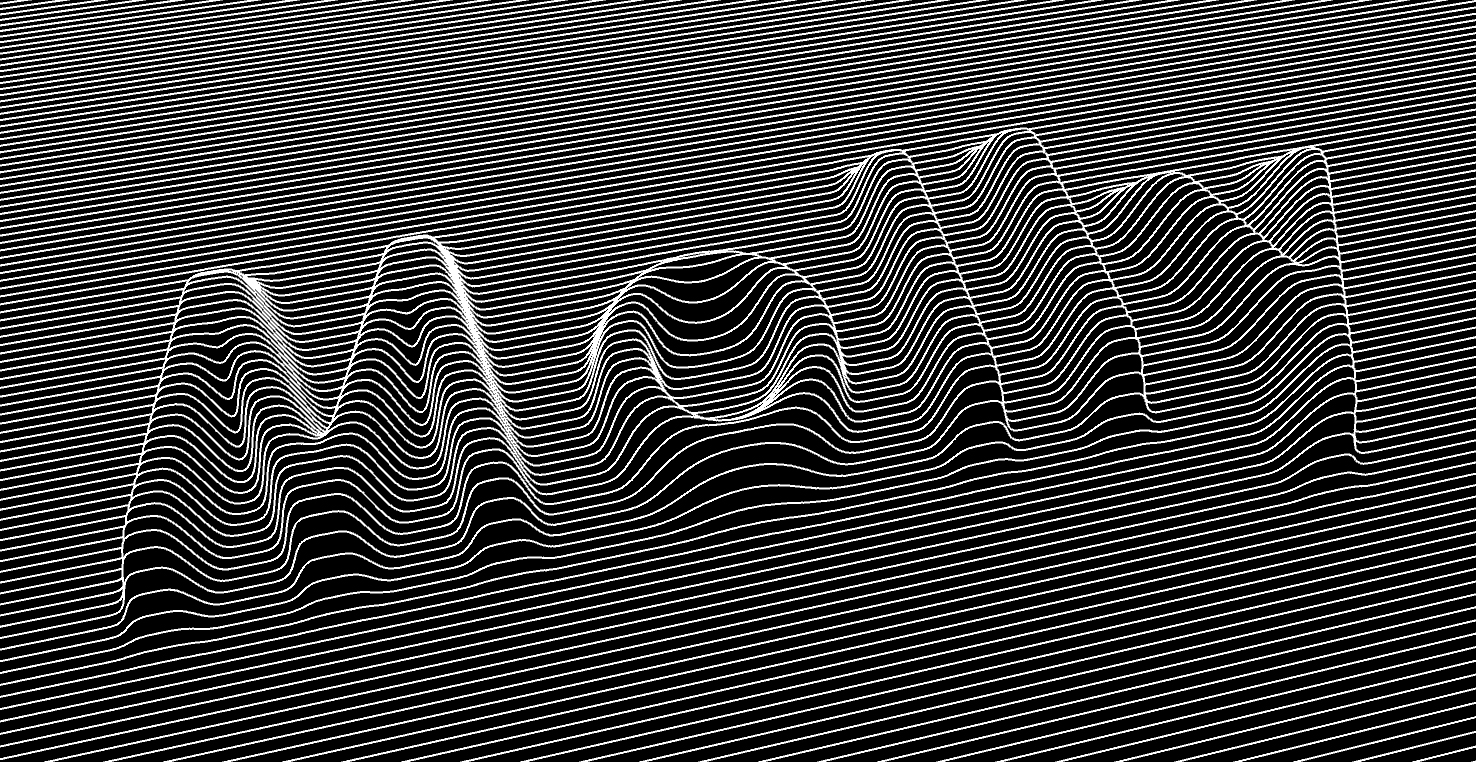
Mini-tutorial on how to use the provided script to get a beveled text (shape).

1.First, you need to download Processing 2 application to any folder on your main drive.
2.Create an image in gimp - Depth Map - with equal Width and Height: e.g. 2000x2000 px (minimum recommended 400x400)
Background must be black.
3. Create a separate text layer or shape (white color) above the black b/g layer and
apply 20x20 to 50x50 px Gaussain Blur (this is important for the lines transition speed and smoothness - you'll see what I mean
after playing with blur values).
3. Export created image as ovi-lines.jpg to the processing-2.2.1 folder. You don't have to flatten the image.

[Depth map ready]
Image

4. Run the Processing 2 app.
5. In main window paste the entire script (see the 1st post)
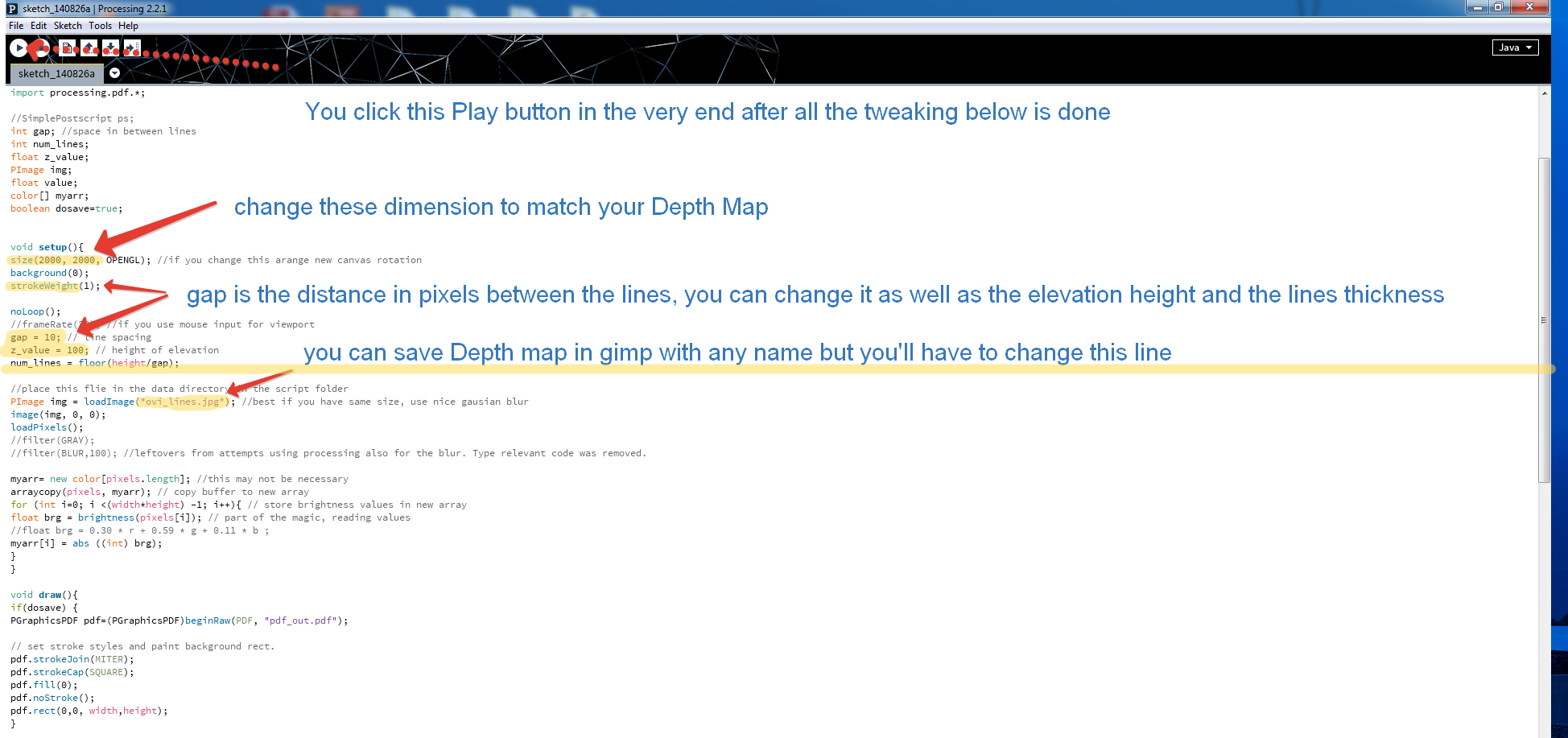
6. You can fiddle with the code (see the image below)

Image

7. Click on Run button - a separate window with rendered image will open.
8. If you're happy with the results save it (creates a folder with tiff, pdf, data and processing files)
9. Open tiff file in gimp, edit (crop), save.

Image


Top
 Post subject: Re: Processing 2 (tutorial on p.2)
PostPosted: Wed Jul 25, 2018 5:07 am  (#16) 
Offline
New Member

Joined: Jul 25, 2018
Posts: 1
Dear K1TesseraEna, I thank you so much for your short yet very comprehensive tutorial regarding Processing. I just managed to make it work and I had no previous knowledge about that so I'm very thankfull for your help.

I have also one remaining question. The script shows some way to liveview the result of the script and even using the mouse to move object. I've not been able to do that. Do you have any idea how it works ?
:tyspin


Top
 Post subject: Re: Processing 2 (tutorial on p.2)
PostPosted: Wed Jul 25, 2018 10:56 am  (#17) 
Offline
GimpChat Member
User avatar

Joined: Jul 01, 2018
Posts: 75
I am also new to GIMP. But I am a voracious and avaricious GIMP fan. I would thank anyone who tells me
what exactly is PROCESSING2 application and where I can get it.
The effect is simply superb and one can create amazing effects..
Thanks a ton in advance.
- Eureka


Top
 Post subject: Re: Processing 2 (tutorial on p.2)
PostPosted: Thu Aug 23, 2018 9:47 am  (#18) 
Offline
GimpChat Member
User avatar

Joined: Jul 01, 2018
Posts: 75
Gentle request to:K1TesseraEna

I am also new to GIMP. But I am a voracious and avaricious GIMP fan. I would thank anyone who tells me
what exactly is PROCESSING2 application and where I can get it.
The effect is simply superb and one can create amazing effects..
Thanks a ton in advance.
- Eureka


Top
 Post subject: Re: Processing 2 (tutorial on p.2)
PostPosted: Fri Aug 24, 2018 10:38 am  (#19) 
Offline
GimpChat Member
User avatar

Joined: Mar 28, 2016
Posts: 312
Location: Netherlands
Hello Eureka,

Processing has nothing to do with GIMP. But you can make interesting visual effects, short animations, little games, generative art with it.

Processing is a verry nice library in Java, to make "little" programs for creating visual effects and "art". The library makes it easier to code this things.

https://processing.org/

There is also a Javascript variant: P5.js:

https://p5js.org/

Daniel Shiffman has lots of videos on his YouTube channel for processing and P5.js.

It is an enjoyable way to start programming in Java or Javascript. Daniel Shiffman is a great :spring teacher.

www.youtube.com Video from : www.youtube.com


Top
 Post subject: Re: Processing 2 (tutorial on p.2)
PostPosted: Fri Aug 24, 2018 11:12 am  (#20) 
Offline
GimpChat Member
User avatar

Joined: Jul 01, 2018
Posts: 75
Dear and Respected iarga,
Thank you very much for your guidance.
I am much obliged to you.

-Eureka


Top
Post new topic Reply to topic  [ 23 posts ]  Go to page 1, 2  Next

All times are UTC - 5 hours [ DST ]


* Login  


Powered by phpBB3 © phpBB Group