It is currently Mon Jun 15, 2026 5:35 am


All times are UTC - 5 hours [ DST ]


Post new topic Reply to topic  [ 131 posts ]  Go to page 1, 2, 3, 4, 5 ... 7  Next
Author Message
 Post subject: Flame Painter
PostPosted: Wed Jun 08, 2011 8:54 pm  (#1) 
Offline
Global Moderator
User avatar

Joined: May 16, 2010
Posts: 16028
http://www.escapemotions.com/products/f ... /index.php
It's not free but it is fun! :)
There is a on-line experimental interface you can play with too
http://www.escapemotions.com/experiment ... index.html

The cost at the Mac store is about 9.95 i believe.
Windows users have to pay 14.95 :P
I bought it because this is one awesome program for the cheap price!
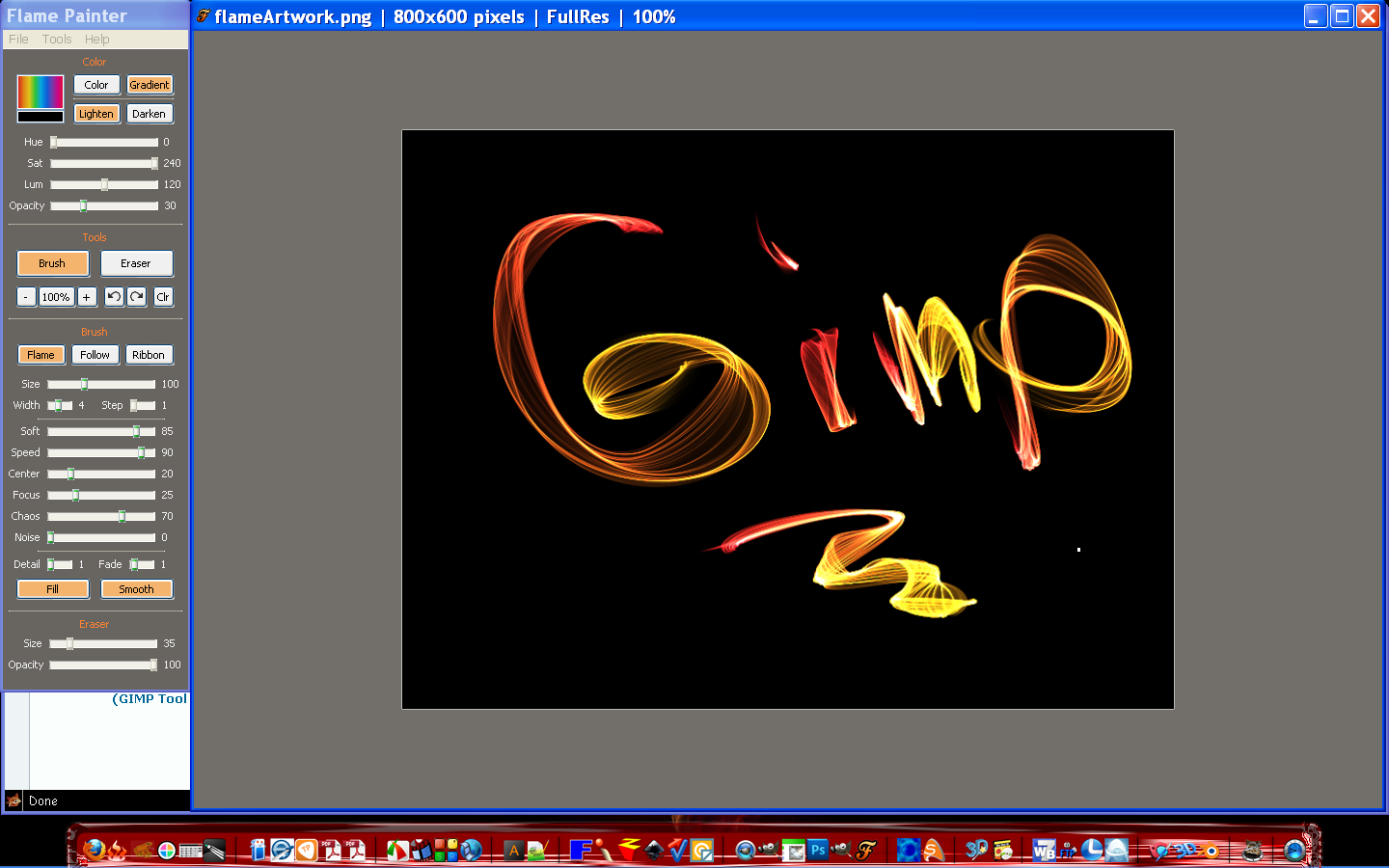
Interface

Image

A couple more images made with different brushes and gradients.

Image

Image

Image

Thought the program was worth sharing even though its not free source.
I really enjoy playing with this program and can't wait to create some flame dragons and stuff with it.

Though you can download the demo, it just doesn't save the image.

_________________
Image


Share on Facebook Share on Twitter Share on Orkut Share on Digg Share on MySpace Share on Delicious Share on Technorati
Top
 Post subject: Re: Flame Painter
PostPosted: Wed Jun 08, 2011 9:41 pm  (#2) 
Offline
GimpChat Member
User avatar

Joined: Sep 24, 2010
Posts: 12775
We had fun with this one at DPR's Retouch forum a while back Rod. Exporting the online results, as I recall at the time, didn't give you very good results unless you did a screen capture, and that wasn't acceptable at the time. Also, you had to actually paint and, as a simulator, I didn't play with it for long. lol

:)

_________________
Lyle

Psalm 109:8

Image


Top
 Post subject: Re: Flame Painter
PostPosted: Wed Jun 08, 2011 9:42 pm  (#3) 
Offline
GimpChat Member

Joined: Mar 08, 2011
Posts: 155
That's an awesome find! Their main page says something about transparency and PNG... I'm not much on graphics and lingo, so does this:

Quote:
- Loading and saving in PNG - native format, TGA, TIF, BMP and JPG files
- Using transparent background (alpha channel)

...mean you can save the "flames" on a transparent background and open in another program, like GIMP?

And I think I also saw something about being able to draw on other images, is that true too?

I don't know if you've moved beyond the experimenting stage yet though, was just hoping you know or can confirm this stuff.

Thanks for posting!


Top
 Post subject: Re: Flame Painter
PostPosted: Wed Jun 08, 2011 10:27 pm  (#4) 
Offline
Global Moderator
User avatar

Joined: May 16, 2010
Posts: 16028
Amanda47 wrote:
That's an awesome find! Their main page says something about transparency and PNG... I'm not much on graphics and lingo, so does this:

Quote:
- Loading and saving in PNG - native format, TGA, TIF, BMP and JPG files
- Using transparent background (alpha channel)

...mean you can save the "flames" on a transparent background and open in another program, like GIMP?

And I think I also saw something about being able to draw on other images, is that true too?

I don't know if you've moved beyond the experimenting stage yet though, was just hoping you know or can confirm this stuff.

Thanks for posting!


You can paint on existing images
Image

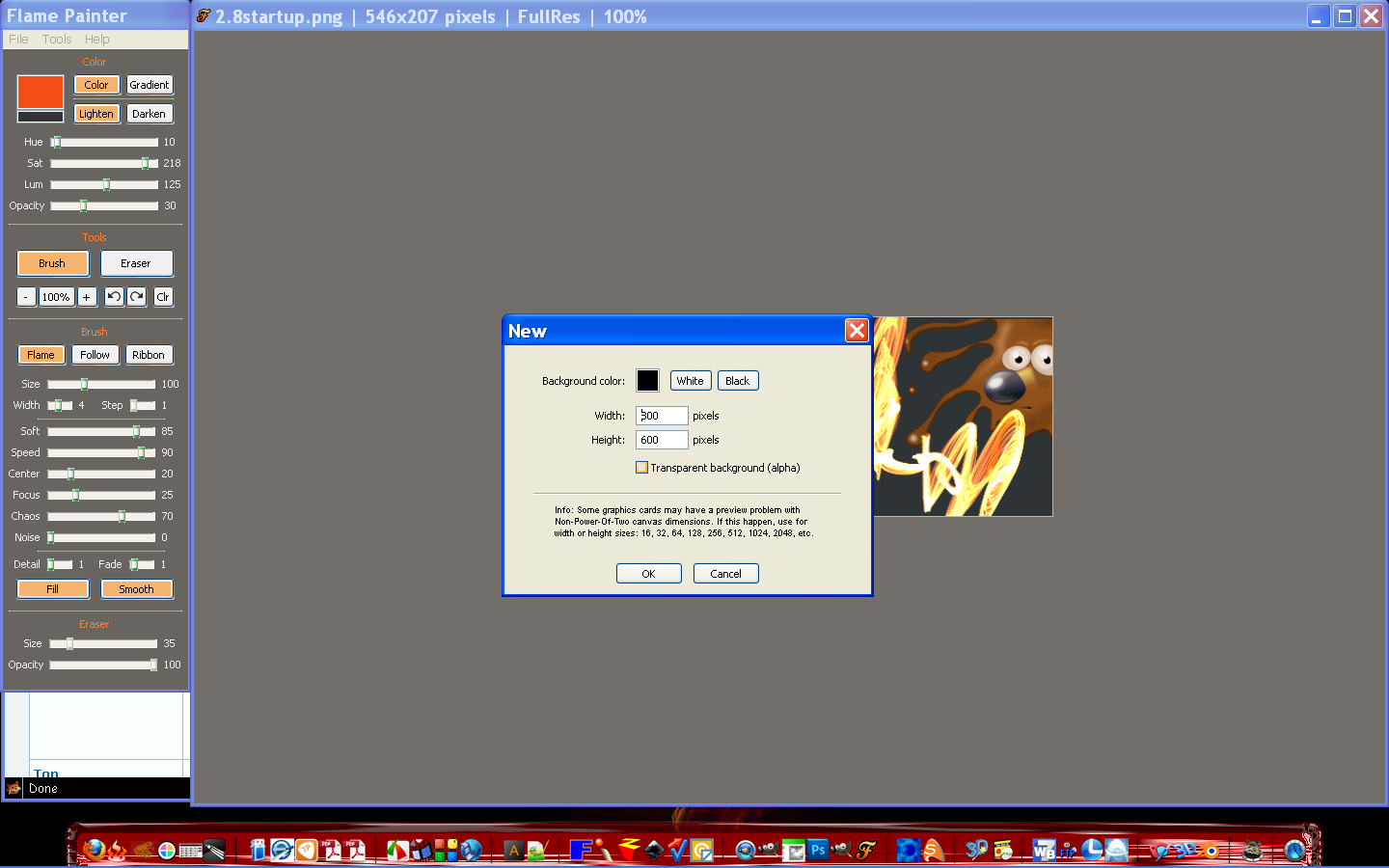
And by clicking file new you can save as a new doc at whatever size you want with or without alpha transparency. :)
Image

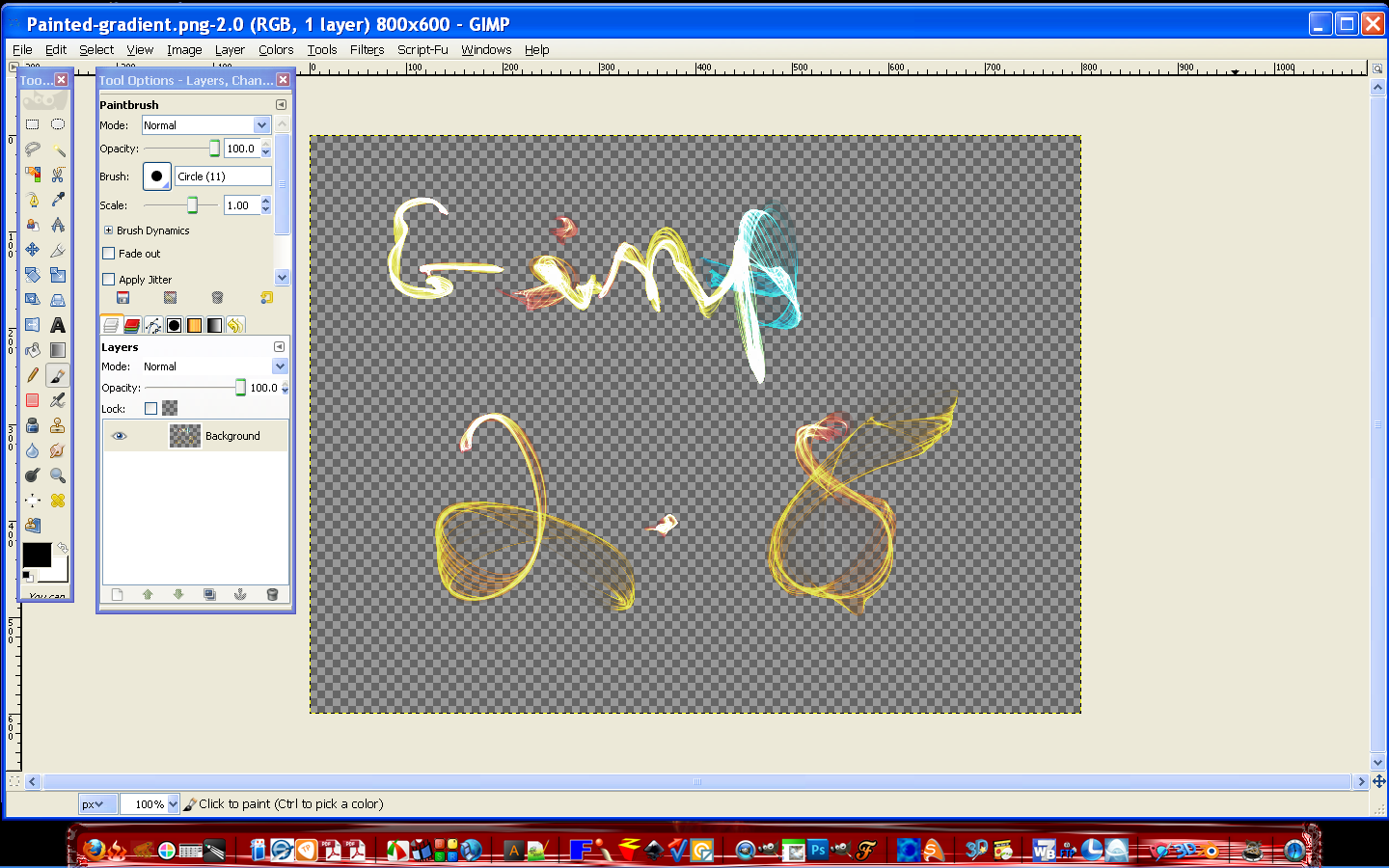
One in Gimp with transparency
Image

_________________
Image


Top
 Post subject: Re: Flame Painter
PostPosted: Wed Jun 08, 2011 10:32 pm  (#5) 
Offline
GimpChat Member
User avatar

Joined: Sep 24, 2010
Posts: 12775
Cool; they've made it a little better then the last time I used it. It would be very cool if you could convert an image to flame via a built in filter; that would perk my interest even more. I just hate painting/smudging and try to avoid doing so like the plague (again, no offense the the painter/smudgers here; it's just a personal thing; definitely I'm not a brush artist; again, I'm a simulator). :)

_________________
Lyle

Psalm 109:8

Image


Top
 Post subject: Re: Flame Painter
PostPosted: Wed Jun 08, 2011 10:44 pm  (#6) 
Offline
GimpChat Member

Joined: Mar 08, 2011
Posts: 155
Thanks Rod! They should probably pay you a commission, because you've sold me on it :P


Top
 Post subject: Re: Flame Painter
PostPosted: Wed Jun 08, 2011 10:58 pm  (#7) 
Offline
Global Moderator
User avatar

Joined: May 16, 2010
Posts: 16028
lylejk wrote:
Cool; they've made it a little better then the last time I used it. It would be very cool if you could convert an image to flame via a built in filter; that would perk my interest even more. I just hate painting/smudging and try to avoid doing so like the plague (again, no offense the the painter/smudgers here; it's just a personal thing; definitely I'm not a brush artist; again, I'm a simulator). :)


Not sure if any filters are available.Seems to be pretty much brush oriented. :)
It does have a very nice adjustable brush settings though.Good for intricate drawing.

I hope you do not think i was trying to sell the program for my personal gain.I would never do that here at Gimp Chat.I do not get anything for you buying the program. (just wanted to mention that). :)

I just thought it was a pretty unique tool that could be used in addition to Gimp.
Sort of like a outside plug-in.Anyways i am glad you like the program Amanda.I was sold on it in about 2 minutes. :lol

_________________
Image


Top
 Post subject: Re: Flame Painter
PostPosted: Wed Jun 08, 2011 10:59 pm  (#8) 
Offline
Global Moderator
User avatar

Joined: May 16, 2010
Posts: 16028
Now you watch what comes up at Give Away of The day - happens to me every time. ;)

_________________
Image


Top
 Post subject: Re: Flame Painter
PostPosted: Wed Jun 08, 2011 11:29 pm  (#9) 
Offline
GimpChat Member
User avatar

Joined: Sep 24, 2010
Posts: 12775
Not at all Rod; it is pretty cool for what it does. They have other cool applets too as I recall. Still, I don't have a pad (only a lazer mouse) so that pretty much limits the fun for me w.r.t. these type of programs. :)

_________________
Lyle

Psalm 109:8

Image


Top
 Post subject: Re: Flame Painter
PostPosted: Thu Jun 09, 2011 1:10 pm  (#10) 
Offline
Global Moderator
User avatar

Joined: May 16, 2010
Posts: 16028
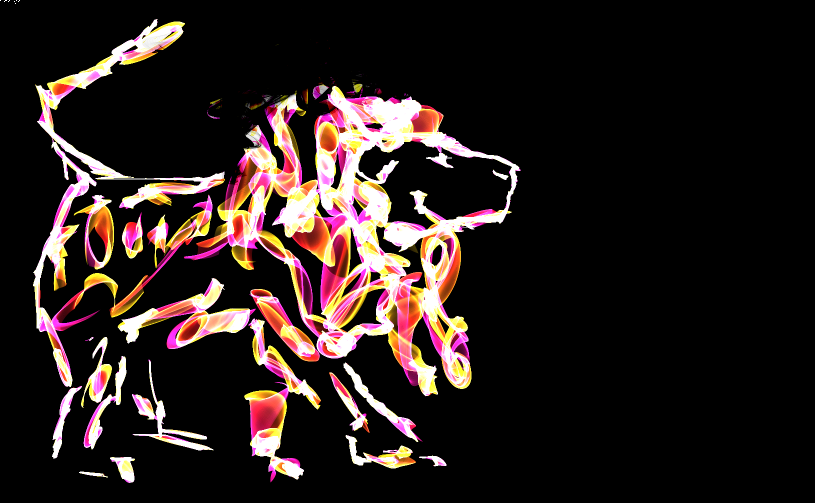
A quick lion. :)

Image

_________________
Image


Top
 Post subject: Re: Flame Painter
PostPosted: Thu Jun 09, 2011 1:28 pm  (#11) 
Offline
Global Moderator
User avatar

Joined: May 16, 2010
Posts: 16028
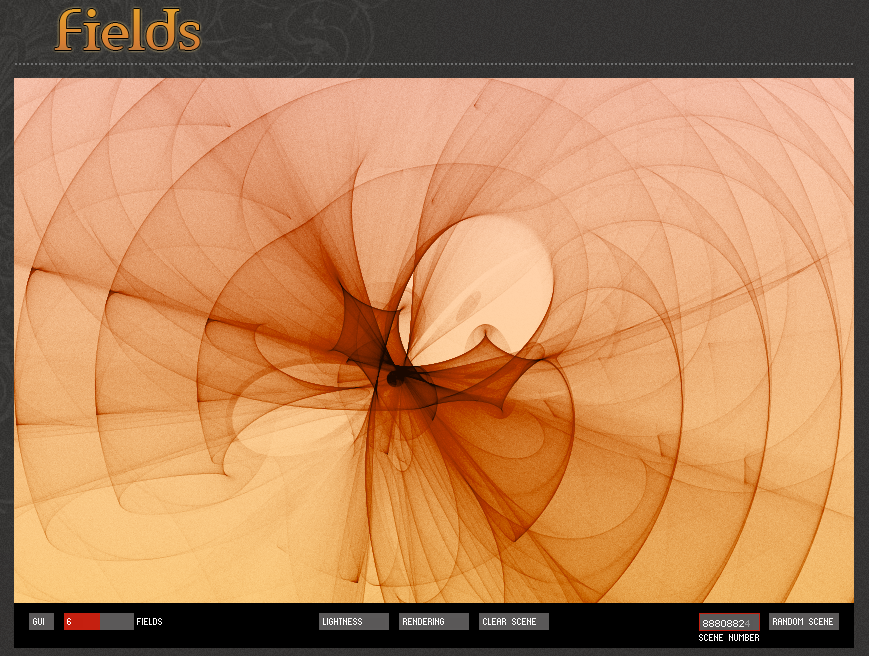
Here is another experimental onsite painter he has developed called Field.
I created this with 6 fields of random circles surrounding a bigger circle. :)
Image


The online painter for Field can be found here -
http://www.escapemotions.com/experiment ... x.html#top

There is also Fluid Painter here
http://www.escapemotions.com/experiment ... index.html

All of his experimental painters can be found here
http://www.escapemotions.com/experiments.html

Pretty cool!

_________________
Image


Top
 Post subject: Re: Flame Painter
PostPosted: Thu Jun 09, 2011 2:49 pm  (#12) 
Offline
GimpChat Member
User avatar

Joined: Mar 02, 2011
Posts: 1850
Location: Michigan
Wow both of those are cool looking!
I really like the first one, I wonder if it could be replicated by using a brush

_________________
Image
I'm back I think


Top
 Post subject: Re: Flame Painter
PostPosted: Thu Jun 09, 2011 4:19 pm  (#13) 
Offline
GimpChat Member
User avatar

Joined: Sep 24, 2010
Posts: 12775
Very much reminds me of X-Ray photography. Wish there was a filter that could make, say, a flower turn into this type of result. :)

_________________
Lyle

Psalm 109:8

Image


Top
 Post subject: Re: Flame Painter
PostPosted: Fri Jun 10, 2011 5:36 am  (#14) 
Offline
GimpChat Member
User avatar

Joined: Apr 09, 2011
Posts: 1764
Hey those are really nice images


Top
 Post subject: Re: Flame Painter
PostPosted: Fri Jun 10, 2011 6:34 am  (#15) 
Offline
Global Moderator
User avatar

Joined: May 16, 2010
Posts: 16028
The scratches brush may work for getting close to the same effect.Using it while painting with a gradient maybe?

_________________
Image


Top
 Post subject: Re: Flame Painter
PostPosted: Fri Jun 10, 2011 6:57 am  (#16) 
Offline
GimpChat Member
User avatar

Joined: Apr 09, 2011
Posts: 1764
Flame Painter is 12:99 Aussie...really dont understand that since our Dollar is value up at the moment.


Top
 Post subject: Re: Flame Painter
PostPosted: Sat Nov 19, 2011 2:24 pm  (#17) 
Offline
GimpChat Member
User avatar

Joined: Jul 04, 2011
Posts: 395
Location: Indianapolis, IN
This program rocks! I shelled out the $15 for it.

Note* : At a latter point in time these images will probably disappear.

I just doodled this one up! Mind you I'm no artist .. what .. so .. ever!

This is the original - they're all 1920x1080
Image

Using the Rodillus (spelling) filter from GMIC
Image

Using Lyle's Painting filter from GMIC
Image

Using Naggobots ColorAbstraction
Image

Just used Pencil Drawing
Image

I can see having loads of fun with this!

_________________
"That which does not kill us makes us stronger." ~ Friedrich Nietzsche


Top
 Post subject: Re: Flame Painter
PostPosted: Sat Nov 19, 2011 2:31 pm  (#18) 
Offline
GimpChat Member
User avatar

Joined: Oct 06, 2010
Posts: 4050
Akky, I don't think the online price fluctuations keep in sync with the real-time, although it should, considering everything is software oriented (programmed extensively) these days. I guess it depends on the web app being used for people selling online.

The programs you profile here are pretty cool, Rod. Unfortunately, being a Linux user has deterred me from seeking out most of the Windows oriented software.

_________________
"In order to attain the impossible, one must attempt the absurd."
~ Miguel de Cervantes


Top
 Post subject: Re: Flame Painter
PostPosted: Sat Nov 19, 2011 2:45 pm  (#19) 
Offline
GimpChat Member
User avatar

Joined: Sep 24, 2010
Posts: 12775
Those are some cool results MrBiggz. :)

_________________
Lyle

Psalm 109:8

Image


Top
 Post subject: Re: Flame Painter
PostPosted: Sat Nov 19, 2011 3:35 pm  (#20) 
Offline
GimpChat Member
User avatar

Joined: Apr 09, 2011
Posts: 1764
LOL I should have got it back then...the price now is $15:99LOL can you believe that...up $3!!


Top
Post new topic Reply to topic  [ 131 posts ]  Go to page 1, 2, 3, 4, 5 ... 7  Next

All times are UTC - 5 hours [ DST ]


* Login  


Powered by phpBB3 © phpBB Group