It is currently Sun Sep 27, 2026 4:15 pm


All times are UTC - 5 hours [ DST ]


Post new topic Reply to topic  [ 35 posts ]  Go to page Previous  1, 2
Author Message
 Post subject: Re: Metal Wurx - Part XIX Indicator Lights
PostPosted: Thu Aug 02, 2012 10:00 am  (#21) 
Offline
GimpChat Member
User avatar

Joined: Jun 24, 2010
Posts: 504
Location: Western Vic Australia
Thank You Molly for your comment, I am sure that Drac can help you if you need help with the last step. You really need to to only do it for any one finished bezel combo. I deviated a little from Dracs tut here and as I made a bezel combo layer , I saved/exported it as a png. On one of them I selected the bezel, added a layer and added a metallic colour in overlay mode. Good luck.

EDIT There you go Ninja'd by Drac already

_________________
Image


Top
 Post subject: Re: Metal Wurx - Part XIX Indicator Lights
PostPosted: Thu Aug 02, 2012 10:43 am  (#22) 
Offline
GimpChat Member
User avatar

Joined: Apr 07, 2010
Posts: 14182
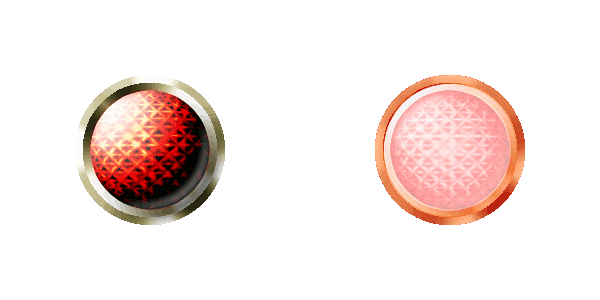
Thanks Drac and coming from you, you can tease me all you want, lol. Anyway, I did that but when I add color, it only adds it to the ribbed part and not the inner layer, I think some where I messed up. I will start over from scratch.
ImageImageImage

_________________
Image


Top
 Post subject: Re: Metal Wurx - Part XIX Indicator Lights
PostPosted: Thu Aug 02, 2012 10:45 am  (#23) 
Offline
GimpChat Member
User avatar

Joined: Mar 23, 2012
Posts: 7388
Location: Göteborg at last!
molly wrote:
Thanks Drac and coming from you, you can tease me all you want, lol. Anyway, I did that but when I add color, it only adds it to the ribbed part and not the inner layer, I think some where I messed up. I will start over from scratch.


I think you and me are as bad as each other Molly. :mrgreen:


Top
 Post subject: Re: Metal Wurx - Part XIX Indicator Lights
PostPosted: Thu Aug 02, 2012 11:42 am  (#24) 
Offline
GimpChat Member
User avatar

Joined: Aug 24, 2011
Posts: 1785
Location: Dallas, TX
Molly, gosh I wouldn't start over, this puppy is too darn long for that. If you could just give me a screenshot of your layers I bet it has something to do with either the order or visibility. You know as weell as I do that whatever layer is on top will obscure the others. Also make sure you have a colored layer (3 total) for each of the rim/flange layers.

_________________
Image


Top
 Post subject: Re: Metal Wurx - Part XIX Indicator Lights
PostPosted: Thu Aug 02, 2012 4:44 pm  (#25) 
Offline
GimpChat Member
User avatar

Joined: Mar 23, 2012
Posts: 7388
Location: Göteborg at last!
Think I got there in the end.

Image


Top
 Post subject: Re: Metal Wurx - Part XIX Indicator Lights
PostPosted: Thu Aug 02, 2012 5:08 pm  (#26) 
Offline
GimpChat Member
User avatar

Joined: Apr 07, 2010
Posts: 14182
Very good job.

_________________
Image


Top
 Post subject: Re: Metal Wurx - Part XIX Indicator Lights
PostPosted: Thu Aug 02, 2012 6:08 pm  (#27) 
Offline
GimpChat Member
User avatar

Joined: Jun 24, 2010
Posts: 504
Location: Western Vic Australia
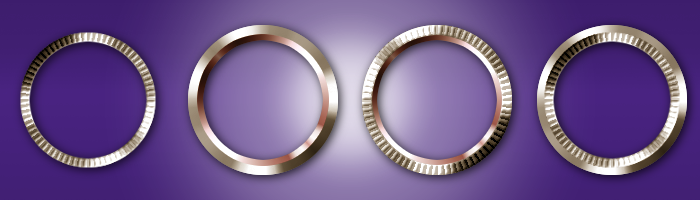
Beautiful set of bezels ! Erisian

_________________
Image


Top
 Post subject: Re: Metal Wurx - Part XIX Indicator Lights
PostPosted: Fri Aug 03, 2012 8:22 am  (#28) 
Offline
GimpChat Member
User avatar

Joined: Mar 23, 2012
Posts: 7388
Location: Göteborg at last!
Thank you both.


Top
 Post subject: Re: Metal Wurx - Part XIX Indicator Lights
PostPosted: Fri Aug 03, 2012 11:13 am  (#29) 
Offline
GimpChat Member
User avatar

Joined: Aug 24, 2011
Posts: 1785
Location: Dallas, TX
I told you guys up front that this one would be a challenge but all the results look great. Let's see if you survive all the way to the end of this mega-tut. :rofl

_________________
Image


Top
 Post subject: Re: Metal Wurx - Part XIX Indicator Lights
PostPosted: Sat Apr 20, 2013 11:33 am  (#30) 
Offline
GimpChat Member
User avatar

Joined: Jan 20, 2013
Posts: 590
Dear Draconian,
I've followed the whole tutorial “ Indicator Lights “ since the part A till the part C. I got the expected results. At the end, I decided to do an animation alternating the light on and the light off, previously saved both as png. For my surprise, the animation was not showing the colorful region of the light on in which the filter Gaussian blur was applied with the value of 100. But only in the gif image. At the png image the blurred area appears. The animation image was not showing any color besides the area called "rim". Would you be able to explain what was happened? Thanks.
Image

_________________
Image


Top
 Post subject: Re: Metal Wurx - Part XIX Indicator Lights
PostPosted: Sat Apr 20, 2013 12:05 pm  (#31) 
Offline
GimpChat Member
User avatar

Joined: Aug 30, 2012
Posts: 2174
Carlos Diniz - Nice work, In case you haven't found the thread yet here is a link so you can download the script version.

_________________
Image


Top
 Post subject: Re: Metal Wurx - Part XIX Indicator Lights
PostPosted: Mon Apr 22, 2013 6:35 am  (#32) 
Offline
GimpChat Member
User avatar

Joined: Jan 20, 2013
Posts: 590
Thanks, he4rty, but I continue without knowing the reason for which the blured image does not appear in the animation. Can you explain me? It is a question that interests me for other images.

_________________
Image


Top
 Post subject: Re: Metal Wurx - Part XIX Indicator Lights
PostPosted: Mon Apr 22, 2013 6:40 am  (#33) 
Offline
Global Moderator
User avatar

Joined: May 16, 2010
Posts: 16175
Carlos Diniz wrote:
Thanks, he4rty, but I continue without knowing the reason for which the blured image does not appear in the animation. Can you explain me? It is a question that interests me for other images.


If you mean the map layer it is no longer needed after it's used as a bump map.


Top
 Post subject: Re: Metal Wurx - Part XIX Indicator Lights
PostPosted: Wed Apr 24, 2013 4:19 am  (#34) 
Offline
GimpChat Member
User avatar

Joined: Jan 20, 2013
Posts: 590
I mean the blured zone that indicates the light is on, not the blured image used to bump map. Look at my image. There's no blured zone besides the light.

_________________
Image


Top
 Post subject: Re: Metal Wurx - Part XIX Indicator Lights
PostPosted: Wed Apr 24, 2013 7:12 am  (#35) 
Carlos Diniz wrote:
I mean the blured zone that indicates the light is on, not the blured image used to bump map. Look at my image. There's no blured zone besides the light.

Hi Carlos,
If you are referring to the 'glow' surrounding the actual light, then you need to understand how gif files deal with semi-transparent pixels. My guess would be that in the flattening process, the glow was treated as completely transparent.
You could have a read here GIF: Semi-transparency, Anti-aliasing, Semi-Flattening
You could also try saving it as an Animated PNG file (supports transparency).
To do this you will need to have an external application eg APNG AnimeMaker
or have installed the Gimp APNG plugin.
Hope that helps a little.
;)


Top
Post new topic Reply to topic  [ 35 posts ]  Go to page Previous  1, 2

All times are UTC - 5 hours [ DST ]


cron

* Login  


Powered by phpBB3 © phpBB Group