It is currently Thu Jul 30, 2026 10:07 pm


All times are UTC - 5 hours [ DST ]


Post new topic Reply to topic  [ 20 posts ] 
Author Message
 Post subject: Metal text
PostPosted: Mon Mar 04, 2013 4:26 pm  (#1) 
Offline
GimpChat Member

Joined: Aug 05, 2011
Posts: 606
Location: limestone,ny
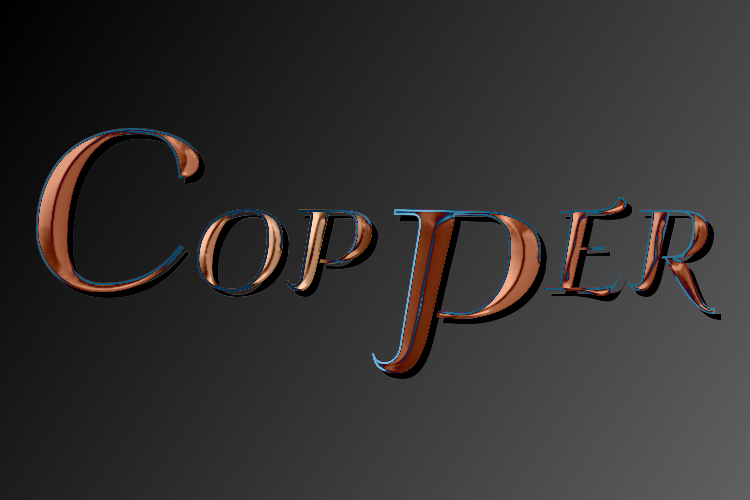
Image


Attachments:
metal_gimp.pdf [1010.2 KiB]
Downloaded 1061 times
Share on Facebook Share on Twitter Share on Orkut Share on Digg Share on MySpace Share on Delicious Share on Technorati
Top
 Post subject: Re: Metal text
PostPosted: Mon Mar 04, 2013 4:52 pm  (#2) 
Offline
GimpChat Member
User avatar

Joined: Apr 07, 2010
Posts: 14182
Love it. I haven't seen anything yet that I didn't like from you alc.

_________________
Image


Top
 Post subject: Re: Metal text
PostPosted: Mon Mar 04, 2013 5:01 pm  (#3) 
Offline
GimpChat Member
User avatar

Joined: Aug 16, 2012
Posts: 4271
Location: Göteborg, Sweden
alc59: that's quicker than i had expected :). thank you, i will definitely try this!


_________________


Top
 Post subject: Re: Metal text
PostPosted: Wed Mar 06, 2013 6:49 am  (#4) 
Offline
GimpChat Member
User avatar

Joined: Aug 16, 2012
Posts: 4271
Location: Göteborg, Sweden
i used the tutorial to make gold and it worked beautifully :).
Image

("daulat" is a word i picked up from bollywood movies - it means wealth or riches and it's very often used in a negative sense, like when you say someone is slave under money.)

_________________


Top
 Post subject: Re: Metal text
PostPosted: Wed Mar 06, 2013 3:25 pm  (#5) 
Offline
GimpChat Member
User avatar

Joined: Jul 17, 2012
Posts: 2769
i found this hard to follow and the selection bevel didnt work on my text, because the bumpmap seemed to overlap, so i made it with the Chisel script instead
Attachment:
alc vs ESP.png
alc vs ESP.png [ 442.89 KiB | Viewed 12419 times ]


Top
 Post subject: Re: Metal text
PostPosted: Wed Mar 06, 2013 3:39 pm  (#6) 
Offline
Retired Staff
User avatar

Joined: May 22, 2008
Posts: 6946
Location: Somewhere in GIMP
AnMal wrote:
i used the tutorial to make gold and it worked beautifully :).
Image

("daulat" is a word i picked up from bollywood movies - it means wealth or riches and it's very often used in a negative sense, like when you say someone is slave under money.)
That's beautiful, AnMal.
What is that font?

_________________
Image
World War IV will be fought with sticks and stones. - Albert Einstein


Top
 Post subject: Re: Metal text
PostPosted: Wed Mar 06, 2013 3:47 pm  (#7) 
Offline
GimpChat Member
User avatar

Joined: Aug 16, 2012
Posts: 4271
Location: Göteborg, Sweden
O: thank you! the font is called "rugamika" and i found it at font river.

_________________


Top
 Post subject: Re: Metal text
PostPosted: Wed Mar 06, 2013 4:19 pm  (#8) 
Offline
Retired Staff
User avatar

Joined: May 22, 2008
Posts: 6946
Location: Somewhere in GIMP
AnMal wrote:
O: thank you! the font is called "rugamika" and i found it at font river.
:tyspin AnMal.

Here are my results. Nice tutorial, alc!
Image

_________________
Image
World War IV will be fought with sticks and stones. - Albert Einstein


Top
 Post subject: Re: Metal text
PostPosted: Wed Mar 06, 2013 4:47 pm  (#9) 
Offline
GimpChat Member
User avatar

Joined: Apr 07, 2010
Posts: 14182
Lovely O

_________________
Image


Top
 Post subject: Re: Metal text
PostPosted: Wed Mar 06, 2013 4:48 pm  (#10) 
Offline
GimpChat Member
User avatar

Joined: Aug 30, 2012
Posts: 2174
That was painless, good tut, here is my result....

Image

The font is aelfa, I think it must of come as a default because I don't remember downloading it.

_________________
Image


Top
 Post subject: Re: Metal text
PostPosted: Wed Mar 06, 2013 6:23 pm  (#11) 
Offline
GimpChat Member
User avatar

Joined: Apr 07, 2010
Posts: 14182
Very nice he4rty nice job
I tried it but couldn't capture the nice shine of alc's.

Image

_________________
Image


Top
 Post subject: Re: Metal text
PostPosted: Wed Mar 06, 2013 6:29 pm  (#12) 
Offline
GimpChat Member

Joined: Aug 05, 2011
Posts: 606
Location: limestone,ny
Nice results every one
Was the font link click-able in the pdf, it was for me in Libre office but not when i opened it in foxit
Don't know what i did wrong
Molly: if i remember right i ran the un-sharp on it at the very end


Top
 Post subject: Re: Metal text
PostPosted: Wed Mar 06, 2013 6:32 pm  (#13) 
Offline
GimpChat Member
User avatar

Joined: Apr 07, 2010
Posts: 14182
I tried that alc, but I messed up long before that. Nice tute though.

_________________
Image


Top
 Post subject: Re: Metal text
PostPosted: Wed Mar 06, 2013 8:58 pm  (#14) 
Offline
GimpChat Member

Joined: Mar 04, 2013
Posts: 105
I had a difficult time with this tutorial. My first results did not look quite right - light on the left and dark on the right (everyone else is getting the opposite results).

So, I changed the 'light angle' in the filter from 135-degrees to 295-degrees to move the dark side to the left. The results are still not just like the tutorial, but much closer. I probably should have used 315-degrees, but I liked AnMal's gold metal so I accepted this.


Attachments:
Metal Text - Gold.jpg
Metal Text - Gold.jpg [ 137.07 KiB | Viewed 5710 times ]
Top
 Post subject: Re: Metal text
PostPosted: Thu Mar 07, 2013 12:28 am  (#15) 
Offline
GimpChat Member
User avatar

Joined: Aug 16, 2012
Posts: 4271
Location: Göteborg, Sweden
he4rty: looks beautiful, great shimmer! i like aelfa too and i seriously doubt it was a default, i downloaded it from dafont and it hasn't got a full european character set.
molly: i understand if you want the "real" result, but i think you got something nice looking. i'm going to see if i can reproduce it, because i think the contrasts look good :).
jas45: nice job on that! i think we all got a bit different lighting, mine was different from both alc59:s and he4rty's.

_________________


Top
 Post subject: Re: Metal text
PostPosted: Sun Mar 10, 2013 3:31 pm  (#16) 
Offline
GimpChat Member
User avatar

Joined: Dec 11, 2011
Posts: 532
i didn't follow this tut to make mine but wanted to share my text. Here is mine.

Attachment:
gimpgold.jpg
gimpgold.jpg [ 160.32 KiB | Viewed 5687 times ]

_________________
Image


Top
 Post subject: Re: Metal text
PostPosted: Sun Mar 10, 2013 3:42 pm  (#17) 
Offline
GimpChat Member
User avatar

Joined: Jul 17, 2012
Posts: 2769
rdgracer71 wrote:
i didn't follow this tut to make mine but wanted to share my text. Here is mine.
so how did you get there ?

nice result, me thinks !


Top
 Post subject: Re: Metal text
PostPosted: Sun Mar 10, 2013 4:13 pm  (#18) 
Offline
GimpChat Member
User avatar

Joined: Dec 11, 2011
Posts: 532
Esper wrote:
rdgracer71 wrote:
i didn't follow this tut to make mine but wanted to share my text. Here is mine.
so how did you get there ?

nice result, me thinks !


i found this tut months ago on youtube. this is pretty much how i did mine. to get it gold i just added a layer of yellow with a layer mask and set the layer to overlay.

http://www.youtube.com/watch?v=EVVlItASBoM

_________________
Image


Top
 Post subject: Re: Metal text
PostPosted: Thu Jun 16, 2016 5:21 pm  (#19) 
Offline
GimpChat Member
User avatar

Joined: Jul 04, 2010
Posts: 2253
Location: Retired Moderator Slowly Returning to the Living.
I love the Tutorial! Great results from everyone too!
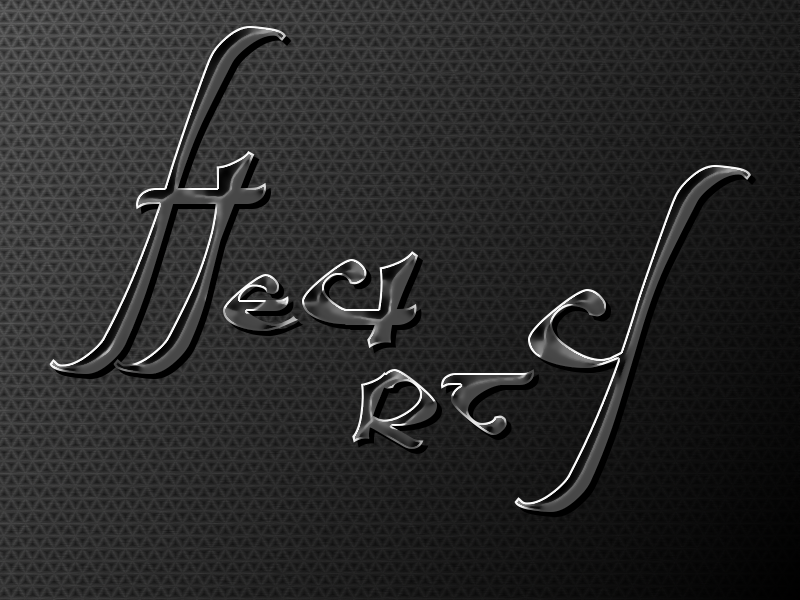
I used the "Gang of Three" font and the "Hexacal BW by Tarkan #1" pattern (resized) because I didn't have the Metal Mesh pattern. This is mine.

Attachment:
Metal_PM_Text.jpg
Metal_PM_Text.jpg [ 324.79 KiB | Viewed 5350 times ]

_________________
Artists aren't crazy! We're eccentric! ~G.M. Ross

Image

My Sigs = My Photos
Check out my work at http://www.flickr.com/photos/photomastergreg.


Top
 Post subject: Re: Metal text
PostPosted: Thu Jun 16, 2016 7:08 pm  (#20) 
Offline
GimpChat Member

Joined: May 12, 2015
Posts: 4693
I love the coloring and the font on that, PhotoMaster.


Top
Post new topic Reply to topic  [ 20 posts ] 

All times are UTC - 5 hours [ DST ]


* Login  


Powered by phpBB3 © phpBB Group