It is currently Wed Jun 03, 2026 8:44 pm


All times are UTC - 5 hours [ DST ]


Post new topic Reply to topic  [ 40 posts ]  Go to page 1, 2  Next
Author Message
 Post subject: Re: Steam-Punk Copper effect
PostPosted: Sat Apr 27, 2013 10:08 am  (#11) 
Offline
Global Moderator
User avatar

Joined: May 16, 2010
Posts: 16008
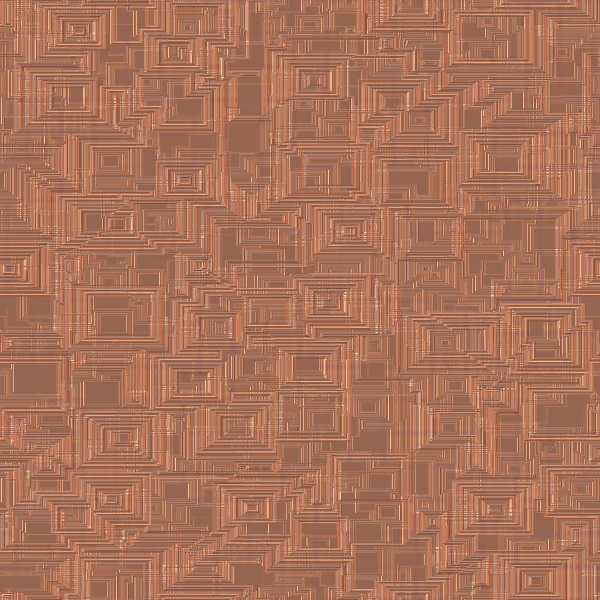
This is close but i think i will add a ripple.

Image

_________________
Image


Top
 Post subject: Re: Steam-Punk Copper effect
PostPosted: Sat Apr 27, 2013 10:20 am  (#12) 
Offline
Global Moderator
User avatar

Joined: May 16, 2010
Posts: 16008
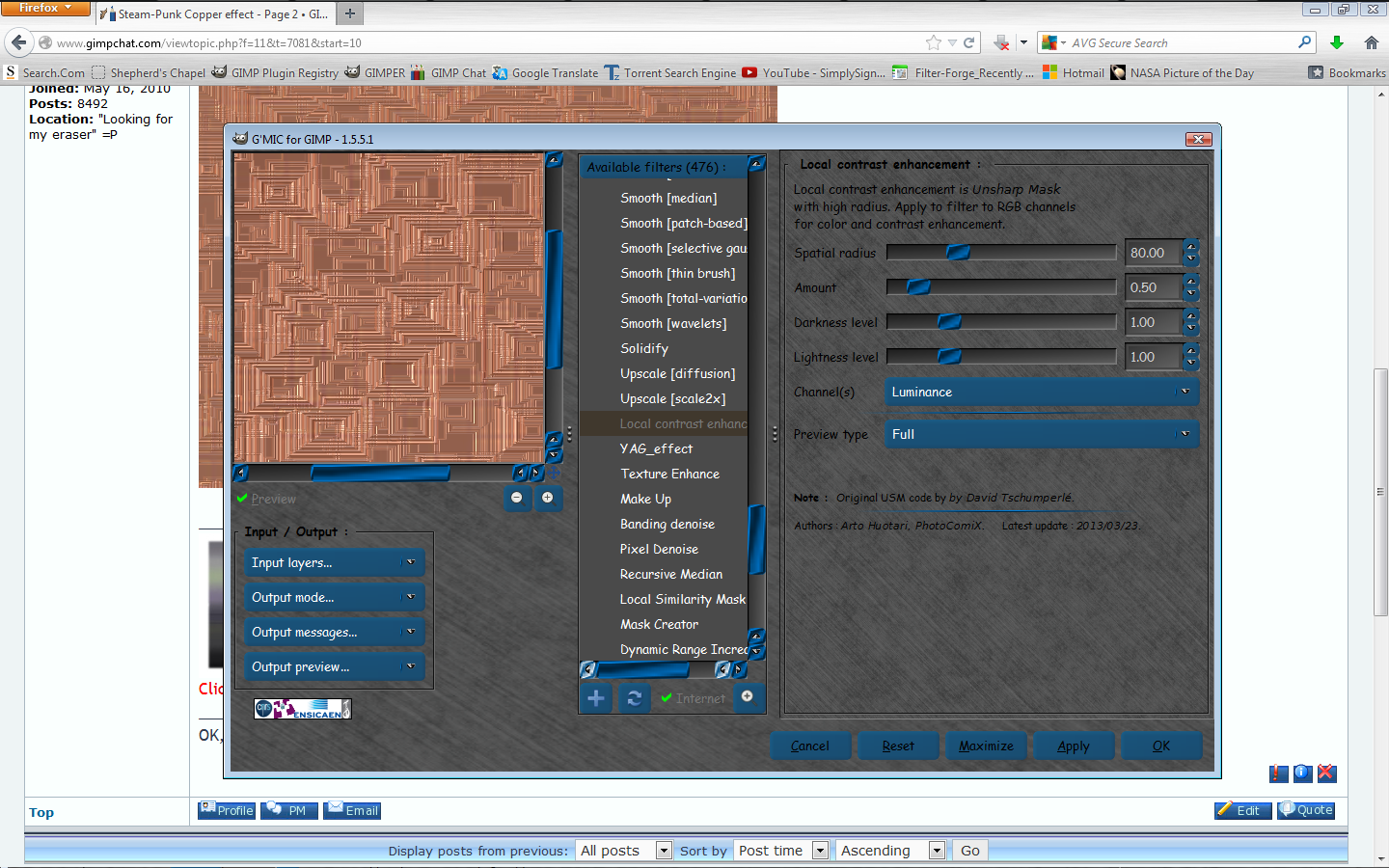
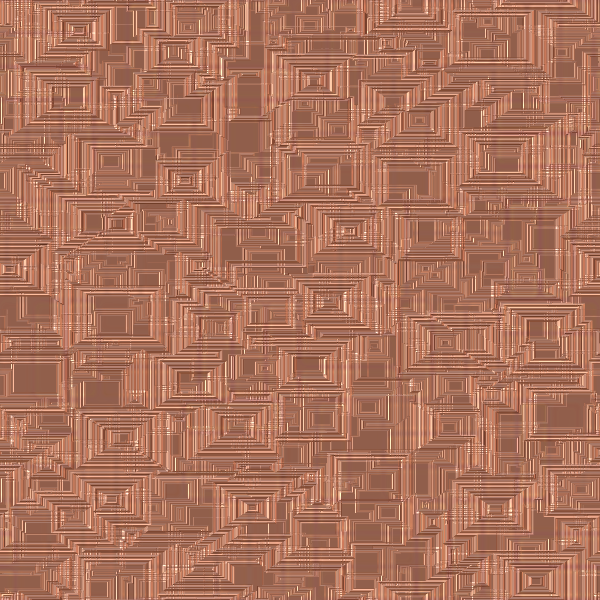
GMIC does wonders :bigthup :hehe

Image

Image

_________________
Image


Top
 Post subject: Re: Steam-Punk Copper effect
PostPosted: Sat Apr 27, 2013 10:26 am  (#13) 
Offline
Global Moderator
User avatar

Joined: May 16, 2010
Posts: 16008
I don't think this will work. It needs a hammered look to it. :hehe

Image

_________________
Image


Top
 Post subject: Re: Steam-Punk Copper effect
PostPosted: Sat Apr 27, 2013 10:39 am  (#14) 
Offline
Retired Staff
User avatar

Joined: May 22, 2008
Posts: 6946
Location: Somewhere in GIMP
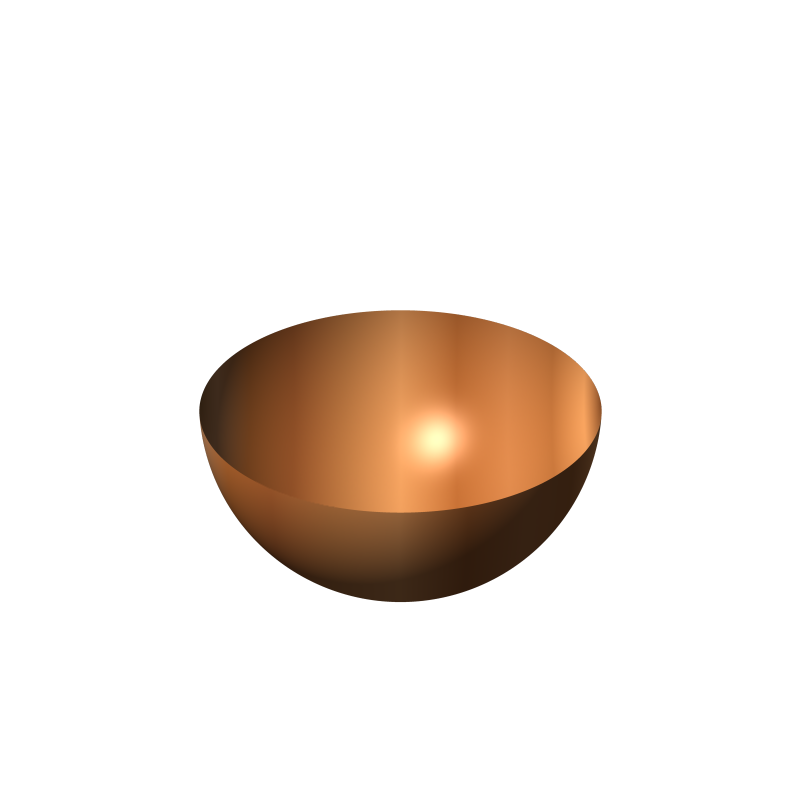
:lol You are going to entirely too much work, Rod. If you do a Bing search for copper, you will see all sorts of brigh, shiny copper stuff.

WB to the Staff! :hi5

_________________
Image
World War IV will be fought with sticks and stones. - Albert Einstein


Top
 Post subject: Re: Steam-Punk Copper effect
PostPosted: Sat Apr 27, 2013 11:53 am  (#15) 
Offline
Global Moderator
User avatar

Joined: May 16, 2010
Posts: 16008
Oregonian wrote:
:lol You are going to entirely too much work, Rod. If you do a Bing search for copper, you will see all sorts of brigh, shiny copper stuff.
WB to the Staff! :hi5


Thank you for the welcome O. :)
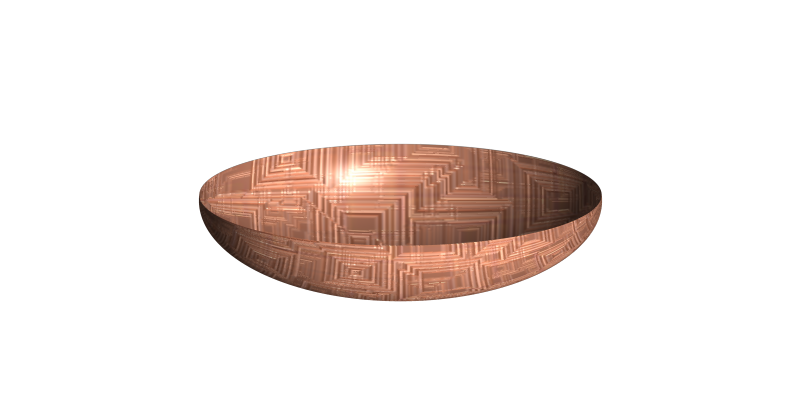
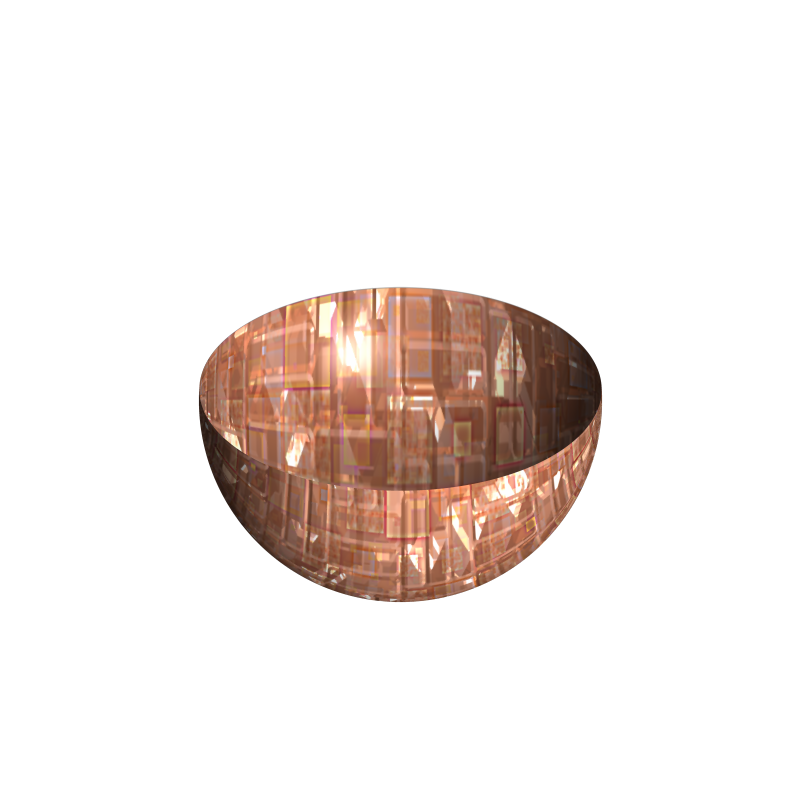
Here is one more try.I think i got the shine or reflection about right. :bigthup

Image

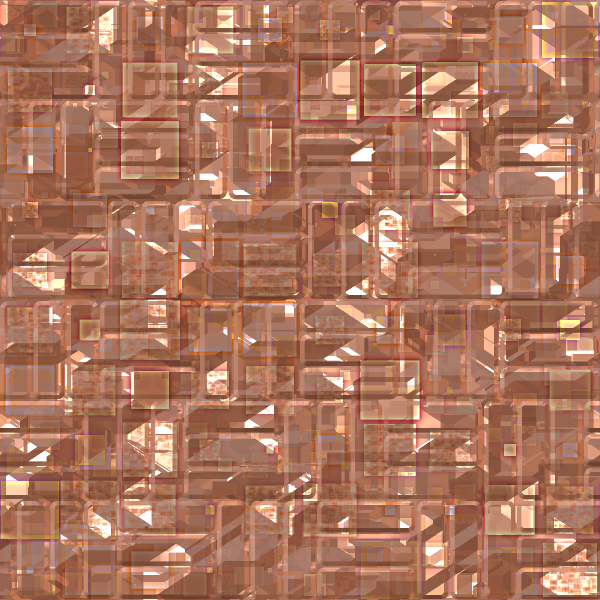
The seamless pattern
Image

_________________
Image


Top
 Post subject: Re: Steam-Punk Copper effect
PostPosted: Sat Apr 27, 2013 12:19 pm  (#16) 
Offline
Retired Staff
User avatar

Joined: May 22, 2008
Posts: 6946
Location: Somewhere in GIMP
Thanks, Rod.

I ripped off a chunk of the image here and scaled it down to bowl tut size. It still lost the nice reflection in the translation. My quest, I fear, will go on. :hoh

_________________
Image
World War IV will be fought with sticks and stones. - Albert Einstein


Top
 Post subject: Re: Steam-Punk Copper effect
PostPosted: Sun Apr 28, 2013 1:00 am  (#17) 
Offline
Global Moderator
User avatar

Joined: Apr 01, 2012
Posts: 8358
Location: On the other side of your screen
tried the text using your copper Rod but didn't get the 'shine' in the face. (ps. I used palitino lino type font)
I tried it with sans but was the same.Image

_________________
Image
Free Fun Photo Editing & resources
Poems from the Lord
Gimp Newby
Gimp version 3.2.0 and GMIC-Qt 3.7.5 OS :- Windows 10 Home 64


Top
 Post subject: Re: Steam-Punk Copper effect -and tutorial
PostPosted: Sun Apr 28, 2013 6:36 am  (#18) 
Offline
Global Moderator
User avatar

Joined: May 16, 2010
Posts: 16008
sallyanne wrote:
tried the text using your copper Rod but didn't get the 'shine' in the face. (ps. I used palitino lino type font)
I tried it with sans but was the same.Image


Just using blue ice and the pattern will not work.
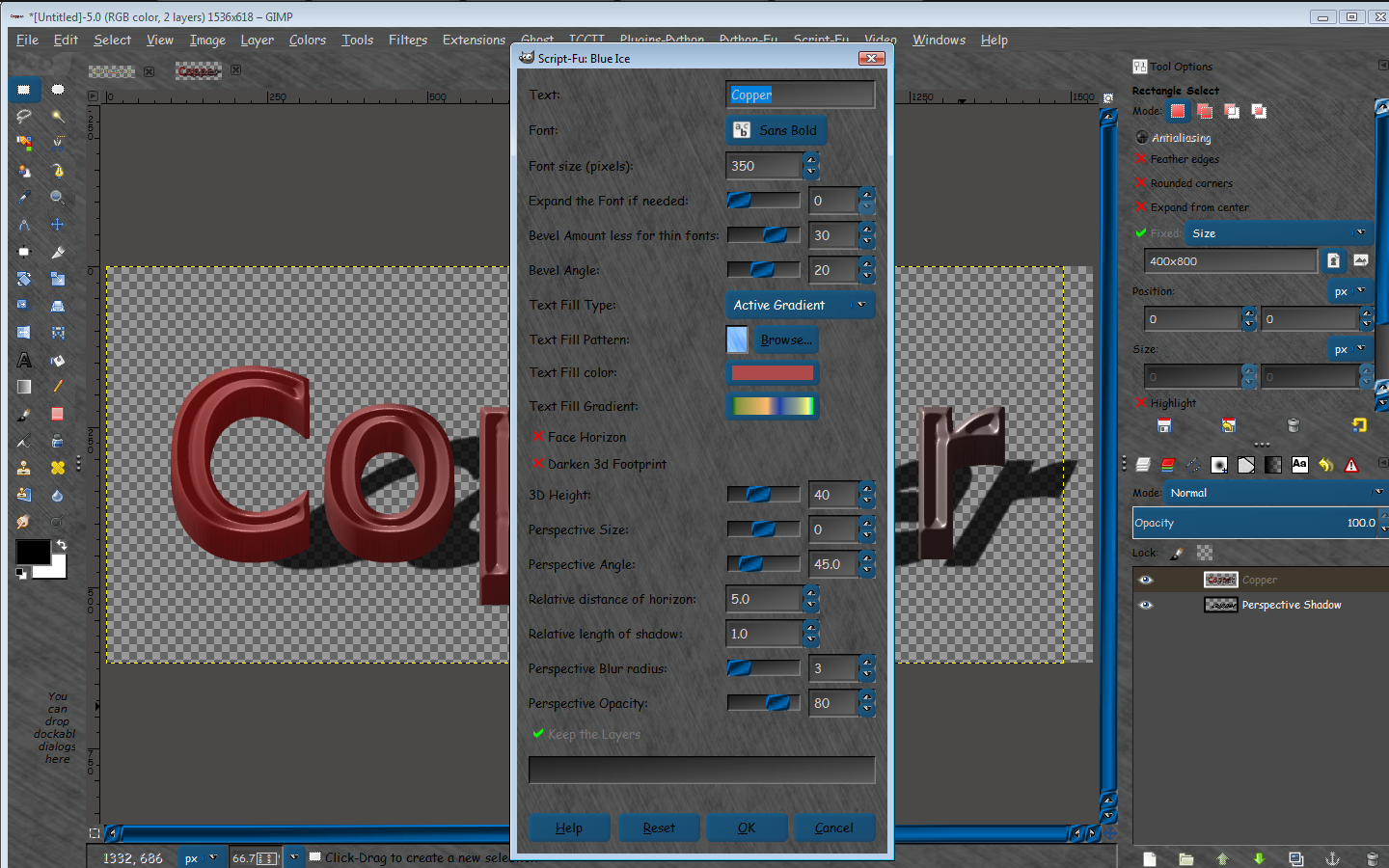
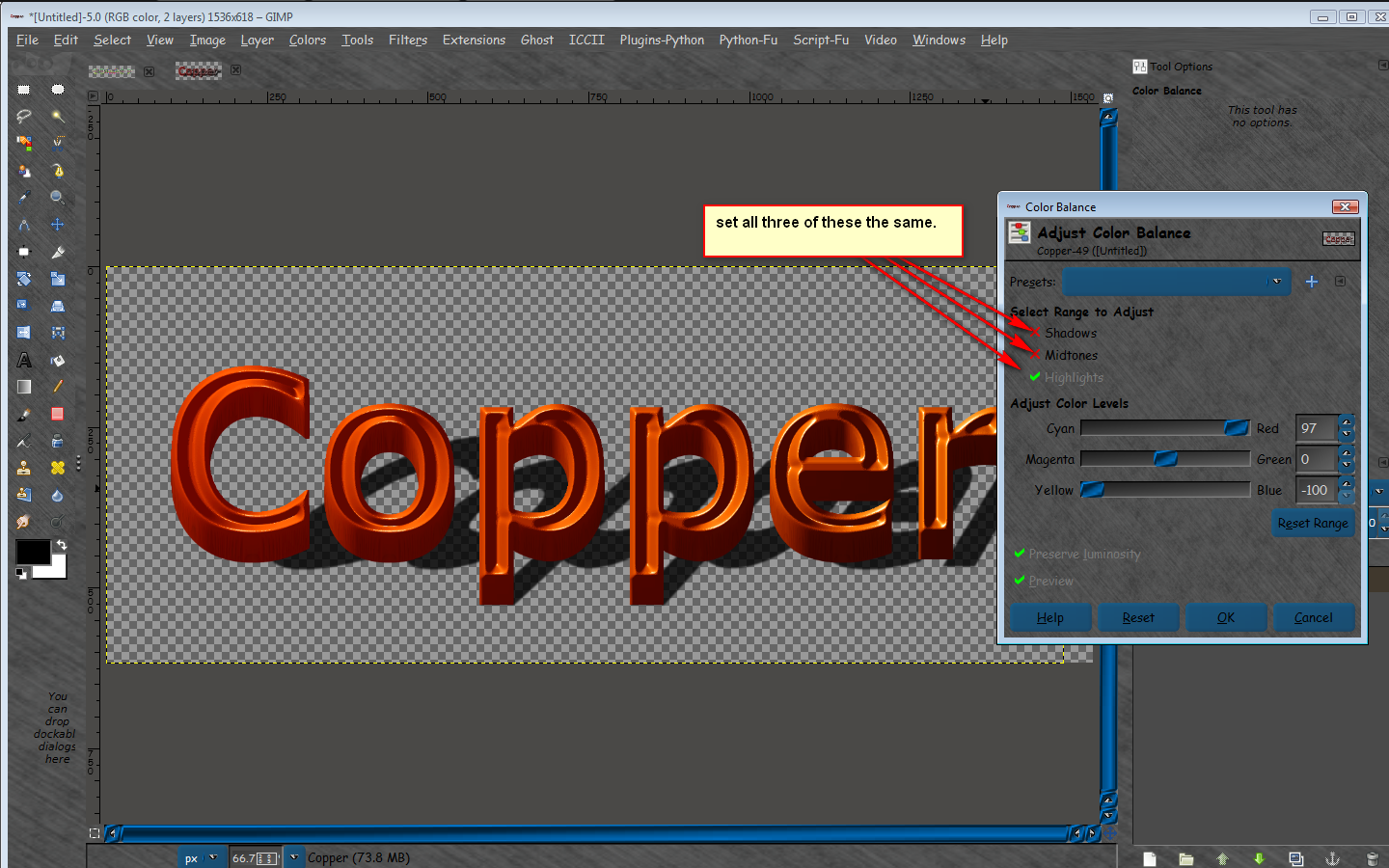
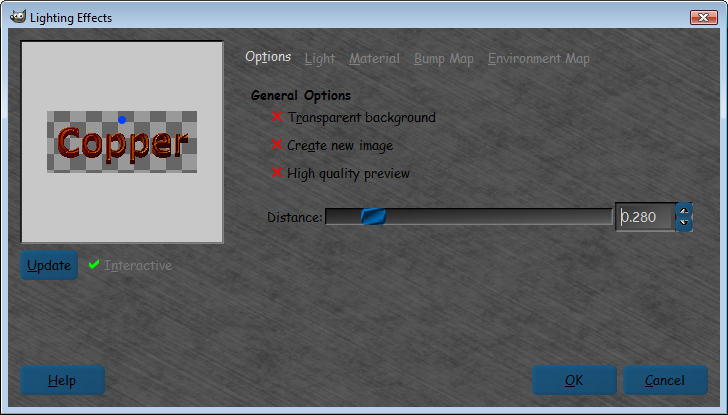
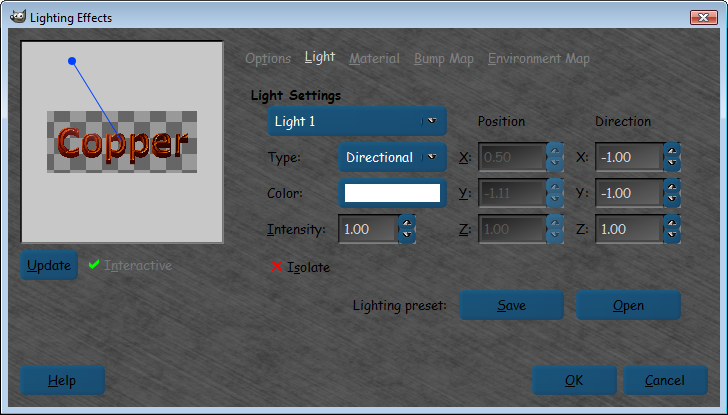
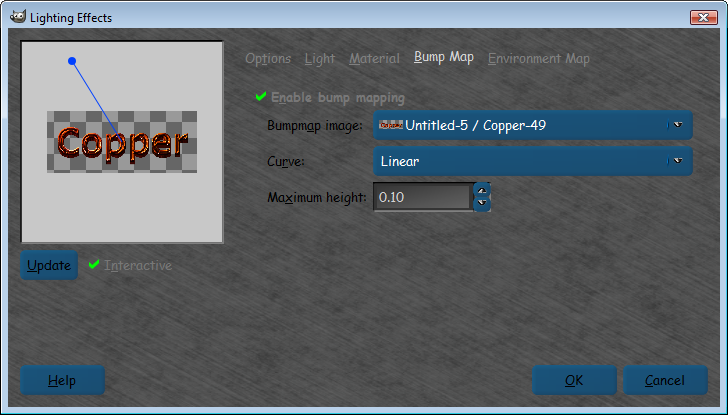
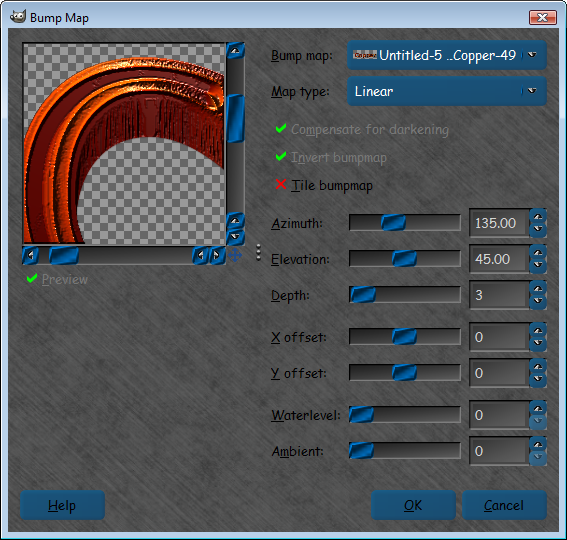
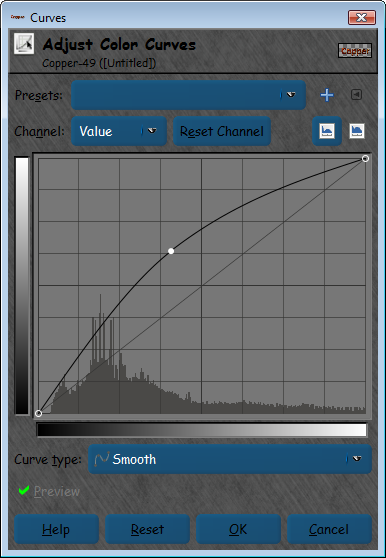
You have to use blue ice with active gradient black and white default (fg to trans) bump map it to itself, color balance, and lighting effects.

blue ice settings (keep layers so you can turn off the shadow)
Image
Color balance settings - select top layer
Image

Lighting - select top layer
Image
Image
Image

bump map settings - select top layer
Image

Curves - select top layer
Image

Result
Image

You can give it a brighter or darker look with the curves tool if you wish.You can now either turn off the shadow and create a different one (because you ticked keep layers in the blue ice interface) :bigthup

I moved this to tutorials by the way. :tyspin

_________________
Image


Top
 Post subject: Re: Steam-Punk Copper effect
PostPosted: Sun Apr 28, 2013 6:48 am  (#19) 
Offline
Global Moderator
User avatar

Joined: May 16, 2010
Posts: 16008
Here is the result using fg-bg gradient for active (black and white default), and an opposite curve than before.

Image

_________________
Image


Top
 Post subject: Re: Steam-Punk Copper effect
PostPosted: Sun Apr 28, 2013 8:00 am  (#20) 
Offline
Global Moderator
User avatar

Joined: Apr 01, 2012
Posts: 8358
Location: On the other side of your screen
Thank you Rod. Did one, following your tut.
Image

_________________
Image
Free Fun Photo Editing & resources
Poems from the Lord
Gimp Newby
Gimp version 3.2.0 and GMIC-Qt 3.7.5 OS :- Windows 10 Home 64


Top
 Post subject: Re: Steam-Punk Copper effect
PostPosted: Sun Apr 28, 2013 9:03 am  (#21) 
Offline
GimpChat Member
User avatar

Joined: Jun 24, 2010
Posts: 504
Location: Western Vic Australia
Hi Rod and Oregonian, I made this gradient and used it to reapply to O's link to the copper kettle. I think this is what O was looking for. The Kettle here is the same kettle but desaturated and color/map/to gradient with the attached gradient. You can easily use the curves tool in red mode to make it more "rosy". I think that Rod's colors are actually very close to new copper.
The gradient file
Attachment:
copper2.ggr [2.12 KiB]
Downloaded 381 times
copperkettle

_________________
Image


Top
 Post subject: Re: Steam-Punk Copper effect
PostPosted: Sun Apr 28, 2013 9:57 am  (#22) 
Offline
Global Moderator
User avatar

Joined: May 16, 2010
Posts: 16008
Thanks wbool63.
Did you try Change Image on it to get a gradient?

Image

gradient attached


Attachments:
copper-kettle_RD.ggr [1.06 KiB]
Downloaded 978 times

_________________
Image
Top
 Post subject: Re: Steam-Punk Copper effect
PostPosted: Mon Apr 29, 2013 3:16 am  (#23) 
Offline
GimpChat Member
User avatar

Joined: Jun 24, 2010
Posts: 504
Location: Western Vic Australia
Quote:
Thanks wbool63.
Did you try Change Image on it to get a gradient?

Sorry Rod , I have no idea what you are asking me. I took about 20 colour picks of colours that, to me, represented the colours that I associate with copper utensils. I then made a gradient using those colours. I know, not scientific, but the method seems to work by and large. I believe there is a script that analyses all pixels and colours or your selections of that image and churns an algorithm to produce a gradient file.
At the moment we are on a few days off in a caravan and I am using my laptop. My Gimp hasnt even got gmic installed. I may do that tonight!

_________________
Image


Top
 Post subject: Re: Steam-Punk Copper effect
PostPosted: Mon Apr 29, 2013 10:52 am  (#24) 
Offline
Global Moderator
User avatar

Joined: May 16, 2010
Posts: 16008
wbool63 wrote:
Quote:
Thanks wbool63.
Did you try Change Image on it to get a gradient?

Sorry Rod , I have no idea what you are asking me. I took about 20 colour picks of colours that, to me, represented the colours that I associate with copper utensils. I then made a gradient using those colours. I know, not scientific, but the method seems to work by and large. I believe there is a script that analyses all pixels and colours or your selections of that image and churns an algorithm to produce a gradient file.
At the moment we are on a few days off in a caravan and I am using my laptop. My Gimp hasnt even got gmic installed. I may do that tonight!


The Change Image to Gradient Application.
This is a stand alone app and is NOT a gimp plugin just unzip it, and double click the pencil icon and click the image that opens.
File>Open an image and draw your path line across the image.It has a bunch of tools to discover also.It saves as a GGR file. :bigthup

Image

Resulting radial gradient
Image

_________________
Image


Top
 Post subject: Re: Steam-Punk Copper effect
PostPosted: Mon Apr 29, 2013 2:54 pm  (#25) 
Offline
GimpChat Member
User avatar

Joined: Apr 09, 2011
Posts: 1764
LOvely effect!!


Top
 Post subject: Re: Steam-Punk Copper effect
PostPosted: Sat Jun 01, 2013 7:25 pm  (#26) 
Offline
Retired Staff
User avatar

Joined: May 22, 2008
Posts: 6946
Location: Somewhere in GIMP
wbool, your copper gradient is really very nice. Looks like copper. Thank you!

Image

_________________
Image
World War IV will be fought with sticks and stones. - Albert Einstein


Top
 Post subject: Re: Steam-Punk Copper effect
PostPosted: Sat Jun 01, 2013 7:56 pm  (#27) 
Offline
GimpChat Member
User avatar

Joined: Apr 07, 2010
Posts: 14182
Nice bowls O.

_________________
Image


Top
 Post subject: Re: Steam-Punk Copper effect
PostPosted: Sat Jun 01, 2013 9:17 pm  (#28) 
Offline
Script Coder
User avatar

Joined: Feb 18, 2011
Posts: 4826
Location: Bendigo Vic. Australia
Rod an interesting effect

Image

_________________
Image
No matter how much you push the envelope, it'll still be stationery.


Top
 Post subject: Re: Steam-Punk Copper effect
PostPosted: Sun Jun 02, 2013 4:39 am  (#29) 
Offline
GimpChat Member
User avatar

Joined: Apr 07, 2010
Posts: 14182
That is very nice and shiny Graechan, I love it.

_________________
Image


Top
 Post subject: Re: Steam-Punk Copper effect
PostPosted: Sun Jun 02, 2013 5:11 am  (#30) 
Offline
Global Moderator
User avatar

Joined: May 16, 2010
Posts: 16008
Graechan wrote:
Rod an interesting effect

[ Image ]

Thanks Graechan. :) Your image looks very good.

_________________
Image


Top
Post new topic Reply to topic  [ 40 posts ]  Go to page 1, 2  Next

All times are UTC - 5 hours [ DST ]


* Login  


Powered by phpBB3 © phpBB Group