It is currently Mon Aug 10, 2026 3:23 am


All times are UTC - 5 hours [ DST ]


Post new topic Reply to topic  [ 31 posts ]  Go to page Previous  1, 2
Author Message
 Post subject: Re: Weave Effect (tutorial)
PostPosted: Thu Jan 17, 2013 11:23 am  (#21) 
Offline
GimpChat Member
User avatar

Joined: Jan 10, 2013
Posts: 863
molly wrote:

Thx Molly, but can't find the wave script in link above

Well,,, i was trying this tuto, but did some mistake :rofl
Image

_________________
bbbbbbbbbbbImage
bbbbbbbbbbb Be patient, English is not my language.


Top
 Post subject: Re: Weave Effect (tutorial)
PostPosted: Thu Jan 17, 2013 11:31 am  (#22) 
Offline
GimpChat Member
User avatar

Joined: Apr 07, 2010
Posts: 14182
Good job on the tute. I just can't get past that part I posted above. I still have it saved up to that point but haven't given up yet. You were able to get the shadows in that are necessary to make the weave lines stand out.

I looked through my scripts and plug-ins and I thought sure that I have that wave script. I can't find it under that name anyway.

_________________
Image


Top
 Post subject: Re: Weave Effect (tutorial)
PostPosted: Thu Jan 17, 2013 12:19 pm  (#23) 
Offline
GimpChat Member
User avatar

Joined: Apr 07, 2010
Posts: 14182
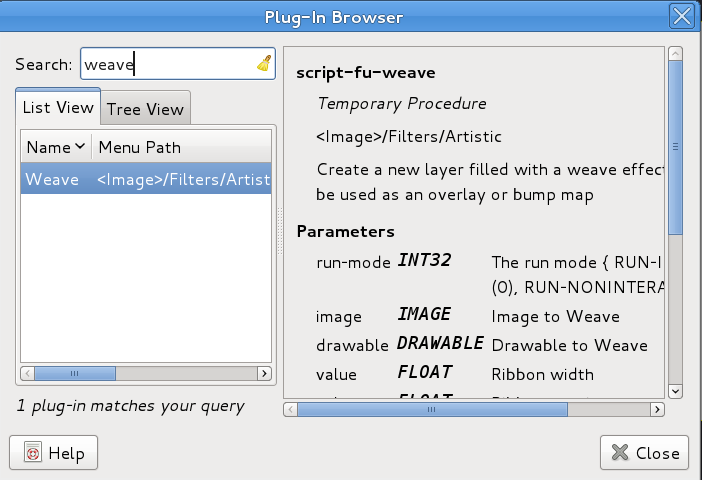
Akros, Look under Filters-Artistic-Weave. I have it but I can't find it in my filters. It should be Script-fu-weave but it doesn't show. This is where it shows I have it.

Image


EDIT: I found it. In Linux, it is in /home/usr//share/gimp/2.0/scripts/weave In Windows, it is probably almost the same path.

I think it is a default script that comes with Gimp, so it should be there.


Attachments:
weave.scm [14.68 KiB]
Downloaded 136 times

_________________
Image
Top
 Post subject: Re: Weave Effect (tutorial)
PostPosted: Thu Jan 17, 2013 7:14 pm  (#24) 
Offline
Script Coder
User avatar

Joined: Feb 18, 2011
Posts: 4826
Location: Bendigo Vic. Australia
It's strange for a default script not to have a undo path

_________________
Image
No matter how much you push the envelope, it'll still be stationery.


Top
 Post subject: Re: Weave Effect (tutorial)
PostPosted: Thu Jan 17, 2013 7:29 pm  (#25) 
Offline
GimpChat Member
User avatar

Joined: Apr 07, 2010
Posts: 14182
That script is really old Graechan, maybe you could give it the undo path. :yes :funnyball

_________________
Image


Top
 Post subject: Re: Weave Effect (tutorial)
PostPosted: Thu Jan 17, 2013 7:32 pm  (#26) 
Offline
Script Coder
User avatar

Joined: Feb 18, 2011
Posts: 4826
Location: Bendigo Vic. Australia
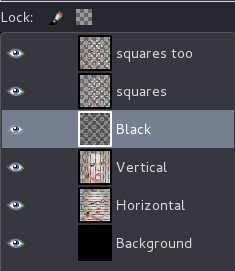
Do I have my pasted layers in the wrong order and where should this layer go

Image

Quote:
First we turn off the top square layer. Alpha to selection on the second squares layer. Add a new
transparent layer and fill selection with black.

there was no pic to show

molly I'm trying to write new one from tute

_________________
Image
No matter how much you push the envelope, it'll still be stationery.


Top
 Post subject: Re: Weave Effect (tutorial)
PostPosted: Thu Jan 17, 2013 7:52 pm  (#27) 
Offline
GimpChat Member
User avatar

Joined: Nov 15, 2012
Posts: 949
Location: Mesa, AZ
I added a mini tut for the shadows part, molly. Edited first post. Hope that helps.

Graechan: I think you've tripped in the same place molly did. I tried to clarify those steps in the second pdf.

_________________
Image

I now have a Tumblr, check it out!


Top
 Post subject: Re: Weave Effect (tutorial)
PostPosted: Thu Jan 17, 2013 8:14 pm  (#28) 
Offline
Script Coder
User avatar

Joined: Feb 18, 2011
Posts: 4826
Location: Bendigo Vic. Australia
Thank you ek22 I'm getting close but not quite there

Image

_________________
Image
No matter how much you push the envelope, it'll still be stationery.


Top
 Post subject: Re: Weave Effect (tutorial)
PostPosted: Thu Jan 17, 2013 10:09 pm  (#29) 
Offline
Script Coder
User avatar

Joined: Feb 18, 2011
Posts: 4826
Location: Bendigo Vic. Australia
Got it, a great tutorial was fun to script and I'll post 'Weaver soon'

Image

_________________
Image
No matter how much you push the envelope, it'll still be stationery.


Top
 Post subject: Re: Weave Effect (tutorial)
PostPosted: Fri Jan 18, 2013 6:22 am  (#30) 
Offline
GimpChat Member
User avatar

Joined: Aug 30, 2012
Posts: 2174
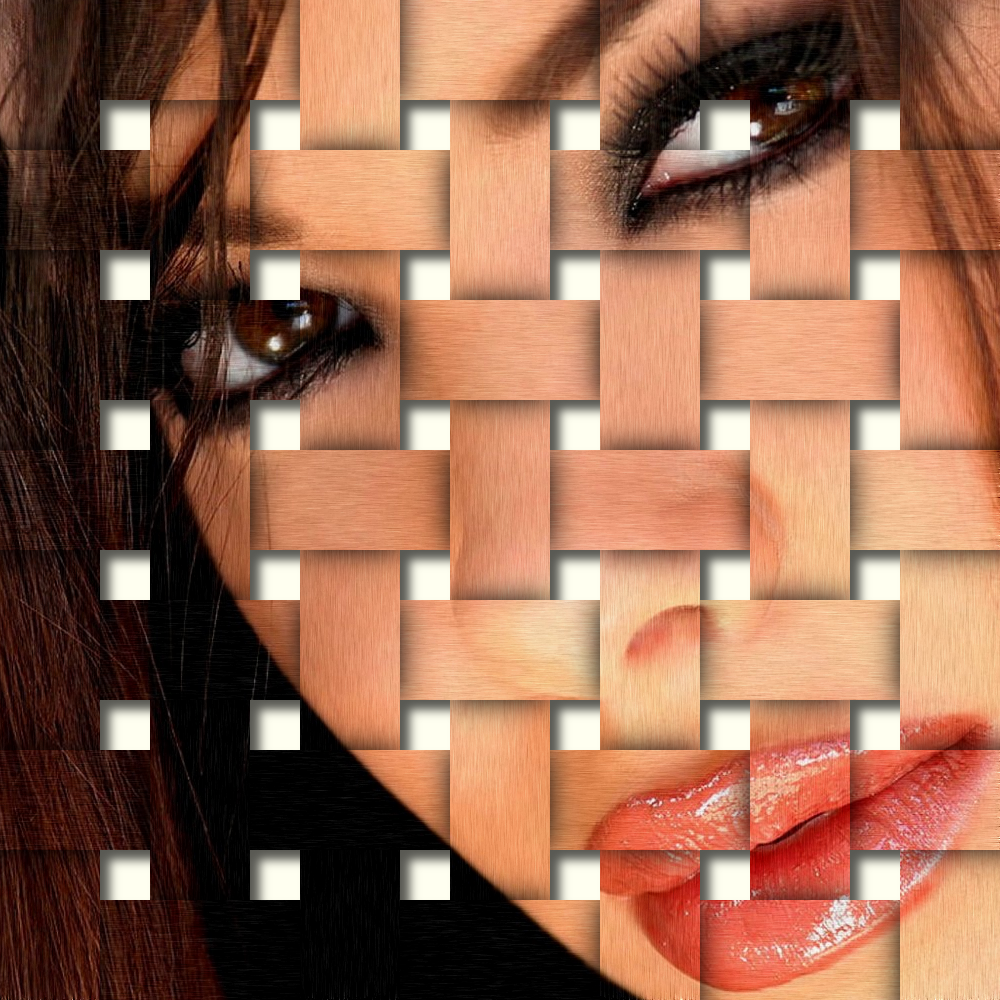
Nice tut, got there in the end and added a bit of grain and a shadow.

Image

_________________
Image


Top
 Post subject: Re: Weave Effect (tutorial)
PostPosted: Fri Jan 18, 2013 8:42 am  (#31) 
Offline
GimpChat Member
User avatar

Joined: Apr 07, 2010
Posts: 14182
Very good job he4rty...I don't know if I should have added another black layer for the vertical or not but my verticals seem to be shadowed in the wrong place.

Image


Image

_________________
Image


Top
Post new topic Reply to topic  [ 31 posts ]  Go to page Previous  1, 2

All times are UTC - 5 hours [ DST ]


* Login  


Powered by phpBB3 © phpBB Group