It is currently Mon Aug 03, 2026 4:20 pm


All times are UTC - 5 hours [ DST ]


Post new topic Reply to topic  [ 94 posts ]  Go to page Previous  1, 2, 3, 4, 5  Next
Author Message
 Post subject: Re: Creating a realistic gear in GIMP
PostPosted: Sun Jan 29, 2012 6:35 am  (#41) 
Offline
GimpChat Member
User avatar

Joined: Apr 09, 2011
Posts: 1764
someone want to tell me how to set up the grid to the required settings since I'm a bit brainless atm??? PLEASE!


Top
 Post subject: Re: Creating a realistic gear in GIMP
PostPosted: Sun Jan 29, 2012 6:42 am  (#42) 
Offline
GimpChat Member
User avatar

Joined: Apr 09, 2011
Posts: 1764
Oregonian wrote:
Corroded copper anyone?

Image


that looks fantastic O!!


Top
 Post subject: Re: Creating a realistic gear in GIMP
PostPosted: Sun Jan 29, 2012 1:32 pm  (#43) 
Offline
Global Moderator
User avatar

Joined: May 16, 2010
Posts: 16145
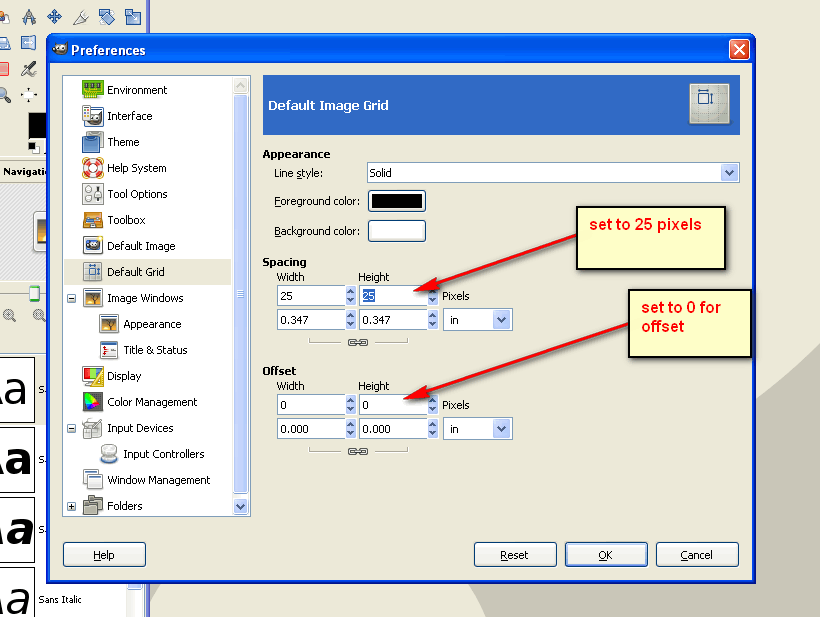
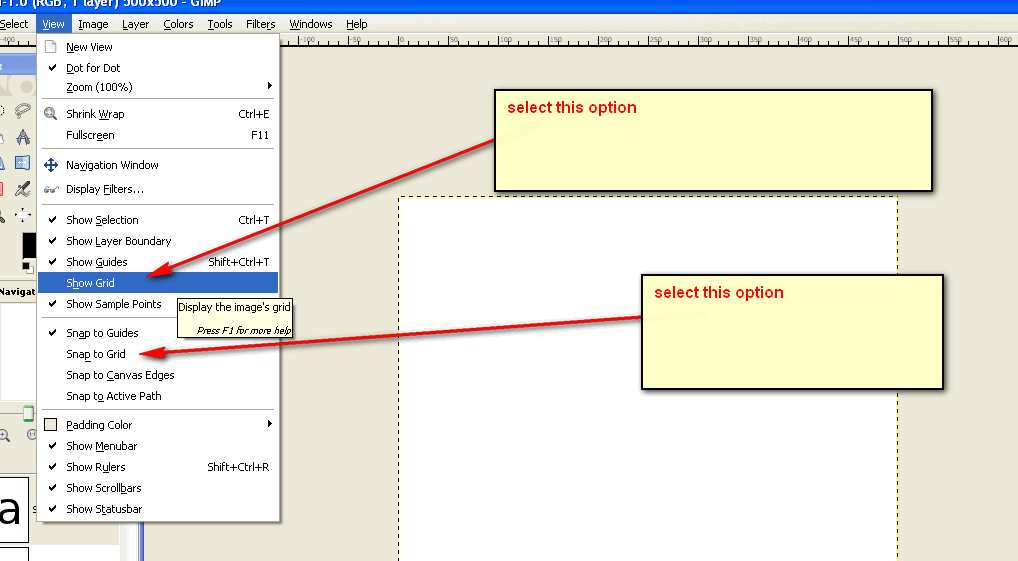
To set up our grid at 25px/set it to view, and snap to.
Go to Edit>preferences>Default Grid.

Image

Go to View>and select snap and view grid

Image

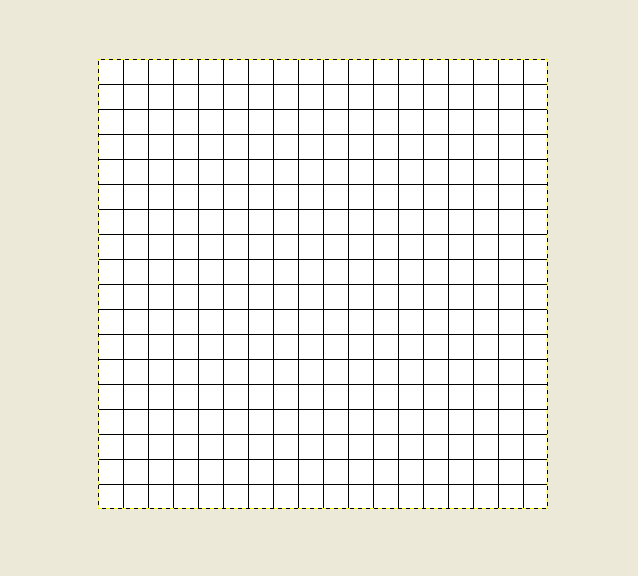
450x450 pixel image should look like this with grid on.

Image

If you need any more help just holler at me Akky! :)

_________________
Image


Top
 Post subject: Re: Creating a realistic gear in GIMP
PostPosted: Sun Jan 29, 2012 6:44 pm  (#44) 
Offline
GimpChat Member
User avatar

Joined: Apr 07, 2010
Posts: 14182
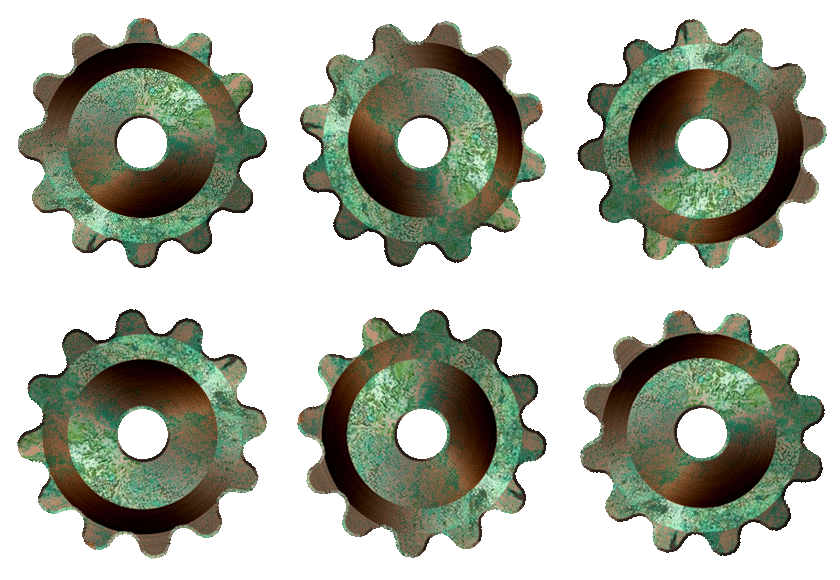
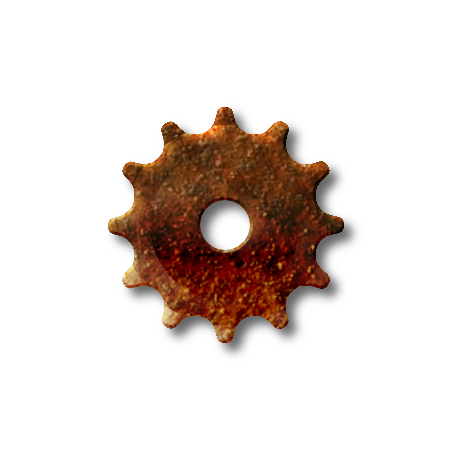
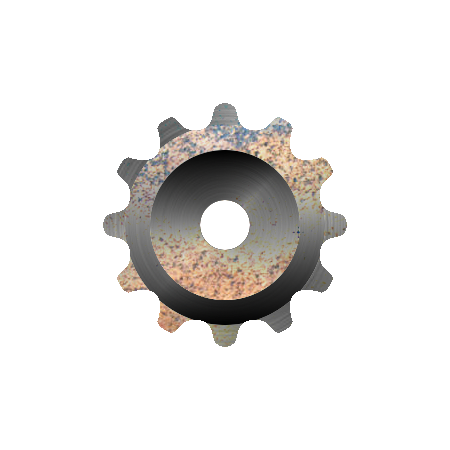
After hours of frustration, I finally got a few gears made but I am still not happy with them. I can't seem to get the bevel in the correct position. I would like it to be indented instead of puffed out.
Image Image

_________________
Image


Top
 Post subject: Re: Creating a realistic gear in GIMP
PostPosted: Sun Jan 29, 2012 8:22 pm  (#45) 
Offline
GimpChat Member
User avatar

Joined: Apr 09, 2011
Posts: 1764
Thanks Rod!


Top
 Post subject: Re: Creating a realistic gear in GIMP
PostPosted: Sun Jan 29, 2012 9:10 pm  (#46) 
Offline
GimpChat Member
User avatar

Joined: Apr 09, 2011
Posts: 1764
ok soooo...I'm doing something wrong...dont seem to be able to get it centered for some reason...I'f tried using the tool to get it centered but it just wont happen...can someone advise me please???


Top
 Post subject: Re: Creating a realistic gear in GIMP
PostPosted: Sun Jan 29, 2012 10:41 pm  (#47) 
Offline
Global Moderator
User avatar

Joined: May 16, 2010
Posts: 16145
The circles selections should snap right to the guides.
It looks like you may be forgetting to set your texture (rust layer) to overlay or darken mode Akky.
Either of those will map around the shape of the beveled gear. :)

_________________
Image


Top
 Post subject: Re: Creating a realistic gear in GIMP
PostPosted: Mon Jan 30, 2012 6:11 am  (#48) 
Offline
GimpChat Member

Joined: Mar 04, 2011
Posts: 2610
All the same thoughts seem to come at the same time.

There is this thread and Ofnuts excellent python plugin.

Before Christmas I started a howto project on the same subject, got tired of it hanging around and popped it onto you tube about 2 weeks ago.

Its good practice on using selections, might interest someone.

http://youtu.be/njkVfvutDQ0


Top
 Post subject: Re: Creating a realistic gear in GIMP
PostPosted: Mon Jan 30, 2012 6:37 am  (#49) 
Offline
GimpChat Member
User avatar

Joined: Apr 09, 2011
Posts: 1764
rich2005 wrote:
All the same thoughts seem to come at the same time.

There is this thread and Ofnuts excellent python plugin.

Before Christmas I started a howto project on the same subject, got tired of it hanging around and popped it onto you tube about 2 weeks ago.

Its good practice on using selections, might interest someone.

http://youtu.be/njkVfvutDQ0

Yes it was posted here yesterday


Top
 Post subject: Re: Creating a realistic gear in GIMP
PostPosted: Mon Jan 30, 2012 9:48 am  (#50) 
Offline
GimpChat Member
User avatar

Joined: Aug 24, 2011
Posts: 1785
Location: Dallas, TX
I cheated and used one of the gear vector brushes for a partial template then built several texture and bump layers before making the animation.


Attachments:
gear.gif
gear.gif [ 1.95 MiB | Viewed 5406 times ]
gear.png
gear.png [ 317.81 KiB | Viewed 5406 times ]

_________________
Image
Top
 Post subject: Re: Creating a realistic gear in GIMP
PostPosted: Sun Sep 02, 2012 5:26 am  (#51) 
Offline
GimpChat Member
User avatar

Joined: Aug 30, 2012
Posts: 2174
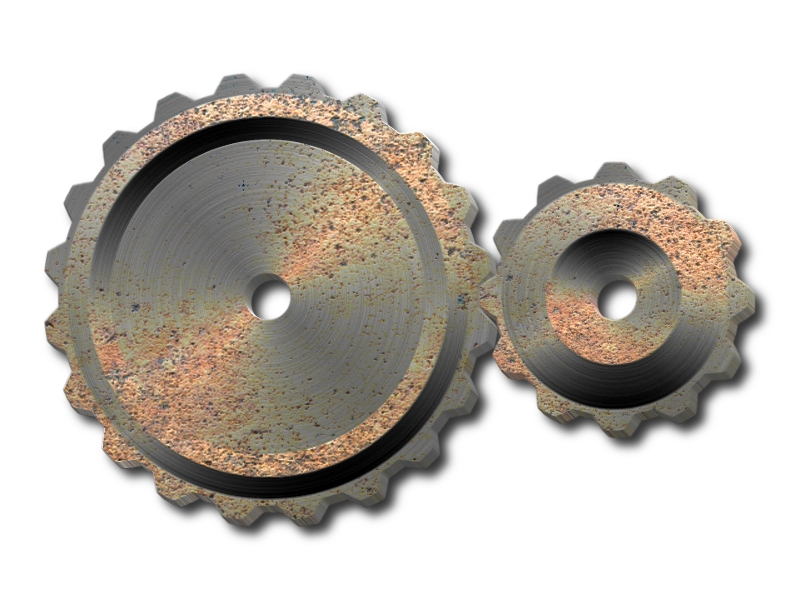
Been intrigued with this tutorial for a while now, but being in engineering, I wanted to be able to create gears with the possibilty of being able to mesh together. With my recent playing with the polar filter, found a way to create various sized gears that will mesh, not perfectly.

Great Tutorial, Here is my results.

Image

_________________
Image


Top
 Post subject: Re: Creating a realistic gear in GIMP
PostPosted: Sun Sep 02, 2012 6:40 am  (#52) 
Offline
GimpChat Member
User avatar

Joined: Apr 07, 2010
Posts: 14182
Excellent job he4rty, I can hear them grinding as we speak. :coolthup

_________________
Image


Top
 Post subject: Re: Creating a realistic gear in GIMP
PostPosted: Sun Sep 02, 2012 8:09 am  (#53) 
Offline
GimpChat Member
User avatar

Joined: Mar 23, 2012
Posts: 7388
Location: Göteborg at last!
Excellent work he4rty. Those look very realistic.


Top
 Post subject: Re: Creating a realistic gear in GIMP
PostPosted: Sun Sep 02, 2012 4:09 pm  (#54) 
Offline
Global Moderator
User avatar

Joined: May 16, 2010
Posts: 16145
Those look great! :)

_________________
Image


Top
 Post subject: Re: Creating a realistic gear in GIMP
PostPosted: Mon Aug 19, 2013 3:20 pm  (#55) 
Offline
GimpChat Member

Joined: Aug 19, 2013
Posts: 14
Hi Rod,
I am an IOS independent app developer. And for one my upcoming game (under sea water game) where i need some rusted gears (better if the gears are from a shunk old ship..). I am a programmer and new to GIMP. I couldnt finish your tutorial to create my own gears. If you can share the GIMP xcf file it would help me...

Thanks a lot
Krishna


Top
 Post subject: Re: Creating a realistic gear in GIMP
PostPosted: Mon Aug 19, 2013 7:54 pm  (#56) 
Offline
Global Moderator
User avatar

Joined: May 16, 2010
Posts: 16145
g_krishna1 wrote:
Hi Rod,
I am an IOS independent app developer. And for one my upcoming game (under sea water game) where i need some rusted gears (better if the gears are from a shunk old ship..). I am a programmer and new to GIMP. I couldnt finish your tutorial to create my own gears. If you can share the GIMP xcf file it would help me...

Thanks a lot
Krishna


I lost this file when windows blew up on me last year. :)
I had to remake it. I didn't add the drop shadow i think you can take care of that easy enough. :)

Image

Good luck with your project. I hope this helps. :bigthup

Attachment:
GEAR_RD-2013.xcf [1.86 MiB]
Downloaded 279 times

_________________
Image


Top
 Post subject: Re: Creating a realistic gear in GIMP
PostPosted: Tue Aug 20, 2013 12:56 am  (#57) 
Offline
GimpChat Member

Joined: Aug 19, 2013
Posts: 14
Thanks a lot Rod for taking extra efforts to recreate it. It helped me a lot.
You Rock...
Let me know if i can be of any help to you anytime form programming (IOS) side.

I will PM you once my app gets published...

Regards
Krishna


Top
 Post subject: Re: Creating a realistic gear in GIMP
PostPosted: Tue Aug 20, 2013 3:51 am  (#58) 
Offline
GimpChat Member

Joined: Aug 19, 2013
Posts: 14
wow...
This xcf has a better effect than the one you posted above. It looks really rusted being in the water bed... great work..

Thanks a lot RD.

I wish if you were part of my project for all my app graphics...

Regards
Krishna


Top
 Post subject: Re: Creating a realistic gear in GIMP
PostPosted: Tue Aug 20, 2013 12:01 pm  (#59) 
Offline
Global Moderator
User avatar

Joined: May 16, 2010
Posts: 16145
g_krishna1 wrote:
wow...
This xcf has a better effect than the one you posted above. It looks really rusted being in the water bed... great work..

Thanks a lot RD.

I wish if you were part of my project for all my app graphics...

Regards
Krishna


Glad it works for you. :)
Just holler at me if you need anything else. :bigthup

_________________
Image


Top
 Post subject: Re: Creating a realistic gear in GIMP
PostPosted: Sun Sep 15, 2013 12:29 pm  (#60) 
Offline
GimpChat Member

Joined: Aug 19, 2013
Posts: 14
Hi Rod,
I need some guidance from you about how to smooth/Sharpen the edges of an image that I cut from a image and reduced the size. Now the edges are looking teethy in the retina display. I followed few tutorials to make it smooth but still not good enough. If you can point me to some tutorials it would help me a lot.

Thanks
Krishna


Top
Post new topic Reply to topic  [ 94 posts ]  Go to page Previous  1, 2, 3, 4, 5  Next

All times are UTC - 5 hours [ DST ]


* Login  


Powered by phpBB3 © phpBB Group