You mean like a pillow emboss?
Or something like this?
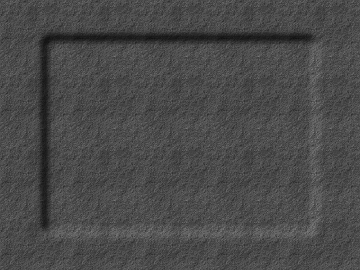
I used bump map (Filters - Map - Bump map) If this is what you want, you basically blur the edges of the smaller layer (just enough to round off the edge, maybe 20px or so) and then select the larger texture layer, go to Filters - Map - Bump map. Select the smaller layer as the bump map, check invert, and raise the depth until you're satisfied.
Depending on what you are using for the smaller texture, will determine how smooth or rough the inverted area will look. If you want to keep it consistent with the larger texture layer, just use a solid grey fill for the smaller layer.
_________________
"In order to attain the impossible, one must attempt the absurd."
~ Miguel de Cervantes
 Login
Login Register
 Tweets
 FAQ
FAQ Advanced Search







 button in the dialog).