It is currently Wed Jul 22, 2026 10:40 am


All times are UTC - 5 hours [ DST ]


Post new topic Reply to topic  [ 5 posts ] 
Author Message
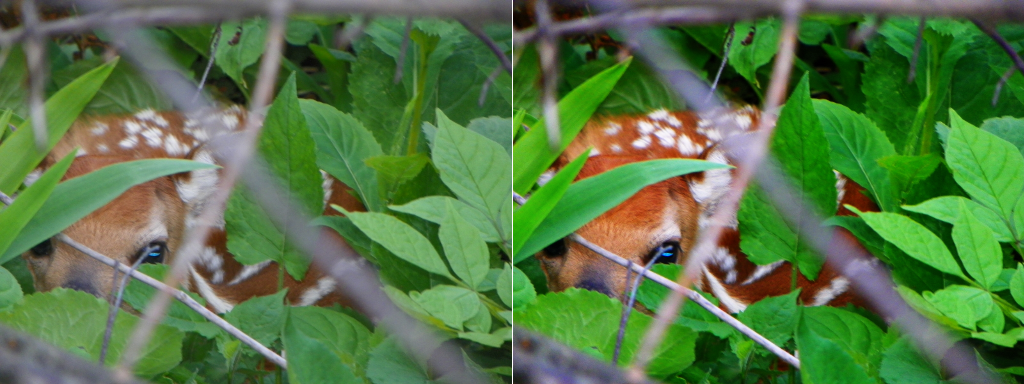
 Post subject: Using the LAB color space to adjust an image
PostPosted: Sun Nov 06, 2011 3:53 pm  (#1) 
Offline
GimpChat Member

Joined: Aug 05, 2011
Posts: 606
Location: limestone,ny
tutorial

Image


Share on Facebook Share on Twitter Share on Orkut Share on Digg Share on MySpace Share on Delicious Share on Technorati
Top
 Post subject: Re: Using the LAB color space to adjust an image
PostPosted: Sun Nov 06, 2011 4:10 pm  (#2) 
Offline
GimpChat Member
User avatar

Joined: Jan 03, 2011
Posts: 1656
There is a faster way IMHO : G'MIC / Colors / Lab Mixer, and modify the 'A contrast' and 'B contrast' sliders, and you're done.

Image


Top
 Post subject: Re: Using the LAB color space to adjust an image
PostPosted: Sun Nov 06, 2011 4:11 pm  (#3) 
Offline
GimpChat Member
User avatar

Joined: Oct 06, 2010
Posts: 4050
But still nice to know the manual method, in any case. Thanks, alc59!

And thanks to you for sharing the G'MIC method, David. :)

_________________
"In order to attain the impossible, one must attempt the absurd."
~ Miguel de Cervantes


Top
 Post subject: Re: Using the LAB color space to adjust an image
PostPosted: Sun Nov 06, 2011 4:16 pm  (#4) 
Offline
GimpChat Member
User avatar

Joined: Jan 03, 2011
Posts: 1656
mahvin wrote:
But still nice to know the manual method, in any case. Thanks, alc59!

And thanks to you for sharing the G'MIC method, David. :)


Well I've also a nice "manual" method to propose ! You only need a console :

Offtopic :
dtschump@nf310-dtschump:~$ gmic ~/work/img/tiger.jpg --rgb2lab -s[-1] c -*[-2,-1] 2 -a[-3--1] c -lab2rgb[-1]


:D


Top
 Post subject: Re: Using the LAB color space to adjust an image
PostPosted: Sun Nov 06, 2011 4:18 pm  (#5) 
Offline
Global Moderator
User avatar

Joined: May 16, 2010
Posts: 16126
Thanks for sharing those three different ways to do this folks. :)

_________________
Image


Top
Post new topic Reply to topic  [ 5 posts ] 

All times are UTC - 5 hours [ DST ]


* Login  


Powered by phpBB3 © phpBB Group