so this is how to make the satin effect as seen in the FX-Foundry script
thanks to Graechan for providing the info and link to the script !!!

and thanks to fluffybunny for translating the script into something i could finally follow
1. type your text
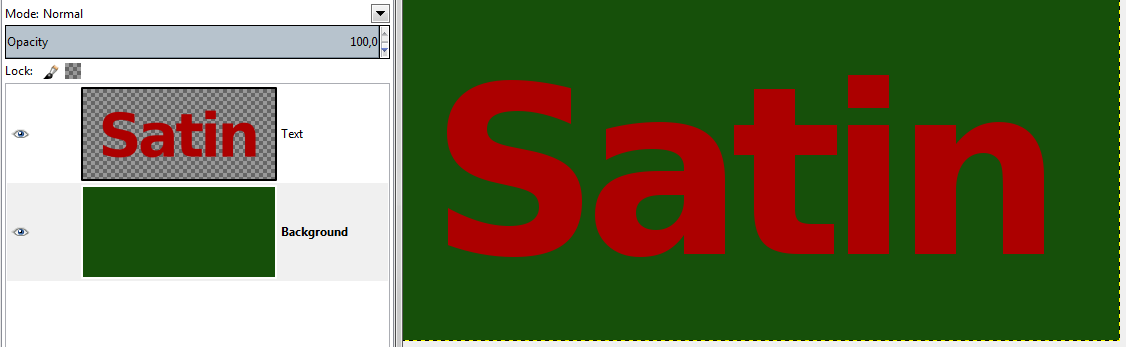
2. create a white layer on top, name it Satin Effect
3. alpha select text and save to a channel,
then fill selection on the white layer with black
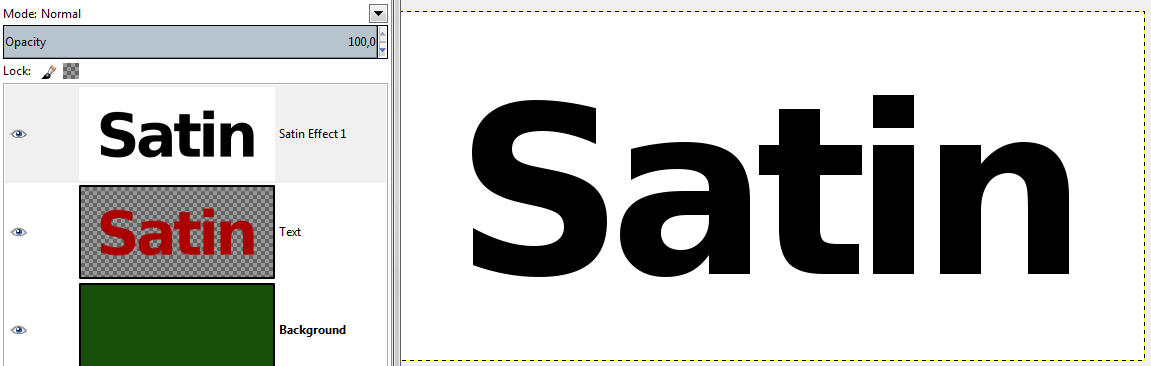
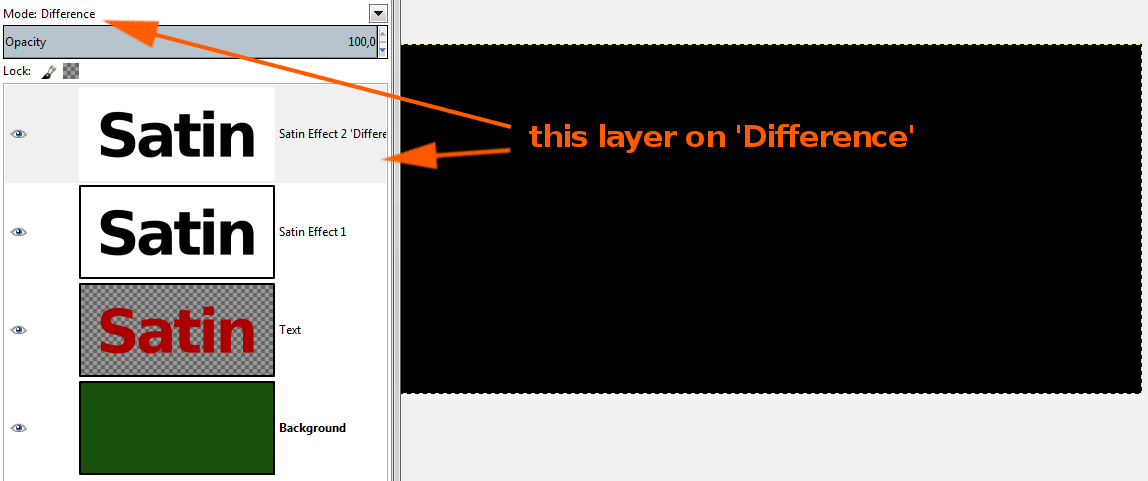
4. duplicate and set Mode to 'Difference' (everything will become black)
5. Offset: Layer -> Transform -> Offset (STRG + O)
Satin Effect Layer: positive values
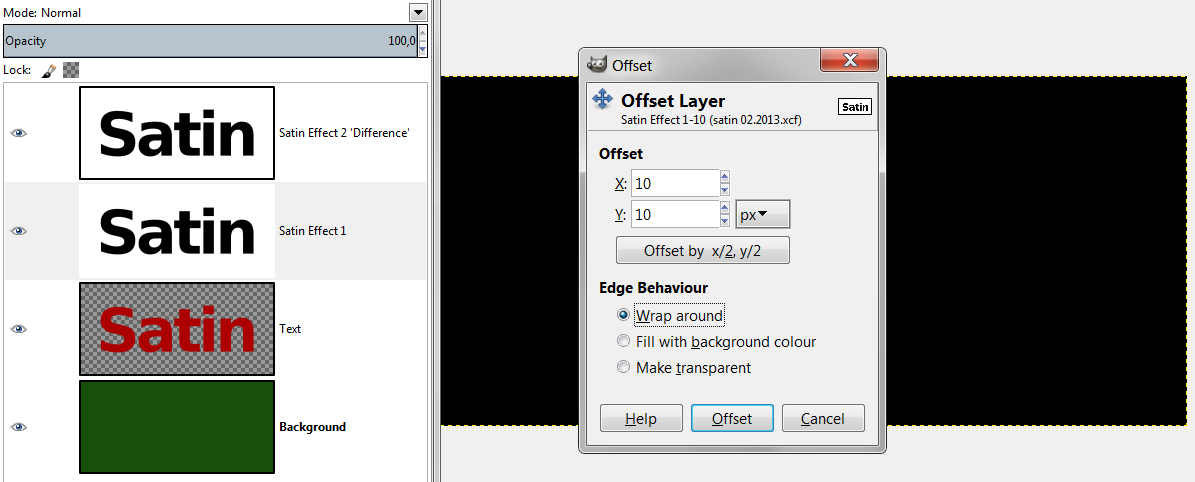
Satin-Effect-duplicate-layer on 'Difference': same values as above but negative
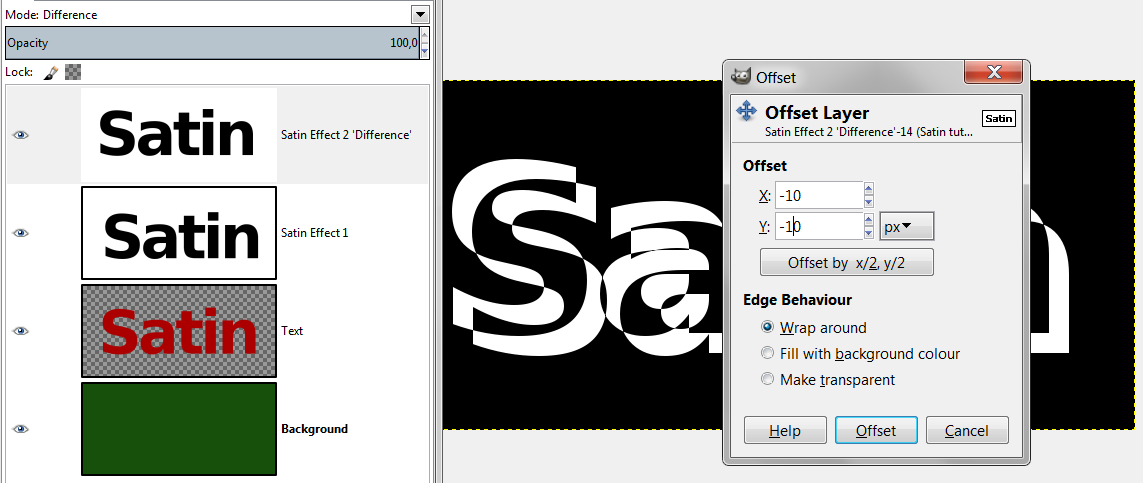
6. merge down Satin Effect layers
7. add layermask from Channel
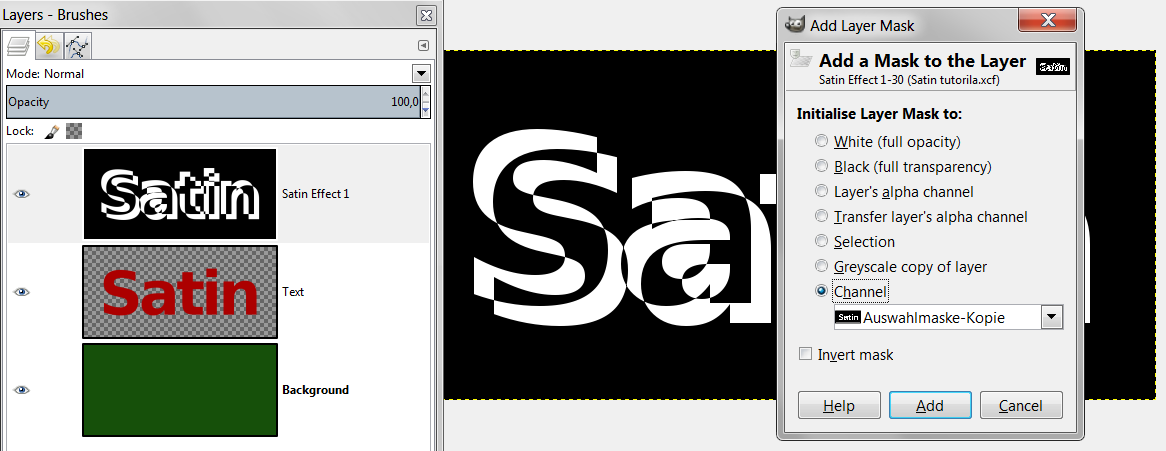
8. apply color (white) to alpha on Satin Effect layer
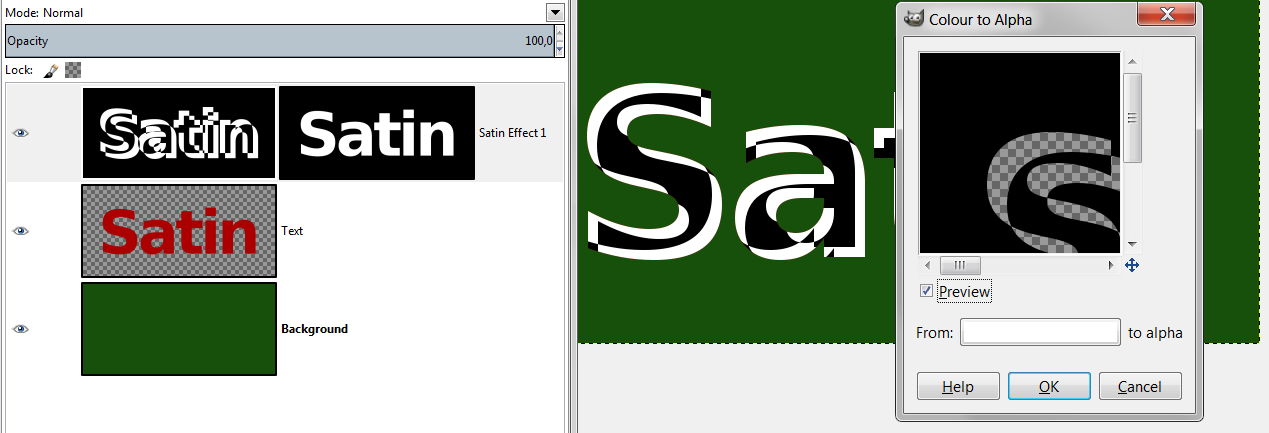
9. Gaussian Blur Satin Effect layer
10. set mode to 'Multiply' and reduce Opacity to 50%
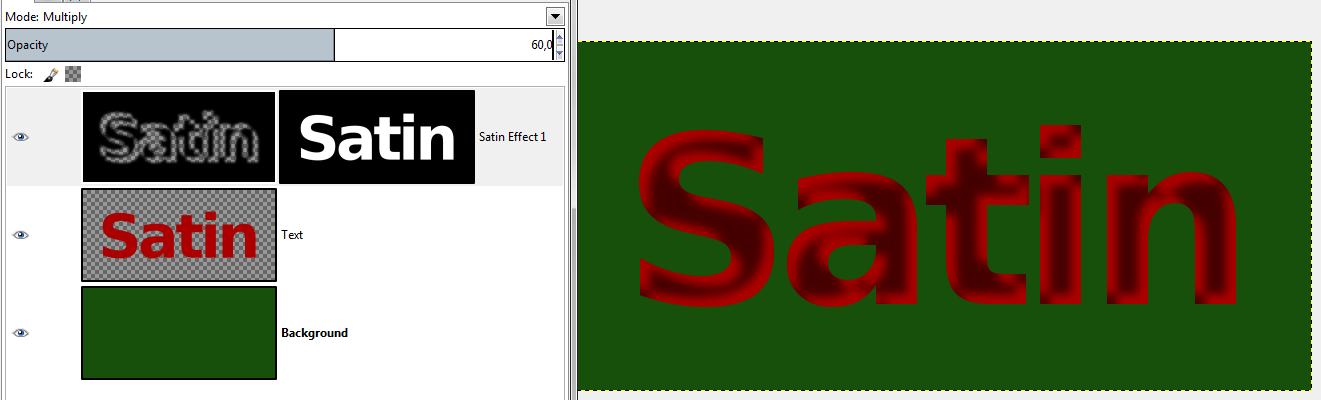 when you want an inverted Satin effect:
step 1-5 as normal
then invert colors
apply color to alpha with white
apply layermask from channel
Gaussian Blur
set Mode and Opacity
Attachment:
 SatinEffect-inverted final.png [ 43.27 KiB | Viewed 9655 times ]
 Login
Login Register
 Tweets
 FAQ
FAQ Advanced Search