opakedragon:
Hi. I would recommend trying a 3D program like Blender. Blender actually represents objects as three dimensional, while gimp does not. Gimp's object mapping is not designed to unwrap the original object back to it's original 2D form.
Here is a simple example:
Take this image:

Mapped to a sphere, leaving the X, Y, and Z coordinates at zero, it produces this:
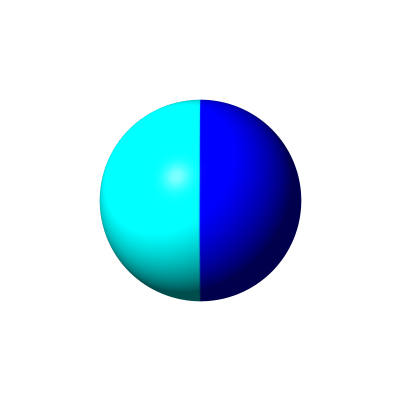
Gimp only maps approximately the inner third of the original image on to the front of the sphere. If we take another image as the starting point:
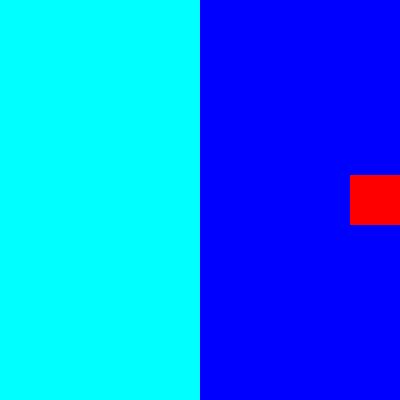
Again if we map that to a sphere, we get the same result:
If you now wanted to reconstruct the second image with the red square on it, Gimp could not do that because, as far as I understand the program, it does not remember that red square, since it was not included in the mapping. As far as Gimp is concerned, both final images are basically the same.
We only perceive what we see as 3D. From Gimp's point of view, it is a 2D object with various shades of color. We use that shading to perceive 3D, but it really isn't 3D.
Blender, if I recall correctly, would be able to unwrap both spheres and provide the two differing original planar image used for each. That is because Blender sees objects as truly 3D, thus having X, Y, and Z axes. Gimp only uses X, Y, and Z terms for computing and once the computing is over, it only sees a 2D object.
There may be a way to create a filter that remembers the entire input image data, but then you are probably getting into more complex 3D image math at that point.
Hope this helps some.

P.S. It's been quite a while since I have visited gimpchat. Hello to all those here who may remember me. Hope you all are well.
 Login
Login Register
 Tweets
 FAQ
FAQ Advanced Search


