It is currently Thu Jul 02, 2026 8:08 am


All times are UTC - 5 hours [ DST ]


Post new topic Reply to topic  [ 29 posts ]  Go to page Previous  1, 2
Author Message
 Post subject: Re: More Mandalas and Patterns with GMIC-Qt
PostPosted: Fri Mar 29, 2024 5:07 am  (#21) 
Offline
Global Moderator
User avatar

Joined: Apr 01, 2012
Posts: 8405
Location: On the other side of your screen

_________________
Image
Free Fun Photo Editing & resources
Poems from the Lord
Gimp Newby
Gimp version 3.2.0 and GMIC-Qt 3.7.5 OS :- Windows 10 Home 64


Top
 Post subject: Re: More Mandalas and Patterns with GMIC-Qt
PostPosted: Fri Mar 29, 2024 5:16 am  (#22) 
Offline
Global Moderator
User avatar

Joined: Apr 01, 2012
Posts: 8405
Location: On the other side of your screen
Image

_________________
Image
Free Fun Photo Editing & resources
Poems from the Lord
Gimp Newby
Gimp version 3.2.0 and GMIC-Qt 3.7.5 OS :- Windows 10 Home 64


Top
 Post subject: Re: More Mandalas and Patterns with GMIC-Qt
PostPosted: Wed Apr 10, 2024 8:12 am  (#23) 
Offline
Global Moderator
User avatar

Joined: Apr 01, 2012
Posts: 8405
Location: On the other side of your screen
Latest Poincare' Disk
I did a Random pattern (to get colour and pattern), Array Faded it 3x3, couple of times when I duplicated the layer and used Vivid layer mode I also inverted the colours. Then I kaleidescoped it a couple times. Poincare second last of all, invert the colours again and got this
Image

_________________
Image
Free Fun Photo Editing & resources
Poems from the Lord
Gimp Newby
Gimp version 3.2.0 and GMIC-Qt 3.7.5 OS :- Windows 10 Home 64


Top
 Post subject: Re: More Mandalas and Patterns with GMIC-Qt
PostPosted: Sat Apr 13, 2024 7:03 am  (#24) 
Offline
Global Moderator
User avatar

Joined: Apr 01, 2012
Posts: 8405
Location: On the other side of your screen
Attachment:
Pop Fractal w radial gr.png
Pop Fractal w radial gr.png [ 15.09 MiB | Viewed 5473 times ]

Another one with a radial gradient. This time I added a popcorn fractal and a soft light layer mode.
Full size here https://www.deviantart.com/sallyanneste ... 1041659331

_________________
Image
Free Fun Photo Editing & resources
Poems from the Lord
Gimp Newby
Gimp version 3.2.0 and GMIC-Qt 3.7.5 OS :- Windows 10 Home 64


Top
 Post subject: Re: More Mandalas and Patterns with GMIC-Qt
PostPosted: Fri Oct 03, 2025 3:42 am  (#25) 
Offline
Global Moderator
User avatar

Joined: Apr 01, 2012
Posts: 8405
Location: On the other side of your screen
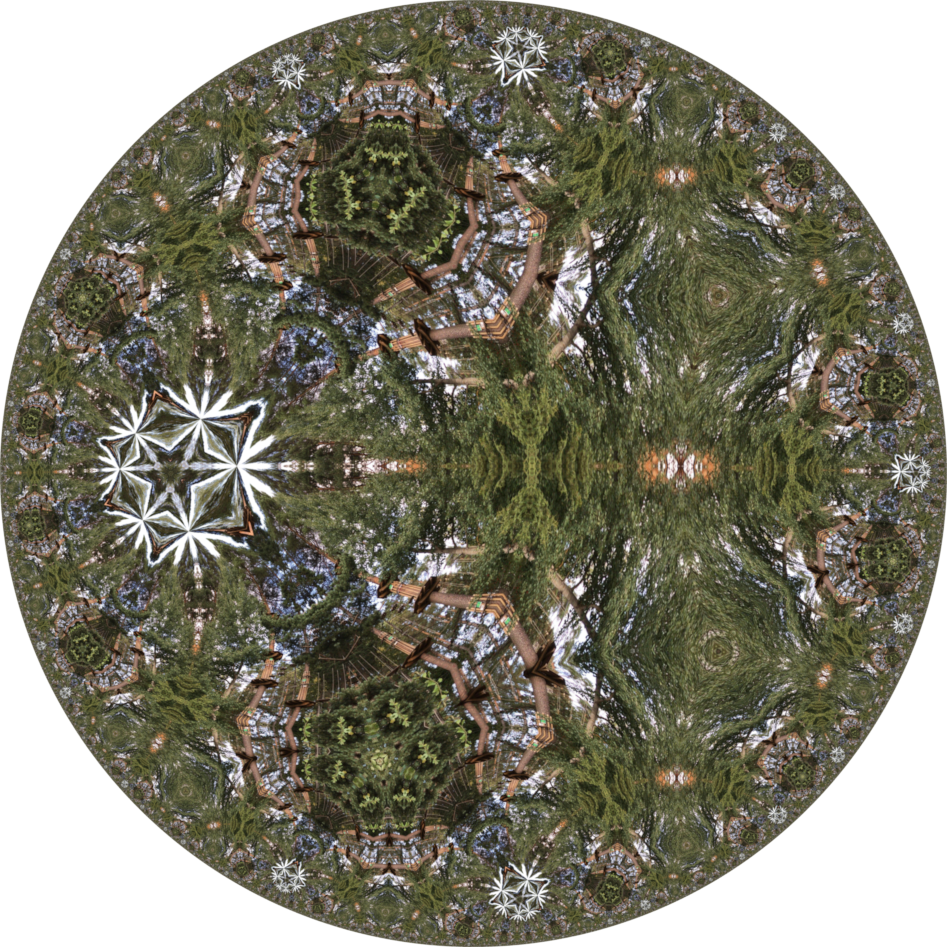
over a year later. Created with GIMP & GMIC. Starting from a bumped spiral turned gold ran poincare disk then bumped using lighting effects
Image

_________________
Image
Free Fun Photo Editing & resources
Poems from the Lord
Gimp Newby
Gimp version 3.2.0 and GMIC-Qt 3.7.5 OS :- Windows 10 Home 64


Top
 Post subject: Re: More Mandalas and Patterns with GMIC-Qt
PostPosted: Sat Oct 04, 2025 1:58 am  (#26) 
Offline
GimpChat Member

Joined: Apr 11, 2024
Posts: 301
Nice :bigthup


Top
 Post subject: Re: More Mandalas and Patterns with GMIC-Qt
PostPosted: Wed Oct 08, 2025 7:56 am  (#27) 
Offline
Global Moderator
User avatar

Joined: Apr 01, 2012
Posts: 8405
Location: On the other side of your screen
Thankyou Quietreader :)
Image

_________________
Image
Free Fun Photo Editing & resources
Poems from the Lord
Gimp Newby
Gimp version 3.2.0 and GMIC-Qt 3.7.5 OS :- Windows 10 Home 64


Top
 Post subject: Re: More Mandalas and Patterns with GMIC-Qt
PostPosted: Wed Oct 08, 2025 7:05 pm  (#28) 
Offline
GimpChat Member
User avatar

Joined: Jul 04, 2019
Posts: 280
Location: Lake Havasu City, Arizona, USA
Sallyanne,
Wow, #25 makes me feel like I'm an archaeologist exploring the inside of a Mayan pyramid, and discovering an advanced tech device. Cheers.

_________________
Charles


Top
 Post subject: Re: More Mandalas and Patterns with GMIC-Qt
PostPosted: Fri Oct 10, 2025 3:43 am  (#29) 
Offline
Global Moderator
User avatar

Joined: Apr 01, 2012
Posts: 8405
Location: On the other side of your screen
Thank you Charles - yes it does look somethiing like that

Another 2

two patterns in GMIC overlayed with a layer mode - I think it was pin light. One was the initial result then I bumped it with lighting effects.


Attachments:
Pink Bumped.png
Pink Bumped.png [ 3.34 MiB | Viewed 1192 times ]
Pink.png
Pink.png [ 1.85 MiB | Viewed 1192 times ]

_________________
Image
Free Fun Photo Editing & resources
Poems from the Lord
Gimp Newby
Gimp version 3.2.0 and GMIC-Qt 3.7.5 OS :- Windows 10 Home 64
Top
Post new topic Reply to topic  [ 29 posts ]  Go to page Previous  1, 2

All times are UTC - 5 hours [ DST ]


* Login  


Powered by phpBB3 © phpBB Group