It is currently Fri Jun 12, 2026 11:07 am


All times are UTC - 5 hours [ DST ]


Post new topic Reply to topic  [ 17 posts ] 
Author Message
 Post subject: Release of G'MIC 3.5.3
PostPosted: Fri Mar 07, 2025 7:54 am  (#1) 
Offline
GimpChat Member
User avatar

Joined: Feb 12, 2021
Posts: 37
Hello folks,

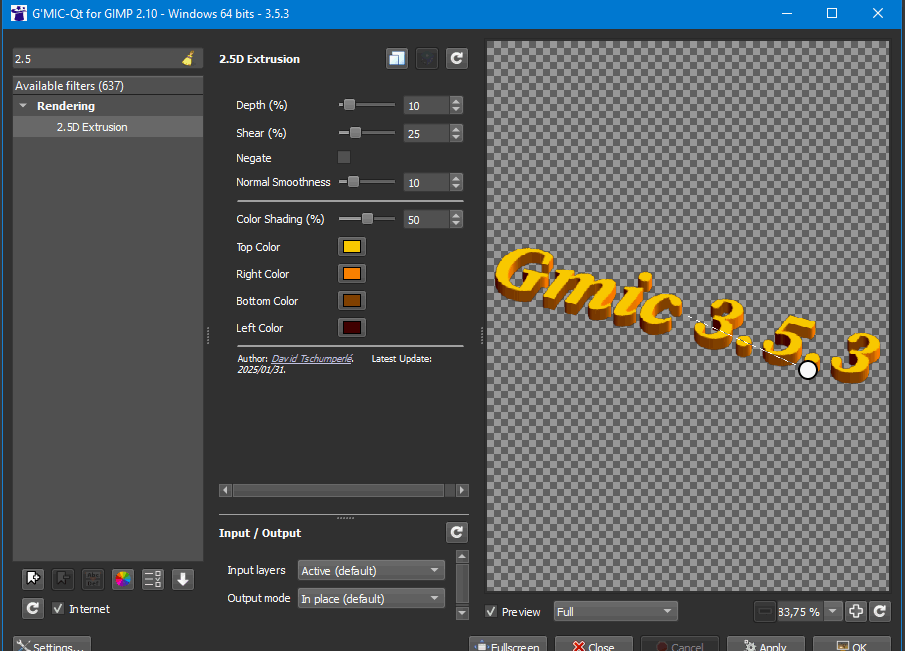
I'm happy to announce the release of a new minor version, v.3.5.3, of G'MIC, your favorite image filter toolbox
What's new ? A few new filters, some code optimization and bugfixes. Incrementally better! :hehe

Enjoy! :jumpclap

Download: https://gmic.eu/download.html
Changelog: https://discuss.pixls.us/t/on-the-road-to-3-6/

Image


Share on Facebook Share on Twitter Share on Orkut Share on Digg Share on MySpace Share on Delicious Share on Technorati
Top
 Post subject: Re: Release of G'MIC 3.5.3
PostPosted: Fri Mar 07, 2025 8:39 am  (#2) 
Offline
GimpChat Member
User avatar

Joined: Jan 13, 2011
Posts: 2639
Location: Poland
Many thanks for the new version.

Small request/note for 2.5 D Extrusion filter:

This could have a lot of potential if:
Allow separate rotation of source and effect (with angle and length control)

_________________
Image


Top
 Post subject: Re: Release of G'MIC 3.5.3
PostPosted: Fri Mar 07, 2025 10:26 am  (#3) 
Offline
GimpChat Member
User avatar

Joined: Feb 12, 2021
Posts: 37
Quote:
Allow separate rotation of source and effect (with angle and length control)

I don't understand what it means. Could you illustrate with an example?


Top
 Post subject: Re: Release of G'MIC 3.5.3
PostPosted: Fri Mar 07, 2025 10:56 am  (#4) 
Offline
Global Moderator
User avatar

Joined: May 16, 2010
Posts: 16023
I think MareroQ is talking about shading effects?

I really like the new 2.5D Extrusion filter. :bigthup

Thanks!

Image

_________________
Image


Top
 Post subject: Re: Release of G'MIC 3.5.3
PostPosted: Fri Mar 07, 2025 11:21 am  (#5) 
Offline
GimpChat Member
User avatar

Joined: Jan 13, 2011
Posts: 2639
Location: Poland
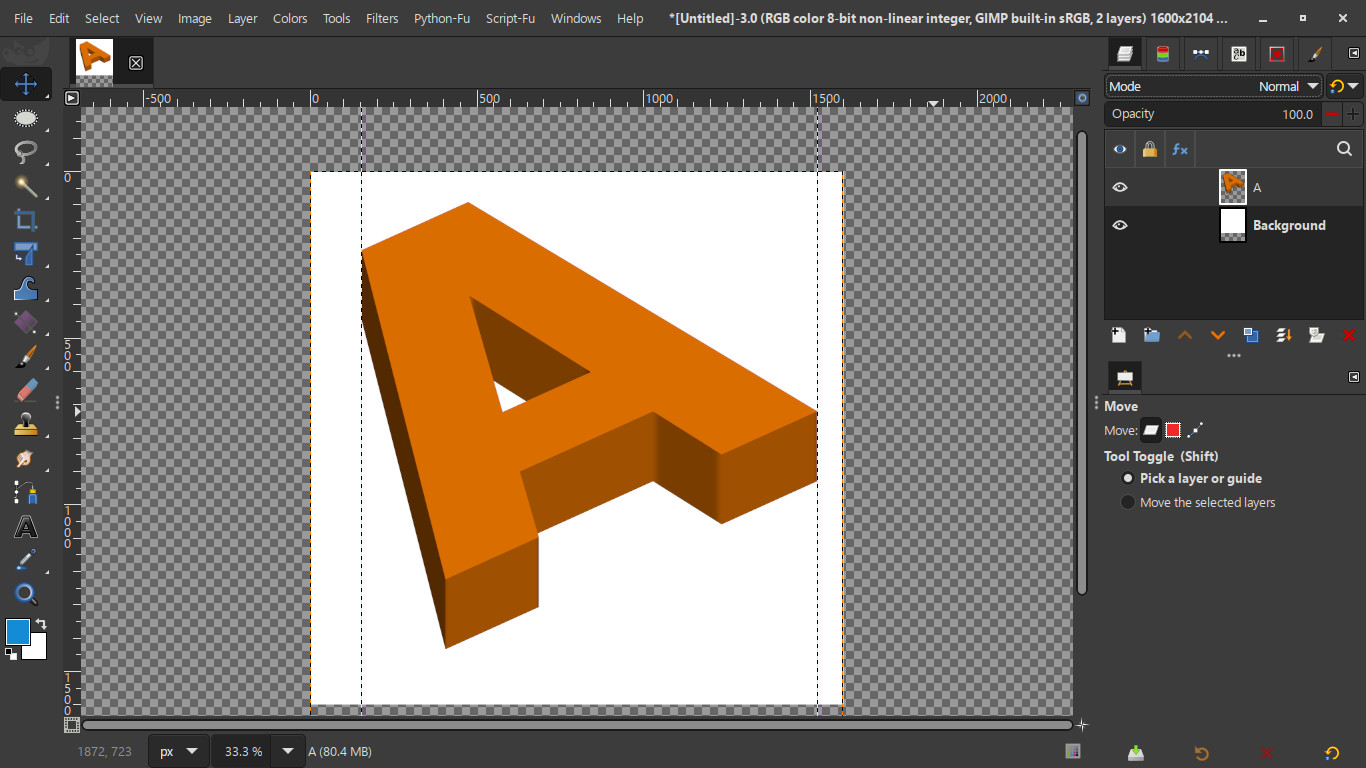
The filter should not change the position of the source (unless you want that option),
The filter should only affect the effect on the source.
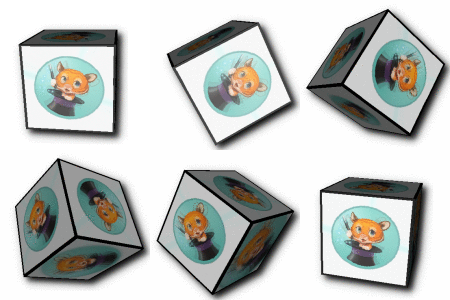
Sources:
Image

Run 2.5D:
Image

If possible - more control over the source and effect.

_________________
Image


Top
 Post subject: Re: Release of G'MIC 3.5.3
PostPosted: Sat Mar 08, 2025 1:52 am  (#6) 
Offline
Global Moderator
User avatar

Joined: May 16, 2010
Posts: 16023
Sorry MareroQ. I get what you mean now. ;) It does move your image after you start GMIC and select the filter.
It should keep the aspect ratio (X Y Z) Cartesian world place of your image after GMIC loads.

_________________
Image


Top
 Post subject: Re: Release of G'MIC 3.5.3
PostPosted: Sat Mar 08, 2025 11:04 pm  (#7) 
Offline
Global Moderator
User avatar

Joined: Apr 01, 2012
Posts: 8364
Location: On the other side of your screen
How can I find the path of the plugin once it is installed. Gimp is not recognising it yet because I haven't added it to the plugin folder in preferences yet. The RC3 one, although I didn't need to with the 2.10 version.
I get this error message when I try to initialize it
Image
I restarted my computer - same,
Reinstalled from the same download - same,
Deleted the download, uninstalled, redownloaded and reinstalled - restarted my computer and I still got the same error message saying also that the plugin crashed.
Shut down my computer and it is still the same

_________________
Image
Free Fun Photo Editing & resources
Poems from the Lord
Gimp Newby
Gimp version 3.2.0 and GMIC-Qt 3.7.5 OS :- Windows 10 Home 64


Top
 Post subject: Re: Release of G'MIC 3.5.3
PostPosted: Mon Mar 10, 2025 12:56 am  (#8) 
Offline
Global Moderator
User avatar

Joined: May 16, 2010
Posts: 16023
I suggest downloading the zipped windows version and just deleting the gmic_gimp_qt folder in your GIMP\3.0\plugins folder.
Then unzip the new zipped gmic-qt and place that gmic_gimp_qt folder in the GIMP\3.0\plugins folder and restart Gimp-3.0. It should be found under the filters menu. I have found that Windows does not install the correct dll file if gmic_qt is installed. I never use the installer.

_________________
Image


Top
 Post subject: Re: Release of G'MIC 3.5.3
PostPosted: Mon Mar 10, 2025 6:54 pm  (#9) 
Offline
Global Moderator
User avatar

Joined: Apr 01, 2012
Posts: 8364
Location: On the other side of your screen
Thanks Rod. I asked David in pixlus and he informs me that it may be because I still have a 2.10 on my machine. Looks like I'll have to wait until 3 becomes stable, because I am not getting rid of 2.10 until then.

_________________
Image
Free Fun Photo Editing & resources
Poems from the Lord
Gimp Newby
Gimp version 3.2.0 and GMIC-Qt 3.7.5 OS :- Windows 10 Home 64


Top
 Post subject: Re: Release of G'MIC 3.5.3
PostPosted: Tue Mar 11, 2025 1:14 am  (#10) 
Offline
Global Moderator
User avatar

Joined: May 16, 2010
Posts: 16023
I still run Gimp-2.10.38-RC1 on my machine along with the installer weekly developement version of Gimp-3.0-RC3 Sallyanne. No problems with me at all using the zipped version of Windows GMIC_QT. :)

I also will not remove Gimp-2.10.38 until many plug-ins work therein. :)

_________________
Image


Top
 Post subject: Re: Release of G'MIC 3.5.3
PostPosted: Tue Mar 11, 2025 1:52 am  (#11) 
Offline
GimpChat Member
User avatar

Joined: Feb 12, 2021
Posts: 37
Quote:
I asked David in pixlus and he informs me that it may be because I still have a 2.10 on my machine.


Absolutely not.
I said that if you use the installer for GIMP 3, and have used previously the installer for GIMP 2.10,
it may happen that the default install path proposed by the GIMP 3 installer keeps the value of the one used for GIMP 2.10.
So you have to check the plug-in install path when installing the plug-in.

Otherwise, you'll install the G'MIC-Qt plug-in for GIMP 3 only in the GIMP 2.10 plugin folder (then it will be incompatible with GIMP 2.10, and won't show up at all with GIMP 3).


Top
 Post subject: Re: Release of G'MIC 3.5.3
PostPosted: Wed Mar 12, 2025 1:27 am  (#12) 
Offline
Global Moderator
User avatar

Joined: Apr 01, 2012
Posts: 8364
Location: On the other side of your screen
[align=center]Sorry for getting that wrong. I will see what the path is then for RC3 and have a look what happens then. Yes I did use the installer. I will try the zip file if it doesn't work this time.
Will edit if update goes well

Finally, after a couple reinstalls. I should have downloaded the zip file first time. the installer usually works for me so I went with that. Anyway I downloaded the zipfile; extracted it and put that folder in the GMICqt folder that was (still/already) there; overwrote the files that were still in there, now it is all working. Thanks guys for putting up with me.

_________________
Image
Free Fun Photo Editing & resources
Poems from the Lord
Gimp Newby
Gimp version 3.2.0 and GMIC-Qt 3.7.5 OS :- Windows 10 Home 64


Top
 Post subject: Re: Release of G'MIC 3.5.3
PostPosted: Thu Mar 13, 2025 12:40 am  (#13) 
Offline
Global Moderator
User avatar

Joined: May 16, 2010
Posts: 16023
sallyanne wrote:
[align=center]Sorry for getting that wrong. I will see what the path is then for RC3 and have a look what happens then. Yes I did use the installer. I will try the zip file if it doesn't work this time.
Will edit if update goes well

Finally, after a couple reinstalls. I should have downloaded the zip file first time. the installer usually works for me so I went with that. Anyway I downloaded the zipfile; extracted it and put that folder in the GMICqt folder that was (still/already) there; overwrote the files that were still in there, now it is all working. Thanks guys for putting up with me.

Just really happy to see you got it working. :bigthup

_________________
Image


Top
 Post subject: Re: Release of G'MIC 3.5.3
PostPosted: Sat Mar 29, 2025 12:03 pm  (#14) 
Offline
GimpChat Member
User avatar

Joined: Mar 23, 2012
Posts: 7388
Location: Göteborg at last!
I am in a fix because I need a version for Deb Bullseye for Gimp 3. Is there likely to be such a version?


Top
 Post subject: Re: Release of G'MIC 3.5.3
PostPosted: Mon Mar 31, 2025 2:09 am  (#15) 
Offline
GimpChat Member
User avatar

Joined: Feb 12, 2021
Posts: 37
Quote:
I am in a fix because I need a version for Deb Bullseye for Gimp 3. Is there likely to be such a version?


No. The GIMP version distributed in the Bullseye repository is GIMP 2.10, not GIMP 3, and the .deb file we provide for installing the plug-in corresponds to the "official" version of GIMP provided by Debian. If you installed GIMP 3.0 through a Flatpack, Appimage or PPA or something else, it's the maintainer of the alternative way to install GIMP who should provide G'MIC as well :)

(we, G'MIC developers, cannot manage building and providing installation packages for all exotic, non-official, sources of GIMP installation!)


Top
 Post subject: Re: Release of G'MIC 3.5.3
PostPosted: Mon Mar 31, 2025 8:02 am  (#16) 
Offline
GimpChat Member
User avatar

Joined: Mar 23, 2012
Posts: 7388
Location: Göteborg at last!
dtschump wrote:
Quote:
I am in a fix because I need a version for Deb Bullseye for Gimp 3. Is there likely to be such a version?


No. The GIMP version distributed in the Bullseye repository is GIMP 2.10, not GIMP 3, and the .deb file we provide for installing the plug-in corresponds to the "official" version of GIMP provided by Debian. If you installed GIMP 3.0 through a Flatpack, Appimage or PPA or something else, it's the maintainer of the alternative way to install GIMP who should provide G'MIC as well :)

(we, G'MIC developers, cannot manage building and providing installation packages for all exotic, non-official, sources of GIMP installation!)

Understood. I will stick with Krita until somebody comes up with an appimage that includes it.


Top
 Post subject: Re: Release of G'MIC 3.5.3
PostPosted: Tue Apr 08, 2025 5:46 am  (#17) 
Offline
GimpChat Member

Joined: Nov 23, 2024
Posts: 22
Hello!
thank you for your hard work for this wonderful plugin!
I want to know if there is a way to install G'MIC 3.5.3 in GIMP 3.0.2 in Mac ?


Top
Post new topic Reply to topic  [ 17 posts ] 

All times are UTC - 5 hours [ DST ]


* Login  


Powered by phpBB3 © phpBB Group