It is currently Sun Nov 29, 2026 10:53 am


All times are UTC - 5 hours [ DST ]


Post new topic Reply to topic  [ 256 posts ]  Go to page Previous  1 ... 5, 6, 7, 8, 9, 10, 11 ... 13  Next
Author Message
 Post subject: Re: [G'MIC] Smart foreground extraction tool
PostPosted: Fri Sep 19, 2014 12:15 pm  (#141) 
Offline
GimpChat Member
User avatar

Joined: Apr 07, 2010
Posts: 14182
:teeth payback

_________________
Image


Top
 Post subject: Re: [G'MIC] Smart foreground extraction tool
PostPosted: Sun Sep 21, 2014 6:22 pm  (#142) 
Offline
GimpChat Member
User avatar

Joined: May 27, 2011
Posts: 707
ok
What I mean is I can't remember how I installed Gmic the first time.
a reminder or tut please?


Top
 Post subject: Re: [G'MIC] Smart foreground extraction tool
PostPosted: Sun Sep 21, 2014 6:32 pm  (#143) 
Offline
GimpChat Member
User avatar

Joined: Apr 07, 2010
Posts: 14182
viewtopic.php?f=28&t=6551

_________________
Image


Top
 Post subject: Re: [G'MIC] Smart foreground extraction tool
PostPosted: Sun Sep 21, 2014 7:59 pm  (#144) 
Offline
Script Coder
User avatar

Joined: Feb 18, 2011
Posts: 4826
Location: Bendigo Vic. Australia
I noticed when I compiled the 64bit-win file's that not only the exe file change but a lot of the .dll files changed in size and some there names I would suggest you completely remove all your previous gmic files before installing 1601 or at least install all the 1601 files

_________________
Image
No matter how much you push the envelope, it'll still be stationery.


Top
 Post subject: Re: [G'MIC] Smart foreground extraction tool
PostPosted: Mon Sep 22, 2014 3:02 pm  (#145) 
Offline
New Member

Joined: Sep 22, 2014
Posts: 3
Amazing work!

I've just started to explore this using the beta plugin (1.6.0.1 Linux64) and GIMP 2.8.14. One feature that doesn't work is the zoom. Ctrl+mouse wheel and Ctrl+up/down arrows have no effect.

Please let me know if there's any other information I can give you to help troubleshoot.


Top
 Post subject: Re: [G'MIC] Smart foreground extraction tool
PostPosted: Mon Sep 22, 2014 6:23 pm  (#146) 
Offline
Script Coder
User avatar

Joined: Feb 18, 2011
Posts: 4826
Location: Bendigo Vic. Australia
Mlinfoot Did you refresh your filters

_________________
Image
No matter how much you push the envelope, it'll still be stationery.


Top
 Post subject: Re: [G'MIC] Smart foreground extraction tool
PostPosted: Mon Sep 22, 2014 8:08 pm  (#147) 
Offline
New Member

Joined: Sep 22, 2014
Posts: 3
Hi Graechan. Yes, I refreshed the filters several times :) Ctrl+mouse wheel works fine to zoom in/out in GIMP, just not in the filter preview. Anything you can think of that I can look at? Log messages anywhere?


Thanks for the help!
--
marshal


Top
 Post subject: Re: [G'MIC] Smart foreground extraction tool
PostPosted: Mon Sep 22, 2014 8:23 pm  (#148) 
Offline
Script Coder
User avatar

Joined: Feb 18, 2011
Posts: 4826
Location: Bendigo Vic. Australia
Marshal I'm at a disadvantage here as I use windows, is Gmic 1601 the first time you have installed Gmic in this Gimp or is it replacing an earlier Gmic version

_________________
Image
No matter how much you push the envelope, it'll still be stationery.


Top
 Post subject: Re: [G'MIC] Smart foreground extraction tool
PostPosted: Tue Sep 23, 2014 7:47 am  (#149) 
Offline
Global Moderator
User avatar

Joined: May 16, 2010
Posts: 16329
Zoom and move work fine for me in Windows 8.2 64 bit. (Graechans compile)

_________________
Image


Top
 Post subject: Re: [G'MIC] Smart foreground extraction tool
PostPosted: Tue Sep 23, 2014 10:54 am  (#150) 
Offline
New Member

Joined: Sep 22, 2014
Posts: 3
Hi Graechan. Thanks again, and to be clear, I understand this is a beta version and I don't expect any quick fixes. Just wanted the developers to know there might be a problem with the Linux64 version and thought this would be good place.

To answer your question, gmic originally installed from the otto-kesselgulasch gimp ppa. Then the 1.6.0.1 binaries for gmic and the gmic plugin downloaded from sourceforge. I have root/admin privs on my Ubuntu Linux laptop, so replaced the 2 system files with the downloaded versions.

Everything else in the plugin seems to work -- fg/bg points, changing opacity, etc. -- except for the zoom. Let me know if there's anything else I can tell you that might be helpful.
--
marshal


Top
 Post subject: Re: [G'MIC] Smart foreground extraction tool
PostPosted: Tue Sep 23, 2014 11:16 am  (#151) 
Offline
GimpChat Member

Joined: Mar 04, 2011
Posts: 2629
@ mlinfoot

I would ask on a 'buntu forum.

Here, using PClinuxOS 32 bit and Gimp 2.8.14, it is the other way around.

ctrl + scroll works but the hot keys ctrl-c/d do not.
I can fix that here, if I want to, by re-assigning those (copy, & image -> duplicate) hotkeys in Gimp.

Most likely, not the plugin, but some setting in your desktop manager.


Top
 Post subject: Re: [G'MIC] Smart foreground extraction tool
PostPosted: Wed Sep 24, 2014 4:55 pm  (#152) 
Offline
GimpChat Member
User avatar

Joined: May 27, 2011
Posts: 707
lost Gmic now..
help please?

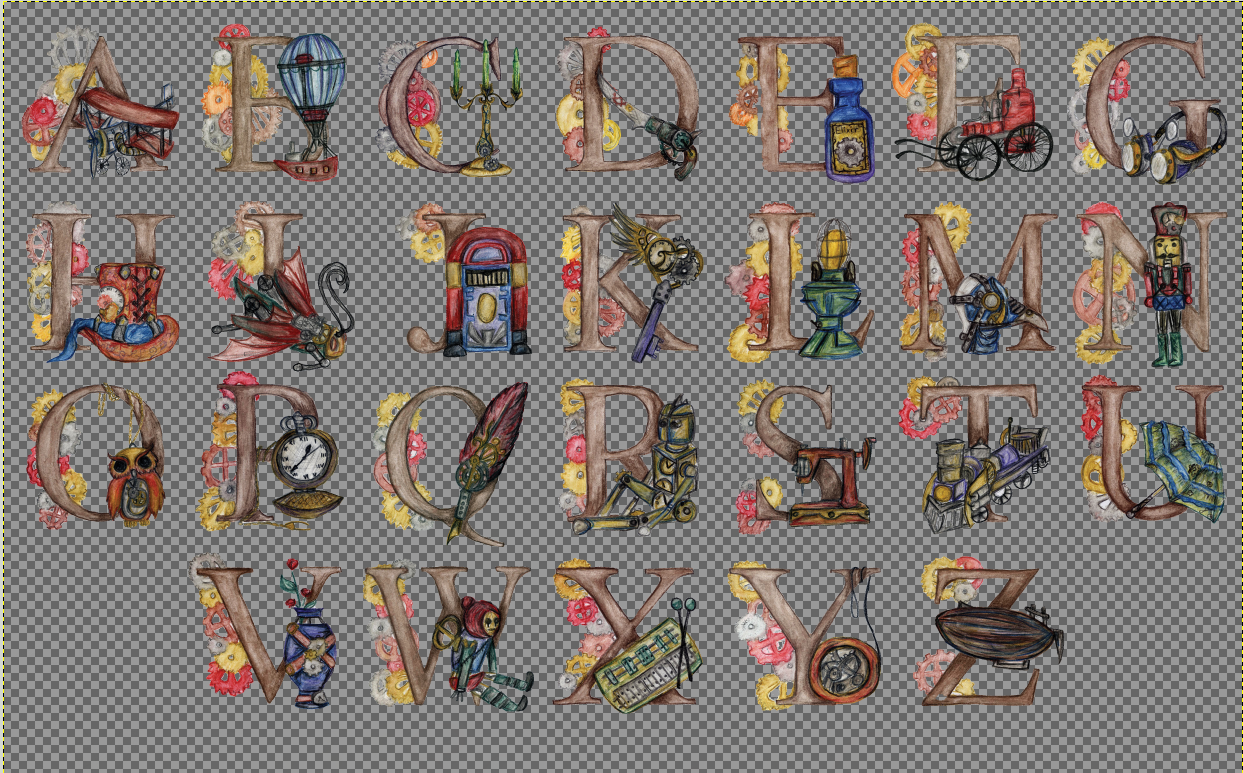
also what ever happened to :
http://www.gimpchat.com/files/196_steampunk-phf_RD.png?
do we have a link to download them?


Top
 Post subject: Re: [G'MIC] Smart foreground extraction tool
PostPosted: Thu Sep 25, 2014 11:56 am  (#153) 
Offline
GimpChat Member
User avatar

Joined: May 17, 2014
Posts: 1581
Image

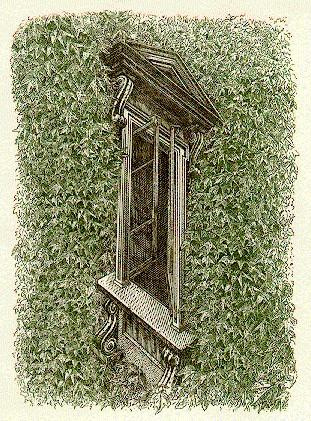
A very special window pirate451. It’s a real “trompe-l’oeil” :)

_________________
Ella's gallery - YouTube


Top
 Post subject: Re: [G'MIC] Smart foreground extraction tool
PostPosted: Thu Sep 25, 2014 5:43 pm  (#154) 
Offline
GimpChat Member
User avatar

Joined: May 27, 2011
Posts: 707
Ella Louise
Yes i had to look twice,at first I thought my brain was playing a game on me :)


Top
 Post subject: Re: [G'MIC] Smart foreground extraction tool
PostPosted: Fri Sep 26, 2014 6:16 am  (#155) 
Offline
Global Moderator
User avatar

Joined: May 16, 2010
Posts: 16329
pirate541 wrote:
lost Gmic now..
help please?

also what ever happened to :
files/196_steampunk-phf_RD.png?
do we have a link to download them?


Sorry Pirate my windows xp machine blew up and i lost those files. I never uploaded them to dropbox so i would have to remake them. The letters are all available at Deviant art though.
http://illustratorg.deviantart.com/art/ ... -267803897
http://illustratorg.deviantart.com/art/ ... -298587681
http://fc00.deviantart.net/fs70/f/2011/ ... 4g1z27.png
http://fc06.deviantart.net/fs37/f/2008/ ... rmagis.jpg
http://fc01.deviantart.net/fs70/f/2012/ ... 5jf900.jpg
http://danielleducrest.deviantart.com/a ... -424514033
Not PHF files but using GMIC you can extract the objects.

_________________
Image


Top
 Post subject: Re: [G'MIC] Smart foreground extraction tool
PostPosted: Fri Sep 26, 2014 7:37 am  (#156) 
Offline
GimpChat Member
User avatar

Joined: May 27, 2011
Posts: 707
Rod
Thank You for Your kind reply.
but how do i cut them from a png file?


Top
 Post subject: Re: [G'MIC] Smart foreground extraction tool
PostPosted: Fri Sep 26, 2014 8:58 am  (#157) 
Offline
GimpChat Member
User avatar

Joined: Apr 07, 2010
Posts: 14182
here is a screenshot to look at, you can use the new extraction tool, this is just a rush job
Image

_________________
Image


Top
 Post subject: Re: [G'MIC] Smart foreground extraction tool
PostPosted: Fri Sep 26, 2014 9:37 am  (#158) 
Offline
GimpChat Member
User avatar

Joined: May 27, 2011
Posts: 707
Molly
I appreciate the help,but I can't figure out how to install the new Gmic,as I posted earlier


Top
 Post subject: Re: [G'MIC] Smart foreground extraction tool
PostPosted: Fri Sep 26, 2014 9:56 am  (#159) 
Offline
GimpChat Member
User avatar

Joined: Apr 07, 2010
Posts: 14182
o, sorry, I knew that, I can't understand why you can't install it either. Without looking back, are you using windows or Linux? Do you still have the previous GMIC installed? or did you lose GMIC all together?

_________________
Image


Top
 Post subject: Re: [G'MIC] Smart foreground extraction tool
PostPosted: Fri Sep 26, 2014 10:24 am  (#160) 
Offline
GimpChat Member
User avatar

Joined: May 27, 2011
Posts: 707
Molly
I had kept notes on where the old Gmic sits in the different folders,so I have it back,because the new one won't show anywhere.so Yes I have the old one back and working
I also figured out what Ros was talking about and extract it the steampunks letters.
Again I appreciate Your help :)


Top
Post new topic Reply to topic  [ 256 posts ]  Go to page Previous  1 ... 5, 6, 7, 8, 9, 10, 11 ... 13  Next

All times are UTC - 5 hours [ DST ]


* Login  


Powered by phpBB3 © phpBB Group