It is currently Thu Oct 08, 2026 8:26 am


All times are UTC - 5 hours [ DST ]


Post new topic Reply to topic  [ 67 posts ]  Go to page Previous  1, 2, 3, 4  Next
Author Message
 Post subject: Re: New filter 'Patterns / Pack shape'
PostPosted: Wed Jun 12, 2013 11:46 am  (#21) 
Offline
GimpChat Member
User avatar

Joined: Jan 03, 2011
Posts: 1656
That's beautiful Lyle.
I'm actually planning to rewrite almost all 'from scratch', to allow more flexibility for future filters.
But don't be afraid, I won't destroy the current version until the new one is working perfectly :).


Top
 Post subject: Re: New filter 'Patterns / Pack shape'
PostPosted: Wed Jun 12, 2013 12:22 pm  (#22) 
Offline
Global Moderator
User avatar

Joined: May 16, 2010
Posts: 16197
Ronounours wrote:
That's beautiful Lyle.
I'm actually planning to rewrite almost all 'from scratch', to allow more flexibility for future filters.
But don't be afraid, I won't destroy the current version until the new one is working perfectly :).


:rofl

Lyle that image is gorgeous man! :)


Top
 Post subject: Re: New filter 'Patterns / Pack shape'
PostPosted: Wed Jun 12, 2013 5:06 pm  (#23) 
Offline
GimpChat Member
User avatar

Joined: Sep 24, 2010
Posts: 12850
Ronounours wrote:
That's beautiful Lyle.
I'm actually planning to rewrite almost all 'from scratch', to allow more flexibility for future filters.
But don't be afraid, I won't destroy the current version until the new one is working perfectly :).


I trust you David; you did keep Blend/Shape Average for me. lolol

Just wish I didn't have to resort to cheating in order to get a presentable result, but I'm good at cheating. Also, appreciate the feedback too Rod. :)

_________________
Lyle

Psalm 109:8

Image


Top
 Post subject: Re: New filter 'Patterns / Pack shape'
PostPosted: Wed Jun 12, 2013 5:11 pm  (#24) 
Offline
GimpChat Member
User avatar

Joined: Apr 07, 2010
Posts: 14182
Luv-it-Lyle, one of my faves by you.

_________________
Image


Top
 Post subject: Re: New filter 'Patterns / Pack shape'
PostPosted: Wed Jun 12, 2013 5:22 pm  (#25) 
Offline
GimpChat Member
User avatar

Joined: Sep 24, 2010
Posts: 12850
Thanks Molly; enjoyed figuring this one out. David made it easy since he really enforces mask rules. Might even experiement with using blends of Voronoi stippler with either Pack shape or Shapeism since I know I can use the gaps left by Voronoi stippler as a real mask. :)

_________________
Lyle

Psalm 109:8

Image


Top
 Post subject: Re: New filter 'Patterns / Pack shape'
PostPosted: Wed Jun 12, 2013 6:31 pm  (#26) 
Offline
GimpChat Member

Joined: Aug 05, 2011
Posts: 606
Location: limestone,ny
Nice Lyle :clap
Thanks David, this will be a fun to play with

Image


Top
 Post subject: Re: New filter 'Patterns / Pack shape'
PostPosted: Wed Jun 12, 2013 6:39 pm  (#27) 
Offline
GimpChat Member
User avatar

Joined: Sep 24, 2010
Posts: 12850
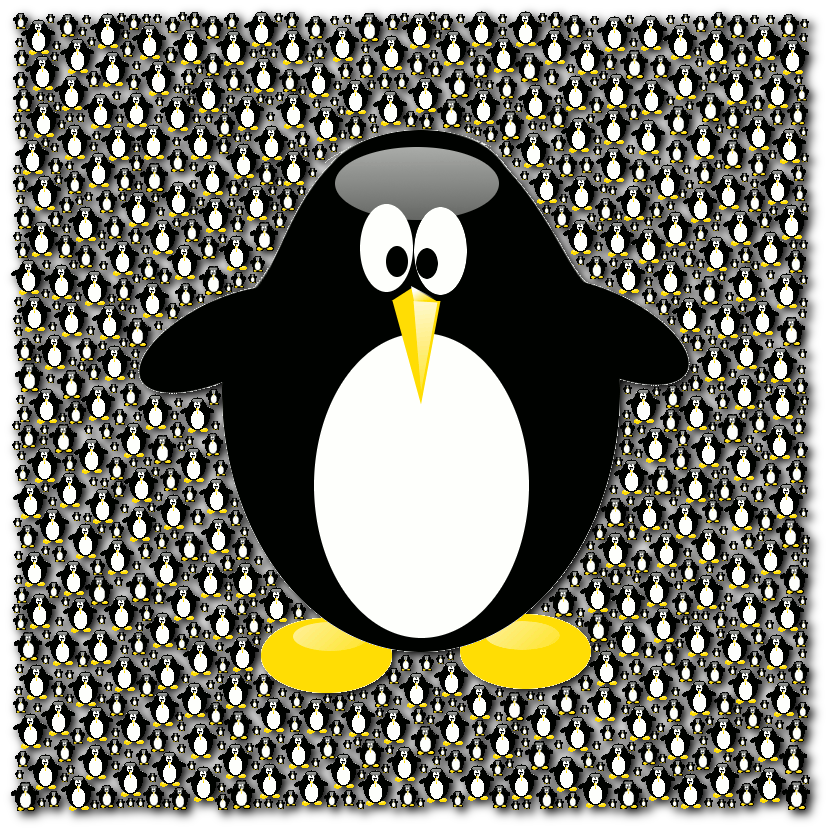
Them penguins sure can breed alc59. lol

Yeah; this one's going to bring more joy for me too for sure. :)

_________________
Lyle

Psalm 109:8

Image


Top
 Post subject: Re: New filter 'Patterns / Pack shape'
PostPosted: Wed Jun 12, 2013 7:45 pm  (#28) 
Offline
GimpChat Member
User avatar

Joined: Nov 16, 2011
Posts: 5127
Location: Metro Vancouver, BC
alc59 wrote:
Nice Lyle :clap
Thanks David, this will be a fun to play with

[ Image ]
That's a beauty, alc59!

_________________
Image
Gimp 2.8.18, Linux, median user
Gimp Chat Tutorials Index
Spirit Bear (Kermode)


Top
 Post subject: Re: New filter 'Patterns / Pack shape'
PostPosted: Thu Jun 13, 2013 7:22 am  (#29) 
Offline
GimpChat Member
User avatar

Joined: Sep 24, 2010
Posts: 12850
Another cool feature is creating seamless textures. Just run the preset until packed, then offset 50,50, and run again to feel the seams. Click image below for it's deviant. :)

Image

_________________
Lyle

Psalm 109:8

Image


Top
 Post subject: Re: New filter 'Patterns / Pack shape'
PostPosted: Thu Jun 13, 2013 9:18 am  (#30) 
Offline
GimpChat Member
User avatar

Joined: Jul 17, 2012
Posts: 2769
the pearls are super beautiful, lyle !


Top
 Post subject: Re: New filter 'Patterns / Pack shape'
PostPosted: Thu Jun 13, 2013 11:30 am  (#31) 
Offline
Global Moderator
User avatar

Joined: May 16, 2010
Posts: 16197
David is it possible to add multiple shapes with rotation to get a kind of shattered effect?
Say squares and triangles? Or even a way to use a shape mask layer?

Image


Top
 Post subject: Re: New filter 'Patterns / Pack shape'
PostPosted: Thu Jun 13, 2013 1:45 pm  (#32) 
Offline
GimpChat Member
User avatar

Joined: Sep 24, 2010
Posts: 12850
Thanks for the comments folks. Rod, you beat me too it. Since David allows the all command, I was going to ask him if we can have a separate brush in each layer above the mask layer and have the preset strategically place the brushes either randomly or sequencially as well as size of course. Also was going to request an angle range option (not applicable for circle objects of course). Hopefully it can be easily done. Do I asketh for too much or what? lololol

_________________
Lyle

Psalm 109:8

Image


Top
 Post subject: Re: New filter 'Patterns / Pack shape'
PostPosted: Thu Jun 13, 2013 1:51 pm  (#33) 
Offline
Global Moderator
User avatar

Joined: May 16, 2010
Posts: 16197
lylejk wrote:
Thanks for the comments folks. Rod, you beat me too it. Since David allows the all command, I was going to ask him if we can have a separate brush in each layer above the mask layer and have the preset strategically place the brushes either randomly or sequencially as well as size of course. Also was going to request an angle range option (not applicable for circle objects of course). Hopefully it can be easily done. Do I asketh for too much or what? lololol


:rofl nahhh :)


Top
 Post subject: Re: New filter 'Patterns / Pack shape'
PostPosted: Mon Jun 17, 2013 6:48 am  (#34) 
Offline
GimpChat Member

Joined: May 09, 2012
Posts: 914
New filter 'Patterns > Pack sprites' :clap

G'MIC Gimp (update filters)

test with G'MIC beta 20130617 (command "pack_sprites") :

*****

G'MIC Command line :
gmic -m gmic_def.gmic motif.png masque2.png -gimp_pack_sprites 5,25,1,1,5,1,30,30 -o[-2] test.png

*****

files in the archive "files_test_gimp_pack_sprites.zip"

*****

Update G'MIC 64 Win


Attachments:
files_test_gimp_pack_sprites.zip [391.01 KiB]
Downloaded 123 times
test_gimp_pack_sprites .png
test_gimp_pack_sprites .png [ 131.16 KiB | Viewed 2382 times ]
test.png
test.png [ 172.61 KiB | Viewed 2382 times ]
Top
 Post subject: Re: New filter 'Patterns / Pack shape'
PostPosted: Mon Jun 17, 2013 8:41 am  (#35) 
Offline
GimpChat Member
User avatar

Joined: Apr 08, 2010
Posts: 5420
Location: Northwest Ohio
hahaha, that is so cute, I love the smilies packed into the shape!


Top
 Post subject: Re: New filter 'Patterns / Pack shape'
PostPosted: Mon Jun 17, 2013 10:31 am  (#36) 
Offline
GimpChat Member
User avatar

Joined: Jan 03, 2011
Posts: 1656
Very cool samj !


Top
 Post subject: Re: New filter 'Patterns / Pack shape'
PostPosted: Mon Jun 17, 2013 11:26 am  (#37) 
Offline
GimpChat Member

Joined: May 09, 2012
Posts: 914
@Ronounours

This new filter "Pack sprites" is not announced :( and renderings are better :)


Top
 Post subject: Re: New filter 'Patterns / Pack shape'
PostPosted: Mon Jun 17, 2013 11:30 am  (#38) 
Offline
GimpChat Member
User avatar

Joined: Jan 03, 2011
Posts: 1656
Samj : I'm not completely ready with this filter, I've some ideas to improve it a little bit.
So maybe then, I'll do an announce, but I'm not sure, as it is basically only slightly better than the (already announced) 'pack shape' filter.


Top
 Post subject: Re: New filter 'Patterns / Pack shape'
PostPosted: Mon Jun 17, 2013 8:10 pm  (#39) 
Offline
Administrator
User avatar

Joined: Aug 10, 2012
Posts: 14236
Location: Native to NYC living in Arizona, Gimp 2.8 - 3.0, Win 11 PC.
Here's one I made using this method...
Image :hehe Paisley*

_________________
Image
"A wise man learns more from a foolish question than a fool can learn from a wise answer"
Image


Top
 Post subject: Re: New filter 'Patterns / Pack shape'
PostPosted: Mon Jun 17, 2013 8:13 pm  (#40) 
Offline
GimpChat Member
User avatar

Joined: Sep 24, 2010
Posts: 12850
I'm still hoping for a rotational angle range option (neg to pos degrees; example, -30 to plus 40; -180 to +180 or, of course default to no rotation) as well as multiple objects to pack, but, I do asketh for too much. lol

Like the smiley filled star samj and the paisley shirt to Wallace:)

_________________
Lyle

Psalm 109:8

Image


Top
Post new topic Reply to topic  [ 67 posts ]  Go to page Previous  1, 2, 3, 4  Next

All times are UTC - 5 hours [ DST ]


* Login  


Powered by phpBB3 © phpBB Group