I have mine like this: After I downloaded the ZIP folder and extracted the files, I place the "Whole Folder" into my user gimp directory: C:\Users\Pocholo\AppData\Roaming\GIMP\2.10\plug-ins\gmic_gimp_qt.
Go to: Edit> Preferences, click on the "Folders" dropdown and then Plug-ins. Click on the little icon Page and the click on the Folder icon on the right and another window will popup.
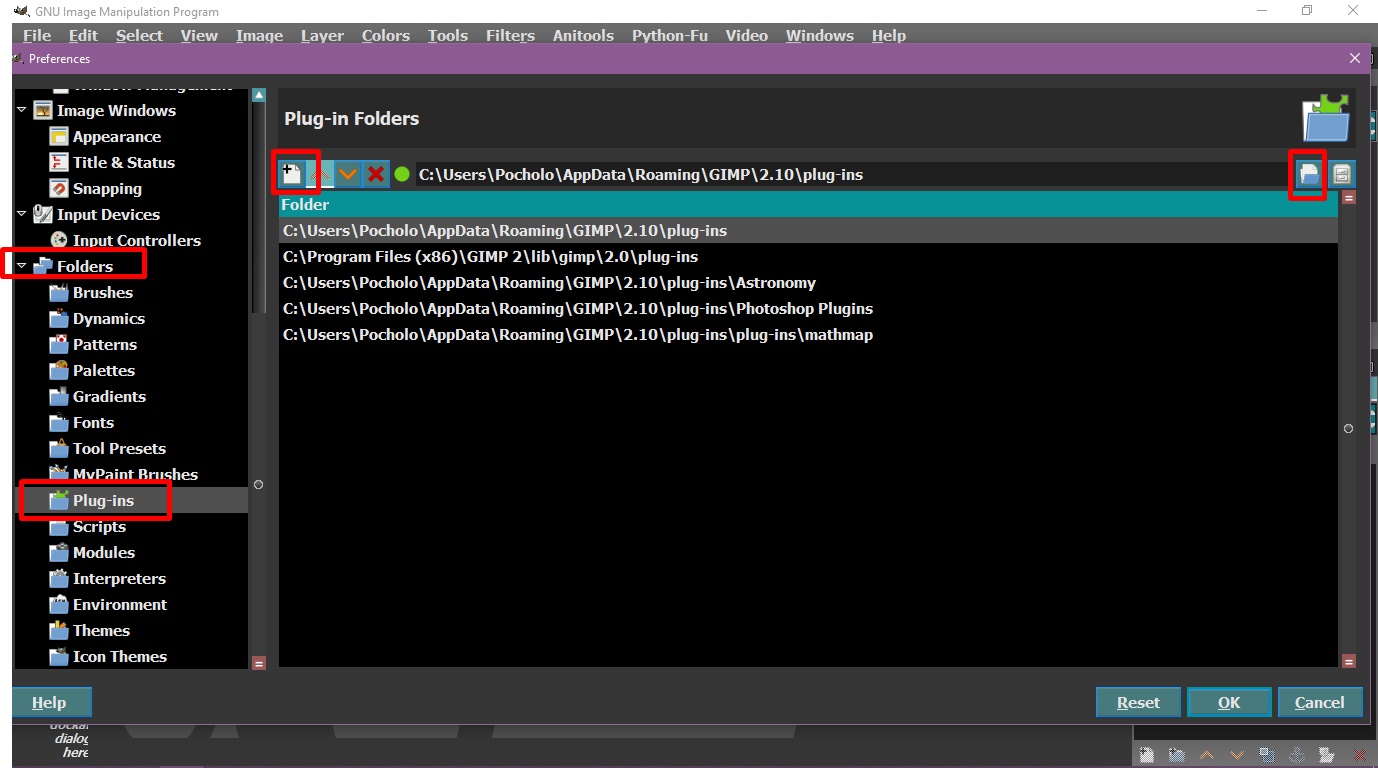
From the left side choose your User Gimp directory: YourName\AppData\Roaming\GIMP\2.10\plug-ins\gmic_gimp_qt.

After that close Gimp and Re-start Gimp and you will have it on the Filters menu.
 Login
Login Register
 Tweets
 FAQ
FAQ Advanced Search


