There are few different ways to create a stroke. The easier way is to have install the Layerfx plugin:
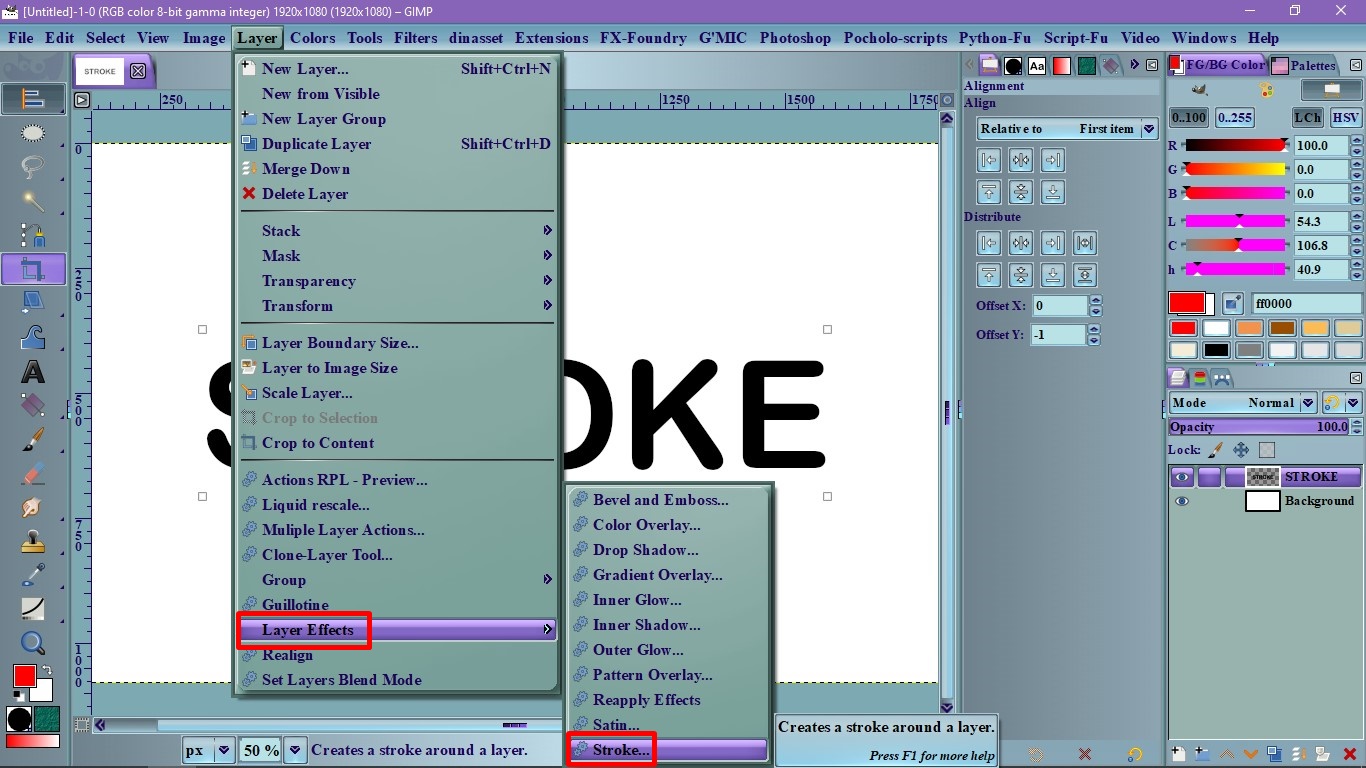
1. Go to the Layer menu and select: Layer Effect> Stroke
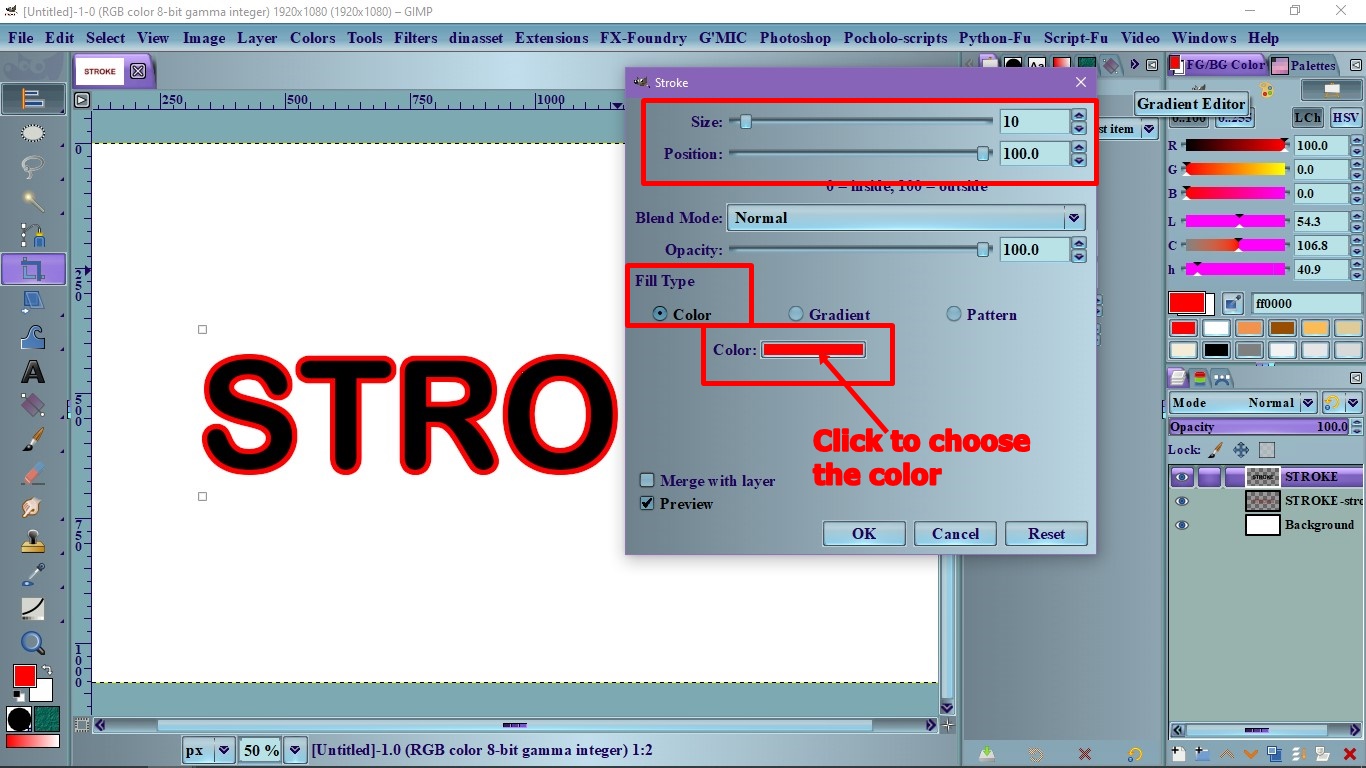
2. On the dialog Stroke, select the Size, Position and the Color and click Stroke.
The other way if you don't have the Layerfx plugin is:
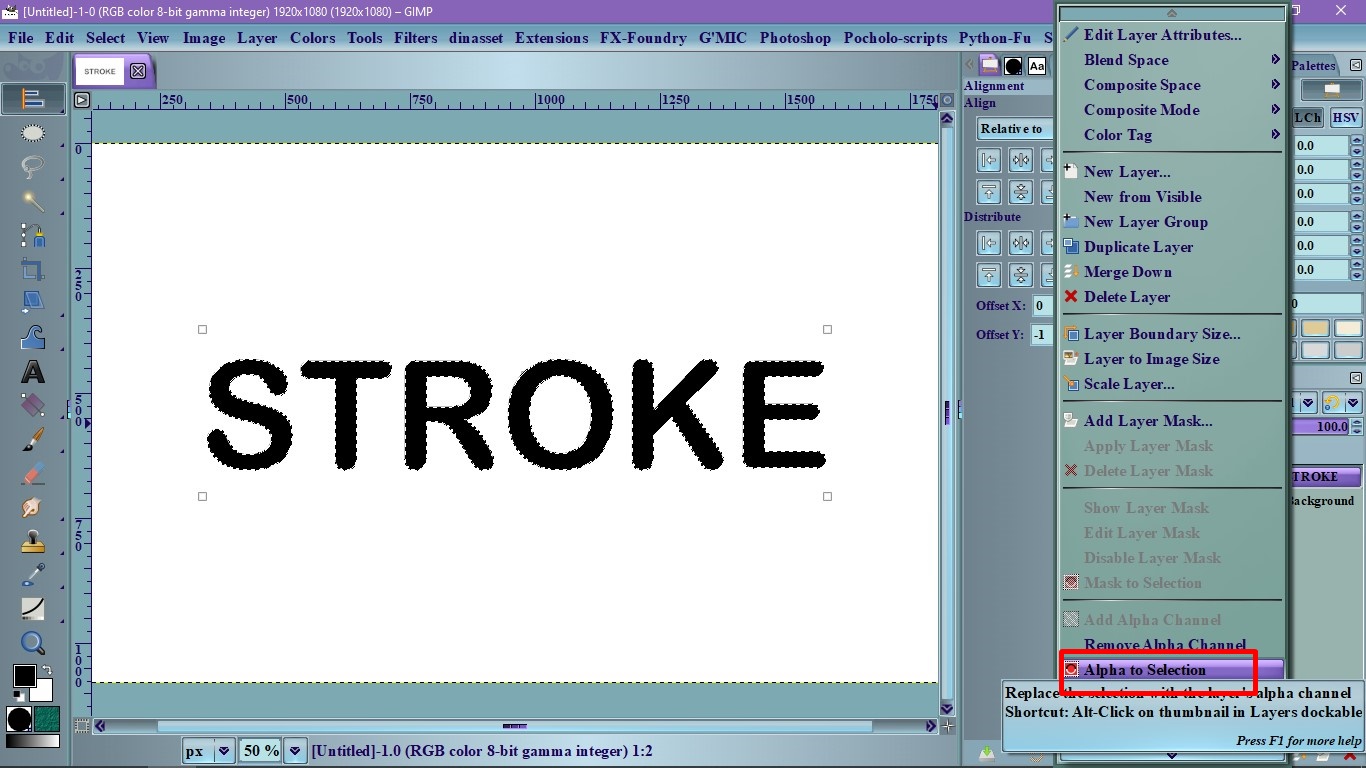
1. Go to the Layers dialog, right click the Text layer and select, Alpha to selection.
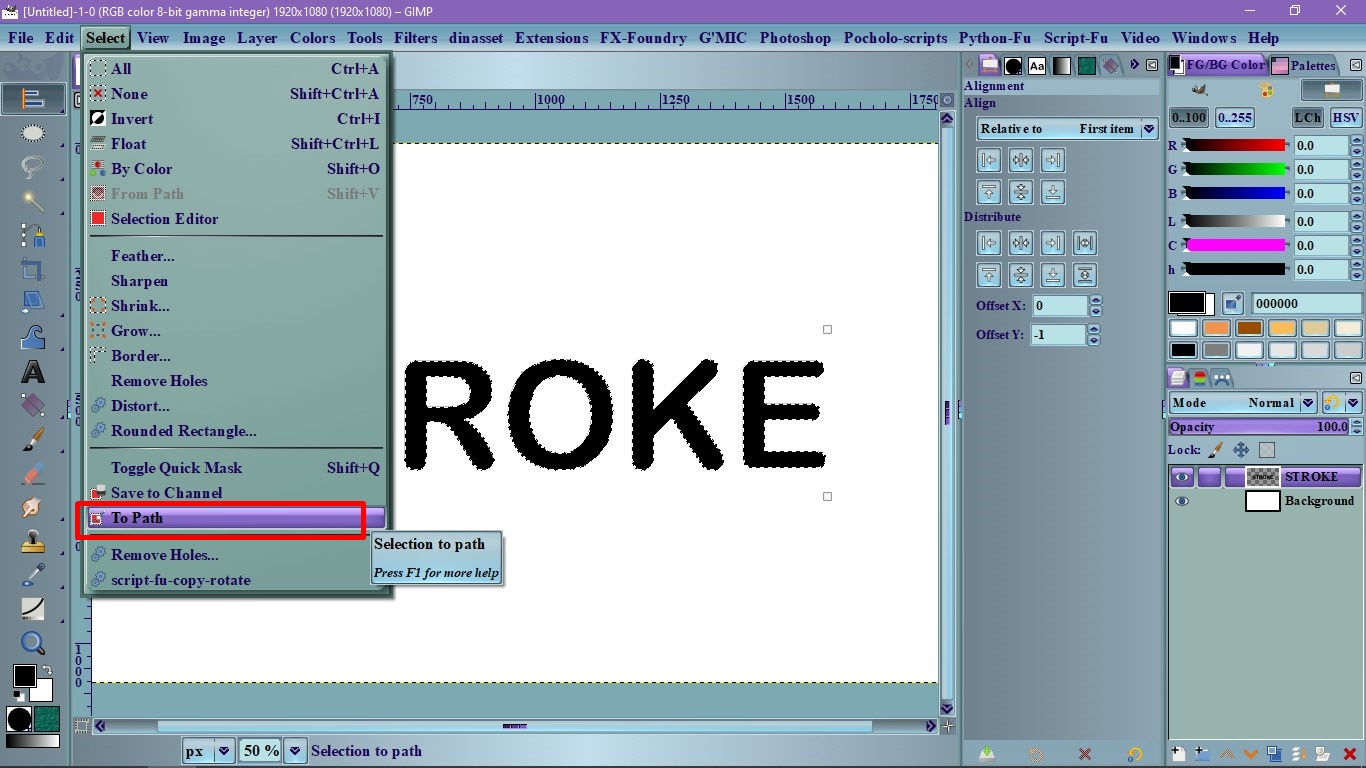
2. Go to menu: Select and choose, "To path" to create a path (Paths are smoother)
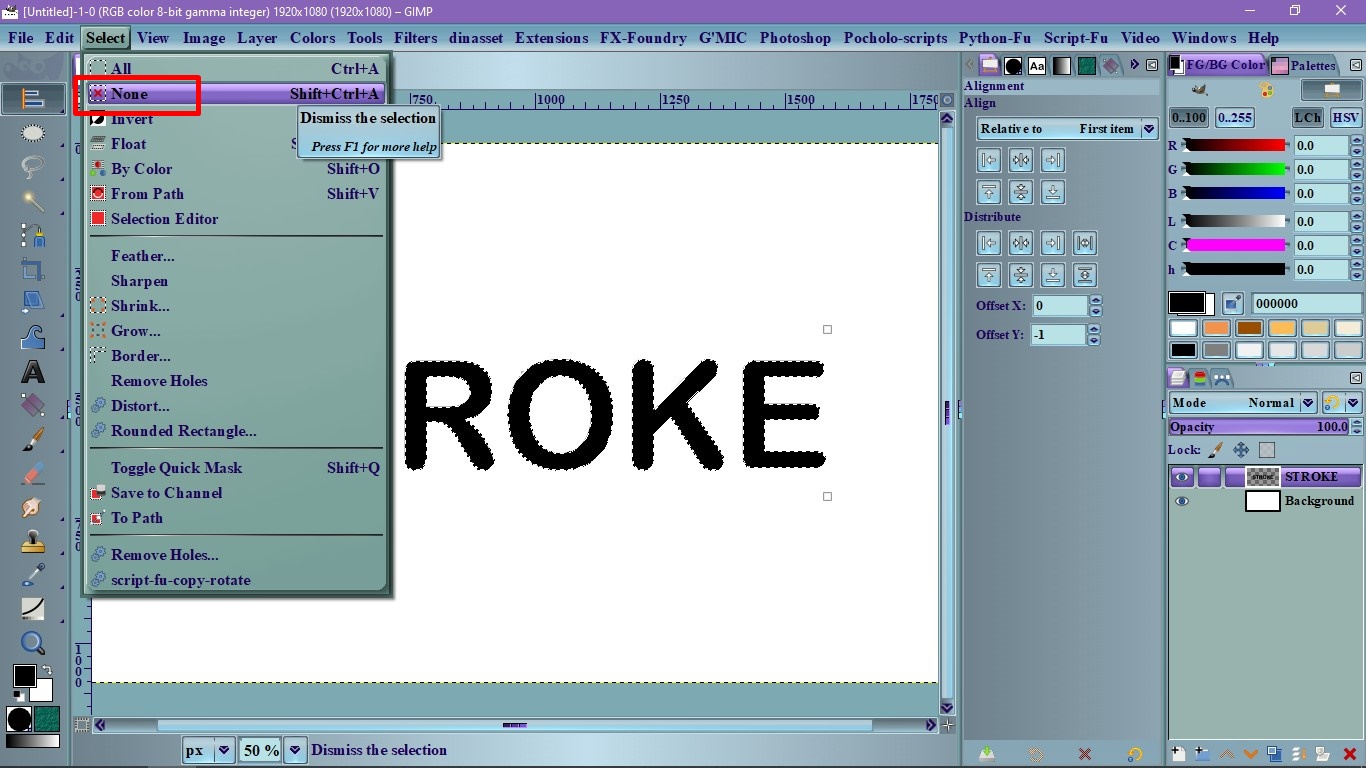
3. Get rid of the selection, go to: Select> None
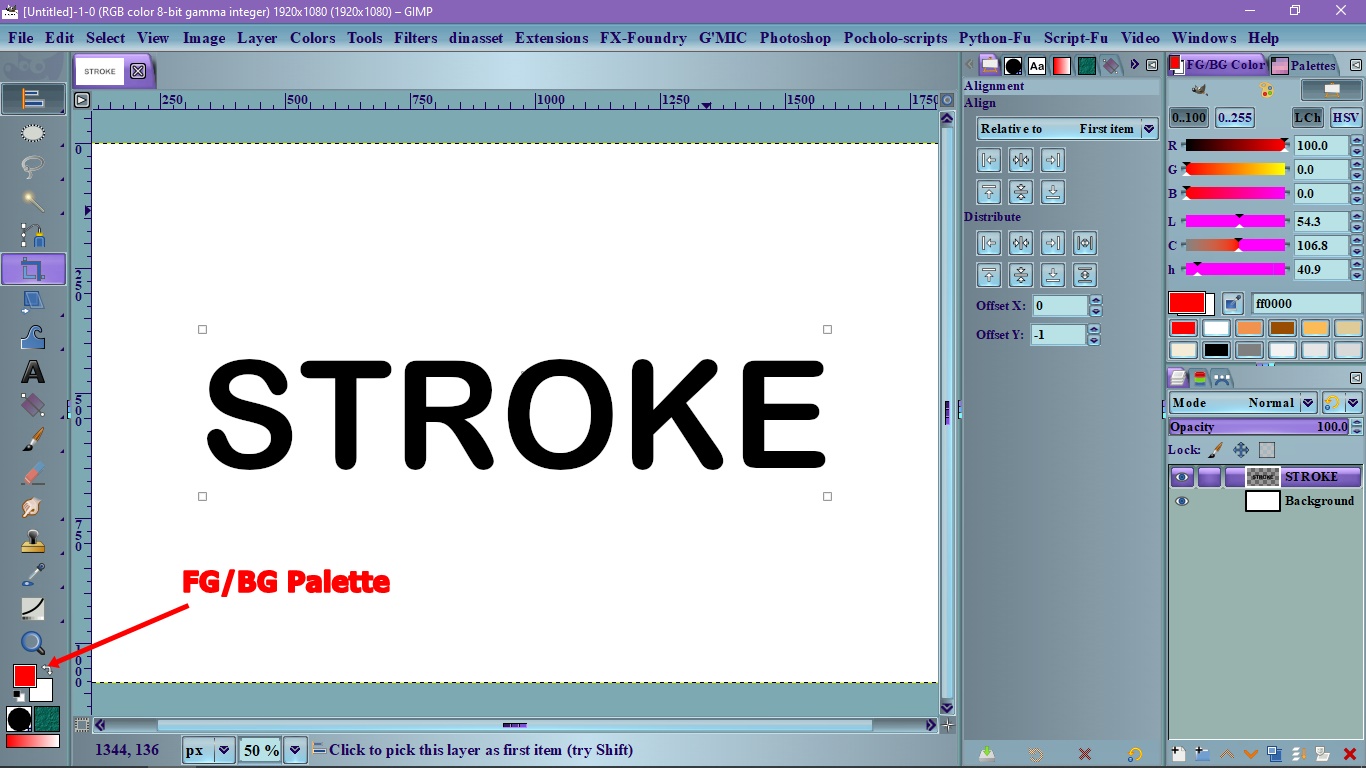
4. Set the color you want on the Foreground/Background palette
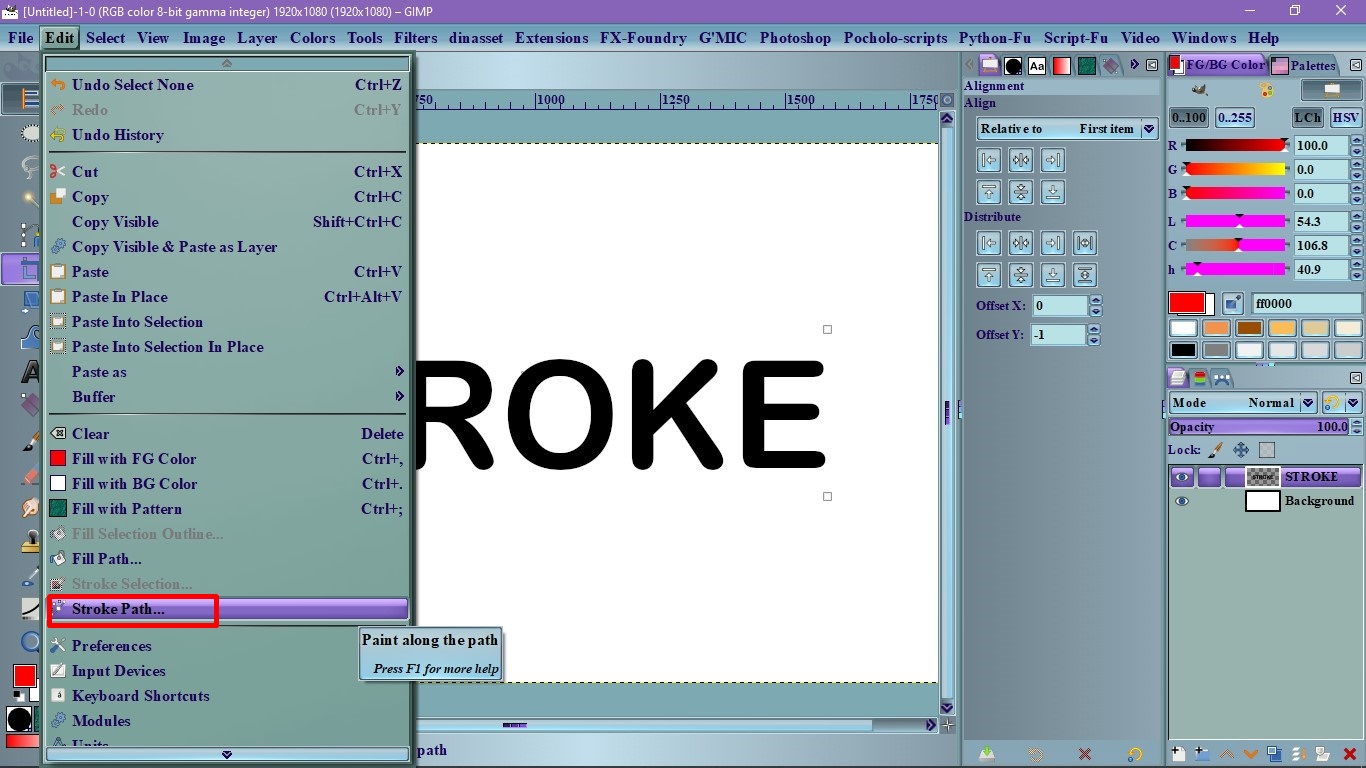
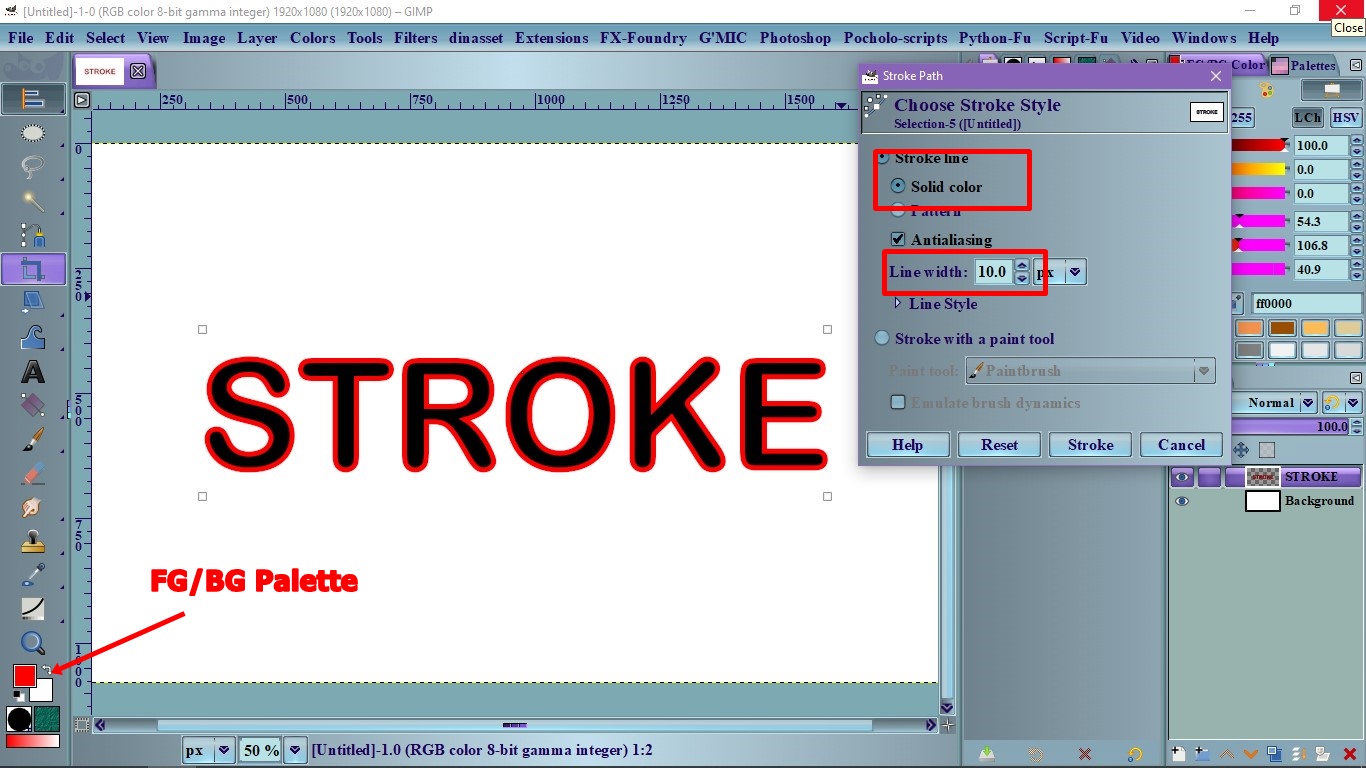
5. Go to: Edit> Stroke path and another dialog will open. Here, by default the top option is selected is "Stroke Line".
 Login
Login Register
 Tweets
 FAQ
FAQ Advanced Search


