It is currently Wed Nov 25, 2026 2:38 am


All times are UTC - 5 hours [ DST ]


Post new topic Reply to topic  [ 67 posts ]  Go to page 1, 2, 3, 4  Next
Author Message
 Post subject: New G'MIC filter 'Rendering / Gradient [custom shape]'.
PostPosted: Thu Oct 03, 2013 9:41 am  (#1) 
Offline
GimpChat Member
User avatar

Joined: Jan 03, 2011
Posts: 1656
Hi there,

I'm happy to announce a new G'MIC filter available, namely Rendering / Gradient [custom shape].
Basically, what it does is extract a binary shape from an image, and create a color gradient according to this shape.
There are a lot of parameters you can play with. I guess this can be useful to quickly make complex color gradients, neon effects, etc... (if you have ideas on how to use it, please share !).
Here is a screenshot of this new filter in action : the original picture is just a black text on a white background (bottom left window), and you can see the effect of the filter on the preview window.

Attachment:
gmic_gradient_custom.jpg
gmic_gradient_custom.jpg [ 591.12 KiB | Viewed 4863 times ]


Enjoy !


Share on Facebook Share on Twitter Share on Orkut Share on Digg Share on MySpace Share on Delicious Share on Technorati
Top
 Post subject: Re: New G'MIC filter 'Rendering / Gradient [custom shape]'.
PostPosted: Thu Oct 03, 2013 2:05 pm  (#2) 
Offline
GimpChat Member
User avatar

Joined: Nov 09, 2011
Posts: 726
Image

_________________
Image
Be patient, English is not my language.


Top
 Post subject: Re: New G'MIC filter 'Rendering / Gradient [custom shape]'.
PostPosted: Thu Oct 03, 2013 2:10 pm  (#3) 
Offline
GimpChat Founder
User avatar

Joined: May 22, 2008
Posts: 5248
Location: Gimpville
Thanks! Looks like a very useful filter. Creating gradients from scratch using GIMP's gradient editor is a major pain.

_________________
Image


Top
 Post subject: Re: New G'MIC filter 'Rendering / Gradient [custom shape]'.
PostPosted: Thu Oct 03, 2013 2:17 pm  (#4) 
Offline
GimpChat Member
User avatar

Joined: Apr 07, 2010
Posts: 14182
Yes it is a pain that is why I don't make any. lol. Nice David

_________________
Image


Top
 Post subject: Re: New G'MIC filter 'Rendering / Gradient [custom shape]'.
PostPosted: Thu Oct 03, 2013 8:50 pm  (#5) 
Offline
Script Coder
User avatar

Joined: Feb 18, 2011
Posts: 4826
Location: Bendigo Vic. Australia
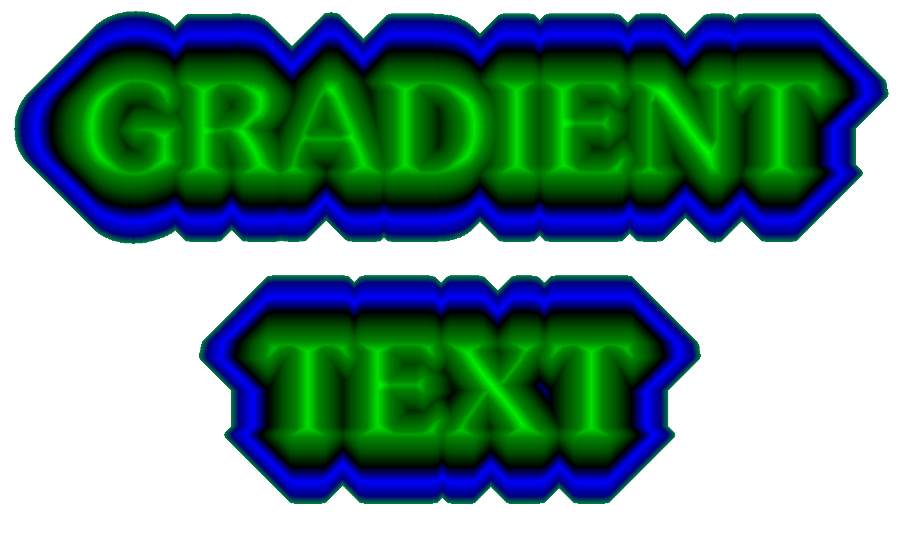
Not sure how to extract a gradient from this but it's use can sure create some nice text effects
Image

_________________
Image
No matter how much you push the envelope, it'll still be stationery.


Top
 Post subject: Re: New G'MIC filter 'Rendering / Gradient [custom shape]'.
PostPosted: Fri Oct 04, 2013 3:21 am  (#6) 
Offline
GimpChat Member
User avatar

Joined: Aug 16, 2012
Posts: 4271
Location: Göteborg, Sweden
wow!! this really looks good! i'll have to update my g'mic filters at once, i have some ideas how i could use this :).

_________________


Top
 Post subject: Re: New G'MIC filter 'Rendering / Gradient [custom shape]'.
PostPosted: Fri Oct 04, 2013 9:11 pm  (#7) 
Offline
Script Coder
User avatar

Joined: Feb 18, 2011
Posts: 4826
Location: Bendigo Vic. Australia
It's a very addictive filter, I can't stop playing with it, good one David thank you

_________________
Image
No matter how much you push the envelope, it'll still be stationery.


Top
 Post subject: Re: New G'MIC filter 'Rendering / Gradient [custom shape]'.
PostPosted: Sat Oct 05, 2013 3:49 am  (#8) 
Offline
GimpChat Member
User avatar

Joined: Jan 03, 2011
Posts: 1656
Graechan, I'm very interested by how real artists may use this filter, so do not hesitate to posts your trials/prototypes :p


Top
 Post subject: Re: New G'MIC filter 'Rendering / Gradient [custom shape]'.
PostPosted: Sat Oct 05, 2013 7:43 am  (#9) 
Offline
GimpChat Member
User avatar

Joined: Nov 09, 2011
Posts: 726
David, I'm having hard/jagged edges in this kind of configurations (low inner/outer lengths):
Image
Is there any way to fix it from the same filter, or add an option to avoid this happening?

_________________
Image
Be patient, English is not my language.


Top
 Post subject: Re: New G'MIC filter 'Rendering / Gradient [custom shape]'.
PostPosted: Sat Oct 05, 2013 8:23 am  (#10) 
Offline
GimpChat Member

Joined: Apr 12, 2010
Posts: 5870
I got preview errors changing select by for dark or light pixel ...maybe because i tried on a text (not a text layer, just black text on transparency ) on transparency

PS yes it was the transparency , on a copy of the visible, black text on white bg is now "opaque pixels " option to give preview error
,This i noticed because that was the setting i used before with the text on transparency ...Sure is a nonsense try to select for "opaque pixels" where are all opaque but i believe should not cause preview error

Also "Smoothness " seems very critical , at soon i try to change value the input shape got totally ignored
(this with anything more then 0,03 , number must be typed in the numeric box because slider will jump from 0 to 0.10 )

_________________
My 3D Gallery on Deviantart http://photocomix2.deviantart.com/
Main gallery http://www.flickriver.com/photos/photocomix-mandala/
Mandala and simmetry http://www.flickriver.com/photos/photocomix_mandala/

Image

Mrs Wilbress


Last edited by PhotoComix on Sat Oct 05, 2013 8:47 am, edited 1 time in total.

Top
 Post subject: Re: New G'MIC filter 'Rendering / Gradient [custom shape]'.
PostPosted: Sat Oct 05, 2013 8:41 am  (#11) 
Offline
GimpChat Member
User avatar

Joined: Apr 08, 2010
Posts: 5420
Location: Northwest Ohio
This is very cool! And you can get the gradient bar across the bottom if you choose...so how would one save that gradient into the gradient file???
Image


Top
 Post subject: Re: New G'MIC filter 'Rendering / Gradient [custom shape]'.
PostPosted: Sat Oct 05, 2013 8:58 am  (#12) 
Offline
GimpChat Member
User avatar

Joined: Apr 08, 2010
Posts: 5420
Location: Northwest Ohio
one more. The settings and display are particularly easy to use, thanks!!! Added a tiny inner shadow to the text just to make it a bit easier to read.
Image


Top
 Post subject: Re: New G'MIC filter 'Rendering / Gradient [custom shape]'.
PostPosted: Sat Oct 05, 2013 10:59 pm  (#13) 
Offline
Script Coder
User avatar

Joined: Feb 18, 2011
Posts: 4826
Location: Bendigo Vic. Australia
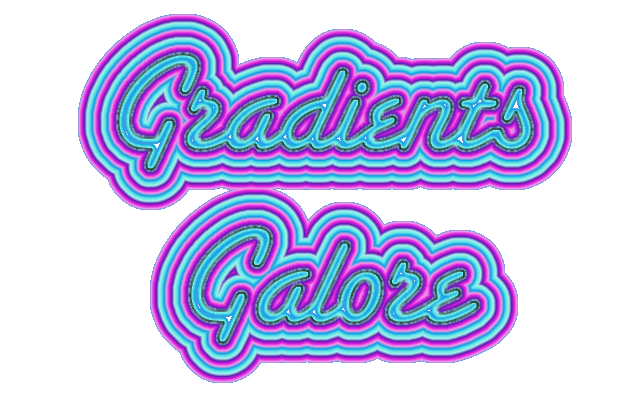
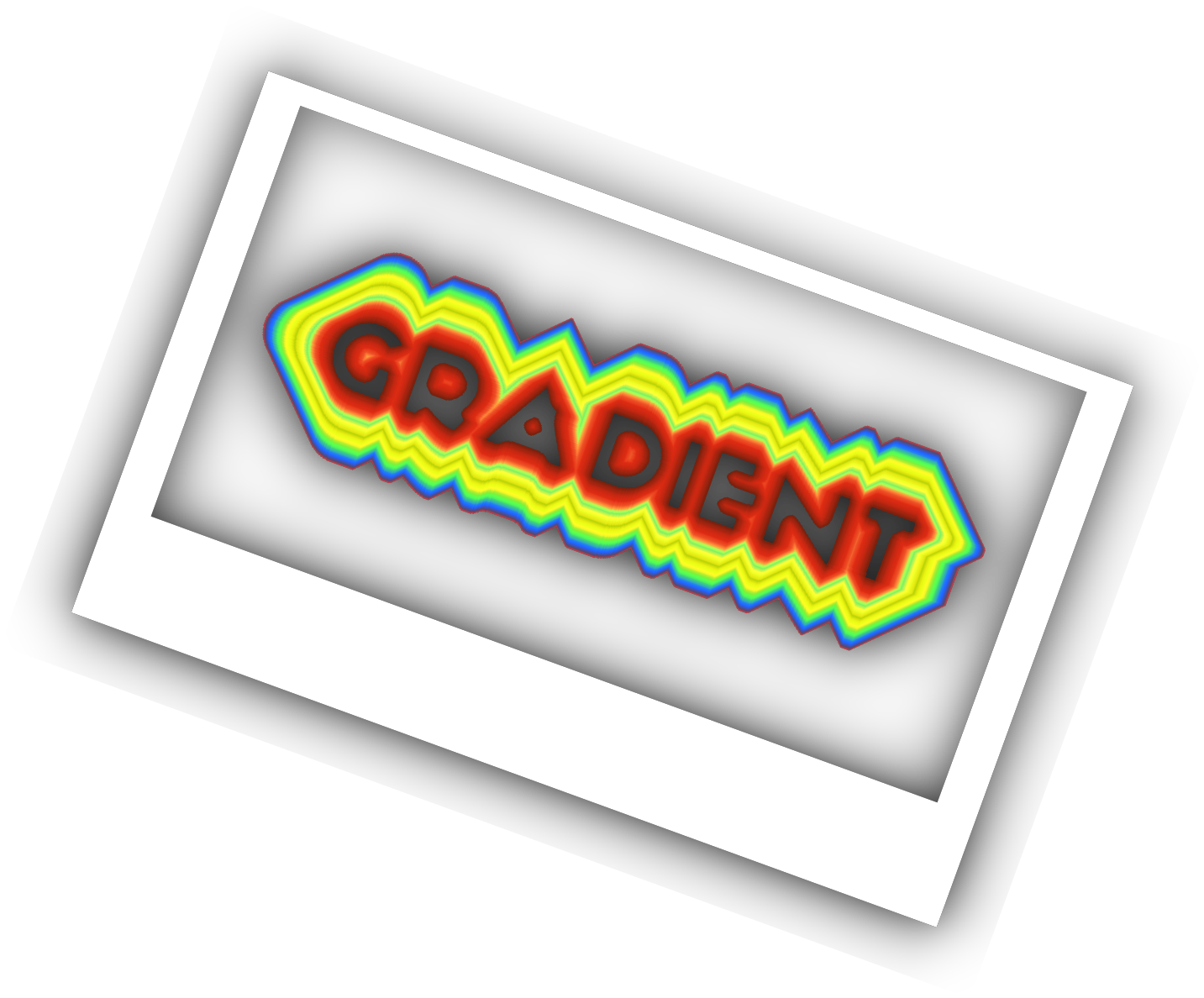
The Manhattan is my favorite shape by far and I love using bright neon colors

Image

_________________
Image
No matter how much you push the envelope, it'll still be stationery.


Top
 Post subject: Re: New G'MIC filter 'Rendering / Gradient [custom shape]'.
PostPosted: Sat Oct 05, 2013 11:46 pm  (#14) 
Offline
Global Moderator
User avatar

Joined: Apr 01, 2012
Posts: 8511
Location: On the other side of your screen
Image

_________________
Image
Free Fun Photo Editing & resources
Poems from the Lord
Gimp Newby
Gimp version 3.2.8 and GMIC-Qt 4.0.2 OS :- Windows 10 Home 64


Top
 Post subject: Re: New G'MIC filter 'Rendering / Gradient [custom shape]'.
PostPosted: Sun Oct 06, 2013 4:49 am  (#15) 
Offline
GimpChat Member
User avatar

Joined: Aug 16, 2012
Posts: 4271
Location: Göteborg, Sweden
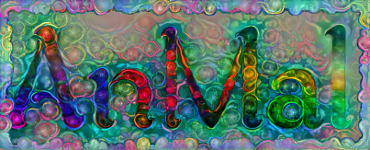
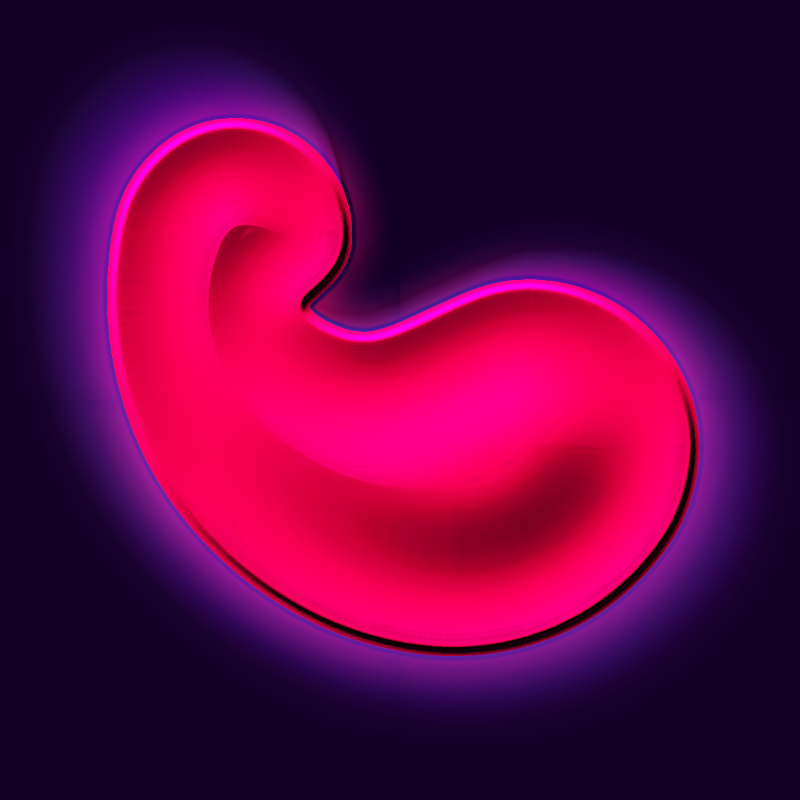
you've made such lovely text effects with this new toy, everyone! i'm impressed. i've been busy editing england photos so i didn't have tome to try the gradient render before and now my idea looks a bit boring after all the cool text effects. :oops: in any case, what i thought when i saw the custom shape gradient tool was a new way of creating bump maps (among other things). i used the new gradient tool to make this bump map:
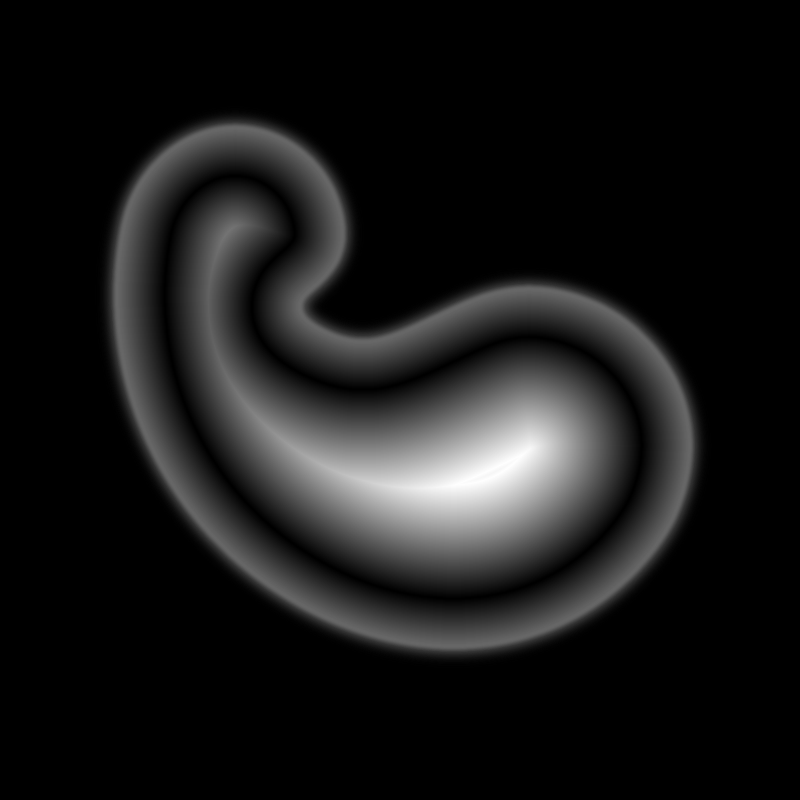
Image

then i bumped my original paisley shape with it and used some anisotropic smoothing (and played with some other effects as well, but the bump mapping is the main point here) and i was very happy with the result.
Image


thanks, g'mic people, for the good new gradient tool!

_________________


Top
 Post subject: Re: New G'MIC filter 'Rendering / Gradient [custom shape]'.
PostPosted: Sun Oct 06, 2013 5:27 am  (#16) 
Offline
GimpChat Member
User avatar

Joined: Jul 17, 2012
Posts: 2769
AnMal wrote:
i didn't have tome to try the gradient render before and now my idea looks a bit boring after all the cool text effects. :oops: in any case, what i thought when i saw the custom shape gradient tool was a new way of creating bump maps (among other things). i used the new gradient tool to make this bump map:

not boring, that idea is genius !


Top
 Post subject: Re: New G'MIC filter 'Rendering / Gradient [custom shape]'.
PostPosted: Sun Oct 06, 2013 5:40 am  (#17) 
Offline
GimpChat Member
User avatar

Joined: Aug 16, 2012
Posts: 4271
Location: Göteborg, Sweden
esper: :thanku i'm glad there's someone who didn't think it was boring! but it's nothing like genius - admit you thought of the same thing when you read about the new gradient tool!

_________________


Top
 Post subject: Re: New G'MIC filter 'Rendering / Gradient [custom shape]'.
PostPosted: Sun Oct 06, 2013 5:45 am  (#18) 
Offline
GimpChat Member
User avatar

Joined: Jul 17, 2012
Posts: 2769
no i didnt


Top
 Post subject: Re: New G'MIC filter 'Rendering / Gradient [custom shape]'.
PostPosted: Sun Oct 06, 2013 5:50 am  (#19) 
Offline
GimpChat Member
User avatar

Joined: Aug 16, 2012
Posts: 4271
Location: Göteborg, Sweden
:vic woohoo, i thought of something esper didn't!! ooh, i'm good! :hehe

_________________


Top
 Post subject: Re: New G'MIC filter 'Rendering / Gradient [custom shape]'.
PostPosted: Sun Oct 06, 2013 5:51 am  (#20) 
Offline
GimpChat Member
User avatar

Joined: Jul 17, 2012
Posts: 2769
holy cow :roll:


Top
Post new topic Reply to topic  [ 67 posts ]  Go to page 1, 2, 3, 4  Next

All times are UTC - 5 hours [ DST ]


* Login  


Powered by phpBB3 © phpBB Group