It is currently Mon Aug 31, 2026 4:31 am


All times are UTC - 5 hours [ DST ]


Post new topic Reply to topic  [ 30 posts ]  Go to page 1, 2  Next
Author Message
 Post subject: Re: 76 Halftone Grayscale Brushes
PostPosted: Tue Apr 30, 2019 11:41 pm  (#11) 
Offline
Administrator
User avatar

Joined: Aug 10, 2012
Posts: 14182
Location: Native to NYC living in Arizona, Gimp 2.8 - 3.0, Win 11 PC.
MareroQ wrote:
A very large and interesting set of brushes.
Thank you very much for sharing. :tyspin

You're welcome MareroQ.
:pizza
I also think the brushes are interesting,
which is what prompted me to posted them.

_________________
Image
"A wise man learns more from a foolish question than a fool can learn from a wise answer"
Image


Top
 Post subject: Re: 76 Halftone Grayscale Brushes
PostPosted: Wed May 01, 2019 3:25 am  (#12) 
Offline
Global Moderator
User avatar

Joined: Apr 01, 2012
Posts: 8467
Location: On the other side of your screen
thank you Wallace :bigthup

_________________
Image
Free Fun Photo Editing & resources
Poems from the Lord
Gimp Newby
Gimp version 3.2.4 and GMIC-Qt 4.0.2 OS :- Windows 10 Home 64


Top
 Post subject: Re: 76 Halftone Grayscale Brushes
PostPosted: Wed May 01, 2019 4:09 am  (#13) 
Offline
GimpChat Member
User avatar

Joined: May 10, 2013
Posts: 1436
Location: Finland
Cool halftone pack, think I've had some of it in vector format earlier but nice to have as gimp brushes.

Image


Top
 Post subject: Re: 76 Halftone Grayscale Brushes
PostPosted: Wed May 01, 2019 5:18 am  (#14) 
Offline
GimpChat Member

Joined: Apr 09, 2018
Posts: 1888
Location: France
:tyspin Wallace

Image

_________________
Les parfums, les couleurs et les sons se répondent.Baudelaire (Les fleurs du mal)
2.10.36/(Samj) Gimp 2.10.38 OS Windows 10 Home 64 bits


Top
 Post subject: Re: 76 Halftone Grayscale Brushes
PostPosted: Wed May 01, 2019 10:37 am  (#15) 
Offline
Global Moderator
User avatar

Joined: May 16, 2010
Posts: 16168
Cool set of brushes Wallace. Thanks for sharing them. :yes I've always loved working with halftone and engraving type of brushes. :tyspin

_________________
Image


Top
 Post subject: Re: 76 Halftone Grayscale Brushes
PostPosted: Wed May 01, 2019 11:10 am  (#16) 
Offline
Global Moderator
User avatar

Joined: Apr 01, 2012
Posts: 8467
Location: On the other side of your screen
Image

Took me a while to figure out that I need the mode in brush settings set to 'normal' :oops:

_________________
Image
Free Fun Photo Editing & resources
Poems from the Lord
Gimp Newby
Gimp version 3.2.4 and GMIC-Qt 4.0.2 OS :- Windows 10 Home 64


Top
 Post subject: Re: 76 Halftone Grayscale Brushes
PostPosted: Wed May 01, 2019 11:22 am  (#17) 
Offline
Administrator
User avatar

Joined: Aug 10, 2012
Posts: 14182
Location: Native to NYC living in Arizona, Gimp 2.8 - 3.0, Win 11 PC.
sallyanne wrote:
thank you Wallace :bigthup


Nidhogg wrote:
Cool halftone pack, think I've had some of it in vector format earlier but nice to have as gimp brushes.

[ Image ]


level_0 wrote:
:tyspin Wallace

[ Image ]

You're welcome.
:spock

_________________
Image
"A wise man learns more from a foolish question than a fool can learn from a wise answer"
Image


Top
 Post subject: Re: 76 Halftone Grayscale Brushes
PostPosted: Wed May 01, 2019 11:23 am  (#18) 
Offline
Administrator
User avatar

Joined: Aug 10, 2012
Posts: 14182
Location: Native to NYC living in Arizona, Gimp 2.8 - 3.0, Win 11 PC.
Rod wrote:
Cool set of brushes Wallace. Thanks for sharing them. :yes I've always loved working with halftone and engraving type of brushes. :tyspin
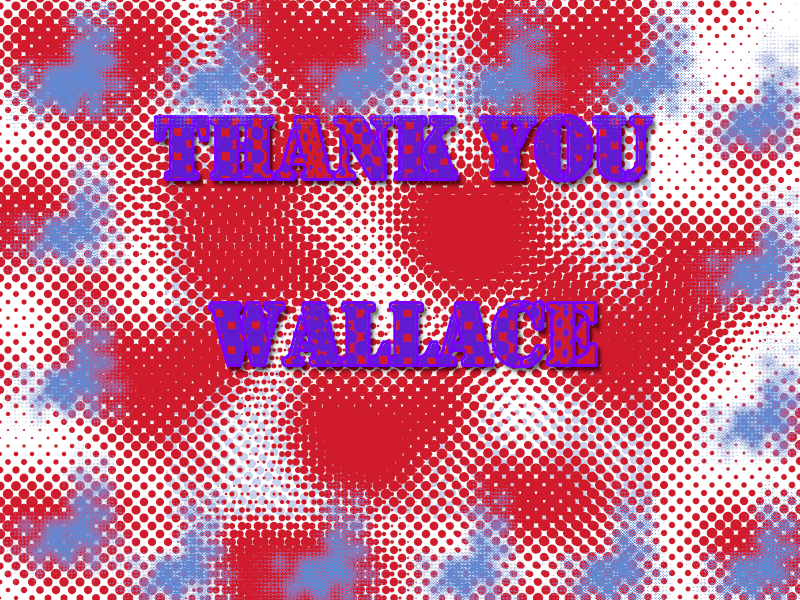
Of course Rod.
I too enjoy halftones.

:hi5

_________________
Image
"A wise man learns more from a foolish question than a fool can learn from a wise answer"
Image


Top
 Post subject: Re: 76 Halftone Grayscale Brushes
PostPosted: Wed May 01, 2019 11:26 am  (#19) 
Offline
Administrator
User avatar

Joined: Aug 10, 2012
Posts: 14182
Location: Native to NYC living in Arizona, Gimp 2.8 - 3.0, Win 11 PC.
sallyanne wrote:
[ Image ]
Took me a while to figure out that I need the mode in brush settings set to 'normal' :oops:

:hehe
They should work like any other brush,
but will also paint in any color you want.

_________________
Image
"A wise man learns more from a foolish question than a fool can learn from a wise answer"
Image


Top
 Post subject: Re: 76 Halftone Grayscale Brushes
PostPosted: Wed May 01, 2019 12:57 pm  (#20) 
Offline
GimpChat Member
User avatar

Joined: Mar 23, 2012
Posts: 7388
Location: Göteborg at last!
Fantastic Wallace. I had been trying to get the effect with the newsprint filter but not having much luck so this is a gem.


Top
 Post subject: Re: 76 Halftone Grayscale Brushes
PostPosted: Wed May 01, 2019 1:00 pm  (#21) 
Offline
Administrator
User avatar

Joined: Aug 10, 2012
Posts: 14182
Location: Native to NYC living in Arizona, Gimp 2.8 - 3.0, Win 11 PC.
Erisian wrote:
Fantastic Wallace. I had been trying to get the effect with the newsprint filter but not having much luck so this is a gem.

Have at it Erisian and enjoy.
:paint2

_________________
Image
"A wise man learns more from a foolish question than a fool can learn from a wise answer"
Image


Top
 Post subject: Re: 76 Halftone Grayscale Brushes
PostPosted: Wed May 01, 2019 1:54 pm  (#22) 
Offline
GimpChat Member

Joined: Mar 04, 2011
Posts: 2613
Erisian wrote:
...I had been trying to get the effect with the newsprint filter but not having much luck .


Gimp 2.10 - There is an additional 'newsprint' filter in Tools -> GEGL Operation. Better than the 'legacy' Filters -> Distorts -> Newsprint.

Image


Top
 Post subject: Re: 76 Halftone Grayscale Brushes
PostPosted: Wed May 01, 2019 4:42 pm  (#23) 
Offline
GimpChat Member

Joined: Apr 09, 2018
Posts: 1888
Location: France
thank you rich2005 for indicating this tool that I did not know! :)

_________________
Les parfums, les couleurs et les sons se répondent.Baudelaire (Les fleurs du mal)
2.10.36/(Samj) Gimp 2.10.38 OS Windows 10 Home 64 bits


Top
 Post subject: Re: 76 Halftone Grayscale Brushes
PostPosted: Thu May 02, 2019 5:25 am  (#24) 
Offline
GimpChat Member
User avatar

Joined: Mar 23, 2012
Posts: 7388
Location: Göteborg at last!
rich2005 wrote:
Erisian wrote:
...I had been trying to get the effect with the newsprint filter but not having much luck .


Gimp 2.10 - There is an additional 'newsprint' filter in Tools -> GEGL Operation. Better than the 'legacy' Filters -> Distorts -> Newsprint.

[ Image ]

Thanks rich. I'll explore that one later.


Top
 Post subject: Re: 76 Halftone Grayscale Brushes
PostPosted: Tue May 07, 2019 2:00 pm  (#25) 
Offline
GimpChat Member

Joined: Apr 09, 2018
Posts: 1888
Location: France
:wvy
I tested May 1 without problems some patterns of Wallace:
http://gimpchat.com/viewtopic.php?f=12&t=17397&start=10#p239008
but a few days ago I'd wanted to use some of the Wallace halftone patterns on the old windows 7 (32-bit) PC, but error messages and this morning I wanted to start over with my Windows 10 and so.Impossible to use them, it says
error while loading. Unrecognized format
Image

_________________
Les parfums, les couleurs et les sons se répondent.Baudelaire (Les fleurs du mal)
2.10.36/(Samj) Gimp 2.10.38 OS Windows 10 Home 64 bits


Top
 Post subject: Re: 76 Halftone Grayscale Brushes
PostPosted: Tue May 07, 2019 2:09 pm  (#26) 
Offline
Administrator
User avatar

Joined: Aug 10, 2012
Posts: 14182
Location: Native to NYC living in Arizona, Gimp 2.8 - 3.0, Win 11 PC.
level_0 wrote:
:wvy
I tested May 1 without problems some patterns of Wallace:
http://gimpchat.com/viewtopic.php?f=12&t=17397&start=10#p239008
but a few days ago I'd wanted to use some of the Wallace halftone patterns on the old windows 7 (32-bit) PC, but error messages and this morning I wanted to start over with my Windows 10 and so.Impossible to use them, it says
error while loading. Unrecognized format
[ Image ]

The halftone resources I posted,
are not patterns, but brushes.
Which need to be placed in your Brushes Folder and not the Patterns Folder.
Patterns have a file extention of .pat,
while Brushes have a file extention of .gbr, .gih, .vbr and sometimes .abr and .myb.

_________________
Image
"A wise man learns more from a foolish question than a fool can learn from a wise answer"
Image


Top
 Post subject: Re: 76 Halftone Grayscale Brushes
PostPosted: Tue May 07, 2019 2:21 pm  (#27) 
Offline
GimpChat Member

Joined: Apr 09, 2018
Posts: 1888
Location: France
Wallace wrote:
The halftone resources I posted,
are not patterns, but brushes.
Which need to be placed in your Brushes Folder and not the Patterns Folder.
Patterns have a file extention of .pat,
while Brushes have a file extention of .gbr, .gih, .vbr and sometimes .abr and .myb.

Actually, I am tired at the moment with the computer problems of the last days on my PCs and in addition with the addons of Firefox (but here the problem has been solved)

_________________
Les parfums, les couleurs et les sons se répondent.Baudelaire (Les fleurs du mal)
2.10.36/(Samj) Gimp 2.10.38 OS Windows 10 Home 64 bits


Top
 Post subject: Re: 76 Halftone Grayscale Brushes
PostPosted: Tue May 07, 2019 2:29 pm  (#28) 
Offline
Administrator
User avatar

Joined: Aug 10, 2012
Posts: 14182
Location: Native to NYC living in Arizona, Gimp 2.8 - 3.0, Win 11 PC.
level_0 wrote:
Actually, I am tired at the moment with the computer problems of the last days on my PCs and in addition with the addons of Firefox (but here the problem has been solved)

Did you understand my last post to you,
about the brushes?
Is this issue fixed for you?

_________________
Image
"A wise man learns more from a foolish question than a fool can learn from a wise answer"
Image


Top
 Post subject: Re: 76 Halftone Grayscale Brushes
PostPosted: Tue May 07, 2019 5:35 pm  (#29) 
Offline
GimpChat Member

Joined: Apr 09, 2018
Posts: 1888
Location: France
yes, I understood , thank you WallaceImage, and I blame myself for having been so stupid Image, I put the cause to my fatigue!

_________________
Les parfums, les couleurs et les sons se répondent.Baudelaire (Les fleurs du mal)
2.10.36/(Samj) Gimp 2.10.38 OS Windows 10 Home 64 bits


Top
 Post subject: Re: 76 Halftone Grayscale Brushes
PostPosted: Tue May 07, 2019 6:59 pm  (#30) 
Offline
Administrator
User avatar

Joined: Aug 10, 2012
Posts: 14182
Location: Native to NYC living in Arizona, Gimp 2.8 - 3.0, Win 11 PC.
level_0 wrote:
yes, I understood , thank you Wallace[ Image ], and I blame myself for having been so stupid [ Image ], I put the cause to my fatigue!

It's alright,
no worries.

_________________
Image
"A wise man learns more from a foolish question than a fool can learn from a wise answer"
Image


Top
Post new topic Reply to topic  [ 30 posts ]  Go to page 1, 2  Next

All times are UTC - 5 hours [ DST ]


cron

* Login  


Powered by phpBB3 © phpBB Group